
什么是Mqtt
消息队列遥测传输 (MQTT) , 是一种常用的轻量级 "发布-订阅"消息协议 , 非常适合通过互联网连接物联网(LOT) 或者机器对机器 (M2M) 设备与应用.
MQTT可在低带宽或者低功耗环境中高效运行,因此是有众多远程客户端应用的理想之选,适合用于多个行业,包括消费类电子产品,汽车,运输,制造及医疗行业.
HTTP与MQTT的区别
HTTP与MQTT都是用于通过互联网传输数据的网络协议,下面我们来看看二者的区别.
HTTP
- 一种 "请求-响应"协议,基于该协议,客户端向服务器发送请求,服务器返回请求的数据
- 主要设计用于在web服务器和浏览器之间传输Web内容,(如 html , 表单 , 图像 等信息)
MQTT
- 一种轻量级 "发布-订阅"消息传递协议,基础该协议,客户端订阅主题并接受客户端围绕主题发布的消息.
- 专为需要重点考虑低带宽,连接稳定性以及硬件设备而设计.
为何在物联网 (LOT) 中使用Mqtt
MQTT的许多特性让其成为物联网设备(物联网中的"物")和后端系统之间进行消息传递的理想协议,此处,我们将重点介绍以下四个特性
- 轻量级 - MQTT的代码占有空间很小,适用于处理能力和内存有限的设备,例如传感器
- 可靠性 - 许多物联网设备通过蜂窝网络连接,MQTT是一种适合低带宽网络协议,适合传输使用较少数据的简洁消息,这使得MQTT更加可靠, 即使在网络带宽有限或者不稳定的情况下也不例外.
- 可扩展性 - "发布-订阅"模型很容易随设备和后端系统的增加而扩展,住宅智能电表就是单台发布到两个独立后端网络 (订阅者) 的例子, 它将公用事业使用数据发送到公用事业的系统 (用于计费) 和面向客户的应用,(房主可访问该应用了解其住宅的能源使用情况).
- 安全性 - MQTT消息可以使用标准传输层安全防护 (TLS) 进行加密 , 并支持可用于身份验证的凭证,这让MQTT称为物联网应用中安全消息的协议, 可处理敏感信息,例如,各种医疗设备的健康检测指标等信息.
MQTT使用什么传输协议
MQTT支持传输控制协议/互联网协议 (TCP/IP)协议,作为其底层传输协议.
- TCP/IP 协议被认为可靠高效性的原因如下
- 错误检测和纠正 - 多种技术验证数据包的完整性和重传机制 , 以恢复丢失的数据包
- 流量控制 - 在指定网络中,数据以最佳速率进行传输,可防止传输延迟,并加强高效通信
- 多路复用 - 可通过单个连接发送一个数据流,因此多个应用可同时使用同一个连接
- 兼容性 - 可支持各种设备和操作系统
- 可扩展性 - 可在大型复杂网络中使用,即使在处理大量的数据流程也不影响性能
虽然TCP/IP协议是最常见的协议,但并非传输MQTT消息是唯一的选择,可可使用UDP和webSocket
搭建服务端
下载 emqx 服务器 (linxu)
官网下载地址 : https://www.emqx.io/docs/zh/v4.3/faq/use-guide.html
- 下载emqx 使用docker (拉取镜像)
[root@lep ~]# docker pull emqx/emqx:5.3.1
v4.0.0: Pulling from emqx/emqx
89d9c30c1d48: Pull complete
d1c907393fbf: Pull complete
4f534f3dfa46: Pull complete
c0044c0a242c: Pull complete
432bcb7ac615: Pull complete
1c89b5520019: Pull complete
e3bf682944db: Downloadin
- 启动镜像
[root@lep ~]# docker run -d --name emqx -p 1883:1883 -p 8081:8081 -p 8083:8083 -p 8883:8883 -p 8084:8084 -p 18083:18083 emqx/emqx:5.3.1
f8ca59e1a21b040f1c28d4a3f09e908e67f11bf61f7fb11b8fd3576b283a61a0
[root@lep ~]#
- 访问 127.0.0.1:18083 (默认账号密码 ; admin/public)
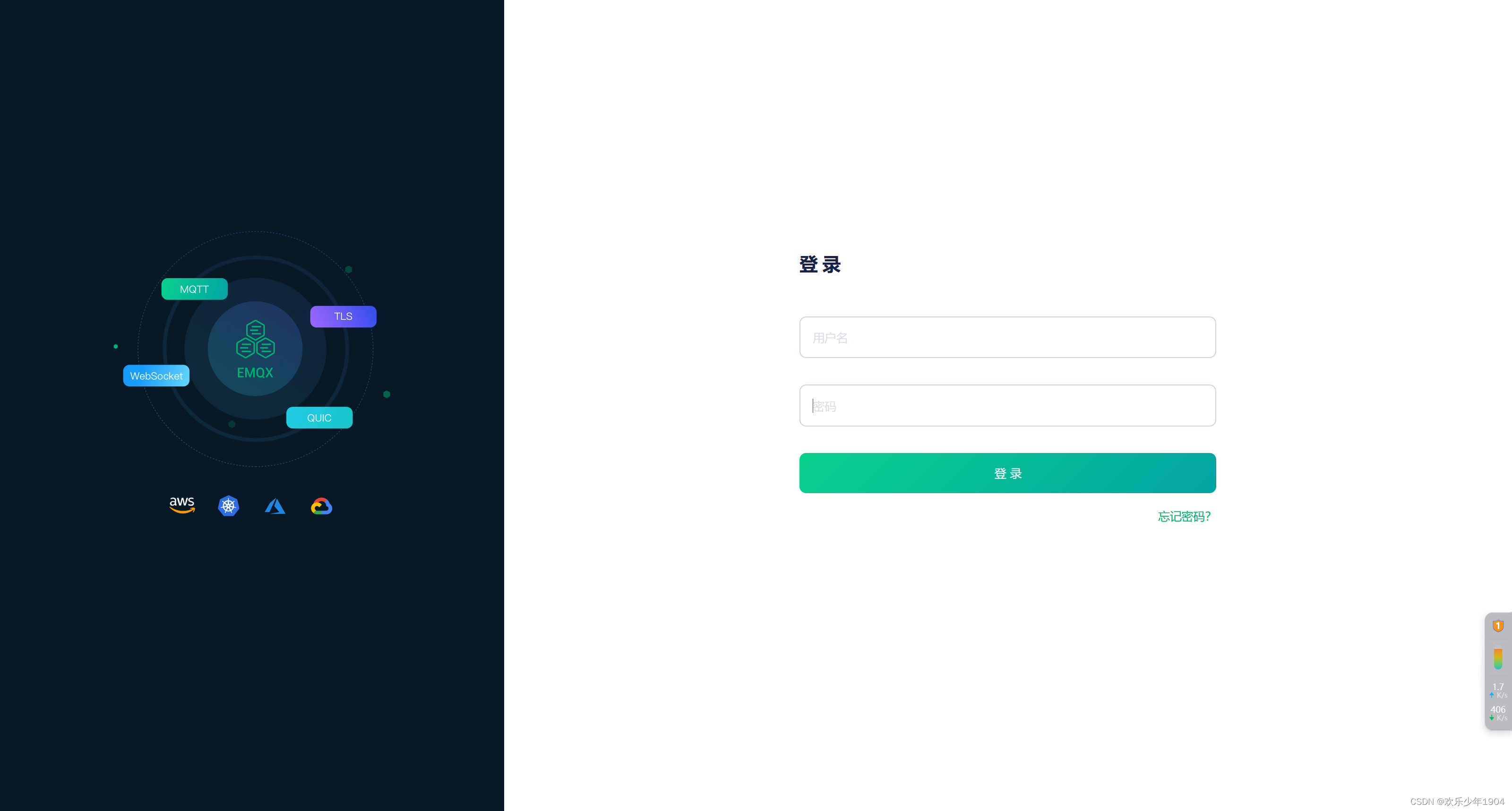
第一次进入 ,需要修改密码
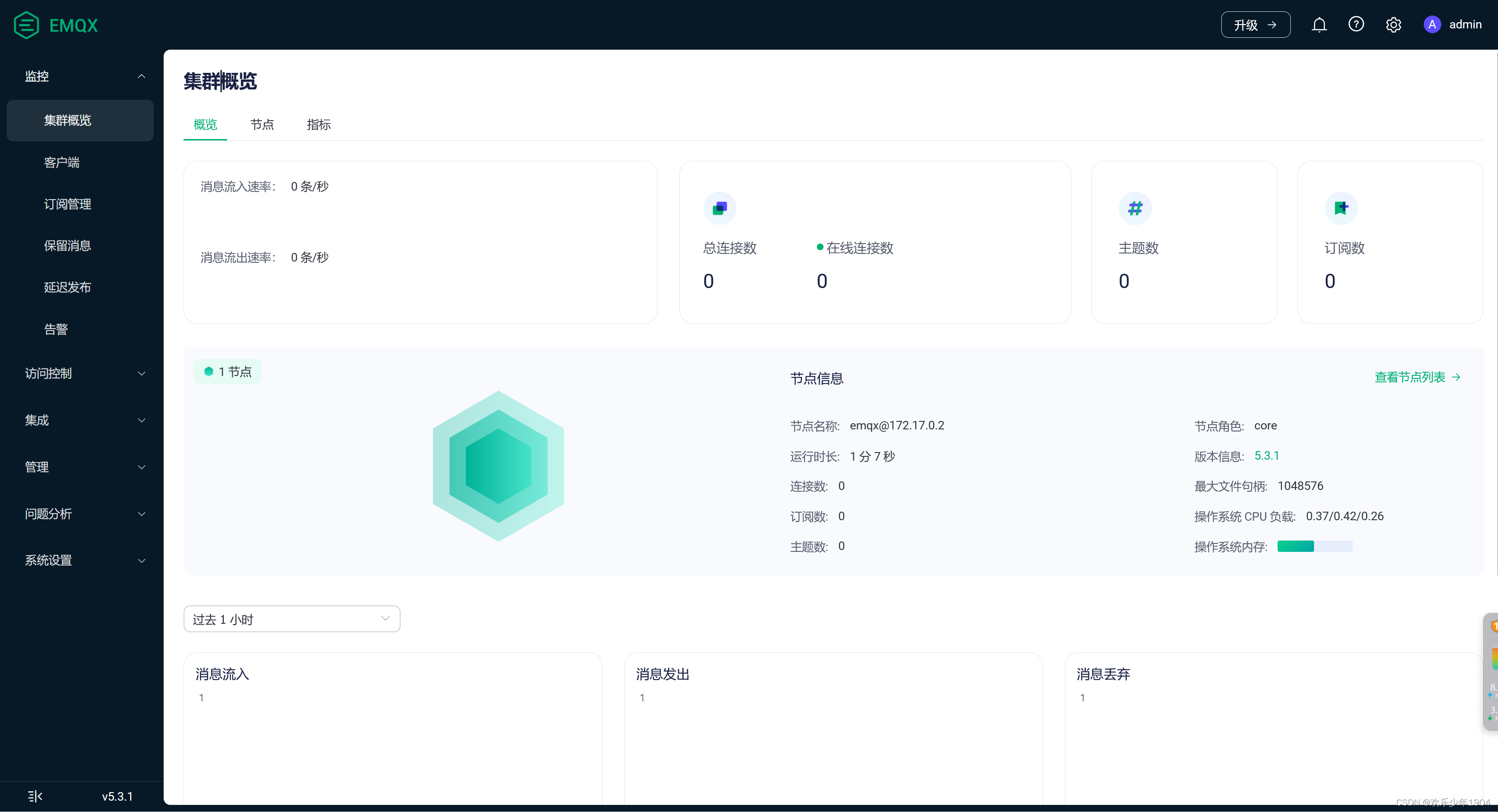
端口号
- 控制台连接端口号 18083
- 客户端连接端口号 1883
SpringBoot整合MQTT
- pom.xml文件,导入相关依赖包
<!-- 引入 mqtt 相关依赖--><dependency><groupId>org.springframework.boot</groupId><artifactId>spring-boot-starter-integration</artifactId><version>2.3.12.RELEASE</version></dependency><dependency><groupId>org.springframework.integration</groupId><artifactId>spring-integration-stream</artifactId></dependency><dependency><groupId>org.springframework.integration</groupId><artifactId>spring-integration-mqtt</artifactId></dependency>
- 修改properties / yaml 文件,增加mqtt相关的连接配置
spring.application.name=test
# MQTT服务地址,端口号默认1883,如果有多个,用逗号隔开
spring.mqtt.url=tcp://127.0.0.1:1883
# 用户名
spring.mqtt.username=admin
# 密码
spring.mqtt.password=lep-88888888
- mqtt连接
packagecom.example.springmaven.controller.conf;importorg.eclipse.paho.client.mqttv3.*;importorg.eclipse.paho.client.mqttv3.persist.MemoryPersistence;importorg.springframework.beans.factory.annotation.Value;importorg.springframework.context.annotation.Configuration;importjavax.annotation.PostConstruct;importjavax.annotation.PreDestroy;/**
 * @Date 2023/11/21 18:31
 */@ConfigurationpublicclassMqttConfig{@Value("${spring.mqtt.username}")privateString username;@Value("${spring.mqtt.password}")privateString password;@Value("${spring.mqtt.url}")privateString hostUrl;@Value("${spring.application.name}")privateString applicationName;/**
     * 客户端对象
     */privateMqttClient client;/**
     * 在bean初始化后连接到服务器
     */@PostConstructpublicvoidinit(){this.connect();}/**
     * 断开连接
     */@PreDestroypublicvoiddisConnect(){try{
            client.disconnect();
            client.close();}catch(MqttException e){
            e.printStackTrace();}}/**
     * 客户端连接服务端
     */publicvoidconnect(){try{// 创建MQTT客户端对象
            client =newMqttClient(hostUrl, applicationName,newMemoryPersistence());// 连接设置MqttConnectOptions options =newMqttConnectOptions();// 是否清空session,设置false表示服务器会保留客户端的连接记录(订阅主题,qos),客户端重连之后能获取到服务器在客户端断开连接期间推送的消息// 设置为true表示每次连接服务器都是以新的身份
            options.setCleanSession(true);// 设置连接用户名
            options.setUserName(username);// 设置连接密码
            options.setPassword(password.toCharArray());// 设置超时时间,单位为秒
            options.setConnectionTimeout(100);// 设置心跳时间 单位为秒,表示服务器每隔 1.5*20秒的时间向客户端发送心跳判断客户端是否在线
            options.setKeepAliveInterval(20);// 设置遗嘱消息的话题,若客户端和服务器之间的连接意外断开,服务器将发布客户端的遗嘱信息
            options.setWill("willTopic",(applicationName +"与服务器断开连接").getBytes(),0,false);// 设置回调
            client.setCallback(newMqttCallBack());// 连接
            client.connect(options);// 订阅主题 (接受此主题的消息)this.subscribe("warn_topic",2);this.subscribe("warn_topic2",2);}catch(MqttException e){
            e.printStackTrace();}}/**
     * 发布消息
     *
     * @param topic
     * @param message
     */publicbooleanpublish(String topic,String message){MqttMessage mqttMessage =newMqttMessage();// 0:最多交付一次,可能丢失消息// 1:至少交付一次,可能消息重复// 2:只交付一次,既不丢失也不重复
        mqttMessage.setQos(2);// 是否保留最后一条消息
        mqttMessage.setRetained(false);// 消息内容
        mqttMessage.setPayload(message.getBytes());// 主题的目的地,用于发布/订阅信息MqttTopic mqttTopic = client.getTopic(topic);// 提供一种机制来跟踪消息的传递进度// 用于在以非阻塞方式(在后台运行)执行发布是跟踪消息的传递进度MqttDeliveryToken token;try{// 将指定消息发布到主题,但不等待消息传递完成,返回的token可用于跟踪消息的传递状态// 一旦此方法干净地返回,消息就已被客户端接受发布,当连接可用,将在后台完成消息传递。
            token = mqttTopic.publish(mqttMessage);
            token.waitForCompletion();returntrue;}catch(MqttException e){
            e.printStackTrace();}returnfalse;}/**
     * 订阅主题
     */publicvoidsubscribe(String topic,int qos){try{
            client.subscribe(topic, qos);}catch(MqttException e){
            e.printStackTrace();}}}
- 消息回调
packagecom.example.springmaven.controller.conf;importorg.eclipse.paho.client.mqttv3.IMqttAsyncClient;importorg.eclipse.paho.client.mqttv3.IMqttDeliveryToken;importorg.eclipse.paho.client.mqttv3.MqttCallback;importorg.eclipse.paho.client.mqttv3.MqttMessage;importorg.springframework.context.annotation.Configuration;/**
 * @Date 2023/11/21 18:32
 */@ConfigurationpublicclassMqttCallBackimplementsMqttCallback{/**
     * 与服务器断开的回调
     */@OverridepublicvoidconnectionLost(Throwable cause){System.out.println("与服务器断开连接");}/**
     * 消息到达的回调
     */@OverridepublicvoidmessageArrived(String topic,MqttMessage message){System.out.println(String.format("接收消息主题 : %s", topic));System.out.println(String.format("接收消息Qos : %d", message.getQos()));System.out.println(String.format("接收消息内容 : %s",newString(message.getPayload())));System.out.println(String.format("接收消息retained : %b", message.isRetained()));}/**
     * 消息发布成功的回调
     */@OverridepublicvoiddeliveryComplete(IMqttDeliveryToken token){IMqttAsyncClient client = token.getClient();System.out.println(client.getClientId()+"发布消息成功!");}}
- 发送消息
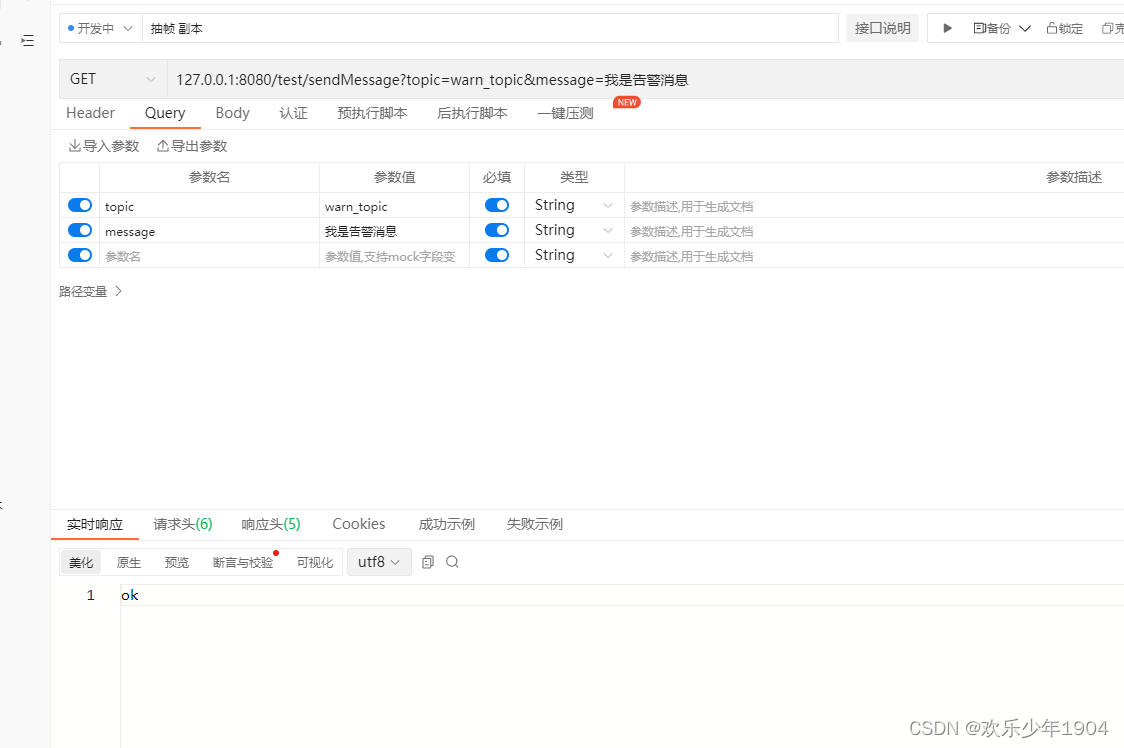
@RestController@RequestMapping(value ="/test")@Slf4jpublicclassTestController{@AutowiredprivateMqttConfig mqttConfig;@GetMapping("/sendMessage")publicStringsendMessage(@RequestParam("topic")String topic,@RequestParam("message")String message){boolean publish = mqttConfig.publish(topic, message);if(publish){return"ok";}return"no";}}
- 启动项目
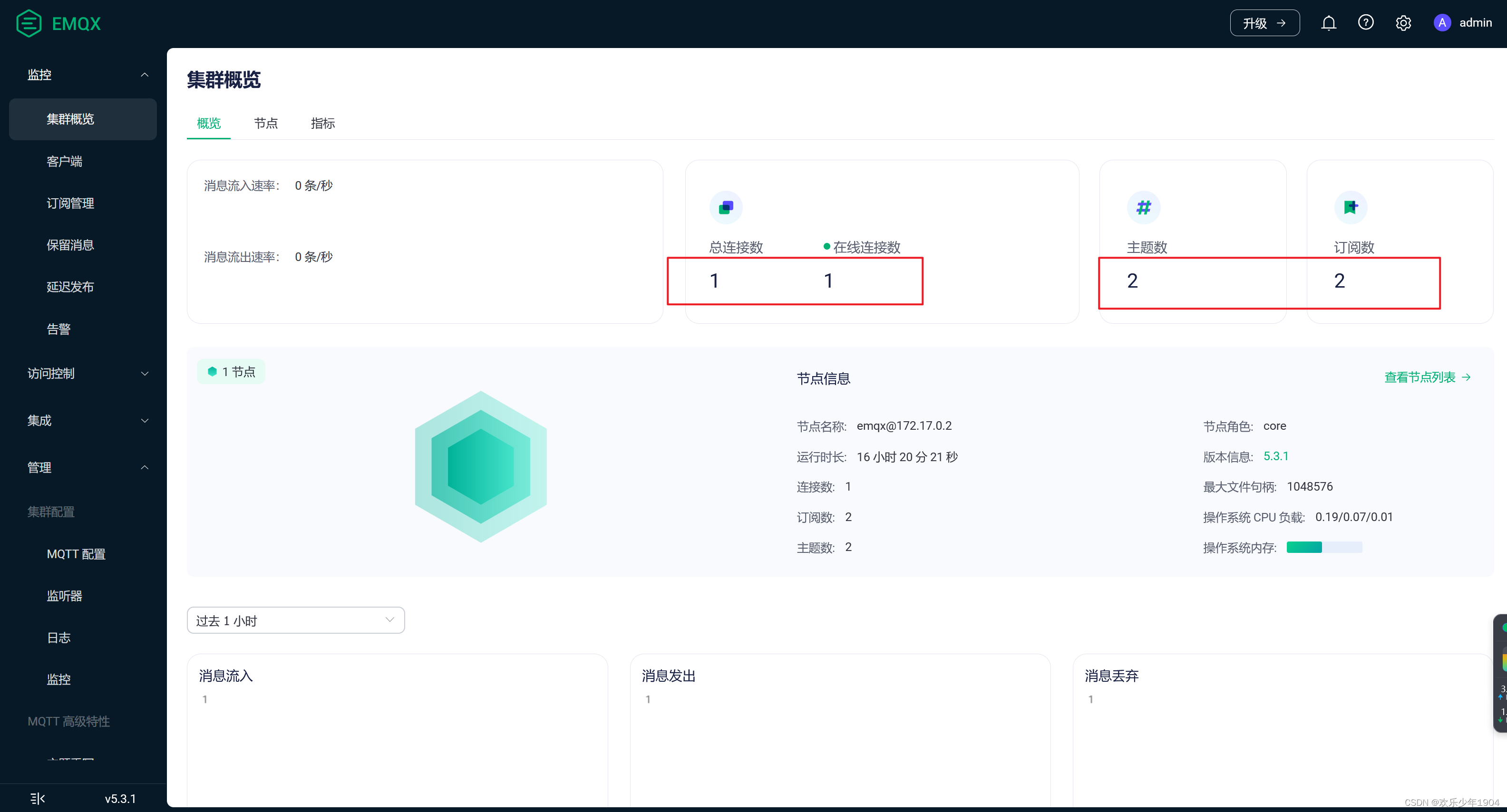
两个订阅方 , 两个主题方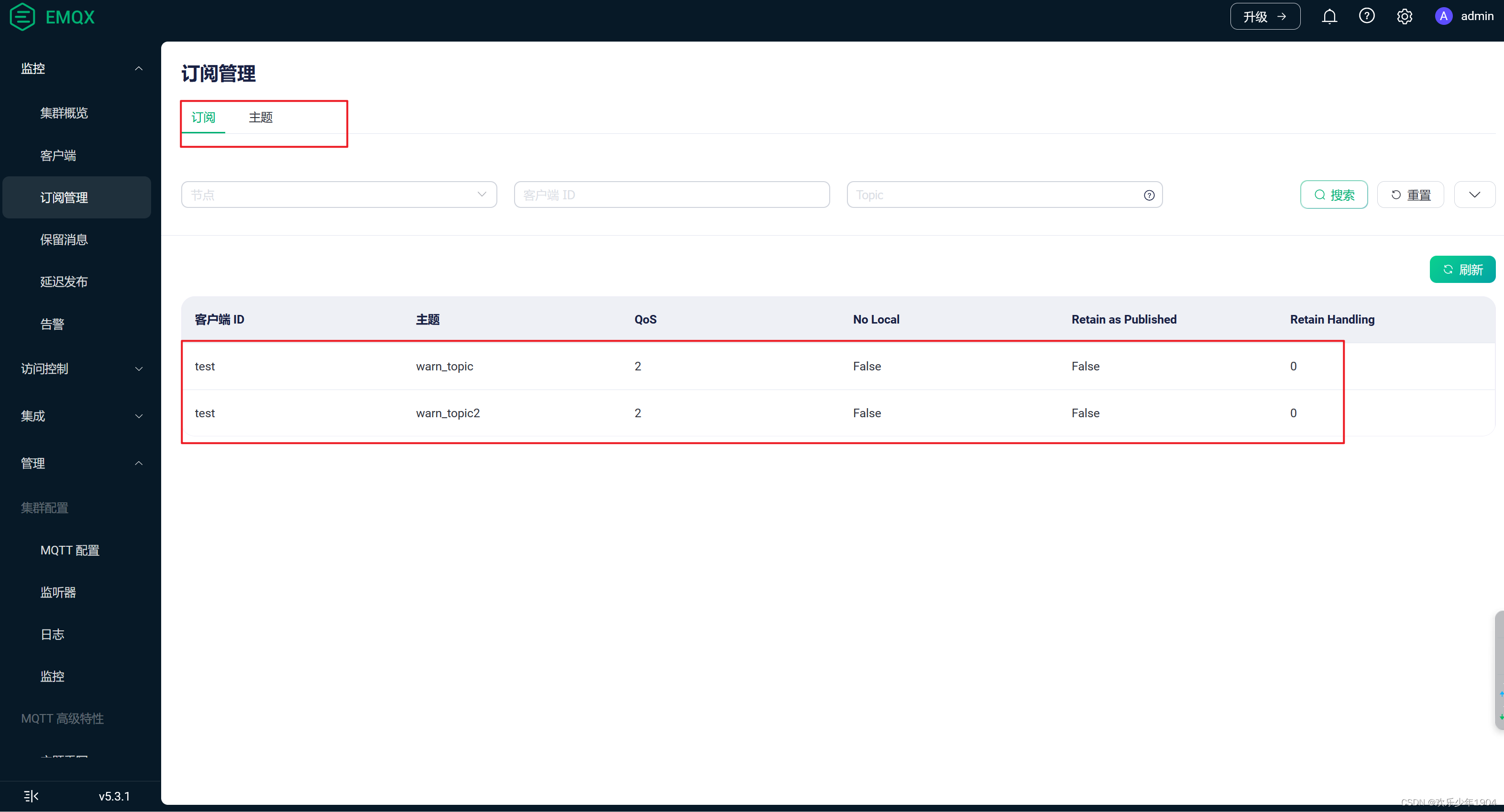
- 模拟发送消息
- 查看消息是否消费
查看监控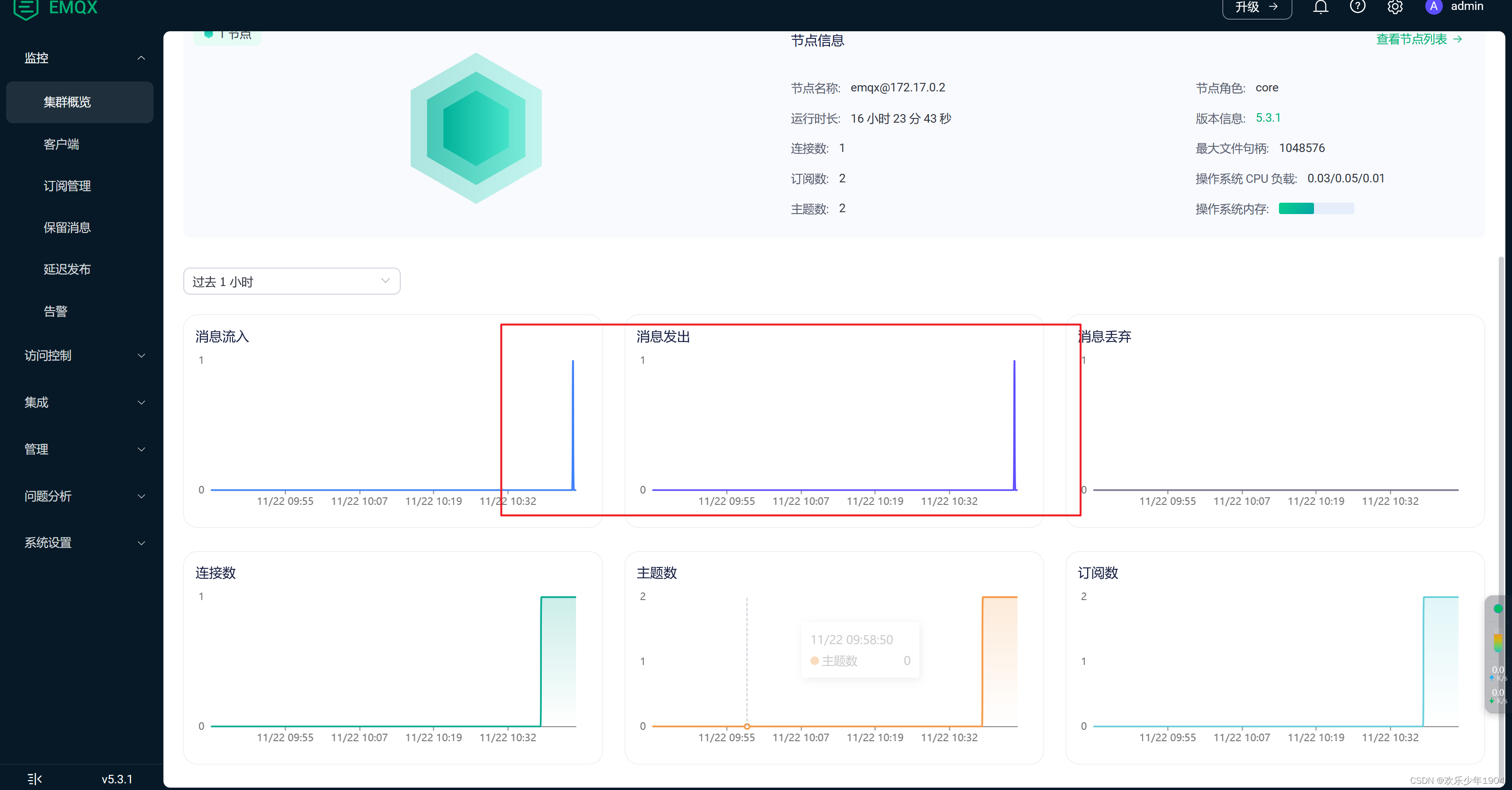
查看控制台输出
.   ____          _            __ _ _
 /\\ / ___'_ __ _ _(_)_ __  __ _ \ \ \ \
( ( )\___ | '_ |'_| | '_ \/ _` |\\\\\\/  ___)||_)|||||||(_||))))'  |____| .__|_| |_|_| |_\__, | / / / /
 =========|_|==============|___/=/_/_/_/
 :: Spring Boot ::                (v2.5.6)

2023-11-22 10:37:29.324  INFO 16044 --- [           main] c.e.springmaven.SpringMavenApplication   : Starting SpringMavenApplication using Java 11.0.1 on lep with PID 16044 (D:\Corporation\CZGJ\spring-maven\target\classes started by lep in D:\Corporation\CZGJ\spring-maven)
2023-11-22 10:37:29.324  INFO 16044 --- [           main] c.e.springmaven.SpringMavenApplication   : No active profile set, falling back to default profiles: default
2023-11-22 10:37:29.853  INFO 16044 --- [           main] faultConfiguringBeanFactoryPostProcessor : No bean named 'errorChannel' has been explicitly defined. Therefore, a default PublishSubscribeChannel will be created.
2023-11-22 10:37:29.861  INFO 16044 --- [           main] faultConfiguringBeanFactoryPostProcessor : No bean named 'integrationHeaderChannelRegistry' has been explicitly defined. Therefore, a default DefaultHeaderChannelRegistry will be created.
2023-11-22 10:37:29.892  INFO 16044 --- [           main] trationDelegate$BeanPostProcessorChecker : Bean 'org.springframework.integration.config.IntegrationManagementConfiguration' of type [org.springframework.integration.config.IntegrationManagementConfiguration] is not eligible for getting processed by all BeanPostProcessors (for example: not eligible for auto-proxying)
2023-11-22 10:37:29.908  INFO 16044 --- [           main] trationDelegate$BeanPostProcessorChecker : Bean 'integrationChannelResolver' of type [org.springframework.integration.support.channel.BeanFactoryChannelResolver] is not eligible for getting processed by all BeanPostProcessors (for example: not eligible for auto-proxying)
2023-11-22 10:37:29.908  INFO 16044 --- [           main] trationDelegate$BeanPostProcessorChecker : Bean 'integrationDisposableAutoCreatedBeans' of type [org.springframework.integration.config.annotation.Disposables] is not eligible for getting processed by all BeanPostProcessors (for example: not eligible for auto-proxying)
2023-11-22 10:37:30.098  INFO 16044 --- [           main] o.s.b.w.embedded.tomcat.TomcatWebServer  : Tomcat initialized with port(s): 8080 (http)
2023-11-22 10:37:30.098  INFO 16044 --- [           main] o.apache.catalina.core.StandardService   : Starting service [Tomcat]
2023-11-22 10:37:30.114  INFO 16044 --- [           main] org.apache.catalina.core.StandardEngine  : Starting Servlet engine: [Apache Tomcat/9.0.54]
2023-11-22 10:37:30.114  INFO 16044 --- [           main] o.a.catalina.core.AprLifecycleListener   : Loaded Apache Tomcat Native library [1.2.31] using APR version [1.7.0].
2023-11-22 10:37:30.114  INFO 16044 --- [           main] o.a.catalina.core.AprLifecycleListener   : APR capabilities: IPv6 [true], sendfile [true], accept filters [false], random [true], UDS [true].
2023-11-22 10:37:30.114  INFO 16044 --- [           main] o.a.catalina.core.AprLifecycleListener   : APR/OpenSSL configuration: useAprConnector [false], useOpenSSL [true]
2023-11-22 10:37:30.114  INFO 16044 --- [           main] o.a.catalina.core.AprLifecycleListener   : OpenSSL successfully initialized [OpenSSL 1.1.1l  24 Aug 2021]
2023-11-22 10:37:30.178  INFO 16044 --- [           main] o.a.c.c.C.[Tomcat].[localhost].[/]       : Initializing Spring embedded WebApplicationContext
2023-11-22 10:37:30.178  INFO 16044 --- [           main] w.s.c.ServletWebServerApplicationContext : Root WebApplicationContext: initialization completed in 822 ms
2023-11-22 10:37:30.871  INFO 16044 --- [           main] o.s.i.endpoint.EventDrivenConsumer       : Adding {logging-channel-adapter:_org.springframework.integration.errorLogger} as a subscriber to the 'errorChannel' channel
2023-11-22 10:37:30.871  INFO 16044 --- [           main] o.s.i.channel.PublishSubscribeChannel    : Channel 'test.errorChannel' has 1 subscriber(s).
2023-11-22 10:37:30.871  INFO 16044 --- [           main] o.s.i.endpoint.EventDrivenConsumer       : started bean '_org.springframework.integration.errorLogger'
2023-11-22 10:37:30.887  INFO 16044 --- [           main] o.s.b.w.embedded.tomcat.TomcatWebServer  : Tomcat started on port(s): 8080 (http) with context path ''
2023-11-22 10:37:30.887  INFO 16044 --- [           main] c.e.springmaven.SpringMavenApplication   : Started SpringMavenApplication in1.845 seconds (JVM running for2.87)2023-11-22 10:42:34.668  INFO 16044 --- [nio-8080-exec-1] o.a.c.c.C.[Tomcat].[localhost].[/]: Initializing Spring DispatcherServlet 'dispatcherServlet'2023-11-22 10:42:34.668  INFO 16044 --- [nio-8080-exec-1] o.s.web.servlet.DispatcherServlet        : Initializing Servlet 'dispatcherServlet'2023-11-22 10:42:34.669  INFO 16044 --- [nio-8080-exec-1] o.s.web.servlet.DispatcherServlet        : Completed initialization in1 ms
test发布消息成功!
接收消息主题 : warn_topic
接收消息Qos :2
接收消息内容 : 我是告警消息
接收消息retained :false
本文转载自: https://blog.csdn.net/liuerpeng1904/article/details/135459351
版权归原作者 欢乐少年1904 所有, 如有侵权,请联系我们删除。
版权归原作者 欢乐少年1904 所有, 如有侵权,请联系我们删除。