
1.创建表格
<el-table
ref="multipleTable"
:data="tableData"
border
<el-table-column fixed type="selection" align="center"></el-table-column>
</el-table><el-table-column
:prop="item.prop"
:label="item.label"
:formatter="item.formatter"
align="center"
show-overflow-tooltip
</el-table-column>
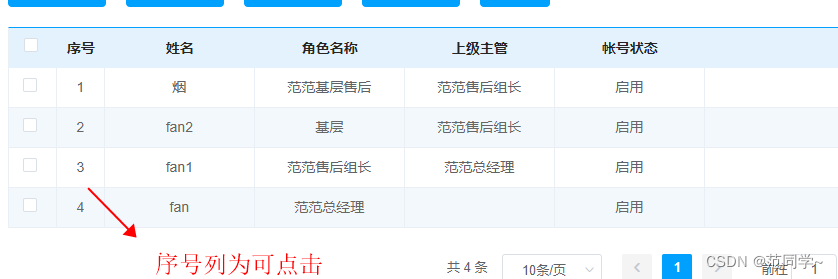
2.创建表头+事件

columns: [
{
prop: "index",
label: "序号",
formatter: (row, column, cellValue, index) => {
return <span οnclick={that.aa.bind(null, row)}>{index + 1};
}
},
{
prop: "userName",
label: "姓名"
},
{
prop: "roleName",
label: "角色名称"
},
{
prop: "topManagerUserVo",
label: "上级主管",
formatter: (row, column) => {
if (row.topManagerUserVo) {
return row.topManagerUserVo.roleName;
} else {
return "";
}
}
},
{
prop: "accountStatus",
label: "帐号状态",
formatter: (row, column) => {
if (row.accountStatus == 0) {
return "禁用";
}
if (row.accountStatus == 1) {
return "启用";
}
if (row.accountStatus == 2) {
return "已过期";
}
}
},
],

版权归原作者 范同学~ 所有, 如有侵权,请联系我们删除。