

什么是 Docmost ?
Docmost是一款开源协作 wiki 和文档软件。它是
Confluence和
Notion等软件的开源替代品。使用
Docmost可以无缝创建、协作和共享知识。非常适合管理您的
wiki、知识库、文档等。目前
Docmost处于测试阶段。
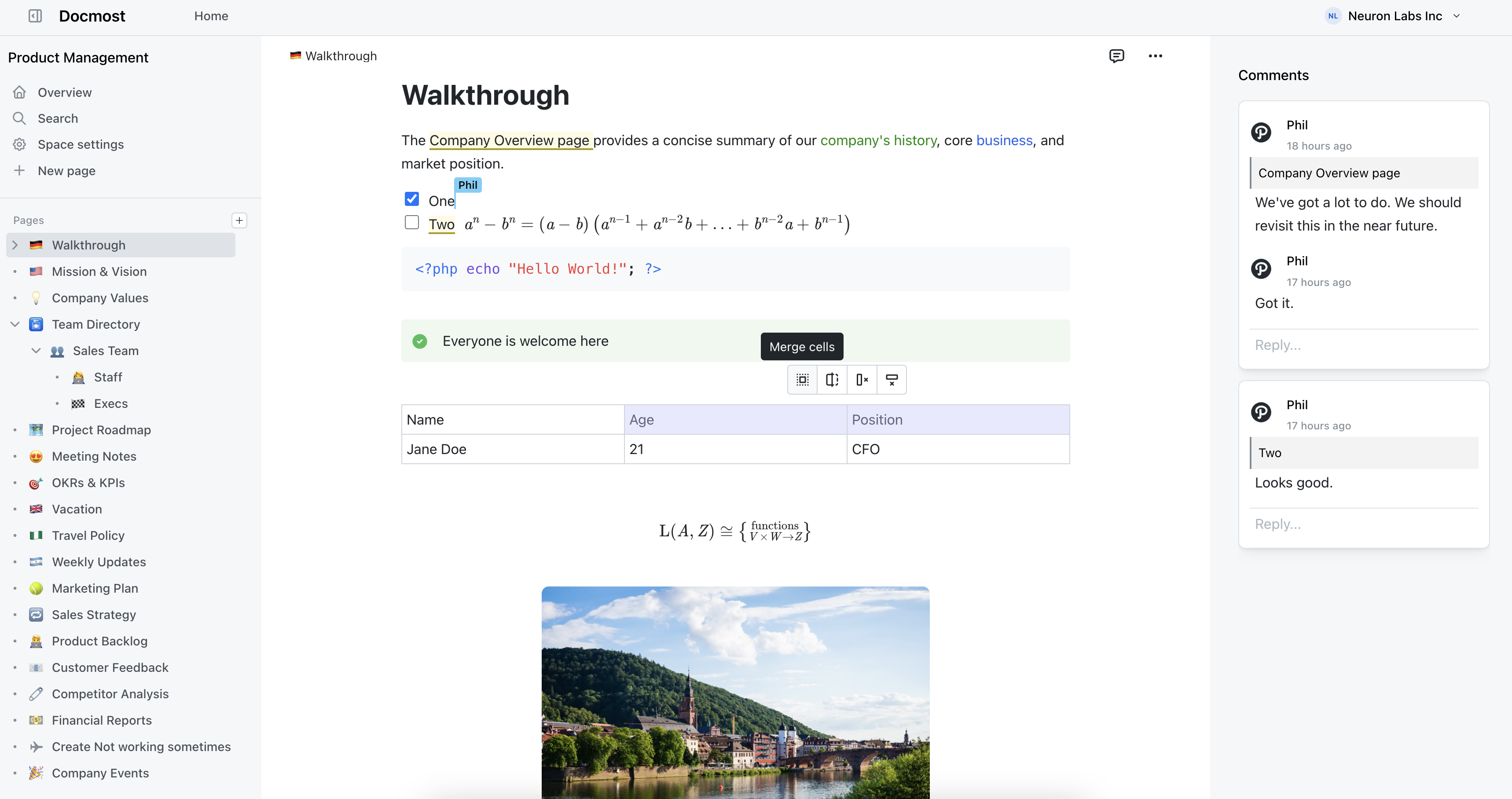
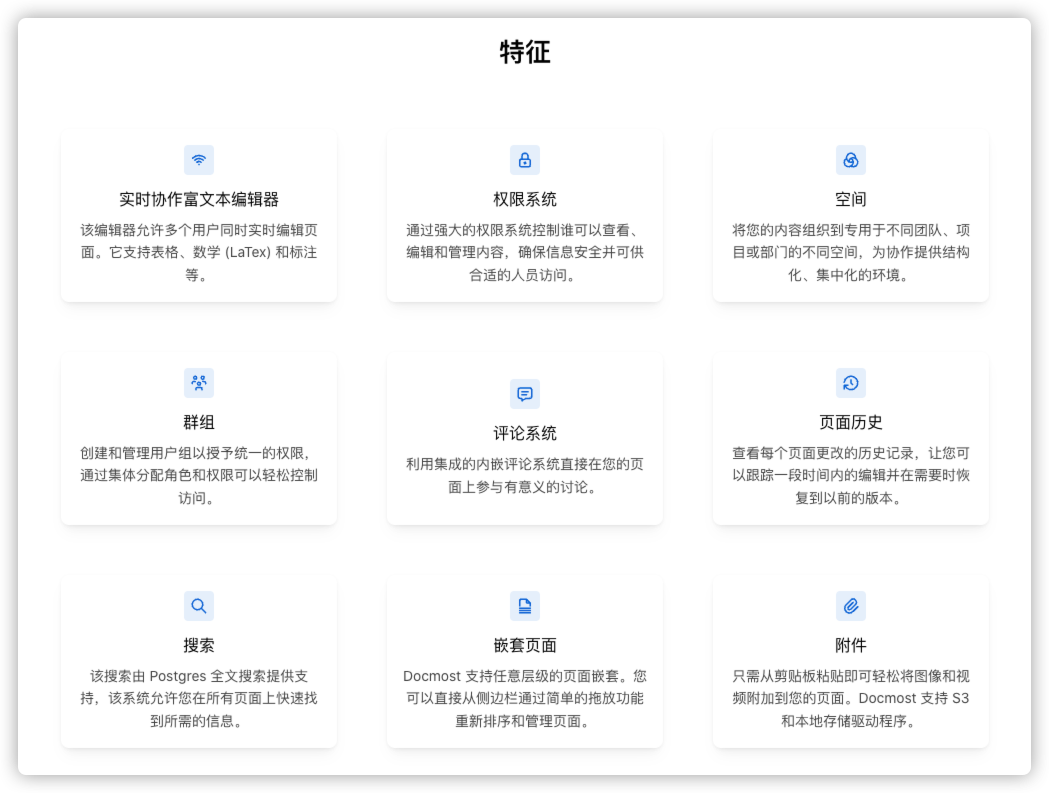
软件的主要特点
安装
在群晖上以 Docker 方式安装。
因为涉及多个容器,采用了
docker-compose
方式安装,将下面的内容保存为
docker-compose.yml
文件
version:'3'services:docmost:image: docmost/docmost:latest
    container_name: docmost-app
    depends_on:- db
      - redis
    environment:APP_URL:'http://192.168.0.197:3140'APP_SECRET:'G6phWvAVU2JRStChrmJx'DATABASE_URL:'postgresql://docmost:STRONG_DB_PASSWORD@db:5432/docmost?schema=public'REDIS_URL:'redis://redis:6379'ports:-"3140:3000"restart: unless-stopped
    volumes:- ./data:/app/data/storage

  db:image: postgres:16-alpine
    container_name: docmost-db
    environment:POSTGRES_DB: docmost
      POSTGRES_USER: docmost
      POSTGRES_PASSWORD: STRONG_DB_PASSWORD
    restart: unless-stopped
    volumes:- ./db:/var/lib/postgresql/data

  redis:image: redis:7.2-alpine
    container_name: docmost-redis
    restart: unless-stopped
    volumes:- ./redis:/data
- 容器
docmost-app
可变值说明APP_URL
http://192.168.0.197:3140
Docmost
的访问地址,可以是
IP
地址或者域名,其中
IP
为主机的
IP
,端口为本地端口,而不是容器端口
APP_SECRET
用于应用程序安全性的随机密钥
DATABASE_URL
根据后面的数据库,生成的
PostgreSQL
数据库的连接
URL
,如果改了数据库设置,这里要跟着变
REDIS_URL
redis://redis:6379
Redis
服务的连接
URL
,默认的就可以
官方给的示例中
APP_SECRET为
REPLACE_WITH_LONG_SECRET,如果不修改会导致容器不断重启,日志显示如下:
docmost-app | The Environment variables has failed the following validations:
docmost-app | {"isNotIn":"APP_SECRET should not be one of the following values: REPLACE_WITH_LONG_SECRET"}
docmost-app | Please fix the environment variables and try again. Exiting program...
docmost-app | /app/apps/server:
docmost-app |  ERR_PNPM_RECURSIVE_RUN_FIRST_FAIL  [email protected] start:prod: `cross-env NODE_ENV=production node dist/main`
docmost-app | Exit status 1
docmost-app |  ELIFECYCLE  Command failed with exit code 1.
docmost-app exited with code 1
- 容器
docmost-db
可变值说明POSTGRES_DB
docmost
数据库库名
POSTGRES_USER
docmost
数据库用户名
POSTGRES_PASSWORD
STRONG_DB_PASSWORD
数据库用户对应的密码
以上只是基本设置,
Docmost
还支持
S3
及兼容存储,可以发送邮件。
更多环境变量:https://docmost.com/docs/self-hosting/environment-variables
然后执行下面的命令
# 新建文件夹 docmost 和 子目录mkdir-p /volume1/docker/docmost/{data,db,redis}# 进入 docmost 目录cd /volume1/docker/docmost

# 修改目录权限,否则上传图片会失败chmod a+rw data

# 将 docker-compose.yml 放入当前目录# 一键启动docker-compose up -d
运行
在浏览器中输入
http://群晖IP:3140
就能看到注册界面
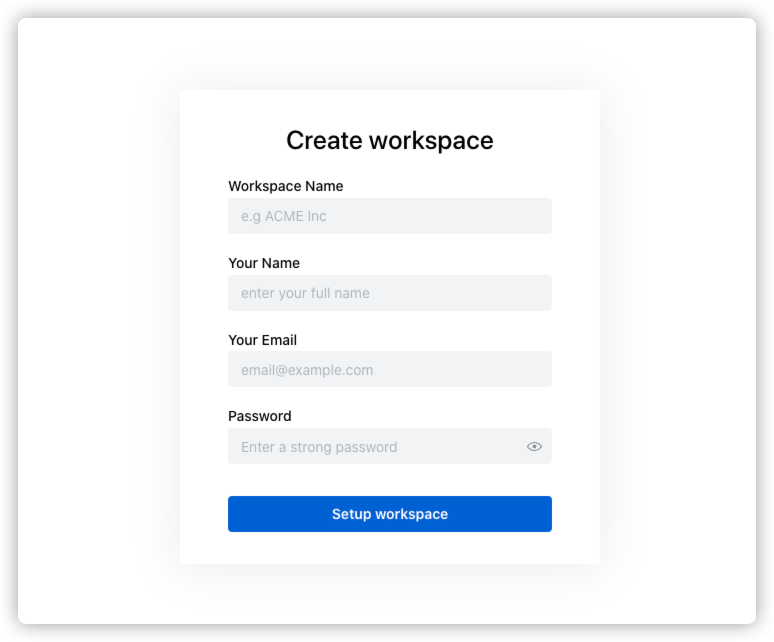
Workspace Name:工作区名称Your Name:用户名Your Email:邮件地址Password:密码,不能少于8个字符
注册成功后的主界面

写作
进入工作区

新建
New page
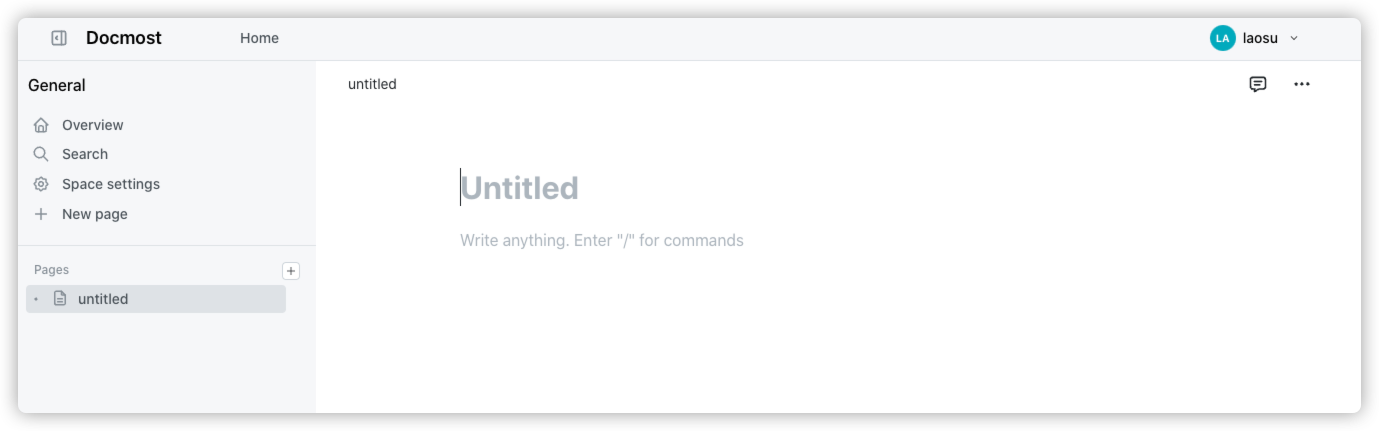
和
Notion
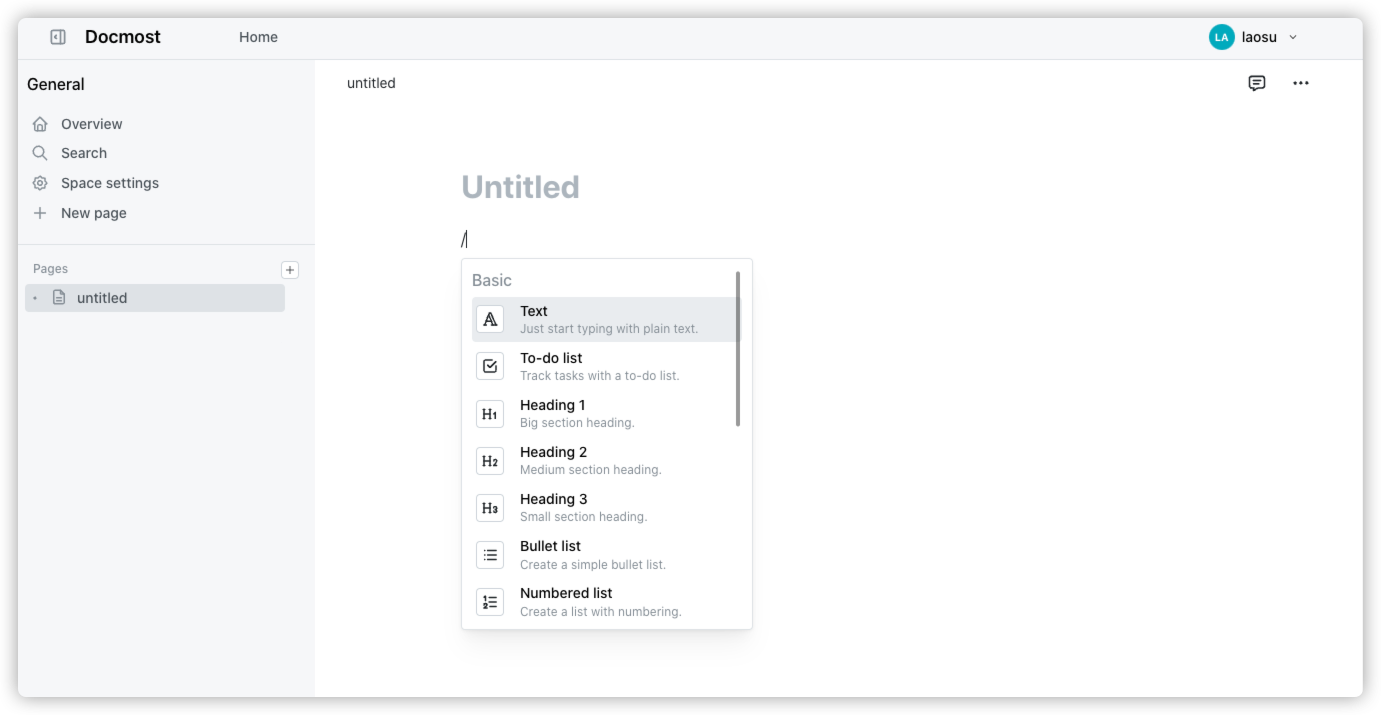
一样采用了块操作模式,输入
/
可创建代码块、
todo list
等
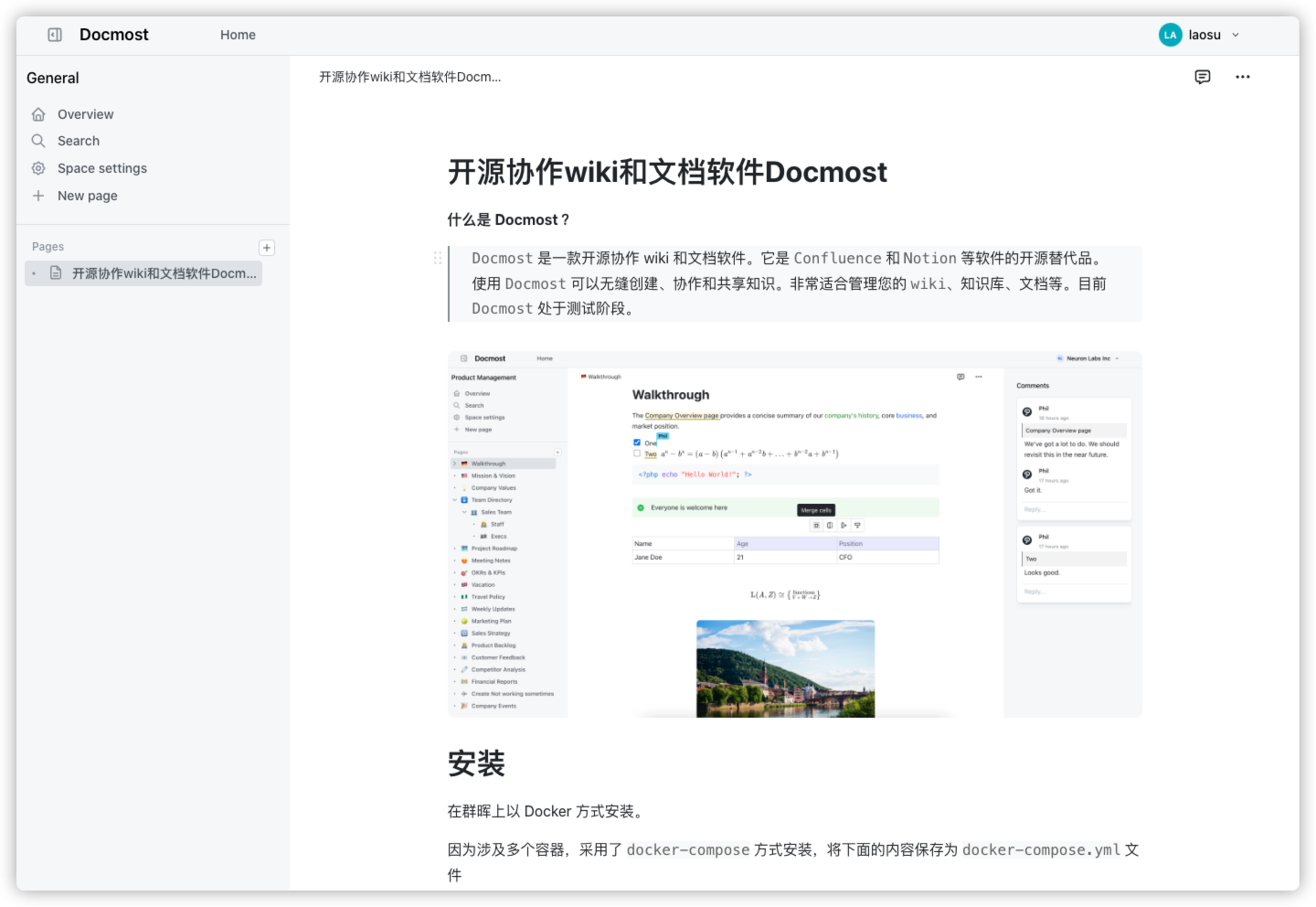
基于
Docmost
写下了本文
回到
Home
能看到刚刚更新的文档

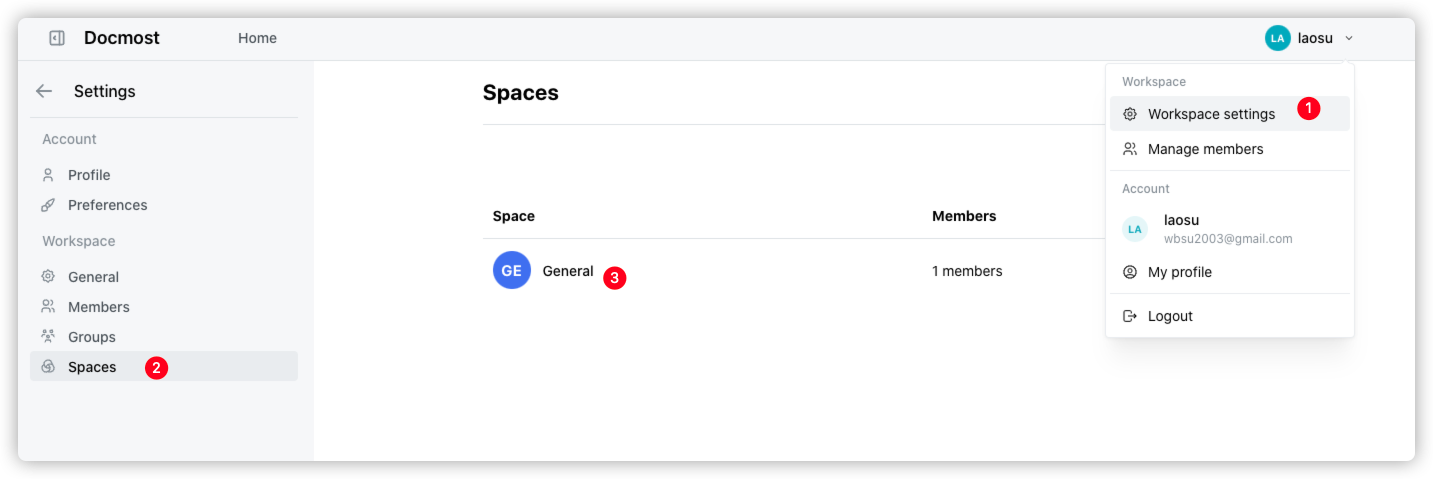
右上角是
Docmost
的相关设置

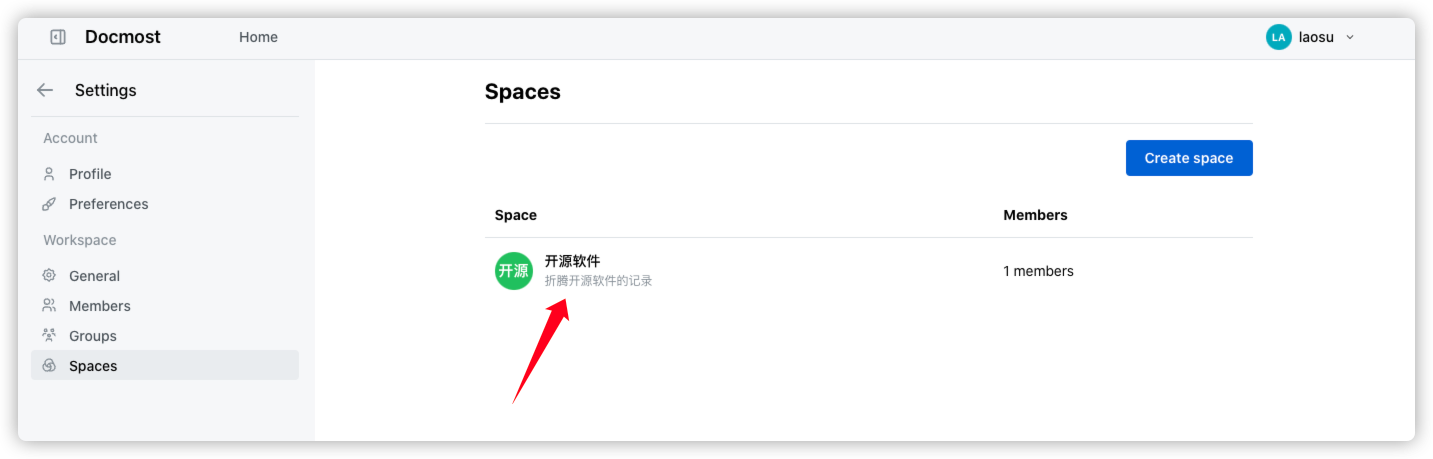
比如我想给创建的空间
General
改个名
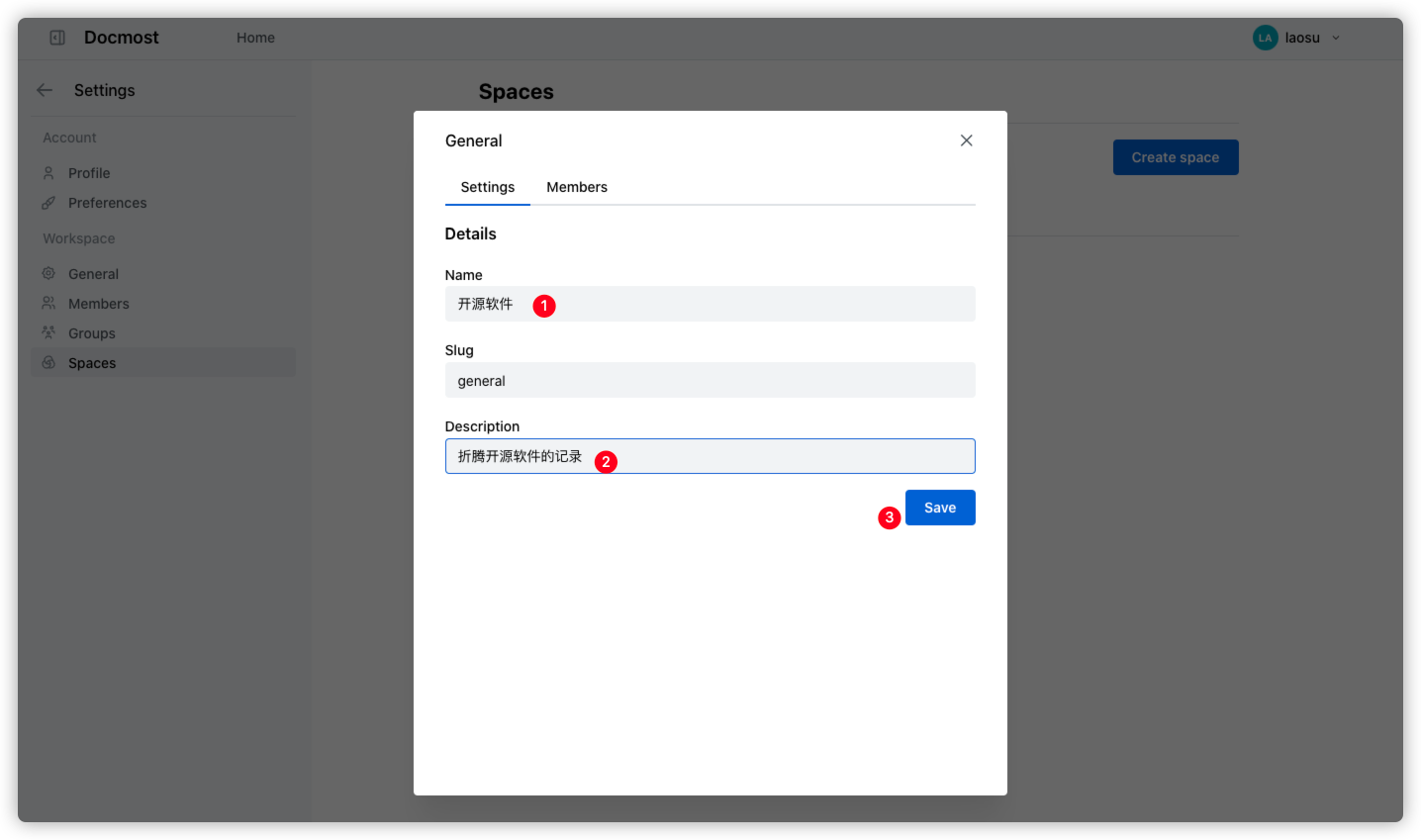
修改
Name
就可以
保存之后
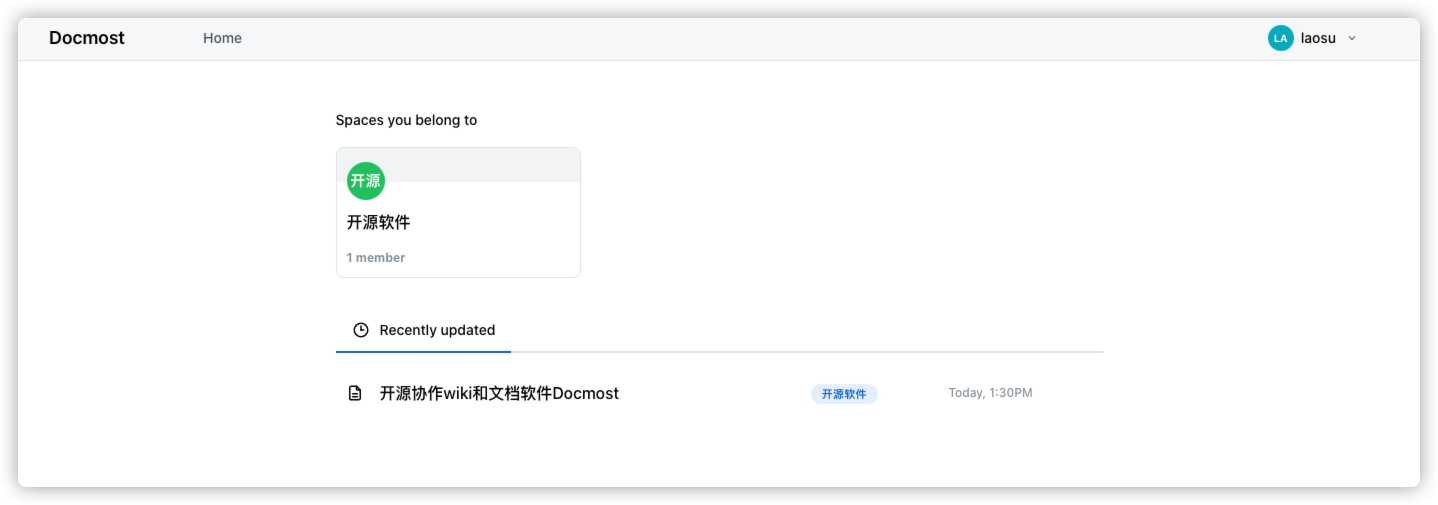
再回到
Home
,名字已经改过来了
按个人习惯又增加了几个
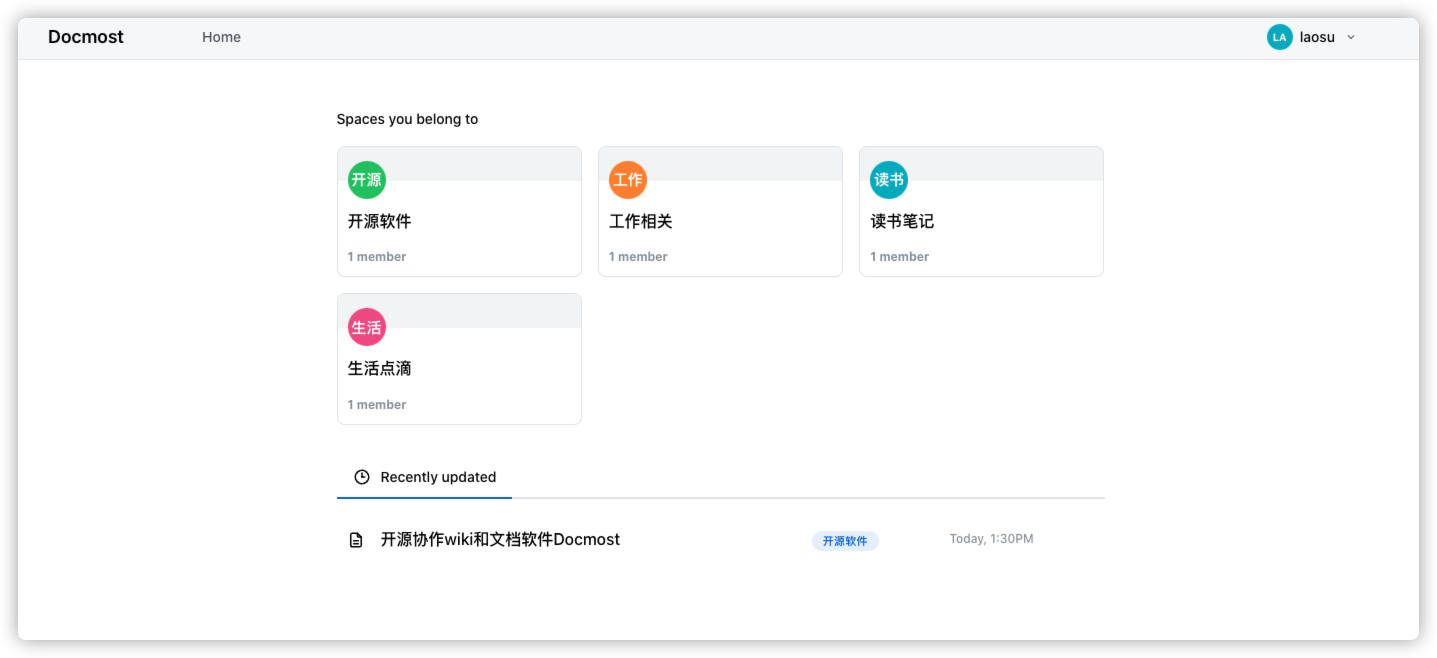
协作
像工作相关的部分,我们可以邀请成员进行协作

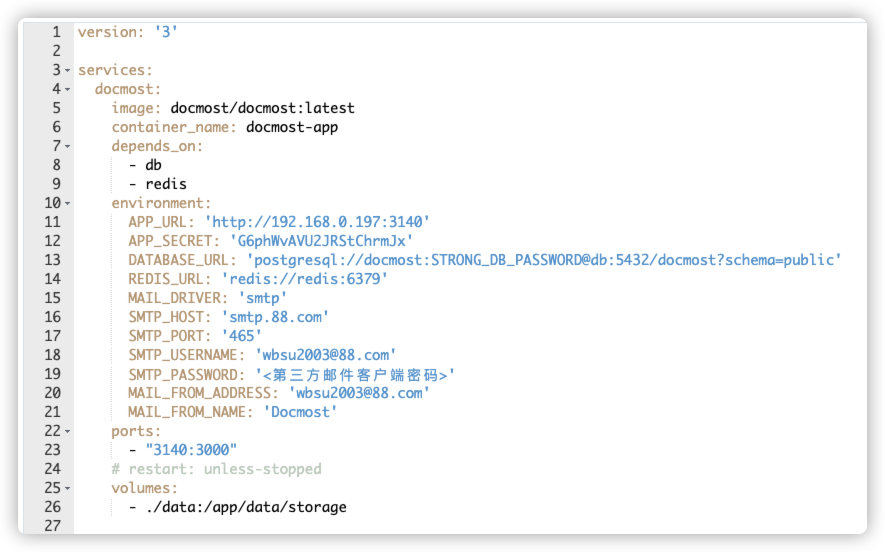
当然前提是我们在安装时,设置了邮件相关的环境变量才行
需要给容器
docmost-app增加下面这些内容
      MAIL_DRIVER: 'smtp'
      SMTP_HOST: 'smtp.88.com'
      SMTP_PORT: '465'
      SMTP_USERNAME: '[email protected]'
      SMTP_PASSWORD: '<第三方邮件客户端密码>'
      MAIL_FROM_ADDRESS: '[email protected]'
      MAIL_FROM_NAME: 'Docmost'
发个邀请
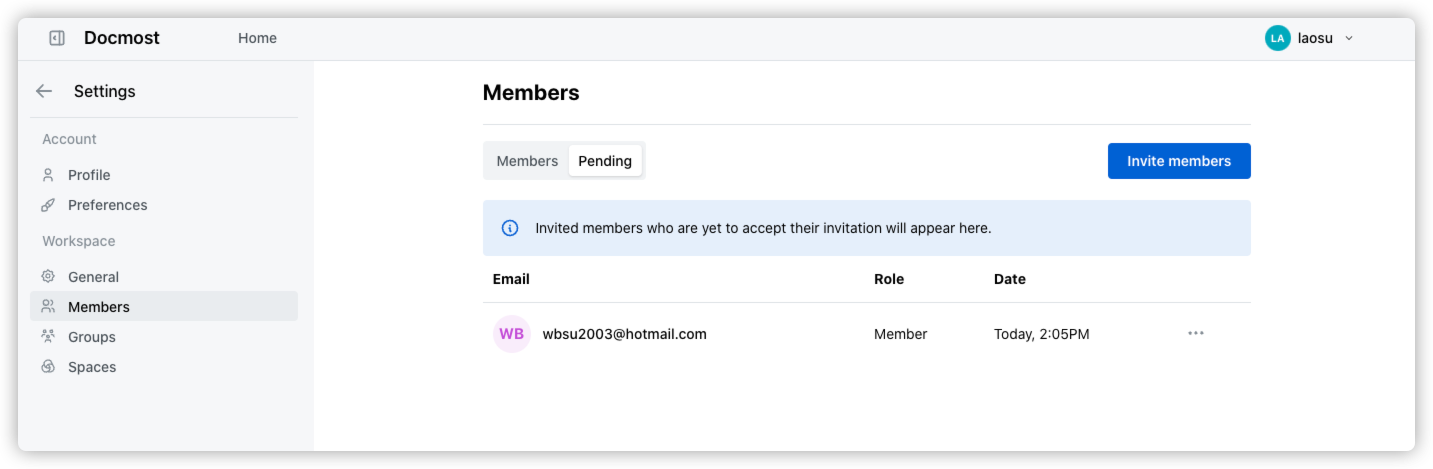
如果邮件设置没问题,应该很快就会收到邀请邮件

点
Accept Invite
接受邀请,会跳转到注册界面

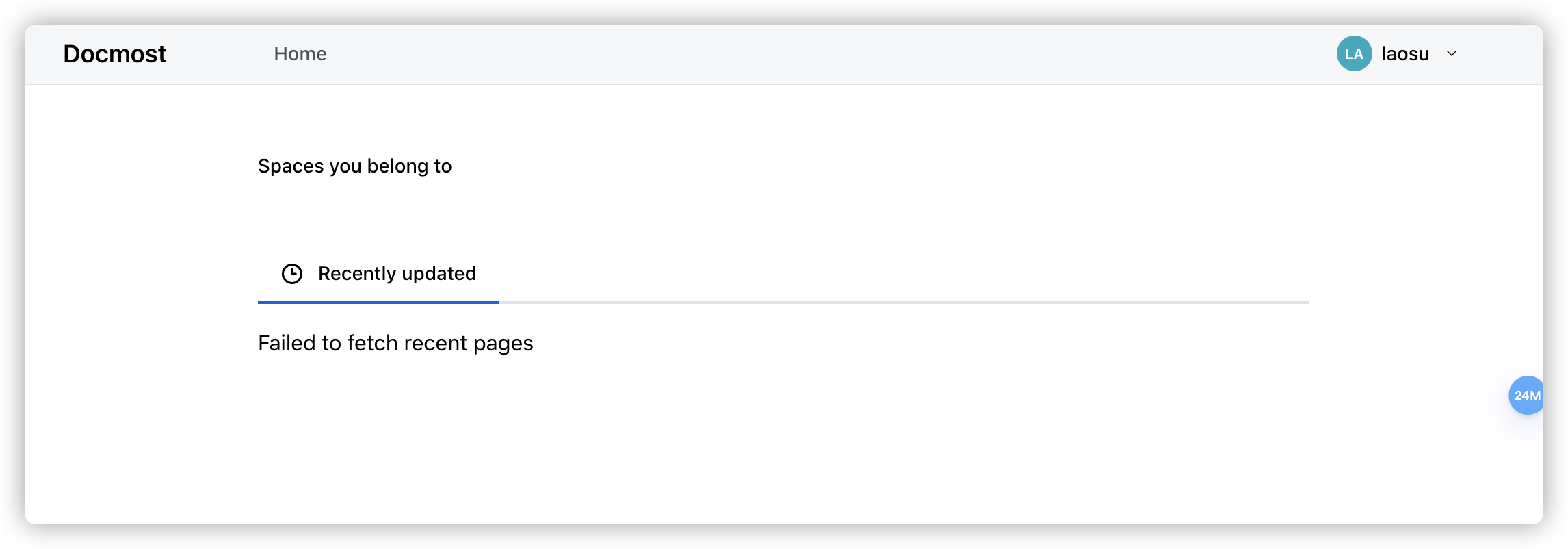
默认可能还什么都看不到
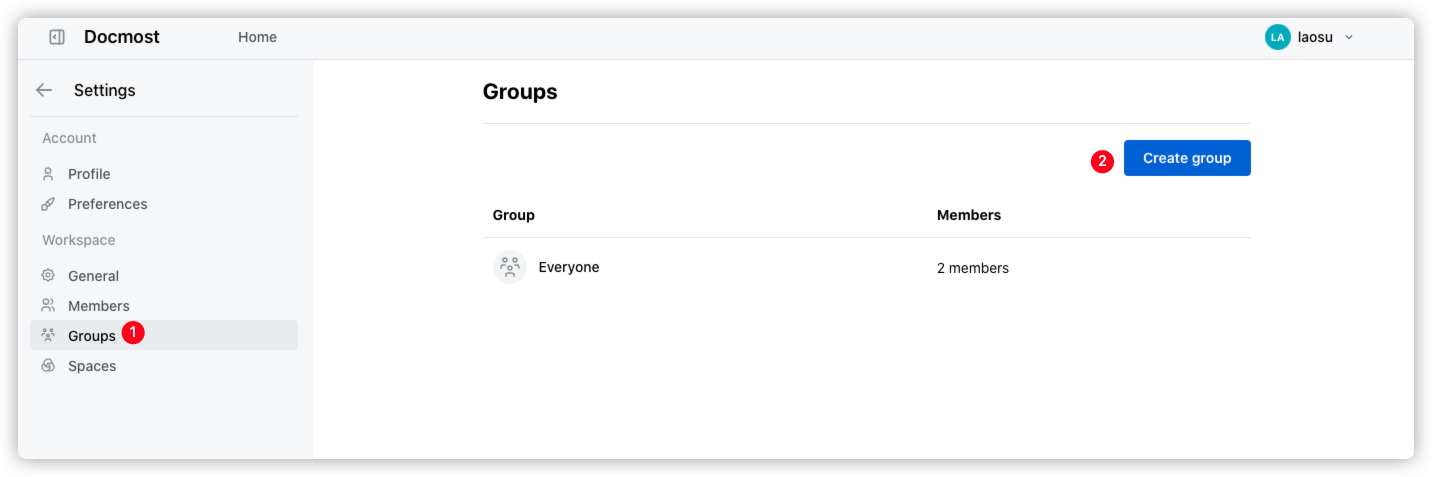
回到主账号,添加组,这是为了方便后面授权
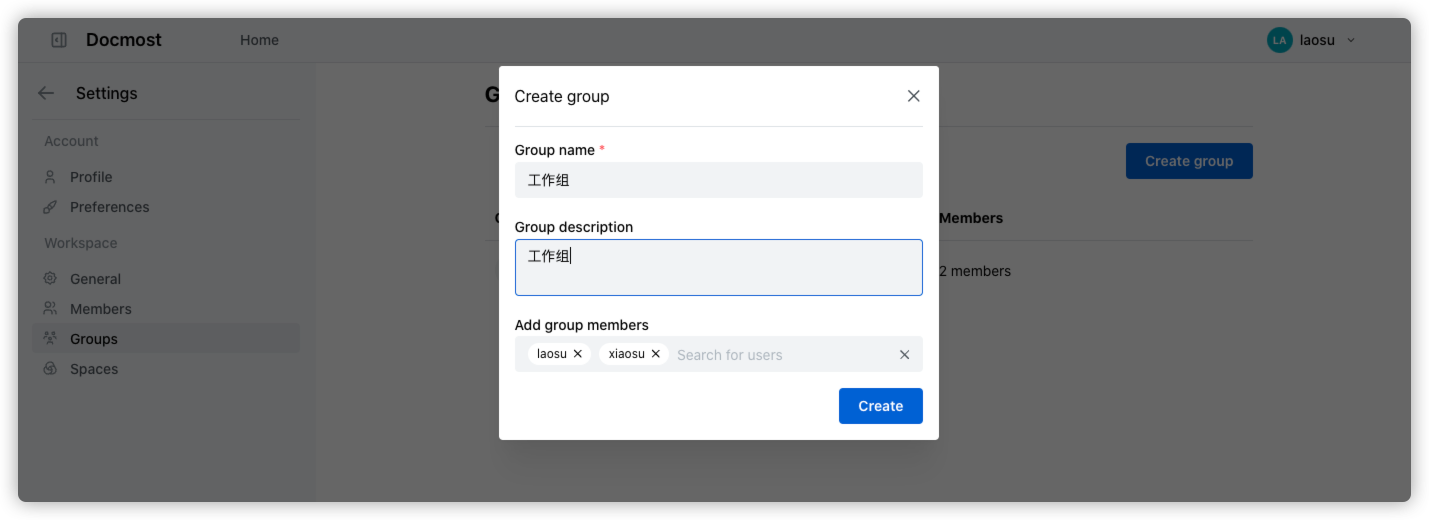
填写组名并添加成员
创建完成
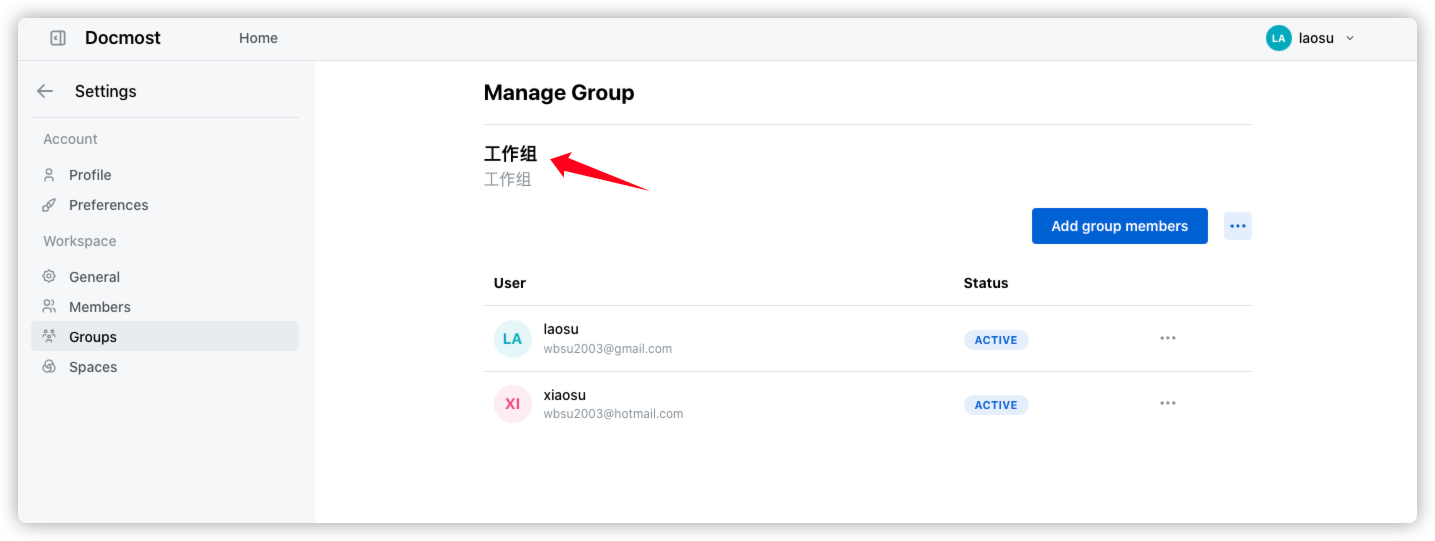
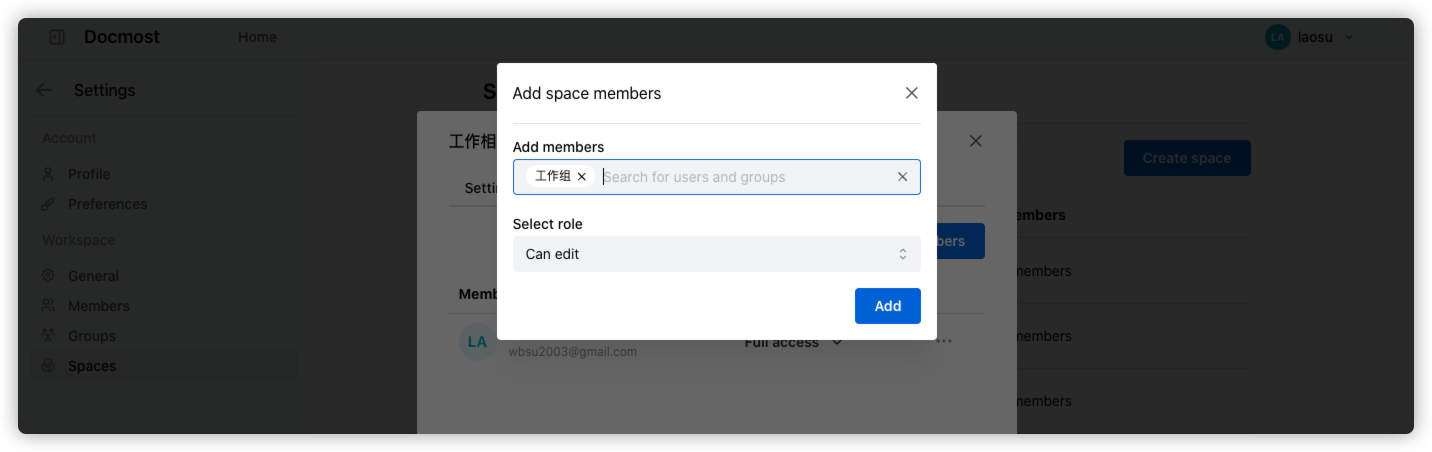
然后到空间里授权
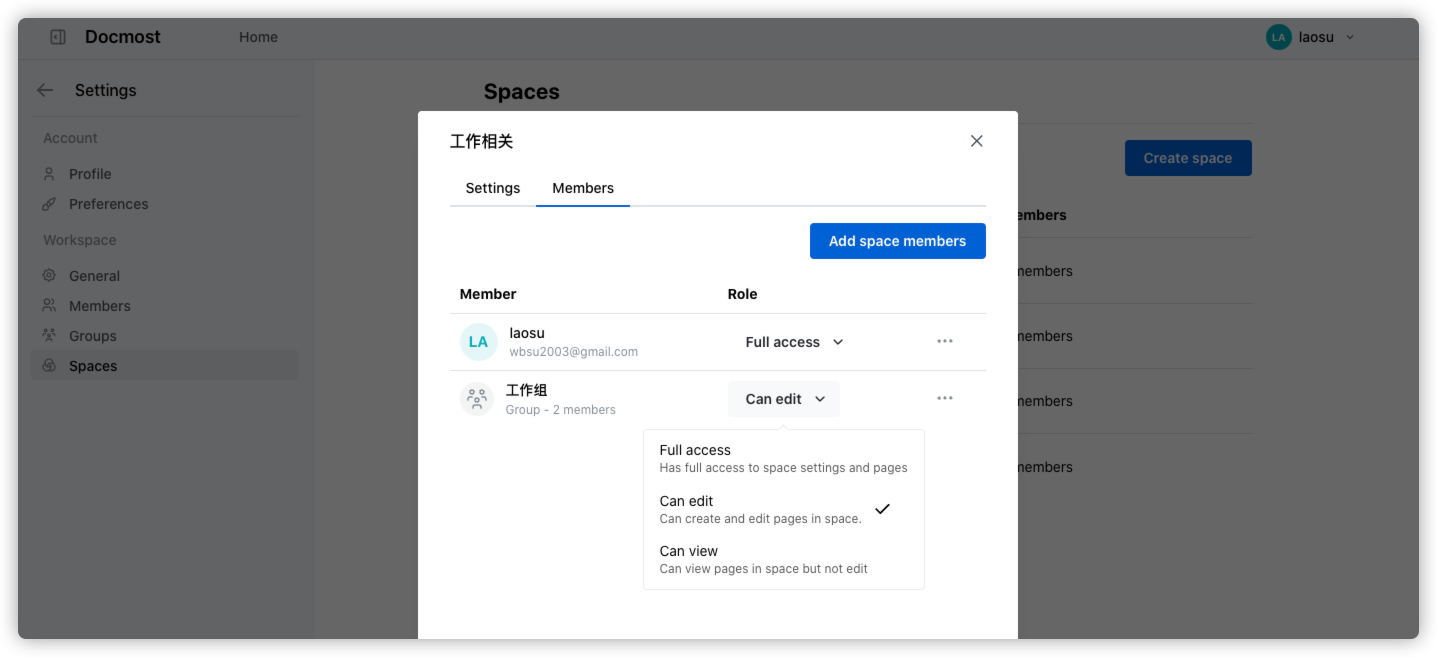
默认权限分为三种
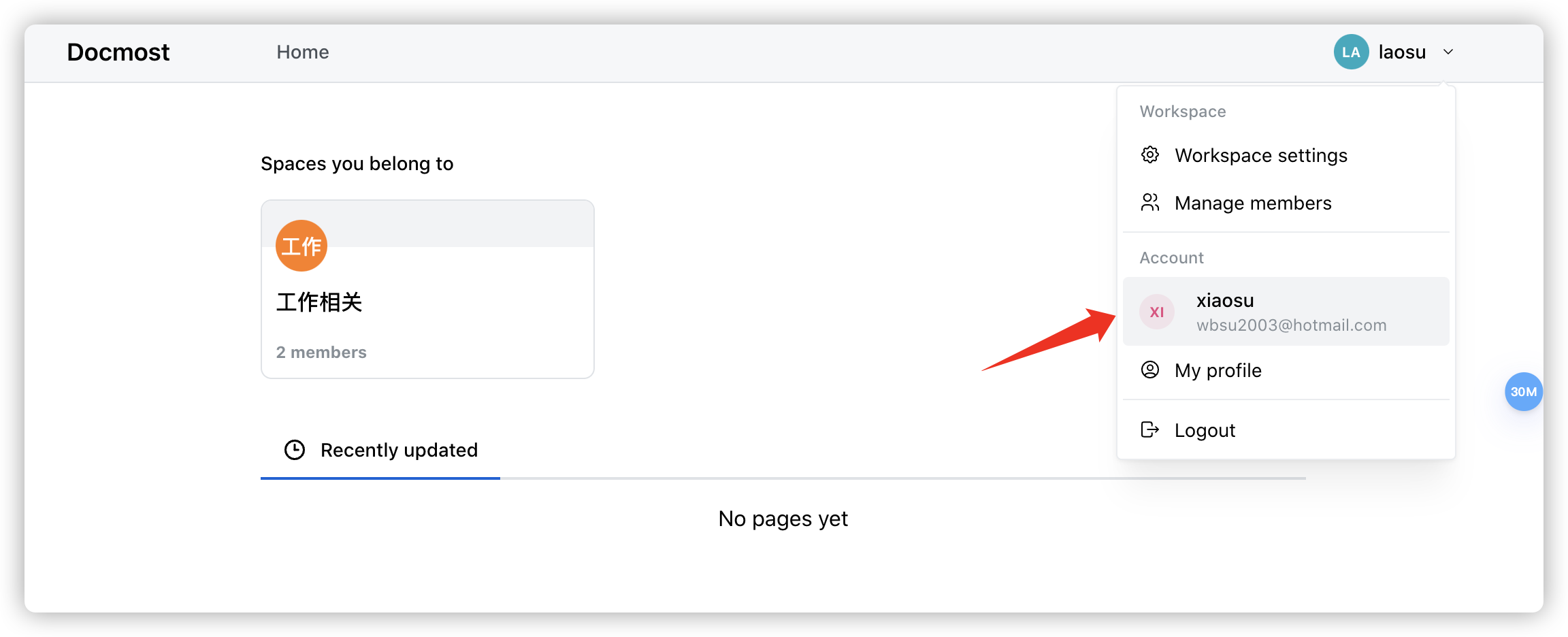
另一个账号刷新一下就可以了
参考文档
docmost/docmost: Docmost is an open source collaborative documentation and wiki software. It is an open-source alternative to the likes of Confluence and Notion.
地址:https://github.com/docmost/docmost
Open-source collaborative wiki and documentation software | Docmost
地址:https://docmost.com/
Introduction | Docmost - Documentation
地址:https://docmost.com/docs/
Docmost: Open-source collaborative wiki and documentation software : r/selfhosted
地址:https://www.reddit.com/r/selfhosted/comments/1drd01d/docmost_opensource_collaborative_wiki_and/
版权归原作者 杨浦老苏 所有, 如有侵权,请联系我们删除。