
图形验证码是用于验证用户身份的一种方式,通常在网站注册、登录或进行某些敏感操作时会使用。它通过展示一个包含随机字符或数字的图形,要求用户输入相应的字符或数字来证明其为真人而非机器人。图形验证码能有效地防止机器人攻击和恶意注册行为,提高网站的安全性。
本文将基于 SpringBoot 和原生的 Java awt 包,完成图形验证码的实现,源码在 项目仓库 中,需要者可自助参考。
一、导入依赖
在实现图形验证码之前,首先要导入依赖,比如 SpringBoot 依赖:
<dependency><groupId>org.springframework.boot</groupId><artifactId>spring-boot-starter-web</artifactId></dependency>
awt 包属于 Java 原生包,无需导入三方 maven 依赖,只需引入 JDK 即可。
二、编写工具类
接下来,就开始开发验证码的工具类,包括验证码配置、生成随机数、生成随机颜色、编写创建图片方法、编写构建函数,下面将逐一介绍。
2.1 验证码配置
首先是验证码的配置,创建
CreateVerifyCode
类,创建相应字段,包括字符个数、图片高度、图片宽度、干扰个数等参数,定义如下。
@ApiModelProperty(value ="验证码字符个数")privateint charactersNumber =4;@ApiModelProperty(value ="图片高度")privateint imagePeripheralHeight =40;@ApiModelProperty(value ="图片宽度")privateint imagePeripheralWidth =160;@ApiModelProperty(value ="干扰线数")privateint lineCount =20;
2.2 生成随机数
新建一个方法
randomStr
,用于实现生成随机数的功能,代码如下。
@ApiOperation(value ="随机生成验证码")publicStringrandomStr(int size){String str1 ="0123456789";String str2 ="";for(int i =0; i < size; i++){double randomIndex =Math.random();double randomNumber = randomIndex *(str1.length()-1);
        str2 += str1.charAt((int) randomNumber);}return str2;}
2.3 生成随机颜色
新建一个方法
getRandColor
,用于实现生成随机颜色的功能,代码如下。
@ApiOperation(value ="随机生成验证码颜色")privateColorgetRandColor(int color1,int color2){
    color1 = color1 >255?255: color1;
    color2 = color2 >255?255: color2;returnnewColor(color1 + random.nextInt(color2 - color1), color1 + random.nextInt(color2 - color1), color1 + random.nextInt(color2 - color1));}
2.4 编写创建图片方法
有了验证码配置之后,新建一个方法
creatImage
,用于实现图形验证码图片创建的逻辑,代码如下。
@ApiOperation(value ="图片生成工具类")privatevoidcreatImage(String code){if(ZwzNullUtils.isNull(code)){thrownewZwzException("图形验证码过期了,再生成个新的哦!");}this.code = code;
    buffImg =newBufferedImage(imagePeripheralWidth, imagePeripheralHeight,BufferedImage.TYPE_INT_RGB);Graphics g = buffImg.getGraphics();
    g.setColor(getRandColor(200,250));
    g.fillRect(0,0, imagePeripheralWidth, imagePeripheralHeight);Font font =newFont("Fixedsys",Font.BOLD, imagePeripheralHeight -5);
    g.setFont(font);float yawpRate =0.01f;int area =(int)(yawpRate * imagePeripheralWidth * imagePeripheralHeight);for(int i =0; i < area; i++){
        buffImg.setRGB(random.nextInt(imagePeripheralWidth), random.nextInt(imagePeripheralHeight), random.nextInt(255));}for(int i =0; i < lineCount; i++){int xs = random.nextInt(imagePeripheralWidth);int ys = random.nextInt(imagePeripheralHeight);int xe = xs + random.nextInt(imagePeripheralWidth);int ye = ys + random.nextInt(imagePeripheralHeight);
        g.setColor(getRandColor(2,254));
        g.drawLine(xs, ys, xe, ye);}for(int i =0; i < code.length(); i++){String strRand = code.substring(i, i +1);
        g.setColor(getRandColor(2,254));
        g.drawString(strRand, i *(imagePeripheralWidth / charactersNumber)+3, imagePeripheralHeight -8);}}
2.5 编写构建函数
为了用尽可能精简的代码实现图形验证码,构造函数是比不可少的,开发者可以在构建对象时直接传入参数,实现图形验证码的设计,代码如下。
publicCreateVerifyCode(int imageWidth,int imageHeight,int codeCount,int lineCount,String code){this.imagePeripheralWidth = imageWidth;this.imagePeripheralHeight = imageHeight;this.charactersNumber = codeCount;this.lineCount = lineCount;creatImage(code);}
三、编写接口
工具类编写完成后,就开始设计 API 接口了,可以分为验证码初始化和图片返回。
3.1 验证码初始化
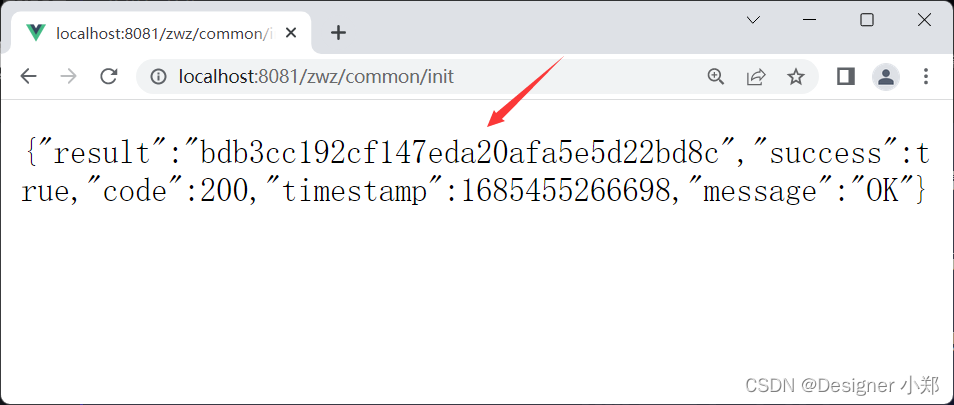
首先定义一个 init 接口,用户请求该接口时,系统利用 Java 的 UUID,生成一个随机字符串,并随机生成一个四位数字,放入缓存,返回该随机字符串,代码如下。
@RequestMapping(value ="/init", method =RequestMethod.GET)@ApiOperation(value ="初始化验证码")publicResult<Object>init(){String codeId = UUID.randomUUID().toString().replace("-","");
    redisTemplate.opsForValue().set(codeId,newCreateVerifyCode().randomStr(4),2L,TimeUnit.MINUTES);returnResultUtil.data(codeId);}
接口测试结果如下,接口返回了一个随机字符串:
bdb3cc192cf147eda20afa5e5d22bd8c
。
3.2 图片返回
前端收到随机字符串
bdb3cc192cf147eda20afa5e5d22bd8c
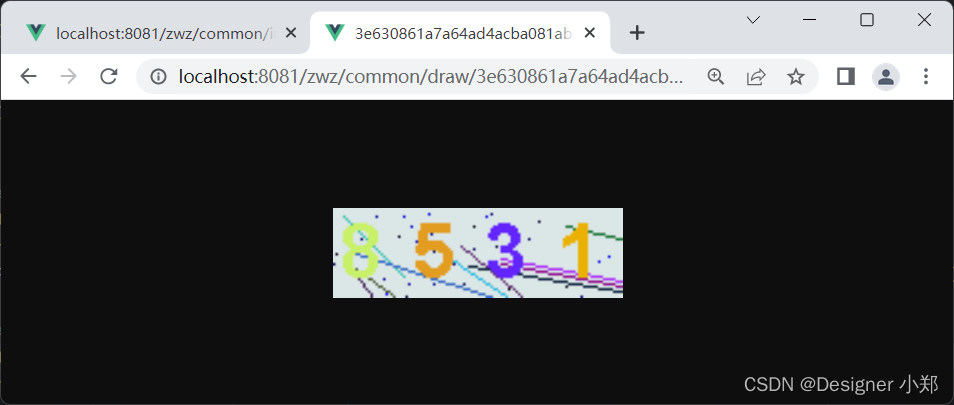
后,再次请求,拿走验证码图片,核心代码如下。
@RequestMapping(value ="/draw/{captchaId}", method =RequestMethod.GET)@ApiOperation(value ="根据验证码ID获取图片")publicvoiddraw(@PathVariable("captchaId")String captchaId,HttpServletResponse response)throwsIOException{String codeStr = redisTemplate.opsForValue().get(captchaId);CreateVerifyCode createVerifyCode =newCreateVerifyCode(116,36,4,10, codeStr);
    response.setContentType("image/png");
    createVerifyCode.write(response.getOutputStream());}
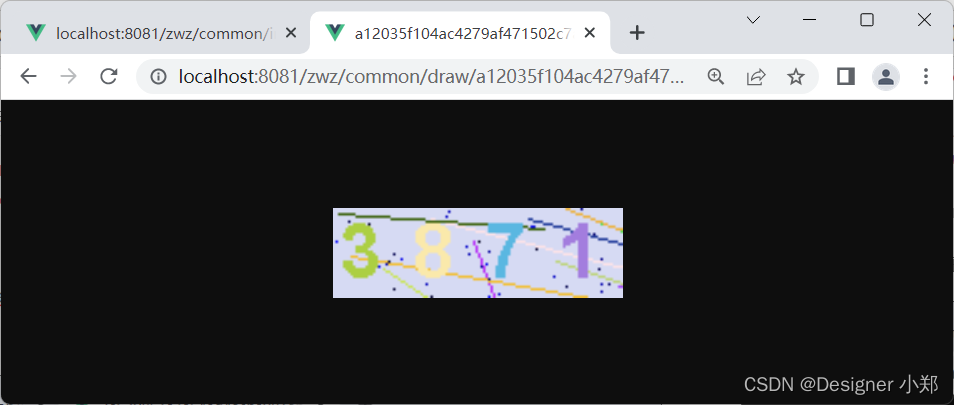
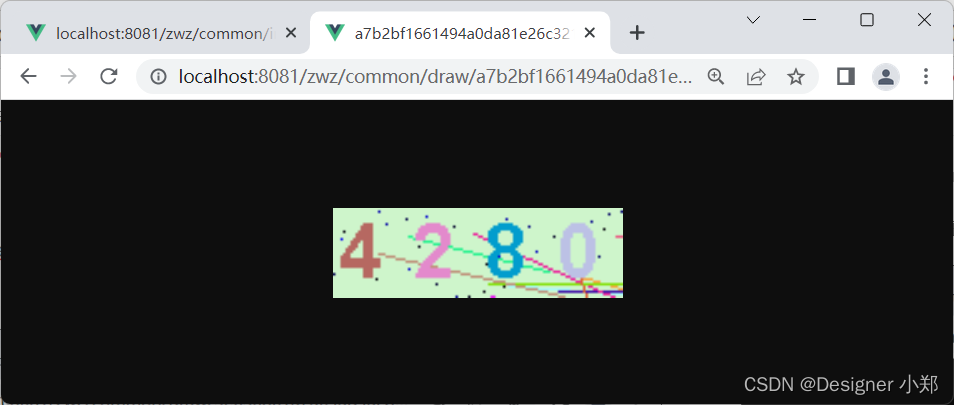
首先根据随机字符串,在 redis 中拿到验证码的值,在调用验证码工具类生成图片,返回前端。
3.3 验证码过滤
系统集成了 Spring Security,需要引入并重写 WebSecurityConfig 类,重写 securityFilterChain 方法。
<dependency><groupId>org.springframework.boot</groupId><artifactId>spring-boot-starter-security</artifactId></dependency>
@BeanpublicSecurityFilterChainsecurityFilterChain(HttpSecurity http)throwsException{

    http.authorizeHttpRequests().requestMatchers("/zwz/dictData/getByType/**","/zwz/file/view/**","/zwz/user/regist","/zwz/common/**","/*/*.js","/*/*.css","/*/*.png","/*/*.ico","/swagger-ui.html").permitAll().and().formLogin().loginPage("/zwz/common/needLogin").loginProcessingUrl("/zwz/login").permitAll().successHandler(authenticationSuccessHandler).failureHandler(authenticationFailHandler).and().headers().frameOptions().disable().and().logout().permitAll().and().authorizeHttpRequests().anyRequest().authenticated().and().cors().and().csrf().disable().sessionManagement().sessionCreationPolicy(SessionCreationPolicy.STATELESS).and().exceptionHandling().accessDeniedHandler(zwzAccessDeniedHandler).and().authenticationProvider(authenticationProvider()).addFilterBefore(authenticationJwtTokenFilter(),UsernamePasswordAuthenticationFilter.class).addFilterBefore(imageValidateFilter,UsernamePasswordAuthenticationFilter.class);return http.build();}
对于通过验证码的请求,给与放行,核心代码如下:
@Override@ApiOperation(value ="验证码过滤")protectedvoiddoFilterInternal(HttpServletRequest request,HttpServletResponse response,FilterChain filterChain)throwsServletException,IOException{Boolean filterFlag =false;for(String requestURI : captchaProperties.getVerification()){if(pathMatcher.match(requestURI, request.getRequestURI())){
            filterFlag =true;break;}}if(!filterFlag){
        filterChain.doFilter(request, response);return;}String verificationCodeId = request.getParameter("captchaId");String userInputCode = request.getParameter("code");if(ZwzNullUtils.isNull(userInputCode)||ZwzNullUtils.isNull(verificationCodeId)){ResponseUtil.out(response,ResponseUtil.resultMap(RESPONSE_FAIL_FLAG,RESPONSE_CODE_FAIL_CODE,"验证码为空"));return;}String codeAnsInRedis = redisTemplate.opsForValue().get(verificationCodeId);if(ZwzNullUtils.isNull(codeAnsInRedis)){ResponseUtil.out(response,ResponseUtil.resultMap(RESPONSE_FAIL_FLAG,RESPONSE_CODE_FAIL_CODE,"已过期的验证码,需要重新填写"));return;}if(!Objects.equals(codeAnsInRedis.toLowerCase(),userInputCode.toLowerCase())){ResponseUtil.out(response,ResponseUtil.resultMap(RESPONSE_FAIL_FLAG,RESPONSE_CODE_FAIL_CODE,"验证码不正确"));return;}
    redisTemplate.delete(verificationCodeId);
    filterChain.doFilter(request, response);}
最终,基于 SpringBoot+原生 awt,实现花花绿绿的图形验证码。
版权归原作者 Designer 小郑 所有, 如有侵权,请联系我们删除。