
随着技术的不断发展,开发复杂度也越来越高。传统的开发方式将一个系统做成了整块应用,经常出现的情况就是一个小小的改动或者一个小功能的增加可能会引起整体逻辑的修改,造成牵一发而动全身。为了解决这个问题,我们可以通过组件化开发来提高开发效率和降低维护成本。
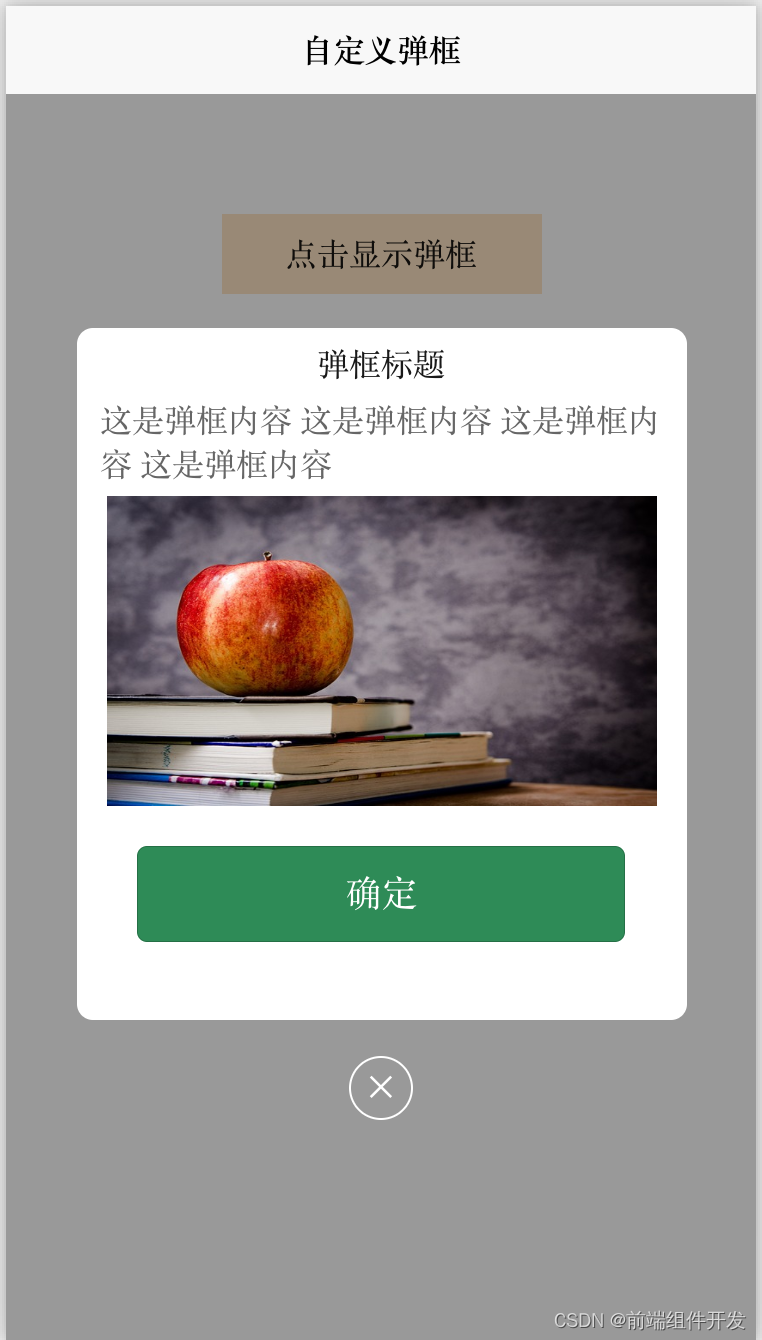
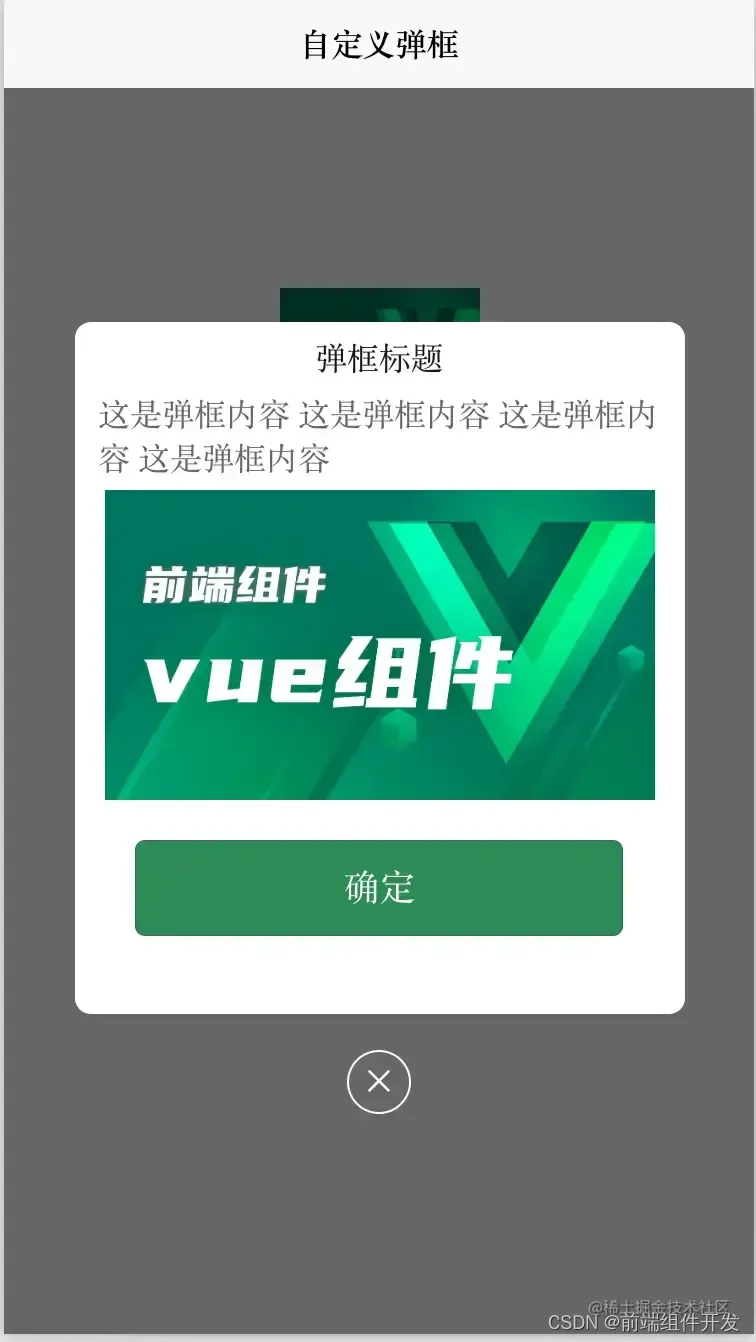
本文将介绍一款快速实现前端Vue自定义弹框、自定义设置弹框内容的View popup组件,
效果图如下:
使用方法
首先,我们需要在HTML模板中添加一个按钮元素,用于触发弹框的显示。然后,在JavaScript部分引入我们自定义的Popup组件,并通过
v-if
指令控制其显示与隐藏。最后,在组件的
props
中定义一些属性,如
isShow
用于控制弹框是否显示、
width
、
height
、
radius
用于设置弹框的尺寸和圆角等。
如下所示:
<template><div><button@click="showPopup">点击显示弹框</button><cc-popupv-if="isShow":ishide="isHide"width="calc(100vw - 70px)"height="346px"radius="16rpx"><!-- 自定义展示内容 --><viewclass="modelContent"><viewstyle="margin-top: 6px;">{{ title }}</view><viewstyle="margin-top: 20px;color: #666666;margin: 6px 12px;">{{ content }}</view><imageclass="imageV"></image><buttonstyle="width: 80%;height: 48px;margin-top: 20px;background-color: seagreen;color: white;">确定</button></view><!-- 自定义关闭按钮 --><viewclass="close"@click="hidePopup">✕</view></cc-popup></div></template>
exportdefault{data(){return{title:'弹框标题',content:'这是弹框的内容',isShow:false,isHide:false,// 点击其他区域时隐藏弹框};},methods:{showPopup(){this.isShow =true;},hidePopup(){this.isHide =true;},},};
HTML代码部分
<template><viewclass="content"><imageclass="logo"src="/static/logo.png"></image><viewclass="logo"style="background-color: aquamarine;line-height: 100px;text-align: center;"@click="popupClick">点击弹框</view><!-- 使用组件 --><ccPopup:ishide='isshow'width="calc(100vw - 70px)"height="346px"radius="16rpx"><!-- 自定义展示内容 --><viewclass="modelContent"><viewstyle="margin-top: 6px;">

弹框标题

</view><viewstyle="margin-top: 20px;color: #666666;margin: 6px 12px;">

这是弹框内容 这是弹框内容 这是弹框内容 这是弹框内容

</view><imageclass="imageV":src="mySrc"></image></view><!-- 自定义关闭按钮 --><viewclass="close"@click="isshow=false">✕</view></ccPopup></view></template>
JS代码 (引入组件 填充数据)
<script>import ccPopup from'@/components/cc-popup.vue';exportdefault{components:{

ccPopup

},data(){return{title:'Hello',companyList:[{},{},{}],isshow:false,mySrc:'../../static/logo.png'}},onLoad(){},methods:{popupClick(){this.isshow =!this.isshow;}}}</script>
CSS
<style>

.content {

display: flex;

flex-direction: column;

}

.logo {

height: 200rpx;

width: 200rpx;

margin-top: 200rpx;

margin-left: auto;

margin-right: auto;

margin-bottom: 50rpx;

}

.text-area {

display: flex;

justify-content: center;

}

.title {

font-size: 36rpx;

color: #8f8f94;

}

.modelContent {

width: 100%;

height: 100%;

display: flex;

align-items: center;

flex-direction: column;

justify-content: center;

}

.imageV {

margin-top: 0px;

width: calc(100vw - 100px);

height: calc((100vw - 100px) * 1.027) ;

}

.close {

width: 60rpx;

height: 60rpx;

color: #FFFFFF;

line-height: 60rpx;

text-align: center;

border-radius: 50%;

border: 1px solid #FFFFFF;

position: relative;

bottom: -10%;

left: 50%;

transform: translate(-50%, -50%);

}

</style>
阅读全文下载完整组件代码请关注微信公众号: 前端组件开发
欢迎加入我们的前端组件学习交流群,可添加群主微信,审核通过后入群。
本文转载自: https://blog.csdn.net/chenchuang0128/article/details/131801582
版权归原作者 前端组件开发 所有, 如有侵权,请联系我们删除。
版权归原作者 前端组件开发 所有, 如有侵权,请联系我们删除。