
一:删除原始的远程仓库链接
- 首先,查看当前的远程仓库链接:
git remote -v
- 你会看到类似如下的输出:
origin  https://github.com/othersusername/others-project.git (fetch)
origin  https://github.com/othersusername/others-project.git (push)
- 删除原始远程仓库链接:
git remote remove origin
假如出现: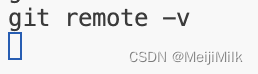
不返回任何值,就是清除成功。
二:创建你自己的GitHub仓库
在GitHub上创建一个新的仓库,例如my-forked-project。
(这个不会的话到网上找下教程,点一下就行了)
三:添加新的远程仓库链接
将新的远程仓库链接添加到本地Git仓库:
git remote add origin https://github.com/yourusername/my-forked-project.git
四:推送到你自己的GitHub仓库
- 检查仓库状态,确保没有未提交的更改:
git status
- 提交任何新的更改(如果有):
gitadd.git commit -m"Your commit message"
- 推送到新的远程仓库:
git push -u origin master
五:解决可能出现的问题
- 解决冲突。如果在推送过程中遇到冲突,Git会提示你如何解决。通常,你需要手动编辑冲突文件,然后标记冲突已解决:
gitadd conflict_file
git commit -m"Resolved merge conflict"
(这里有冲突问题直接问chatGPT就可以解决了)
- 分支问题。如果你在原始仓库中有多个分支,你可能需要推送这些分支到你自己的GitHub仓库:
git push origin branch-name
六:进一步的操作
- 保持同步。如果你希望保持与你fork的原始仓库同步,可以添加一个新的远程链接来跟踪原始仓库:
git remote add upstream https://github.com/othersusername/others-project.git
- 拉取更新。当原始仓库有更新时,可以从upstream拉取最新的更改并合并到你的仓库:
git fetch upstream
git merge upstream/master
七:将这个项目git到多端(其他服务器)
- 克隆你的fork到本地:
git clone https://github.com/yourusername/your-forked-project.git
cd your-forked-project
- 添加upstream远程仓库:
git remote add upstream https://github.com/othersusername/others-project.git
- 验证远程仓库。使用以下命令验证你当前的远程仓库配置:
git remote -v
- 你应该看到类似以下的输出:
origin    https://github.com/yourusername/your-forked-project.git (fetch)
origin    https://github.com/yourusername/your-forked-project.git (push)
upstream  https://github.com/othersusername/others-project.git (fetch)
upstream  https://github.com/othersusername/others-project.git (push)
- 保持同步。添加upstream后,你可以从原始仓库获取更新,并将这些更新合并到你的fork中。具体步骤如下:5.1 从upstream获取最新更改:
git fetch upstream5.2 将upstream的更改合并到你的本地主分支。切换到你的本地主分支(通常是main或master):git checkout main5.3. 然后合并upstream的更改:git merge upstream/main5.4 如果分支名是master,则使用:git merge upstream/master5.5 解决冲突(如果有)。如果在合并过程中出现冲突,手动解决冲突,然后提交更改:gitadd conflict_filegit commit -m"Resolved merge conflict"5.6 推送合并后的更改到你的远程仓库:git push origin main
本文转载自: https://blog.csdn.net/MaedaHaruka/article/details/139577193
版权归原作者 MeijiMilk 所有, 如有侵权,请联系我们删除。
版权归原作者 MeijiMilk 所有, 如有侵权,请联系我们删除。