
简介
EasyCaptcha:https://github.com/ele-admin/EasyCaptcha
Java图形验证码,支持gif、中文、算术等类型,可用于Java Web、JavaSE等项目。
添加依赖
<dependency><groupId>com.github.whvcse</groupId><artifactId>easy-captcha</artifactId><version>1.6.2</version></dependency>
需求分析
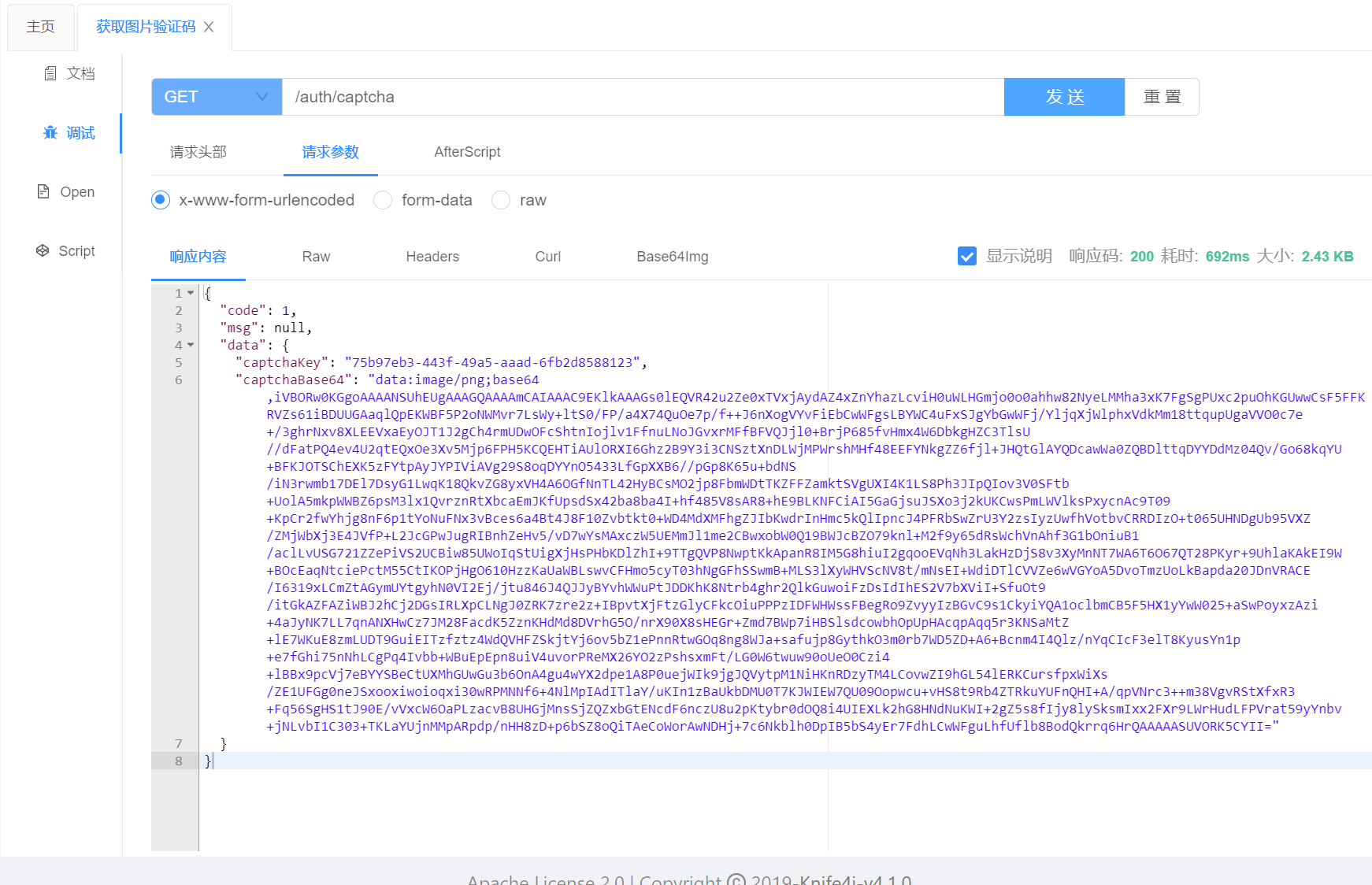
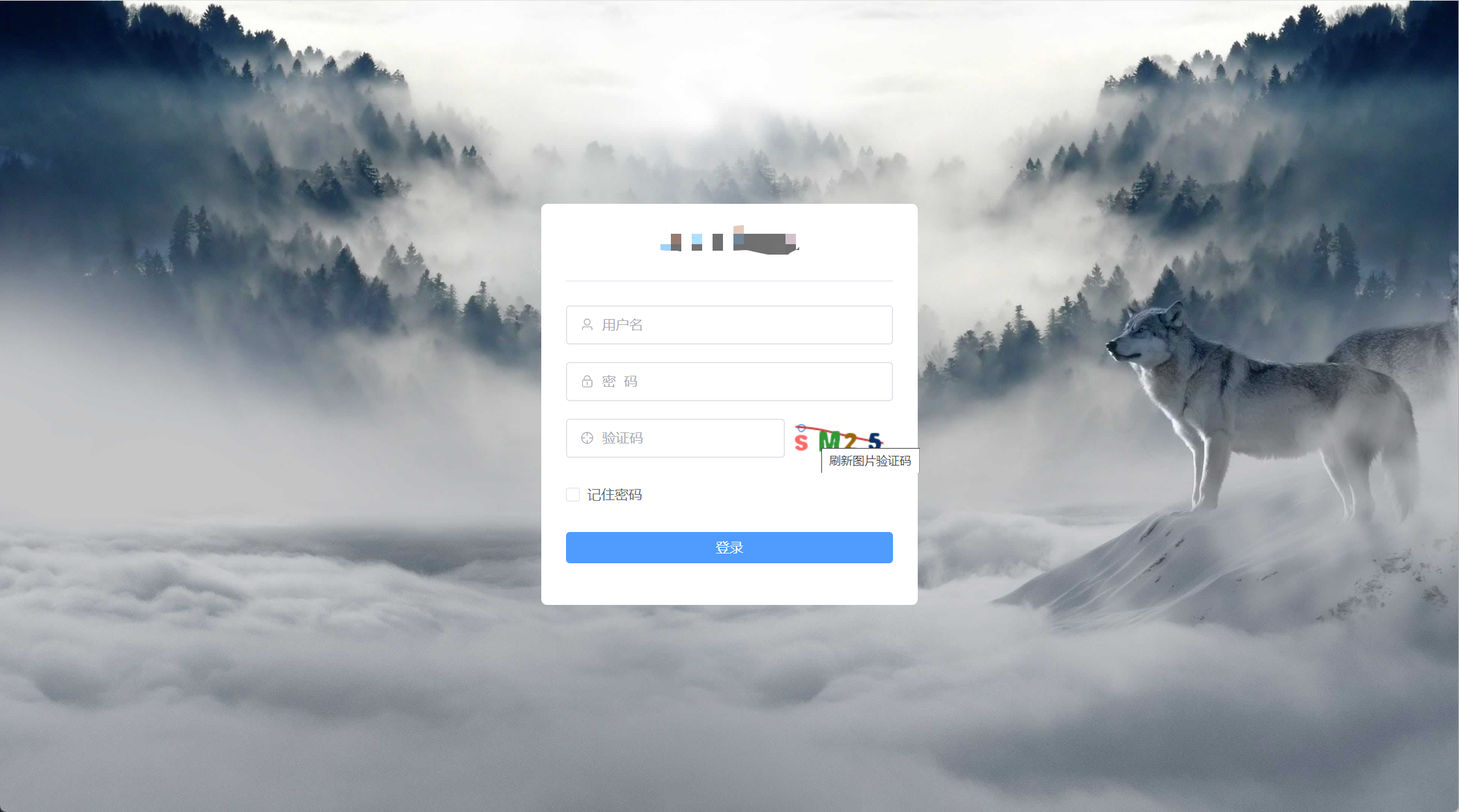
前后端分离,前端使用 Vue3 开发,后端使用 Spring Boot 开发。组件首次挂载时,获取验证码。点击图片刷新获取验证码,验证码存储到 Redis 数据库中。
代码实现
前端
api
/**
 * 后端响应的验证码参数格式
 */exportinterfaceCaptchaResponse{/**
   * redis中的验证码缓存key
   */
  captchaKey:string;/**
   * 验证码图片Base64字符串
   */
  captchaBase64:string;}
/**
 * 获取验证码api
 */exportfunctiongetCaptchaApi(): AxiosPromise<CaptchaResponse>{returnrequest({
    url:'/auth/captcha',
    method:'get'})}
vue组件
<el-form-item prop="verCode">
  <el-input placeholder="验证码" size="large" style="width: 67%;" :prefix-icon="Aim" v-model="loginForm.verCode">
  </el-input>
  <div class="login-code">
    <el-image :src="captchaResponse.captchaBase64" style="height: 38px;" @click="getCaptcha" title="刷新图片验证码">
      <template #error>
        <div class="image-slot">
          <el-icon color="#A1A4AB"><icon-picture /></el-icon>
        </div>
      </template>
    </el-image>
  </div>
</el-form-item>

<script setup lang='ts'>
/**
 * 后端响应的验证码参数
 */
const captchaResponse = ref<CaptchaResponse>({
  captchaKey: '', // redis中的验证码缓存key
  captchaBase64: '', // 验证码图片Base64字符串
})
/**
 * 获取图片验证码
 */
function getCaptcha() {
  getCaptchaApi().then((response) => {
    captchaResponse.value = response.data
  }).catch((error) => {
    return Promise.reject(error)
  })
}
/**
 * 组件挂载时,获取图片验证码
 */
onMounted(() => {
  getCaptcha()

})
</script>
后端
packagecom.lcloud.controller;importcom.lcloud.dto.UserLoginDTO;importcom.lcloud.response.Response;importcom.lcloud.service.AuthService;importcom.lcloud.vo.CaptchaVO;importcom.lcloud.vo.UserLoginVO;importcom.wf.captcha.SpecCaptcha;importio.swagger.v3.oas.annotations.Operation;importio.swagger.v3.oas.annotations.tags.Tag;importlombok.extern.slf4j.Slf4j;importorg.springframework.beans.factory.annotation.Autowired;importorg.springframework.data.redis.core.RedisTemplate;importorg.springframework.web.bind.annotation.*;importjava.util.UUID;@Slf4j@RestController@RequestMapping("/auth")@Tag(name ="授权管理")publicclassAuthController{@AutowiredprivateRedisTemplate<String,Object> redisTemplate;/**
     * 获取图片验证码
     *
     * @return 图片验证码的key和base64编码字符串
     * @throws Exception 抛出异常
     */@GetMapping("/captcha")@Operation(summary ="获取图片验证码")publicResponse<CaptchaVO>captcha()throwsException{// 设置图片验证码的属性(宽、高、长度、字体)SpecCaptcha specCaptcha =newSpecCaptcha(100,38,4);
        specCaptcha.setFont(1);// 图片验证码转换成base64编码字符串String captchaBase64 = specCaptcha.toBase64();// 图片验证码结果String key = UUID.randomUUID().toString();//log.info("key: {}", key);String verCode = specCaptcha.text().toLowerCase();// (key,value)=》(uuid,verCode)存入redis
        redisTemplate.opsForValue().set(key, verCode);// 返回图片验证码的key和base64编码字符串CaptchaVO captchaVO =CaptchaVO.builder().captchaKey(key).captchaBase64(captchaBase64).build();returnResponse.success(captchaVO);}}
测试
本文转载自: https://blog.csdn.net/gengduc/article/details/135905094
版权归原作者 gengduc 所有, 如有侵权,请联系我们删除。
版权归原作者 gengduc 所有, 如有侵权,请联系我们删除。