
今天来学习在Linux中创建文件及目录,接下来,请看操作
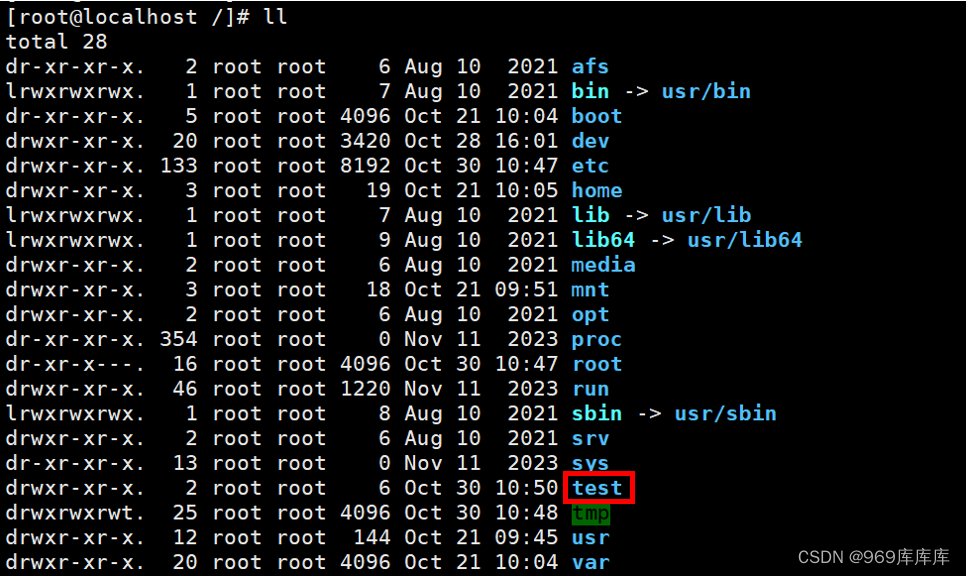
1、在根下创建一个叫做test的目录
[root@localhost ~]# cd /               //切换到根下
[root@localhost /]# mkdir test         //创建test目录
查看一下
2、在test的目录下创建三个普通文件file1 file2 file3
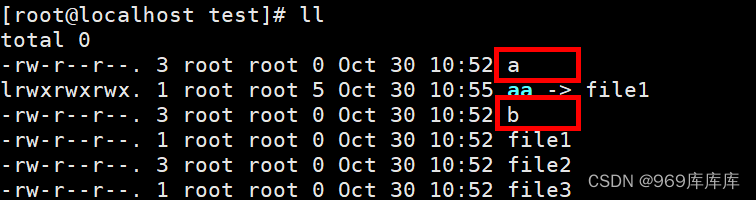
[root@localhost test]# touch file1 file2 file3 //用touch命令创建
查看一下

(1)给file1创建一个软链接aa
[root@localhost test]# ln -s file1 aa //创建软链接aa
查看一下

(2)给file2创建两个硬链接
[root@localhost test]# ln file2 a     //创建硬链接a
[root@localhost test]# ln file2 b     //创建硬链接b
查看一下
3、在test目录下创建一个ceshi的目录
[root@localhost test]# mkdir ceshi
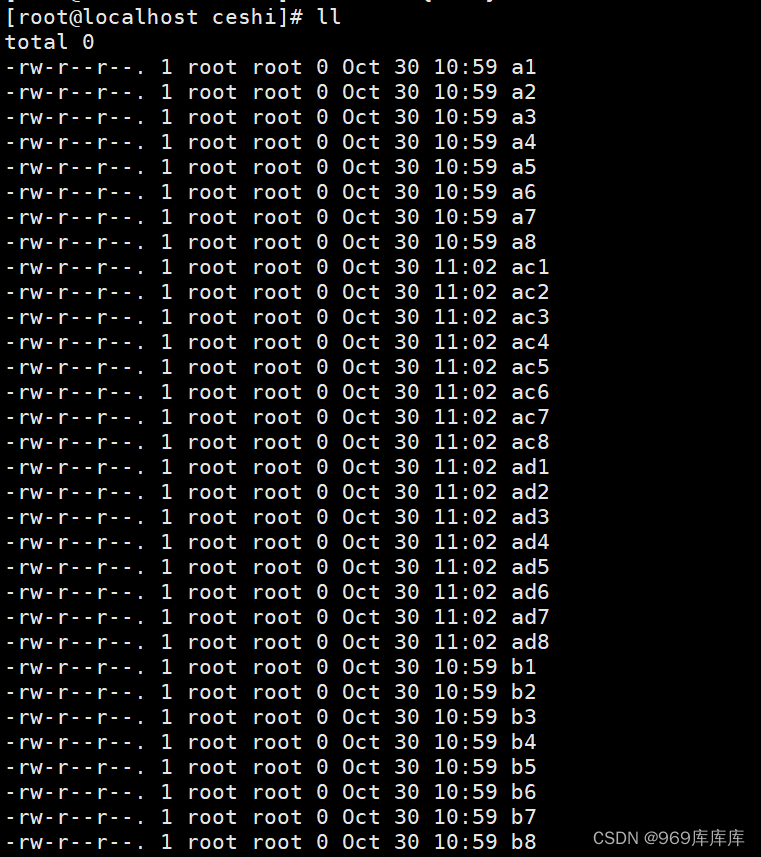
在ceshi的目录下创建a1-a8,b1-b8,ac1-ad8的文件
[root@localhost test]# cd ceshi         //记得切换到ceshi目录下
[root@localhost ceshi]# touch {a..b){1..8}
[root@localhost ceshi]# touch ac{1..8}
[root@localhost ceshi]# touch ad{1..8}
查看一下
4、在test目录下创建一个kaoshi的目录
[root@localhost ~]# cd /test     //记得切换到test目录下
[root@localhost test]# mkdir kaoshi
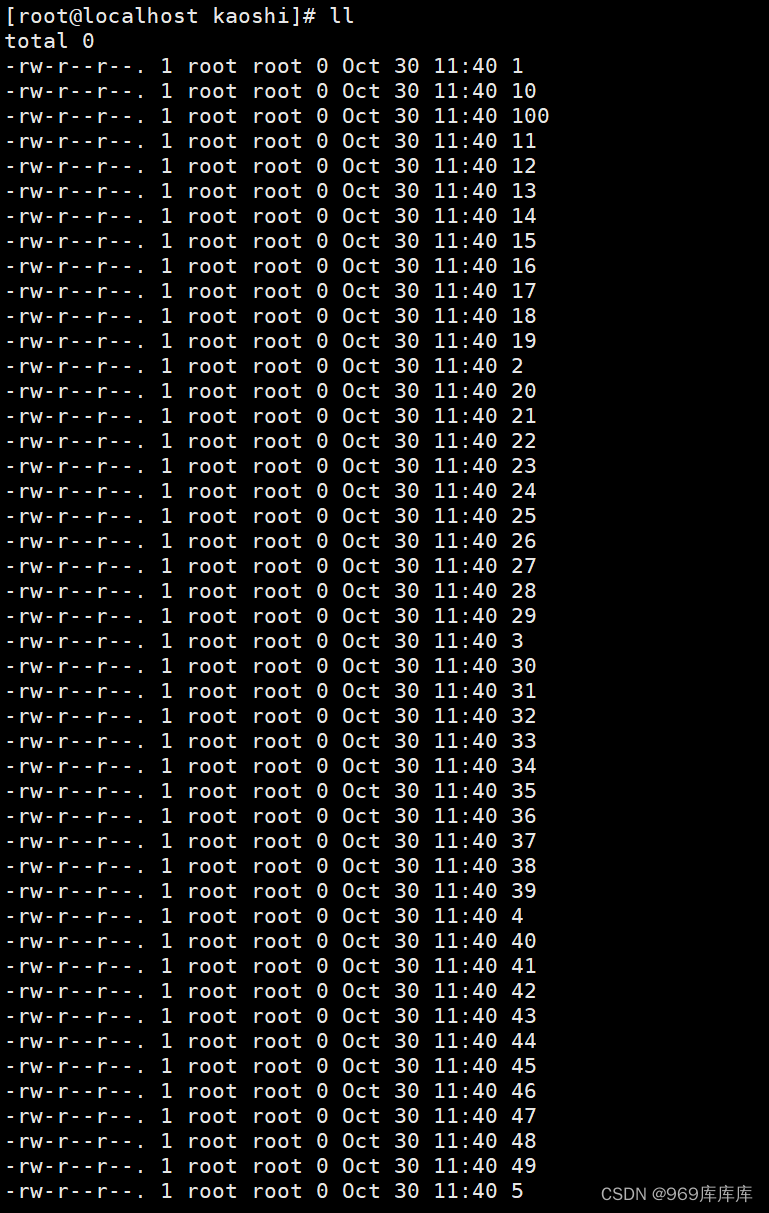
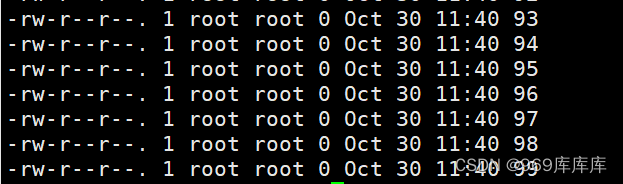
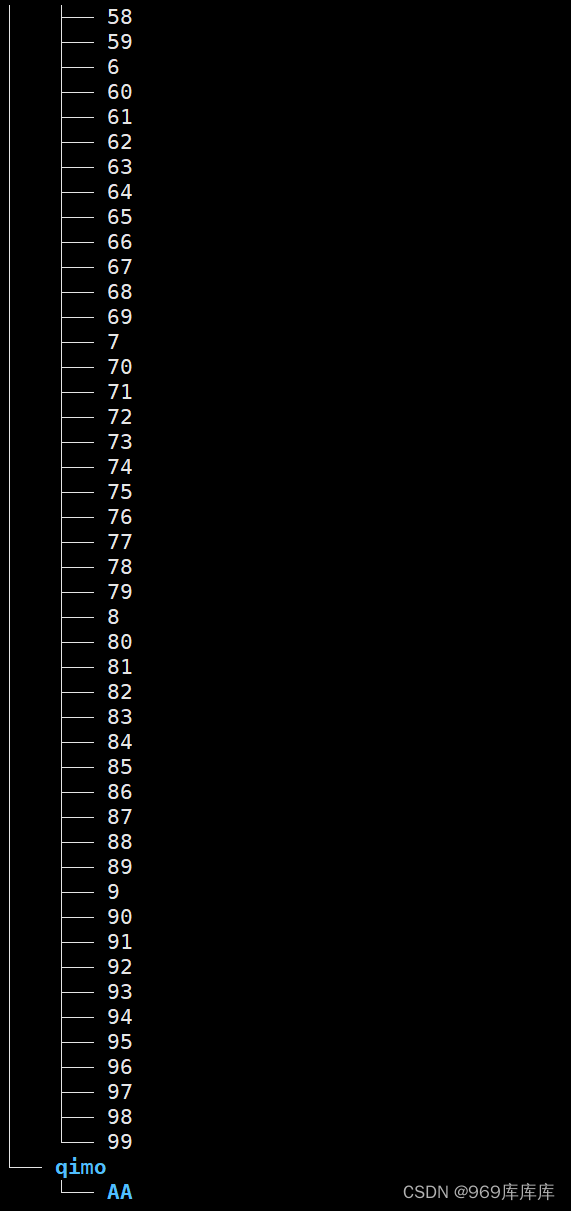
在该目录下创建1-100个文件
[root@localhost test]# cd kaoshi         //切换到kaoshi目录下
[root@localhost kaoshi]# touch {1..100}
查看一下
5、在test目录下创建一个qimo的目录
[root@localhost test]# mkdir qimo
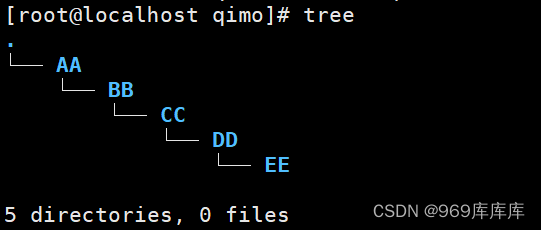
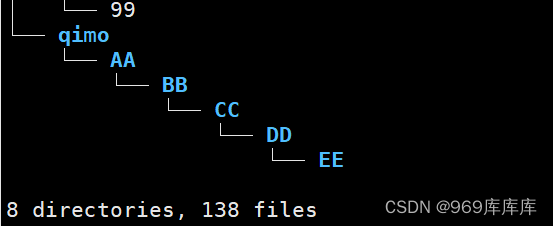
在该目录下创建AA-EE的级联目录
[root@localhost test]# cd qimo     //切换到qimo目录下
[root@localhost qimo]# mkdir -p AA/BB/CC/DD/EE     //创建级联目录
查看一下(此处用tree命令)查看,更直观
6、打印出ceshi、qimo、kaoshi的路径
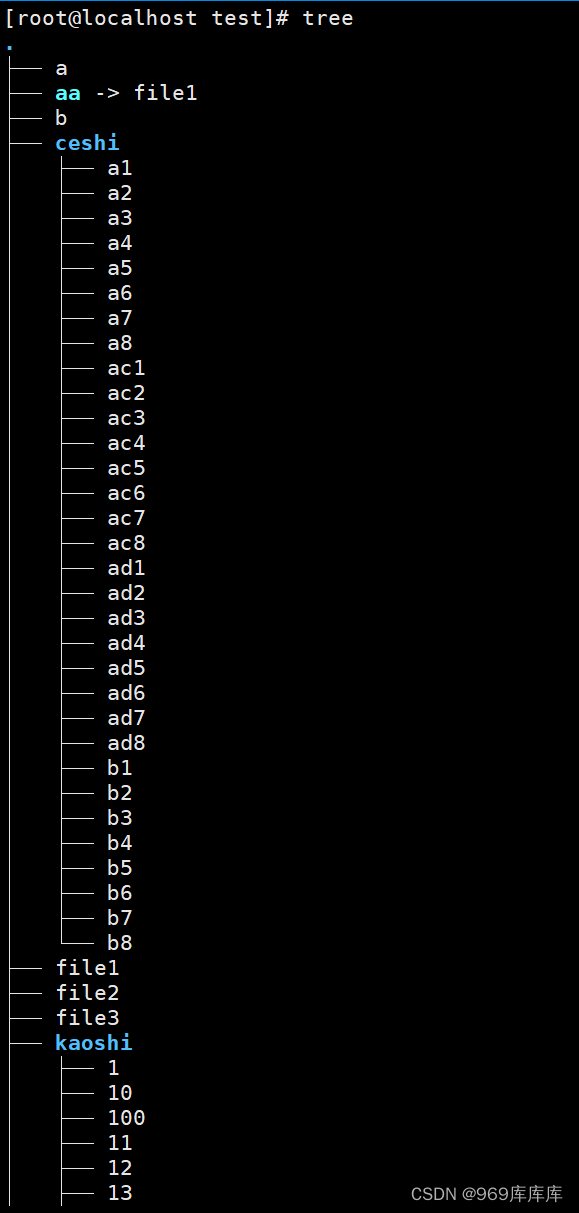
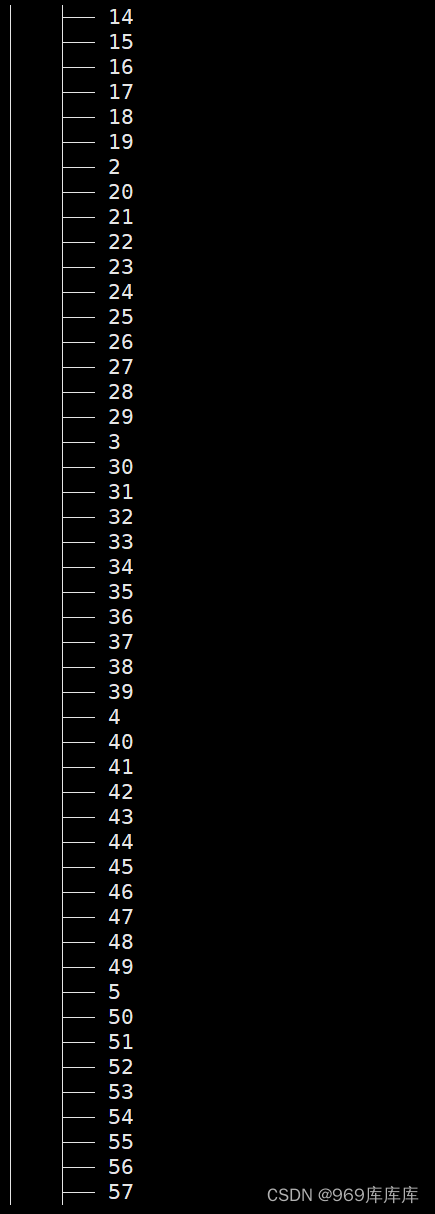
至此,创建文件及目录结束,通过上述讲解,相信屏幕前的你一定有所收获吧,后续知识,敬请期待
本文转载自: https://blog.csdn.net/2201_75769266/article/details/134115275
版权归原作者 969库库库 所有, 如有侵权,请联系我们删除。
版权归原作者 969库库库 所有, 如有侵权,请联系我们删除。