
不推荐使用沙箱环境,因为问题太多,如果使用沙箱环境请注意一下几点
- alipay.user.info.auth(用户登录授权接口)的 return_url 必传,建议检查是否设置 return_url。return_url 与应用中的授权回调地址一致。
- 再换沙箱环境时,除了支付宝网关 https://openapi.alipay.com/gateway.do 需要切换成 https://openapi.alipaydev.com/gateway.do 之外,还需要将 https://openauth.alipay.com/oauth2/publicAppAuthorize.htm?app_id=商户的APPID&scope=auth_user&redirect_uri=ENCODED_URL&state=init 切换成 https://openauth.alipaydev.com/oauth2/publicAppAuthorize.htm?app_id=商户的APPID&scope=auth_user&redirect_uri=ENCODED_URL&state=init。
实现效果
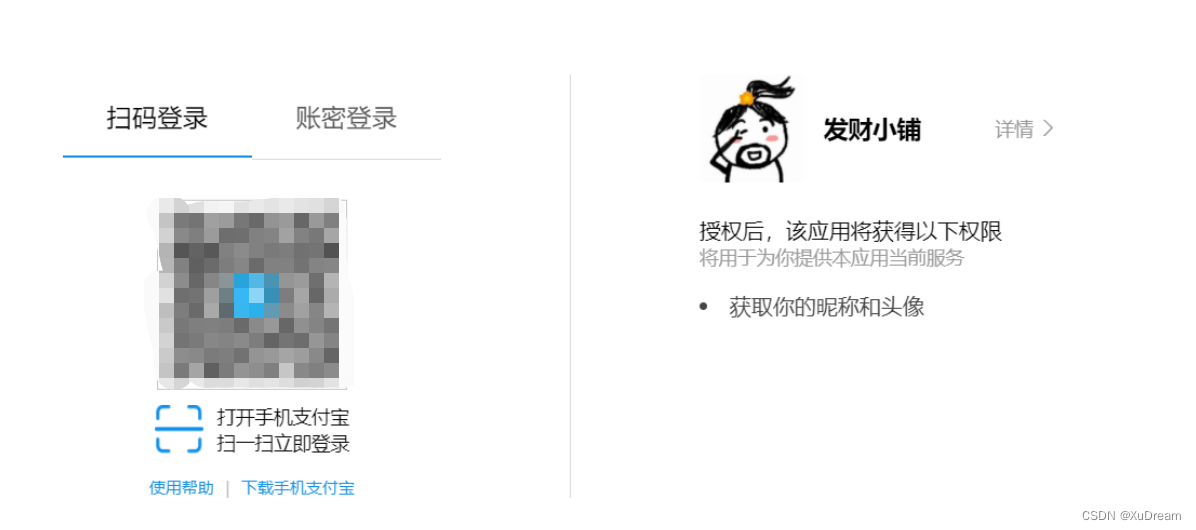
支付宝接入准备
申请正式的支付宝网页应用:详情参考支付宝官方文档
- 登录支付宝开放平台
- 创建网页移动应用,选择网页应用
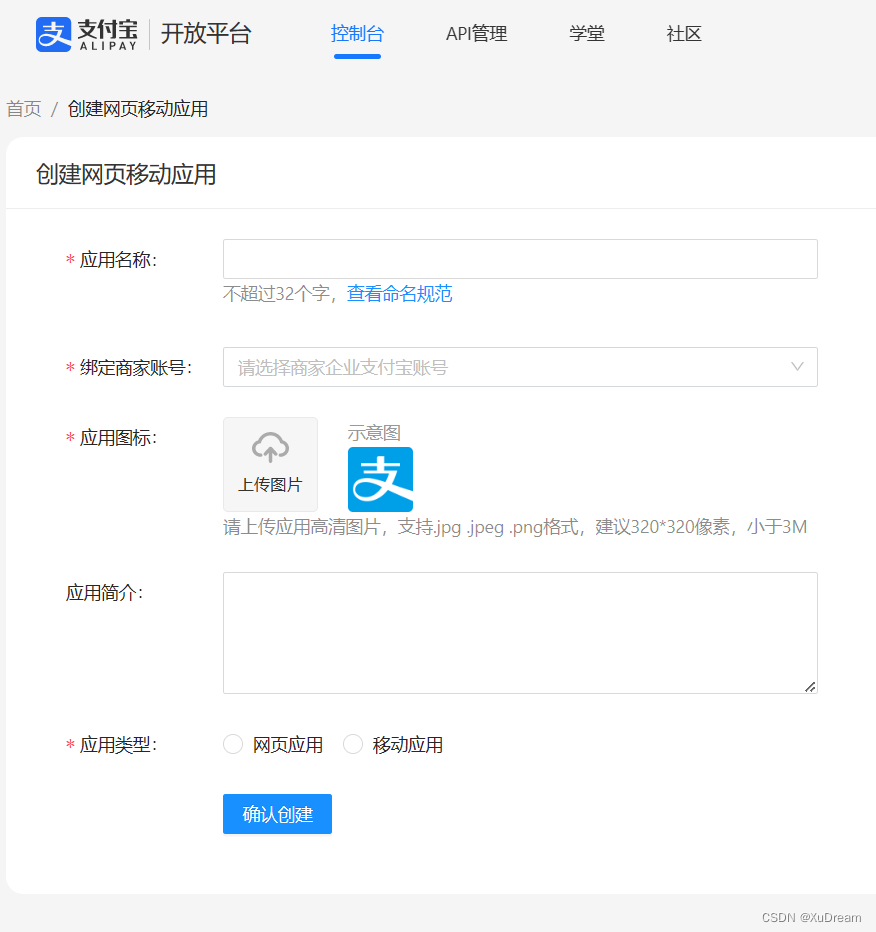
- 完善开发设置,这里获取公钥私钥信息,详情参考支付宝官方文档
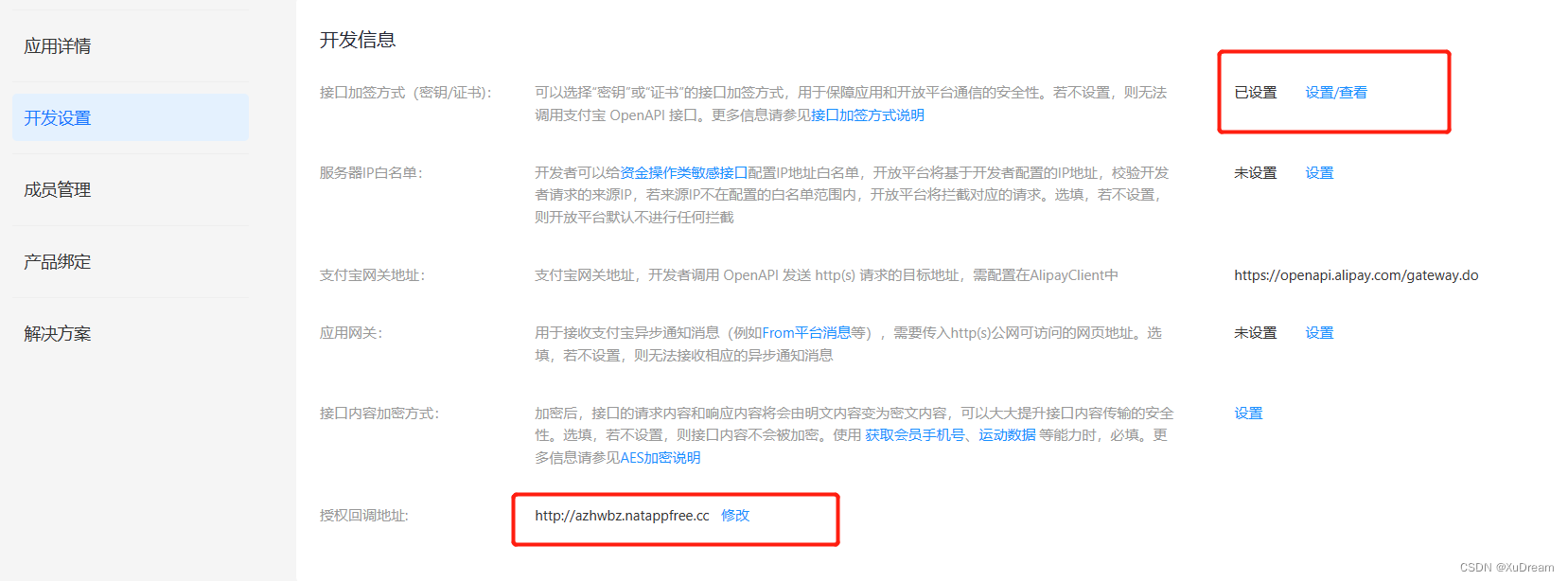
- appId获取如图值

- 其他详情参考支付宝官方文档
导入依赖
<!-- alipay --><dependency><groupId>com.alipay.sdk</groupId><artifactId>alipay-sdk-java</artifactId><version>3.1.0</version></dependency><!-- fastjson --><dependency><groupId>com.alibaba</groupId><artifactId>fastjson</artifactId><version>1.2.48</version></dependency>
主要代码
登录逻辑
- 前台页面根据app_id(应用id),scope(接口权限值),redirect_uri(授权回调地址,后台的登录接口),state(商户自定义参数,只允许base64字符(长度小于等于100)拼接支付宝登录页面
- 然后用户授权登录,支付宝会回调redirect_uri地址
- 后台服务接受参数:auth_code,app_id,state,然后使用auth_code在AlipaySystemOauthTokenRequest()换取access_token及用户userId
- 在根据access_token去AlipayUserInfoShareRequest()获取用户个人信息
- 登录结束
注意事项
以下xxx,aaa,bbb,ccc,ddd皆为变量**
前端拼接参数格式:https://xxxapp_id=aaa&scope=bbb&redirect_uri=ccc&state=ddd
- xxx:https://openauth.alipaydev.com/oauth2/publicAppAuthorize.htm时沙箱环境 xxx:https://openauth.alipay.com/oauth2/publicAppAuthorize.htm是正式环境
- aaa:正常获取值即可
- bbb: auth_base(以auth_base为scope发起的网页授权,用于获取进入页面的用户的 userId,并且是静默授权并自动跳转到回调页的。用户感知的就是直接进入了回调页(通常是业务页面)) auth_user(以auth_user为scope发起的网页授权,是用来获取用户的基本信息的(比如头像、昵称等)。但这种授权需要用户手动同意,用户同意后,就可在授权后获取到该用户的基本信息)
- ccc:回调页面,这里回调地址需要在支付宝开发平台中找到开发设置目录下授权回调地址,并保持一致。
- ddd:自定义参数
在这里插入代码片/**
 * <p>
 * 前端控制器
 * </p>
 *
 * @author
 * @since 2021-05-18
 */@RestController@CrossOrigin@RequestMapping("/userInfo")publicclassUserInfoController{//支付宝网关  dev是测试支付宝网关publicstaticStringURL="https://openapi.alipay.com/gateway.do";publicstaticStringURLDEV="https://openapi.alipaydev.com/gateway.do";//私钥  dev是测试私钥privateString privateKey="自备参数";privateString privateKeyDev="自备参数";//公钥  dev是测试公钥privateString publicKey="自备参数";privateString publicKeyDev="自备参数";/**
     * 支付宝登录
     * 主要流程:
     * 1.前台页面根据app_id(应用id),scope(接口权限值),redirect_uri(授权回调地址,后台的登录接口),state(商户自定义参数,只允许base64字符(长度小于等于100)拼接支付宝登录页面
     * 2.然后用户授权登录,支付宝会回调redirect_uri地址
     * 3.后台服务接受参数:auth_code,app_id,state,然后使用auth_code在AlipaySystemOauthTokenRequest()换取access_token及用户userId
     * 4.在根据access_token去AlipayUserInfoShareRequest()获取用户个人信息
     * 5.登录结束
     * 注意事项:
     * 一下xxx,aaa,bbb,ccc,ddd皆为变量
     * 1.前端拼接参数格式:https://xxx?app_id=aaa&scope=bbb&redirect_uri=ccc&state=ddd
     * xxx:https://openauth.alipaydev.com/oauth2/publicAppAuthorize.htm时沙箱环境
     * xxx:https://openauth.alipay.com/oauth2/publicAppAuthorize.htm是正式环境
     * aaa:正常获取值即可
     * bbb:
     * auth_base(以auth_base为scope发起的网页授权,用于获取进入页面的用户的 userId,并且是静默授权并自动跳转到回调页的。用户感知的就是直接进入了回调页(通常是业务页面))
     * auth_user(以auth_user为scope发起的网页授权,是用来获取用户的基本信息的(比如头像、昵称等)。但这种授权需要用户手动同意,用户同意后,就可在授权后获取到该用户的基本信息)
     * ccc:回调页面,这里回调地址需要在支付宝开发平台中找到开发设置目录下授权回调地址,并保持一致。
     * ddd:自定义参数
     *
     * @return
     * @Param: [appAuthCode 支付宝权限code]
     * https://openauth.alipaydev.com/oauth2/publicAppAuthorize.htm?app_id=aaa&scope=auth_user&redirect_uri=http://azhwbz.natappfree.cc/userInfo/alilogin&state=123
     * https://openauth.alipay.com/oauth2/publicAppAuthorize.htm?app_id=aaa&scope=auth_user&redirect_uri=http://azhwbz.natappfree.cc/userInfo/alilogin&state=456
     */@GetMapping("/alilogin")publicStringalilogin(@RequestParam("auth_code")String appAuthCode,@RequestParam("app_id")String appId,@RequestParam("state")String state,HttpServletResponse httpServletResponse)throwsAlipayApiException{System.out.println("登录app_id----------------------------->"+ appId);System.out.println("登录auth_code----------------------------->"+ appAuthCode);System.out.println("登录state----------------------------->"+ state);//STEP 使用 auth_code 换取 access_token 及用户 userIdSystem.out.println("使用 auth_code 换取 access_token 及用户 userId");AlipayClient alipayClient =newDefaultAlipayClient(URL, appId, privateKey,"json","utf-8", publicKey,"RSA2");AlipaySystemOauthTokenRequest request =newAlipaySystemOauthTokenRequest();
        request.setCode(appAuthCode);
        request.setGrantType("authorization_code");
        request.setRefreshToken("201208134b203fe6c11548bcabd8da5bb087a83b");AlipaySystemOauthTokenResponse response = alipayClient.execute(request);System.out.println(response.getBody());if(response.isSuccess()){System.out.println("调用成功");}else{System.out.println("调用失败");}String accessToken = response.getAccessToken();System.out.println("accessToken="+response.getAccessToken());System.out.println("accessToken="+response.getUserId());AlipayClient alipayClient1 =newDefaultAlipayClient(URL, appId, privateKey,"json","utf-8", publicKey,"RSA2");AlipayUserInfoShareRequest request1 =newAlipayUserInfoShareRequest();AlipayUserUserinfoShareRequest request2=newAlipayUserUserinfoShareRequest();AlipayUserInfoShareResponse response1 = alipayClient1.execute(request1,accessToken);System.out.println(response1.getBody());if(response1.isSuccess()){System.out.println("调用成功");}else{System.out.println("调用失败");}String email = response1.getEmail();String gender = response1.getGender();String userId = response1.getUserId();String userName = response1.getUserName();String avatar = response1.getAvatar();String nickName = response1.getNickName();String mobile= response1.getMobile();String phone = response1.getPhone();String taobaoId = response1.getTaobaoId();String countryCode = response1.getCountryCode();String province = response1.getProvince();String city = response1.getCity();String area = response1.getArea();String address = response1.getAddress();String info="用户名:"+nickName+",性别:"+gender+",手机号:"+mobile+",电话号:"+phone+",真实姓名:"+userName+",支付宝id:"+userId+",邮件:"+email+",头像:"+avatar+",淘宝号:"+taobaoId
                +",国家:"+countryCode+",省:"+province+",市:"+city+",县:"+area+",地址:"+address;System.out.println(info);//此处写登录的实际业务逻辑,如新增/更新用户信息,返回自定义token值return info;}}
本文转载自: https://blog.csdn.net/XuDream/article/details/128854889
版权归原作者 XuDream 所有, 如有侵权,请联系我们删除。
版权归原作者 XuDream 所有, 如有侵权,请联系我们删除。