
SVG在前端中的常见应用
只是一些常用的应用,但足以入门。
一、svg标签
1. svg
- svg标签相当于画布。
- 可以在标签中定义宽和高
<svgwidth="100"height="100"></svg>
2. g
g标签可以对svg元素进行分组,分组后可以统一配置属性。
<svg><g>...</g></svg>
二、描边属性
stroke:笔画颜色属性,值为颜色值strike-width:笔画宽度属性,值为数值stroke-linecap:笔画笔帽属性 - butt:默认值,没有线帽。- round:圆形线帽。- square:方形线帽。stroke-dasharray:笔画虚线属性,值为数组序列,至少2个值。
<pathd="M175 200 l 150 0"stroke="gray"stroke-dasharray="20,10,3,3"stroke-width="3"fill="none"></path>
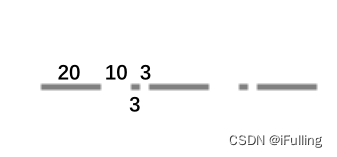
- 所有的描边属性都可以应用于线条、文本、元素轮廓。
- 下面会大量运用。
三、模糊和阴影效果
- 给 svg 添加特殊效果需要添加
<filter></filter>实现,且在<defs></defs>(definitions)中定义。 - filter 里面包含一个或多个效果(过滤器)滤镜。
- filter 属性: - id:识别过滤器。- x:滤镜起始点x坐标- y:滤镜起始点y坐标- width:滤镜宽- height:滤镜高
1. 模糊
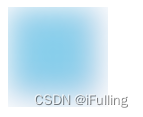
feGaussianBlue定义高斯模糊。- 定义在 filter 里面。
feGaussianBlue属性: -stdDeviation:定义模糊数量,值为数值,值越大越模糊。
<svgwidth="100"height="100"><defs><filterx="0"y="0"id="f1"><feGaussianBlurstdDeviation="15"></feGaussianBlur></filter></defs><rectwidth="90"height="90"stroke="pink"stroke-width="3"fill="skyblue"filter="url(#f1)"></rect></svg>
2. 阴影效果
- 阴影效果通过
feOffset和feBlend实现。 - 定义在 filter 里面。
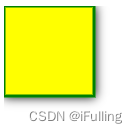
feOffset定义偏移,属性: - dx:阴影在x轴上的偏移,值为数值。- dy:阴影在y轴上的偏移,值为数值。- in:表示阴影图像的来源。(SourceAlpha黑色阴影,SourceGraphic图像阴影)feBlend在偏移图像上混合原始图像,属性: - in:值为SourceGraphic。
<svgwidth="140"height="140"><defs><filterx="0"y="0"width="200"height="200"id="f2"><feOffsetin="SourceAlpha"dx="0"dy="0"/><feGaussianBlurstdDeviation="5"/><feBlendin="SourceGraphic"/></filter></defs><rectwidth="90"height="90"stroke="green"stroke-width="3"fill="yellow"filter="url(#f2)"></rect></svg>
四、线性渐变和径向渐变
1. 线性渐变
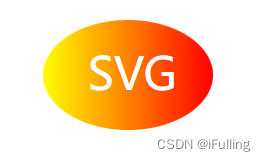
- 线性渐变通过
<linearGradient></linearGradient>实现,且在<defs></defs>中定义。 linearGradient属性: - id- x1:线性渐变开始位置x坐标- y1:线性渐变开始位置y坐标- x2:线性渐变结束位置x坐标- y2:线性渐变结束位置y坐标- 线性渐变可以由多个颜色组成,每个颜色用一个
<stop />指定。 stop属性: - offset:开始和结束位置,值为百分比- stop-color:颜色。
<svgwidth="400"height="150"><defs><linearGradientid="grad"x1="0%"y1="0%"x2="100%"y2="0%"><stopoffset="0%"stop-color="rgb(255,255,0)"></stop><stopoffset="100%"stop-color="rgb(255,0,0)"></stop></linearGradient></defs><ellipsecx="200"cy="70"rx="85"ry="55"fill="url(#grad)"></ellipse><textfill="white"font-size="45"x="160"y="85">SVG</text></svg>
2. 径向渐变
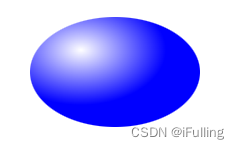
- 径向渐变通过
<radialGradient></radialGradient>实现。 - 属性: - id- cx, cy,r:定义最外面的圆(渐变结束圆圆心横坐标、纵坐标、半径)- fx,fy:定义最里面的圆(渐变起始点横坐标、纵坐标)
<svgwidth="400"height="150"><defs><radialGradientid="grad"cx="30%"cy="30%"r="50%"fx="30%"fy="30%"><stopoffset="0%"stop-color="white"></stop><stopoffset="100%"stop-color="blue"></stop></radialGradient></defs><ellipsecx="200"cy="70"rx="85"ry="55"fill="url(#grad)"></ellipse></svg>
五、绘制
1. 内置形状元素
- 元素:矩形 rect、圆形 circle、椭圆 ellipse、线条 line、多线条 polyline、多边形 ploygon、路径 path。
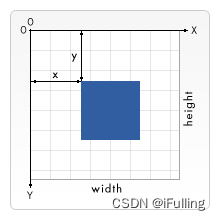
- 坐标系
2. 绘制矩形
- 使用标签 rect。
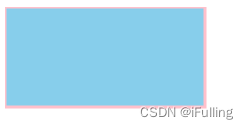
<rect /> - 属性: - 宽度 width- 高度 height- 填充色 fill- 笔画颜色 stroke- 笔画宽度 stroke-width。
<svgwidth="400"height="400"><rectwidth="200"height="100"fill="skyblue"stroke-width="3"stroke="pink"/></svg>
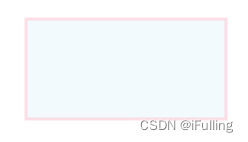
- (接上)属性: - x:左边位置- y:顶部位置- fill-opacity:填充不透明度,为0-1- stroke-opacity:笔画不透明度。- opacity:整个矩形的不透明度。
<svgwidth="400"height="400"><rectx="50"y="20"width="200"height="100"fill="skyblue"stroke-width="3"stroke="pink"fill-opacity="0.1"stroke-opacity="0.5"/></svg>
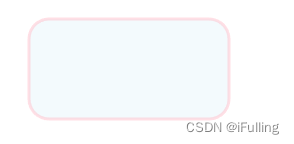
- (接上)属性: - rx:圆角x轴方向上的半径长度。- ry:圆角y轴方向上的半径长度。
<svgwidth="400"height="400"><rectx="50"y="20"width="200"height="100"fill="skyblue"stroke-width="3"stroke="pink"fill-opacity="0.1"stroke-opacity="0.5"rx="20"ry="20"/></svg>
3. 绘制圆形
- 使用标签
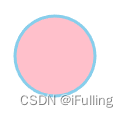
<circle/> - 属性: - cx:圆心x轴坐标,默认0- cy:圆心y轴坐标,默认0- r:圆半径。- stroke、stroke-width、fill。
<svgwidth="100"height="100"><circlecx="50"cy="50"r="40"stroke="skyblue"stroke-width="3"fill="pink"/></svg>
4. 绘制椭圆
- 使用标签
<ellipse /> - 属性: - cx、cy。- rx:水平半径- ry:垂直半径。
<svgwidth="500"height="140"><ellipserx="100"ry="50"cx="200"cy="80"stroke-width="3"stroke="pink"fill="skyblue"/></svg>

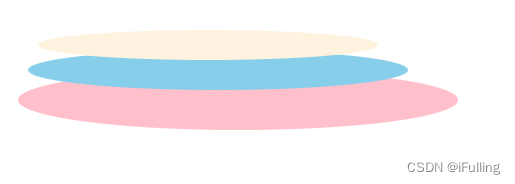
- 堆叠椭圆
<svgwidth="500"height="140"><ellipserx="220"ry="30"cx="240"cy="100"fill="pink"/><ellipserx="190"ry="20"cx="220"cy="70"fill="skyblue"/><ellipserx="170"ry="15"cx="210"cy="45"fill="#fff2df"/></svg>
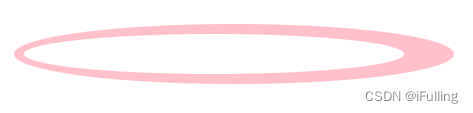
- 空心椭圆
<svgwidth="500"height="100"><ellipsecx="240"cy="50"rx="220"ry="30"fill="pink"></ellipse><ellipsecx="220"cy="50"rx="190"ry="20"fill="white"></ellipse></svg>
5. 绘制线条
- 使用标签
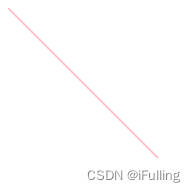
<line /> - 属性: - x1:起点x坐标- y1:起点y坐标- x2:终点x坐标- y2:终点y坐标
<svg><linex1="0"y1="0"x2="200"y2="200"stroke="pink"stroke-width="2"></line></svg>
6. 绘制多边形
- 使用
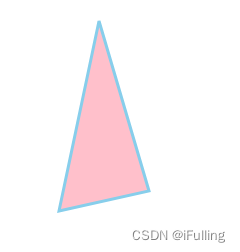
<polygon /> - 用于创建一个至少三个边的图形。
- 属性: - points:定义每个角的(x, y)坐标,至少三队坐标。
<svgwidth="500"height="300"><polygonpoints="200,20 250,190 160,210"fill="pink"stroke="skyblue"stroke-width="3"></polygon></svg>
- 绘制五角星
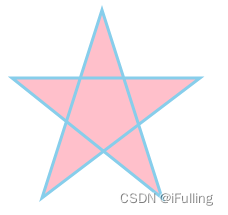
<svgwidth="500"height="300"><polygonpoints="100,10 40,198 198,78 10,78 160,198"fill="pink"stroke="skyblue"stroke-width="3"></polygon></svg>
7. 绘制多线条
- 使用
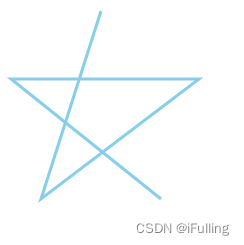
<polyline /> - 创建任何只由直线组成的形状
- 属性: - points:同上
<svgwidth="500"height="300"><polylinepoints="100,10 40,198 198,78 10,78 160,198"fill="none"stroke="skyblue"stroke-width="3"></polyline></svg>
8. 绘制文本
- 使用
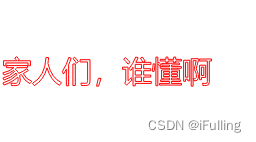
<text>...</text> - 属性 - x:文本x坐标- y:文本y坐标- font-size:文本大小- text-anchor:对齐方式(start | middle | end)- stroke、stroke-width、fill
<svgwidth="500"height="300"><textx="0"y="200"font-size="30"text-anchor="start"fill="none"stroke="red"stroke-width="1">家人们,谁懂啊</text></svg>
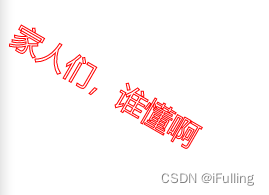
- (接上)属性: - transform - rotate(旋转角度 旋转中心x, 旋转中心y)。默认(x, y)为(0, 0)。
<svgwidth="500"height="300"><textx="10"y="50"font-size="30"text-anchor="start"fill="none"stroke="red"stroke-width="1"transform="rotate(30 20,40)">家人们,谁懂啊</text></svg>
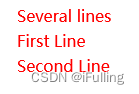
text元素可以包裹多个tspan,每个tspan可以包含不同的格式和位置。tspan属性: - x、y
<svgwidth="500"height="300"><textx="10"y="20"fill="red">
        Several lines
        <tspanx="10"y="45">First Line</tspan><tspanx="10"y="70">Second Line</tspan></text></svg>
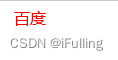
text标签可以添加链接。使用a包裹起来。要添加文本需要给svg添加xmlns:link属性,属性值固定为w3的地址。a属性: -xlink:href:链接地址-target:跳转方式
<svgwidth="200"height="30"xmlns:link="http://www.w3.org/1999/xhtml"><axlink:href="https://www.baidu.com"target="_blank"><textx="10"y="15"fill="red">百度</text></a></svg>
9. 绘制路径
- 使用
<path /> - 可以绘制任意形状的图形
- 属性: - d:draw,定义绘制路径的命令。命令大写表示绝对定位,小写表示相对定位。 - 命令
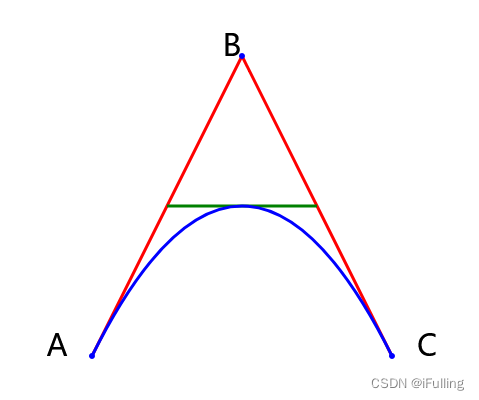
M/m:moveto缩写,定义起点坐标(x, y)- 命令L/l:lineto缩写,绘制一条线。- 命令q:quadraticBezierCurve缩写,绘制二次贝塞尔曲线。定义控制点和终点坐标。 - 绘制二次贝塞尔。
<svgwidth="450"height="400"><pathd="M100 350 l 150 -300"stroke="red"stroke-width="3"fill="none"></path><pathd="M250 50 l 150 300"stroke="red"stroke-width="3"fill="none"></path><pathd="M175 200 l 150 0"stroke="green"stroke-width="3"fill="none"></path><pathd="M100 350 q 150 -300 300 0"stroke="blue"stroke-width="3"fill="none"></path><gfill="blue"><circler="3"cx="100"cy="350"></circle><circler="3"cx="250"cy="50"></circle><circler="3"cx="400"cy="350"></circle></g><gfont-size="30"fill="black"text-anchor="middle"><textx="100"y="350"dx="-35">A</text><textx="250"y="50"dx="-10">B</text><textx="400"y="350"dx="35">C</text></g></svg>
本文转载自: https://blog.csdn.net/realoser/article/details/130793802
版权归原作者 iFulling 所有, 如有侵权,请联系我们删除。
版权归原作者 iFulling 所有, 如有侵权,请联系我们删除。