
一、OpenOffice下载
OpenOffice是开放免费的文字处理软件,可借助Apache OpenOffice服务然先将word,ppt等转换成pdf,然后在通过在线pdf在线预览的迂回方式实现office文件预览。
OpenOffice下载地址:https://www.openoffice.org/zh-cn/download/index.html
选择要下载的平台和版本,点击Download full installation下载即可。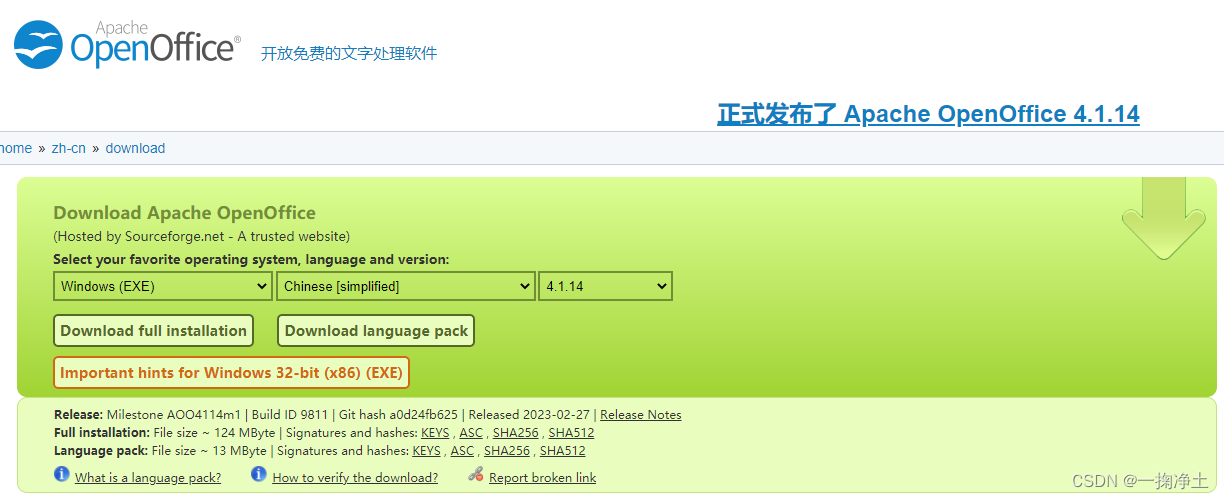
二、OpenOffice安装启动
安装可以使用rpm方式进行安装,但是坑比较多,少这个少那个的。网上有很多。
这里介绍docker方式安装OpenOffice
2.1、下载docker镜像
docker镜像地址 https://hub.docker.com/r/954l/openoffice/tags
这里是4.1.13的版本,已经比较新了
docker pull 954l/openoffice:4.1.13
2.2 启动docker镜像
首先创建文件目录:
mkdir /data/openoffice/files
然后启动docker容器:
docker run -d--name openOffice --restart=always -p8100:8100 -v /data/openoffice/files/:/data/files 954l/openoffice:4.1.13
查看启动情况:OK
[root@nb002 files]# docker ps | grep openoffice
74b098982074   954l/openoffice:4.1.13      "/bin/sh -c '/opt/op…"   2 hours ago   Up 2 hours   0.0.0.0:8100->8100/tcp, :::8100->8100/tcp   openOffice
三、OpenOffice使用
3.1 在springboot项目的pom中引入依赖
<!--openoffice--><dependency><groupId>com.artofsolving</groupId><artifactId>jodconverter</artifactId><version>2.2.2</version></dependency><dependency><groupId>org.openoffice</groupId><artifactId>juh</artifactId><version>4.1.2</version></dependency><dependency><groupId>org.openoffice</groupId><artifactId>ridl</artifactId><version>4.1.2</version></dependency><dependency><groupId>org.openoffice</groupId><artifactId>unoil</artifactId><version>4.1.2</version></dependency>
3.2 新增
FileConvertUtil
工具类:
packagecom.tid.common.utils;importcom.artofsolving.jodconverter.DefaultDocumentFormatRegistry;importcom.artofsolving.jodconverter.DocumentConverter;importcom.artofsolving.jodconverter.DocumentFormat;importcom.artofsolving.jodconverter.openoffice.connection.OpenOfficeConnection;importcom.artofsolving.jodconverter.openoffice.connection.SocketOpenOfficeConnection;importcom.artofsolving.jodconverter.openoffice.converter.StreamOpenOfficeDocumentConverter;importjava.io.*;importjava.net.HttpURLConnection;importjava.net.URL;importjava.net.URLConnection;importjava.nio.file.Files;/**
 * 文件格式转换工具类
 */publicclassFileConvertUtil{/**
     * 默认转换后文件后缀
     */privatestaticfinalStringDEFAULT_SUFFIX="pdf";/**
     * openoffice的host:你部署openoffice的服务器ip
     */privatestaticfinalStringOPENOFFICE_HOST="192.168.1.6";/**
     * openoffice的port
     */privatestaticfinalIntegerOPENOFFICE_PORT=8100;/**
     * 方法描述 office文档转换为PDF(处理本地文件)
     * @param sourcePath 源文件路径
     * @param suffix     源文件后缀
     * @return InputStream 转换后文件输入流
     */publicstaticInputStreamconvertLocaleFile(String sourcePath,String suffix)throwsException{File inputFile =newFile(sourcePath);InputStream inputStream =newFileInputStream(inputFile);returncovertCommonByStream(inputStream, suffix);}/**
     * office文档转换为PDF文件流(处理网络文件)
     *
     * @param netFileUrl 网络文件路径
     * @param suffix     文件后缀
     * @return InputStream 转换后文件输入流
     */publicstaticInputStreamconvertNetFile(String netFileUrl,String suffix)throwsException{// 创建URLURL url =newURL(netFileUrl);// 试图连接并取得返回状态码URLConnection urlconn = url.openConnection();
        urlconn.connect();HttpURLConnection httpconn =(HttpURLConnection) urlconn;int httpResult = httpconn.getResponseCode();if(httpResult ==HttpURLConnection.HTTP_OK){InputStream inputStream = urlconn.getInputStream();returncovertCommonByStream(inputStream, suffix);}returnnull;}/**
     * office文档转换为PDF文件(处理网络文件)
     *
     * @param netFileUrl 网络文件路径
     * @param suffix     文件后缀
     * @param targetPath      目标文件全路径 eg: C:\Users\cvec2022\Desktop\abc.pdf
     * @return InputStream 转换后文件输入流
     */publicstaticFileconvertNetFileToFile(String netFileUrl,String suffix,String targetPath)throwsException{// 创建URLURL url =newURL(netFileUrl);// 试图连接并取得返回状态码URLConnection urlconn = url.openConnection();
        urlconn.connect();HttpURLConnection httpconn =(HttpURLConnection) urlconn;int httpResult = httpconn.getResponseCode();if(httpResult ==HttpURLConnection.HTTP_OK){InputStream inputStream = urlconn.getInputStream();returncovertCommonByStream(inputStream, suffix, targetPath);}returnnull;}/**
     * 将文件以流的形式转换
     *
     * @param inputStream 源文件输入流
     * @param suffix      源文件后缀
     * @return InputStream 转换后文件输入流
     */publicstaticInputStreamcovertCommonByStream(InputStream inputStream,String suffix)throwsException{ByteArrayOutputStream out =newByteArrayOutputStream();OpenOfficeConnection connection =newSocketOpenOfficeConnection(OPENOFFICE_HOST,OPENOFFICE_PORT);
        connection.connect();DocumentConverter converter =newStreamOpenOfficeDocumentConverter(connection);DefaultDocumentFormatRegistry formatReg =newDefaultDocumentFormatRegistry();DocumentFormat targetFormat = formatReg.getFormatByFileExtension(DEFAULT_SUFFIX);DocumentFormat sourceFormat = formatReg.getFormatByFileExtension(suffix);
        converter.convert(inputStream, sourceFormat, out, targetFormat);
        connection.disconnect();returnoutputStreamConvertInputStream(out);}/**
     * 将文件以文件的形式转换
     *
     * @param inputStream 源文件输入流
     * @param suffix      源文件后缀
     * @param targetPath      目标文件全路径 eg: C:\Users\cvec2022\Desktop\abc.pdf
     * @return File 转换后文件
     */publicstaticFilecovertCommonByStream(InputStream inputStream,String suffix,String targetPath)throwsException{ByteArrayOutputStream out =newByteArrayOutputStream();OpenOfficeConnection connection =newSocketOpenOfficeConnection(OPENOFFICE_HOST,OPENOFFICE_PORT);
        connection.connect();DocumentConverter converter =newStreamOpenOfficeDocumentConverter(connection);DefaultDocumentFormatRegistry formatReg =newDefaultDocumentFormatRegistry();DocumentFormat targetFormat = formatReg.getFormatByFileExtension(DEFAULT_SUFFIX);DocumentFormat sourceFormat = formatReg.getFormatByFileExtension(suffix);
        converter.convert(inputStream, sourceFormat, out, targetFormat);
        connection.disconnect();ByteArrayOutputStream baos =(ByteArrayOutputStream) out;returnbyteArrayToFile(baos.toByteArray(), targetPath);}/**
     * byte数组转File
     * @param byteArray 字节数组
     * @param targetPath 目标路径
     */publicstaticFilebyteArrayToFile(byte[] byteArray,String targetPath){InputStream in =newByteArrayInputStream(byteArray);File file =newFile(targetPath);String path = targetPath.substring(0, targetPath.lastIndexOf(File.separator));if(!file.exists()){newFile(path).mkdir();}FileOutputStream fos =null;try{
            fos =newFileOutputStream(file);int len =0;byte[] buf =newbyte[1024];while((len = in.read(buf))!=-1){
                fos.write(buf,0, len);}
            fos.flush();}catch(Exception e){
            e.printStackTrace();}finally{if(null!= fos){try{
                    fos.close();}catch(IOException e){
                    e.printStackTrace();}}}return file;}/**
     *  inputStream转File
     */publicstaticvoidinputStreamToFile(InputStream ins,File file)throwsIOException{OutputStream os =Files.newOutputStream(file.toPath());int bytesRead =0;byte[] buffer =newbyte[8192];while((bytesRead = ins.read(buffer,0,8192))!=-1){
            os.write(buffer,0, bytesRead);}
        os.close();
        ins.close();}/**
     *  outputStream转inputStream
     */publicstaticByteArrayInputStreamoutputStreamConvertInputStream(finalOutputStream out)throwsException{ByteArrayOutputStream baos =(ByteArrayOutputStream) out;returnnewByteArrayInputStream(baos.toByteArray());}publicstaticvoidmain(String[] args)throwsException{convertNetFileToFile("https://file.test.com/test/20230320/88af234acc864bfb91de13c16b0469f8.docx","docx","C:\\Users\\cvec2022\\Desktop\\abc.pdf");}}
3.3 测试结果
以下为上述工具类main方法测试结果:
最终转换结果:如图和word展示的内容一致。
word为: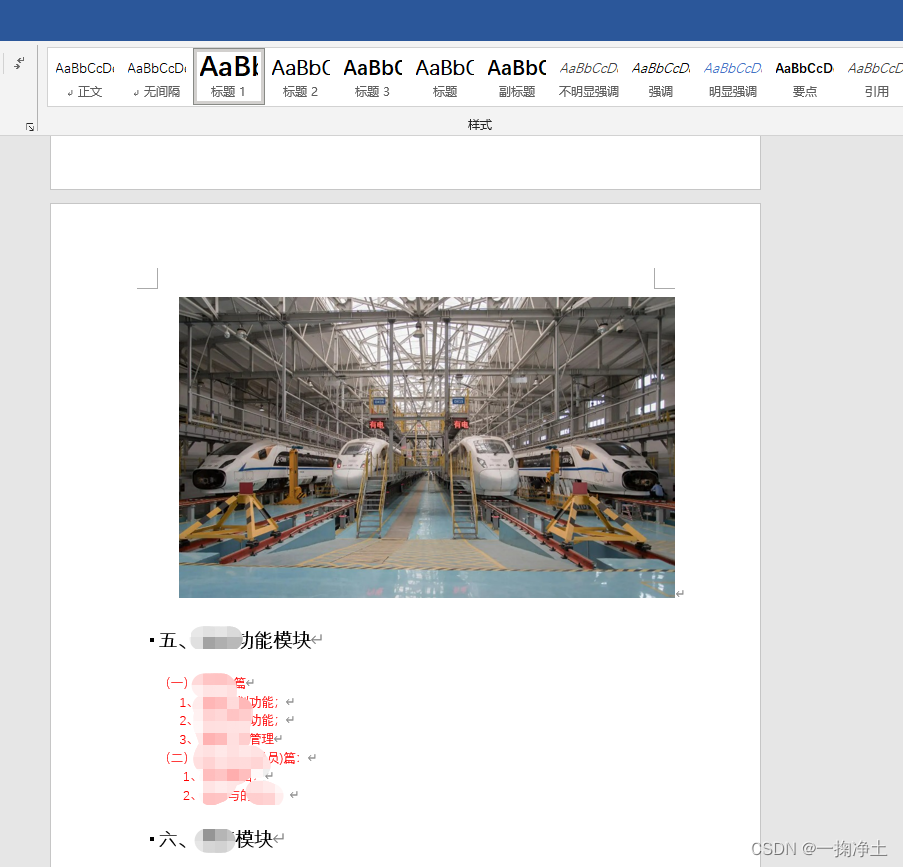
pdf为: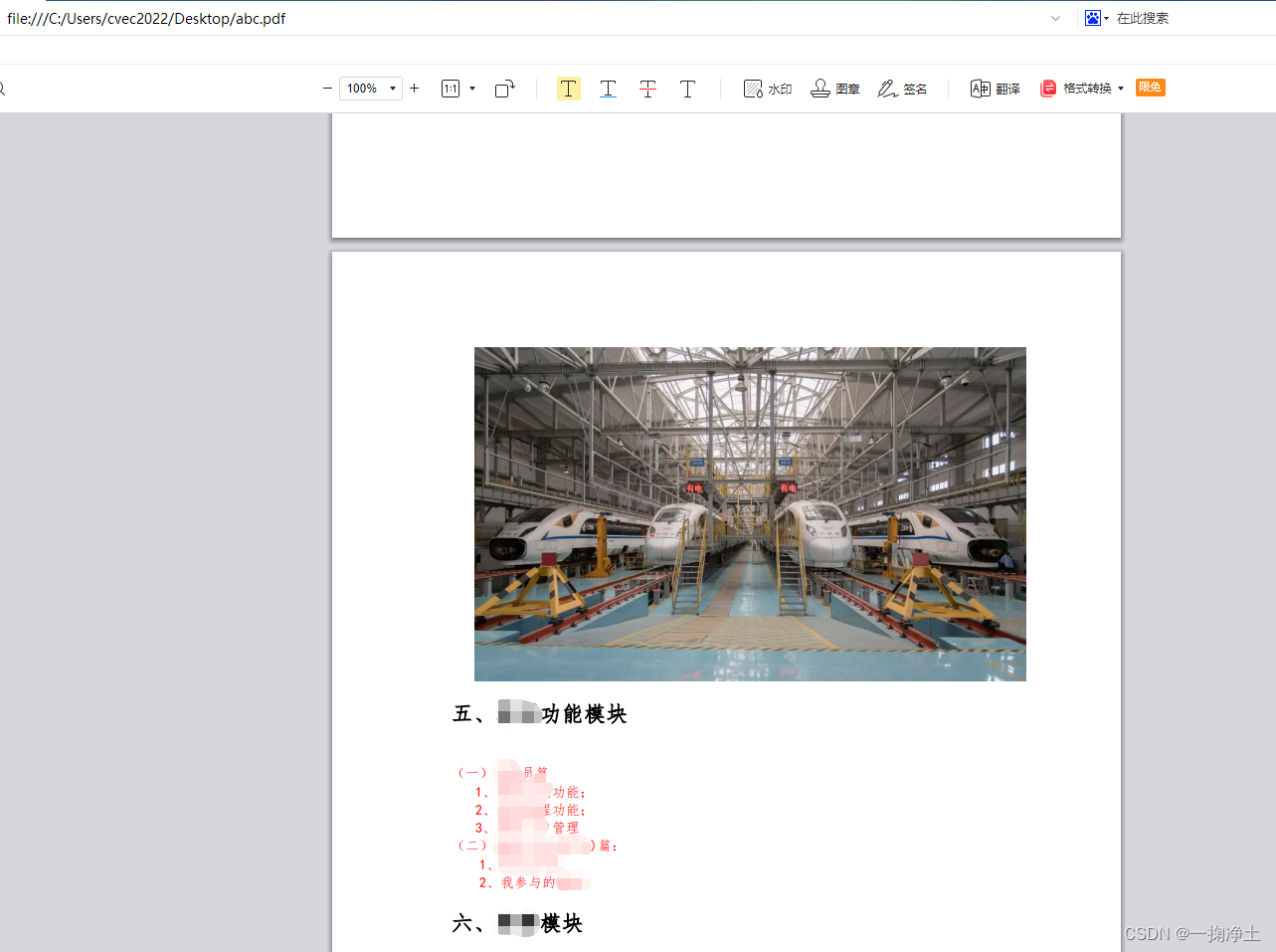
四、在线预览接口
4.1 接口代码
packagecom.tid.modules.tid.controller;importcom.tid.common.utils.FileConvertUtil;importio.swagger.annotations.ApiOperation;importlombok.extern.slf4j.Slf4j;importorg.springframework.web.bind.annotation.GetMapping;importorg.springframework.web.bind.annotation.PostMapping;importorg.springframework.web.bind.annotation.RequestMapping;importorg.springframework.web.bind.annotation.RestController;importjavax.servlet.http.HttpServletResponse;importjava.io.InputStream;importjava.io.OutputStream;/**
 * office文件在线预览接口
 */@RestController@RequestMapping("/api/file")@Slf4jpublicclassOfficeFilePreviewController{/**
     * 系统文件在线预览接口
     */@GetMapping("onlinePreview")publicvoidonlinePreview(String url,HttpServletResponse response)throwsException{// 获取文件类型String suffix = url.substring(url.lastIndexOf(".")+1);
        log.info("suffix {}", suffix);if(suffix.length()==0){thrownewException("文件格式不正确");}if(!suffix.equals("txt")&&!suffix.equals("doc")&&!suffix.equals("docx")&&!suffix.equals("xls")&&!suffix.equals("xlsx")&&!suffix.equals("ppt")&&!suffix.equals("pptx")){thrownewException("文件格式不支持预览");}InputStream in =FileConvertUtil.convertNetFile(url, suffix);OutputStream outputStream = response.getOutputStream();// 创建存放文件内容的byte[]数组byte[] buff =newbyte[1024];int n;while((n = in.read(buff))!=-1){
            outputStream.write(buff,0, n);}
        outputStream.flush();
        outputStream.close();
        in.close();}}
4.2 接口测试
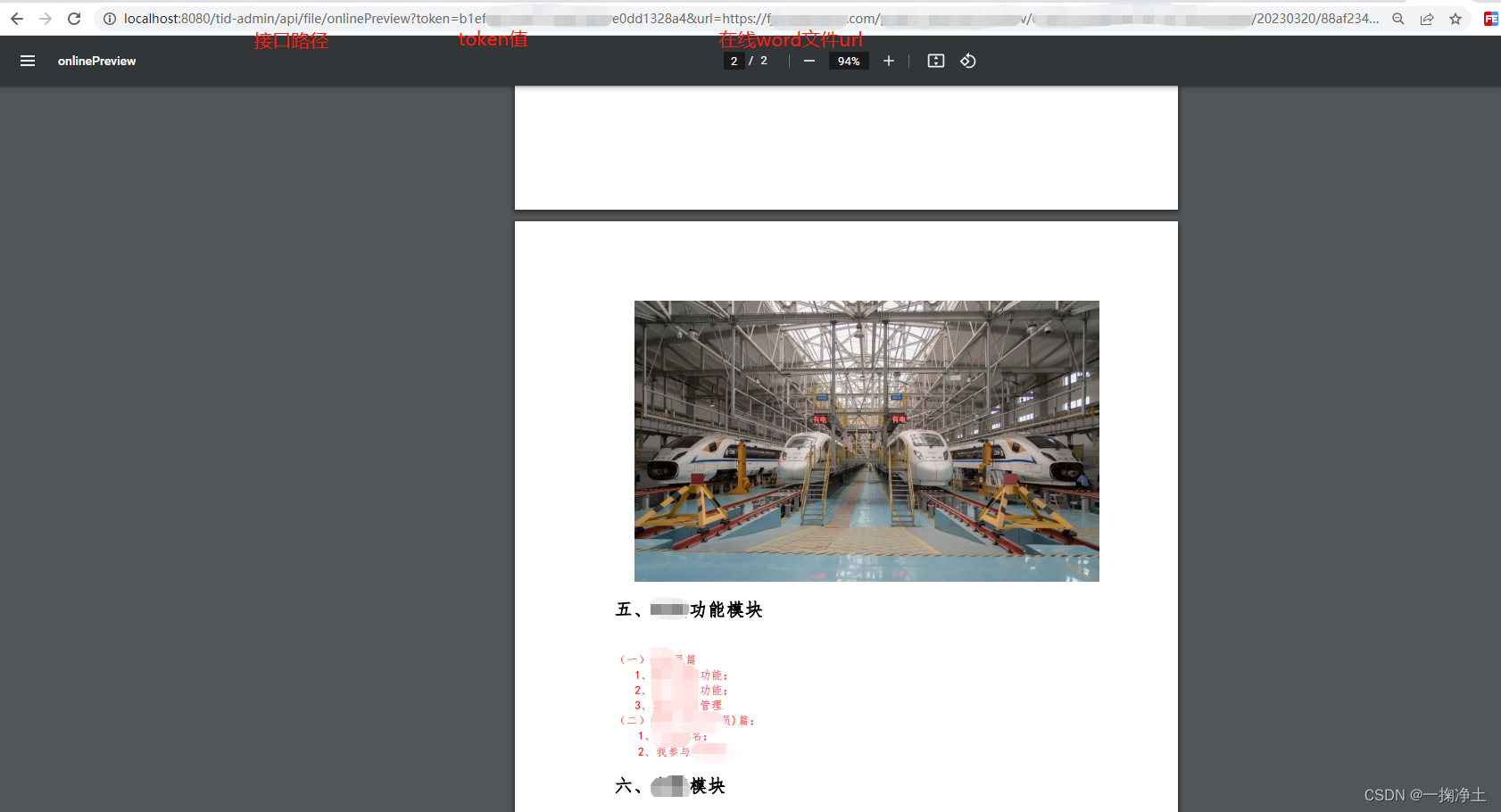
测试OK
补充:jodconverter2.2.2下载地址
请点击下载即可jodconverter2.2.2下载
END
本文转载自: https://blog.csdn.net/wdy_2099/article/details/129669891
版权归原作者 一掬净土 所有, 如有侵权,请联系我们删除。
版权归原作者 一掬净土 所有, 如有侵权,请联系我们删除。