
目录
selenium IDE简介
selenium IDE(Integrated Development Environment),Selenium IDE是Chrome和FireFox浏览器中的插件,基于web应用程序测试的工具,用于录制测试脚本使用,通过它录制的脚本可以导出生成各种兼容性的脚本语言,比如java、python、ruby、php等,对于开发者或者自动化测试工程师来说都是一款友好且易上手的测试工具。
selenium IDE安装
Chrome浏览器安装
官网下载地址: 点击下载.此连接不FQ可能无法下载。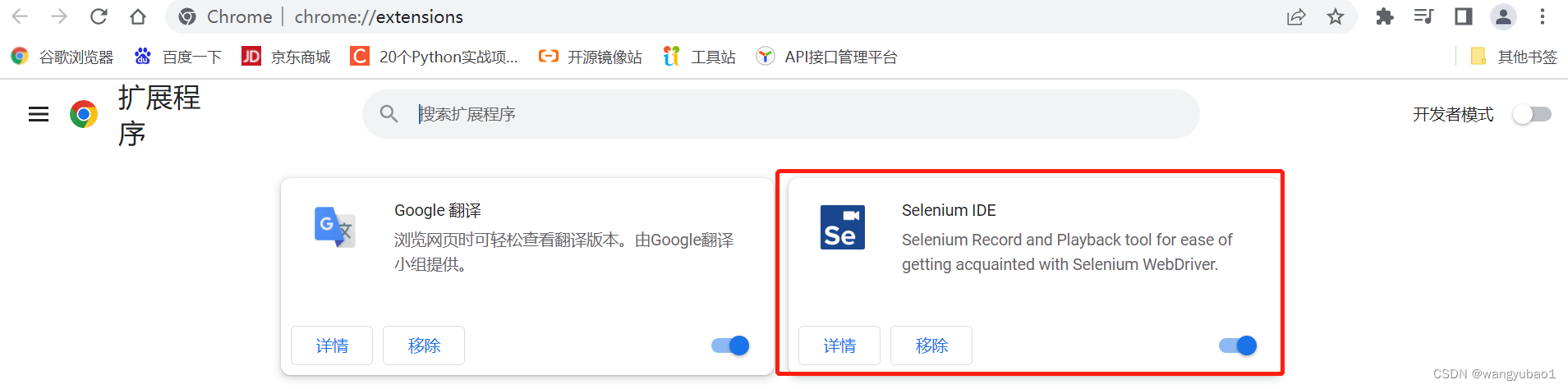
或者使用以下连接下载Chrome插件,下载完成后解压压缩包,将selenium-ide.crx拖至Chrome拓展程序页面,点击【添加】即可
selenium IDE使用
当我们在不同的浏览器中添加了selenium ide插件后,打开插件的方法都相同,点击浏览器扩展程序图标,找到selenium ide后,单击打开程序。
此时会弹出运行后提示框:
下面我们点击Record a new test in a new project创建一条新的测试用例:
项目名称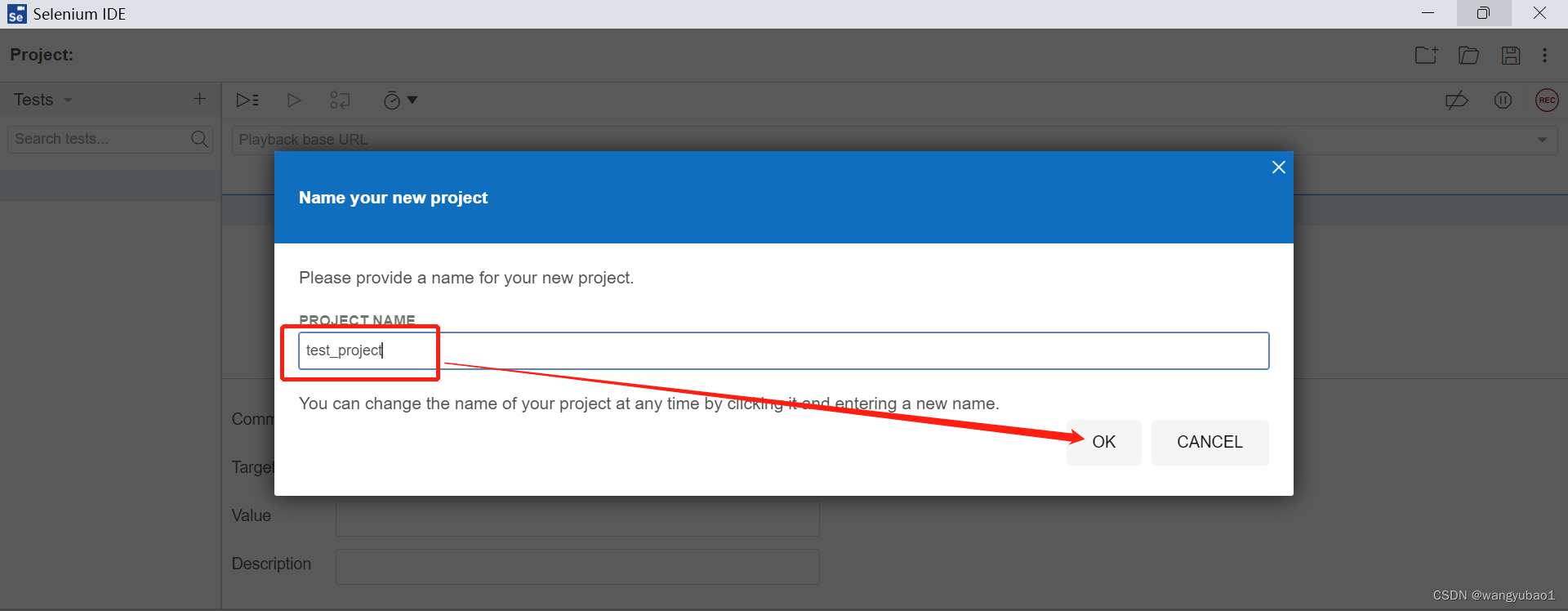
项目URL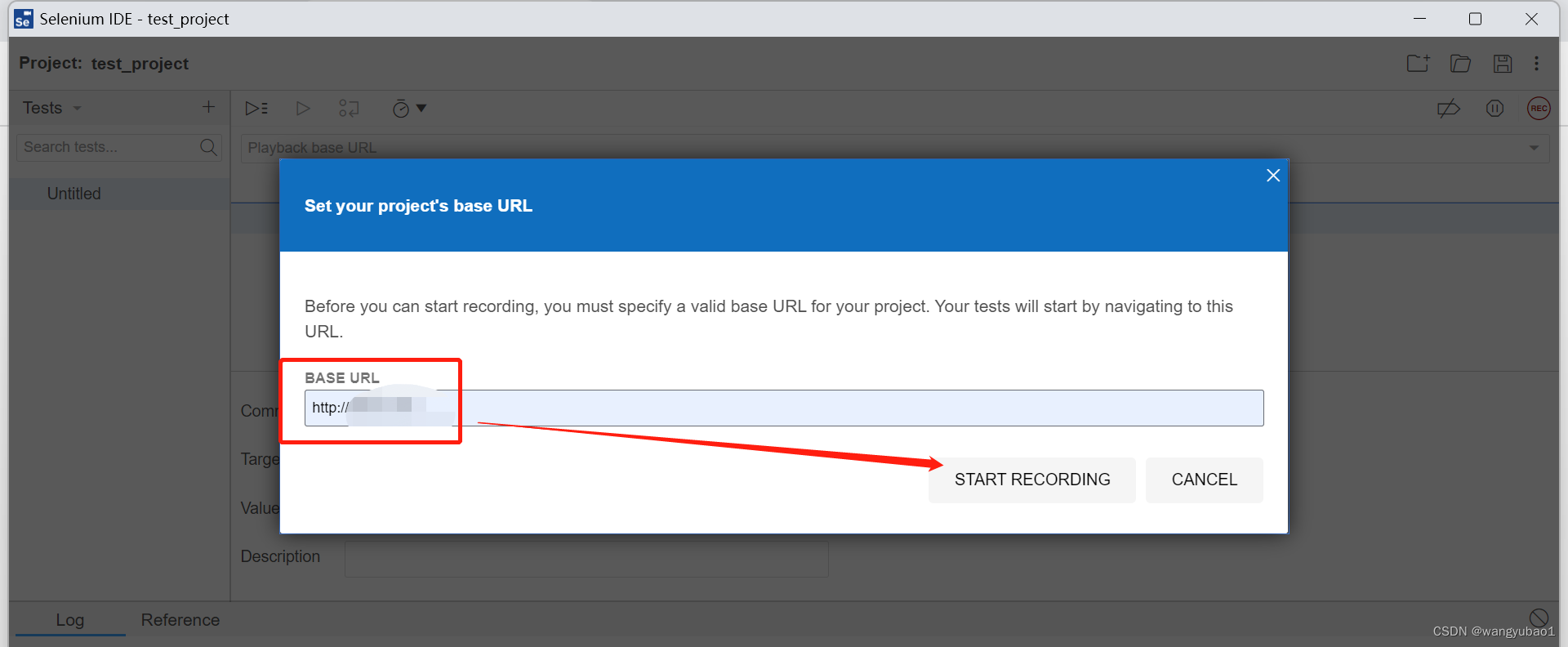
点击START RECORDING后,会弹出新的网页,这时我们在这个页面上的所有操作都会被录制下来,并保存。
点击右上角按钮停止录制,在次填入项目名称点击ok保存: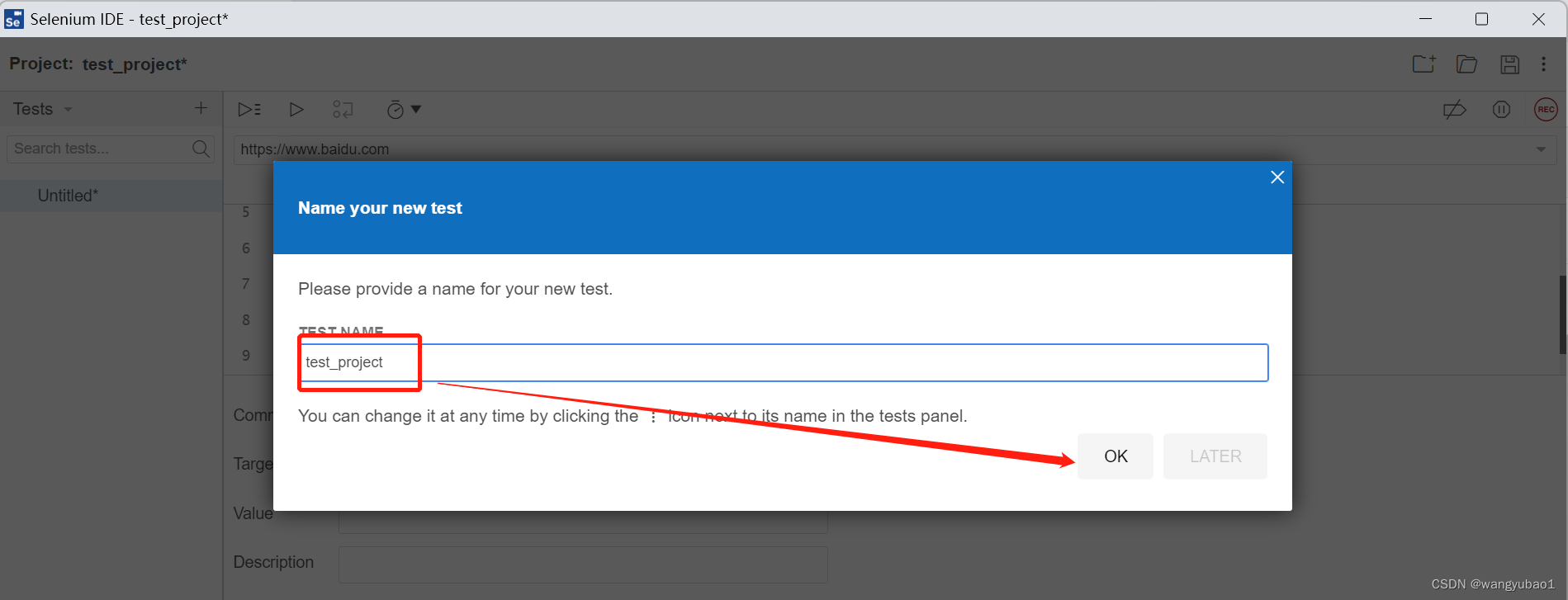
selenium IDE窗口功能介绍
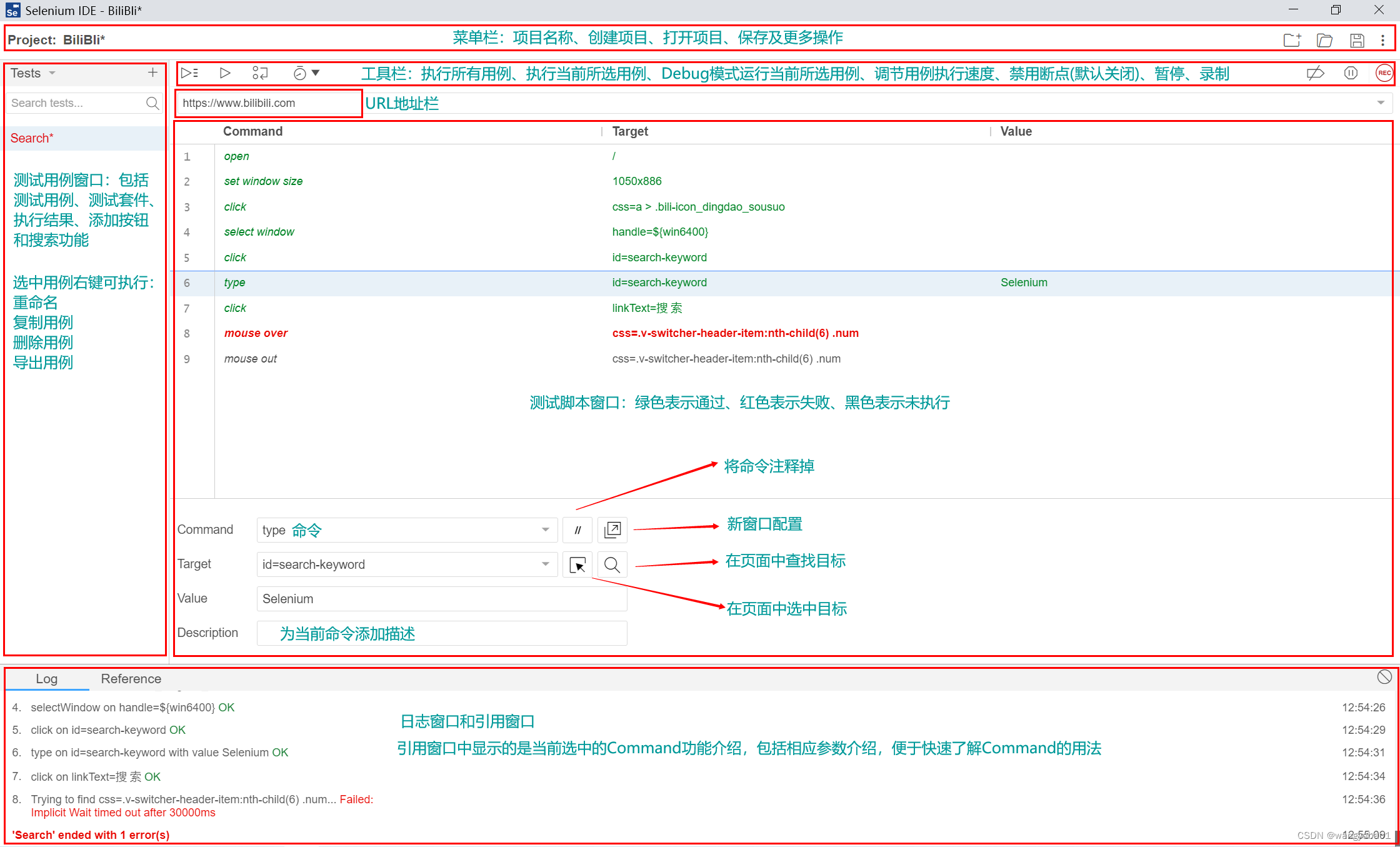
以上一个完整的用例就创建完成了,这时我们就可以运行用例了。
selenium IDE用例导出
selenium ide工具自带强大的脚本导出功能,右键项目名称,点击Export,会弹出以下对话框: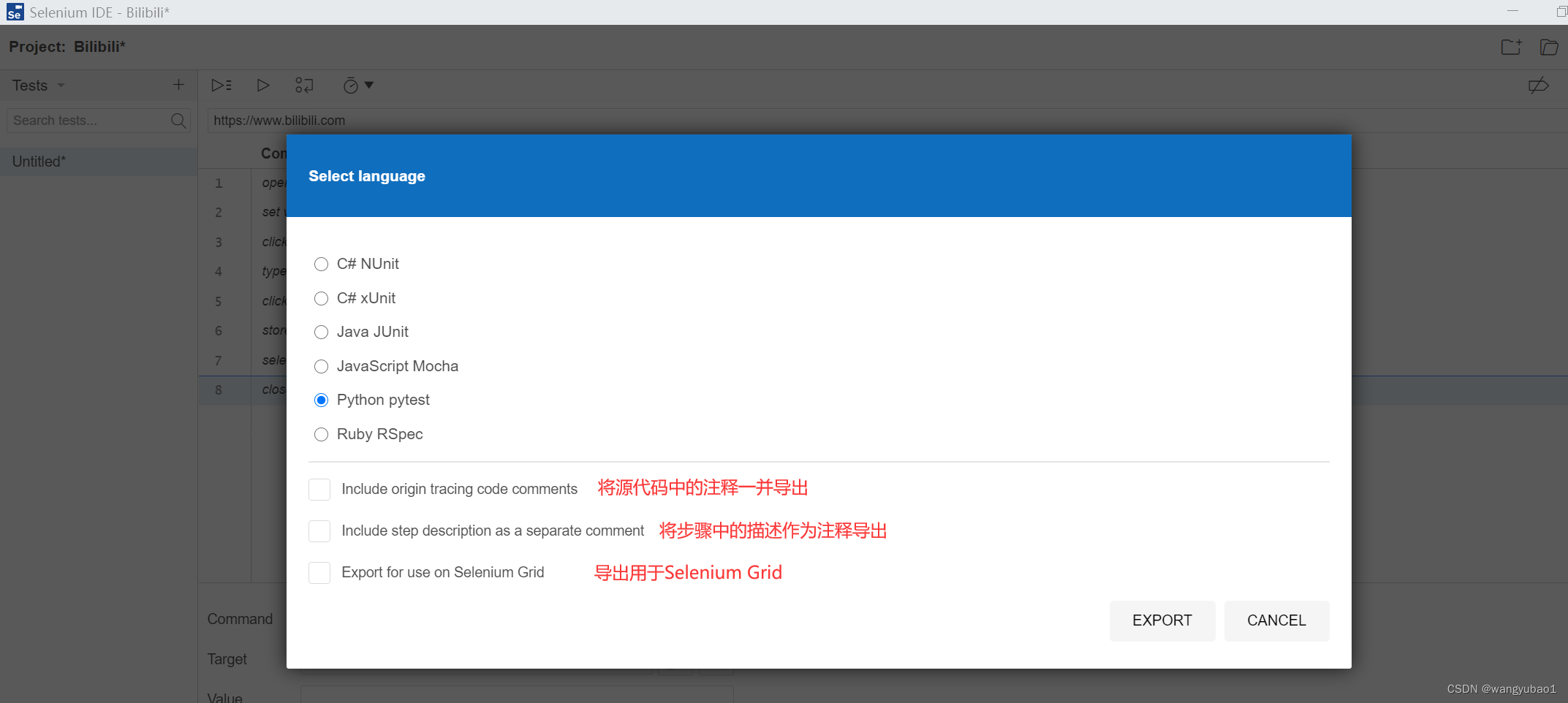
我们可以导出为任意一种脚本语言,以python为例,脚本内容如下:
# Generated by Selenium IDEimport pytest
import time
import json
from selenium import webdriver
from selenium.webdriver.common.by import By
from selenium.webdriver.common.action_chains import ActionChains
from selenium.webdriver.support import expected_conditions
from selenium.webdriver.support.wait import WebDriverWait
from selenium.webdriver.common.keys import Keys
from selenium.webdriver.common.desired_capabilities import DesiredCapabilities

classTestTest():defsetup_method(self, method):
    self.driver = webdriver.Firefox()
    self.vars={}defteardown_method(self, method):
    self.driver.quit()deftest_test(self):
    self.driver.get("https://url")
    self.driver.set_window_size(1295,687)
    element = self.driver.find_element(By.CSS_SELECTOR,".ant-btn:nth-child(5)")
    actions = ActionChains(self.driver)
    actions.move_to_element(element).perform()
    element = self.driver.find_element(By.CSS_SELECTOR,"body")
    actions = ActionChains(self.driver)
    actions.move_to_element(element,0,0).perform()
    self.driver.find_element(By.CSS_SELECTOR,".ant-table-cell-row-hover .ant-checkbox-input").click()
    element = self.driver.find_element(By.CSS_SELECTOR,".ant-btn:nth-child(3) > span")
    actions = ActionChains(self.driver)
    actions.move_to_element(element).perform()
    self.driver.find_element(By.CSS_SELECTOR,".ant-tooltip-open > span").click()
    element = self.driver.find_element(By.CSS_SELECTOR,"body")
    actions = ActionChains(self.driver)
    actions.move_to_element(element,0,0).perform()
    self.driver.find_element(By.CSS_SELECTOR,".ant-checkbox-checked > .ant-checkbox-input").click()
    self.driver.find_element(By.CSS_SELECTOR,".ant-table-cell-row-hover .ant-checkbox-input").click()
    self.driver.find_element(By.CSS_SELECTOR,".ant-tooltip-open > span").click()
    self.driver.find_element(By.CSS_SELECTOR,".ant-modal-footer > .ant-btn-default > span").click()
    element = self.driver.find_element(By.CSS_SELECTOR,".ant-upload > .ant-btn > span")
    actions = ActionChains(self.driver)
    actions.move_to_element(element).perform()
    self.driver.find_element(By.CSS_SELECTOR,".ant-upload > .ant-btn > span").click()
    element = self.driver.find_element(By.CSS_SELECTOR,"body")
    actions = ActionChains(self.driver)
    actions.move_to_element(element,0,0).perform()
现在我们就可以在外部执行这条测试用例了,但是别忘了要配置python环境,这里还用到了pytest框架,不要忘记安装pytest。
本文转载自: https://blog.csdn.net/wangyubao1/article/details/127618610
版权归原作者 wangyubao1 所有, 如有侵权,请联系我们删除。
版权归原作者 wangyubao1 所有, 如有侵权,请联系我们删除。