
centos7 开始 root用户 ssh 登录
1、设置root密码
如果root未设置过密码,先以普通账号登录,然后输入以下命令来修改root密码:
sudo passwd root
2、开启root远程登录
1. 切换root用户
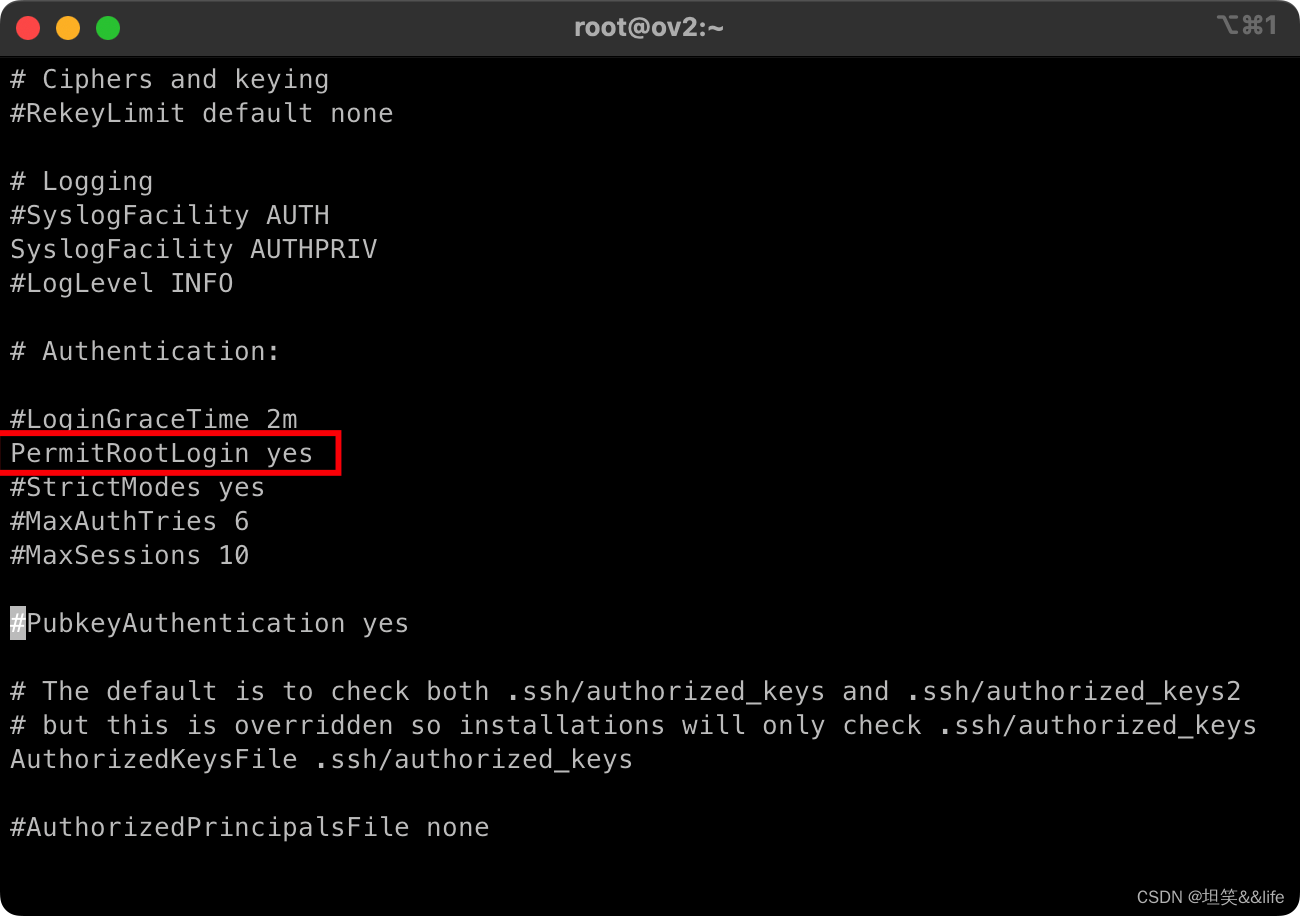
2. 修改sshd_config文件,将PermitRootLogin的值改成yes,并保存
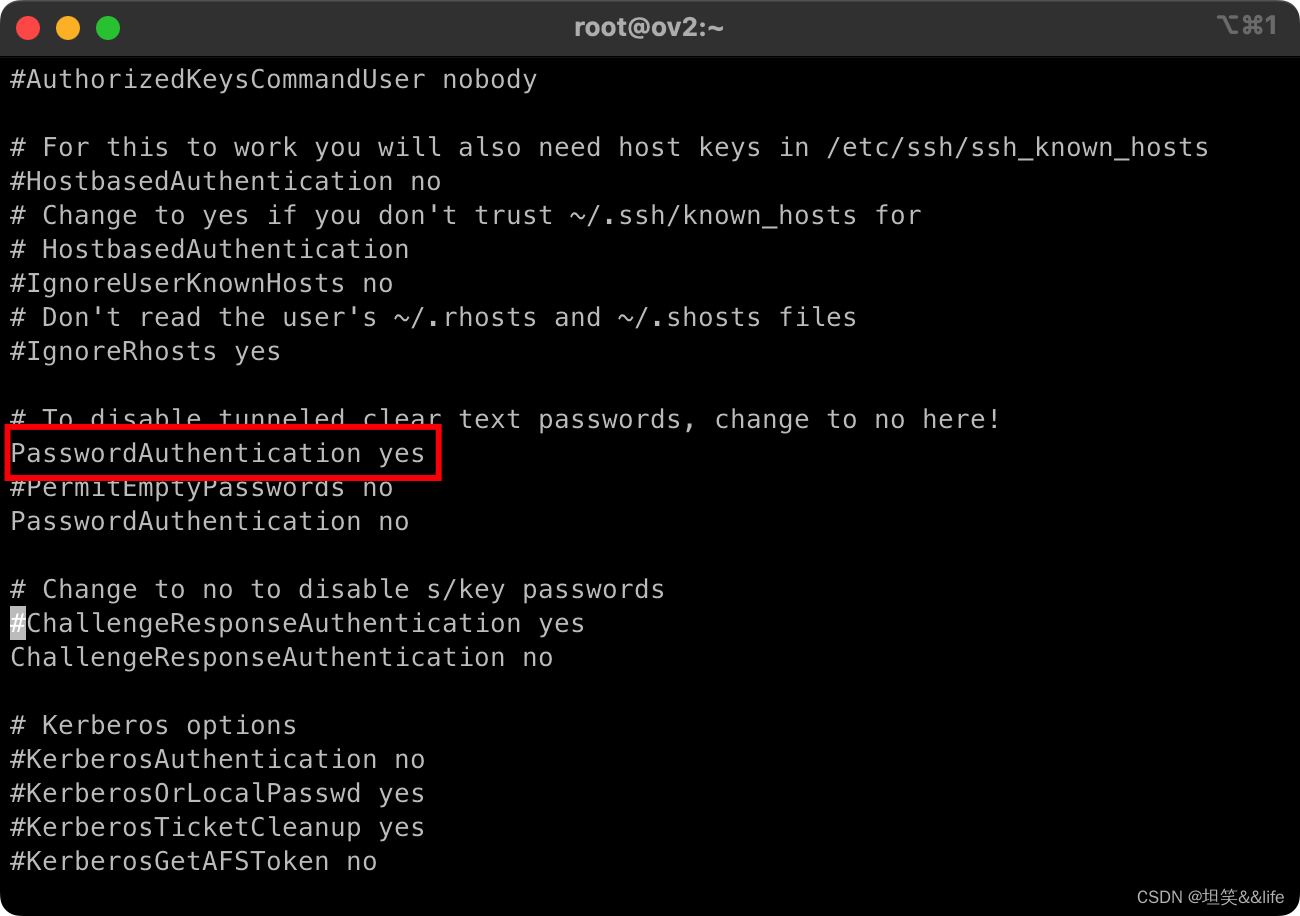
3. 修改sshd_config文件,将PasswordAuthentication的值改成yes,并保存
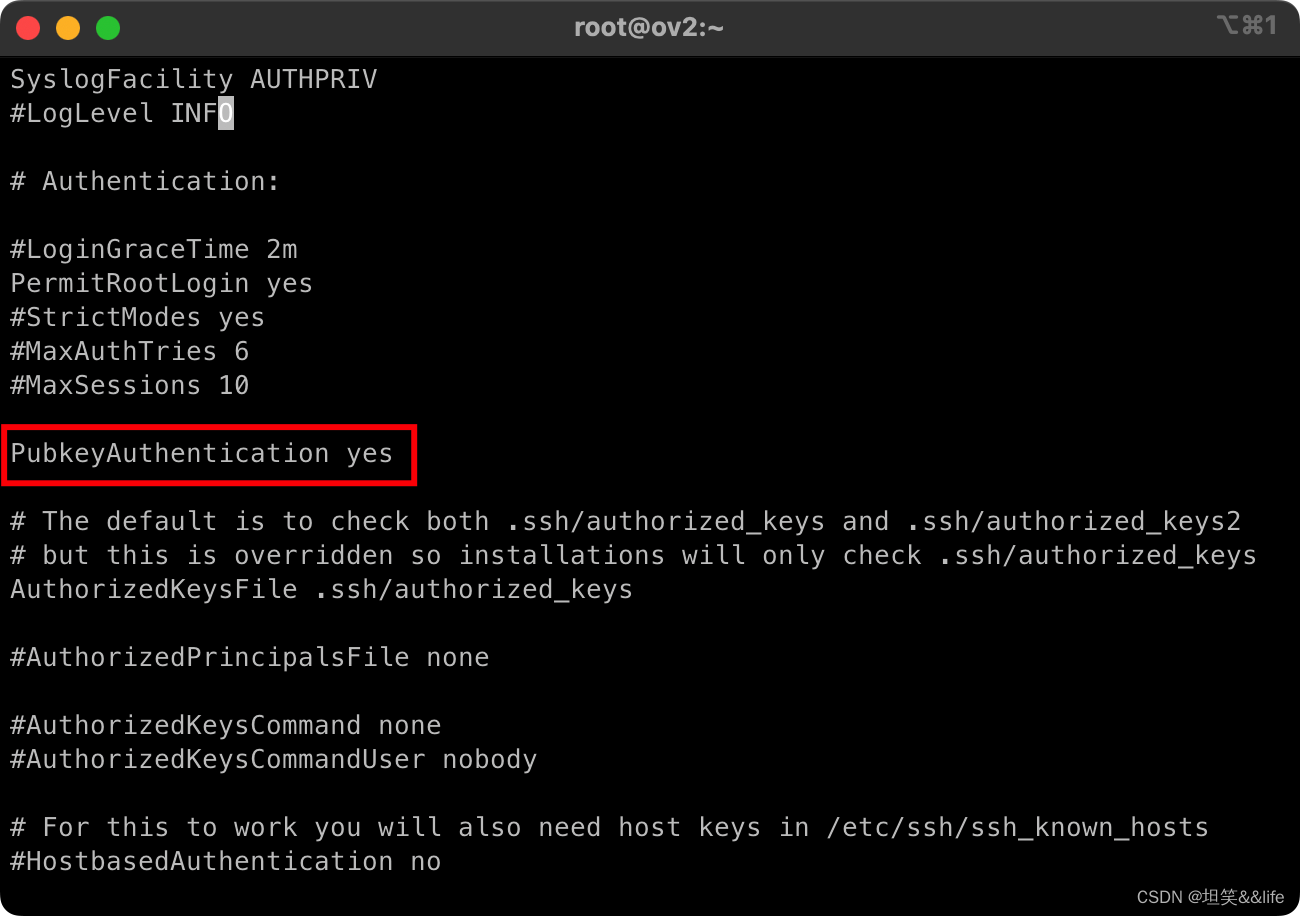
4. 修改sshd_config文件,将PubkeyAuthentication的值改成yes,并保存
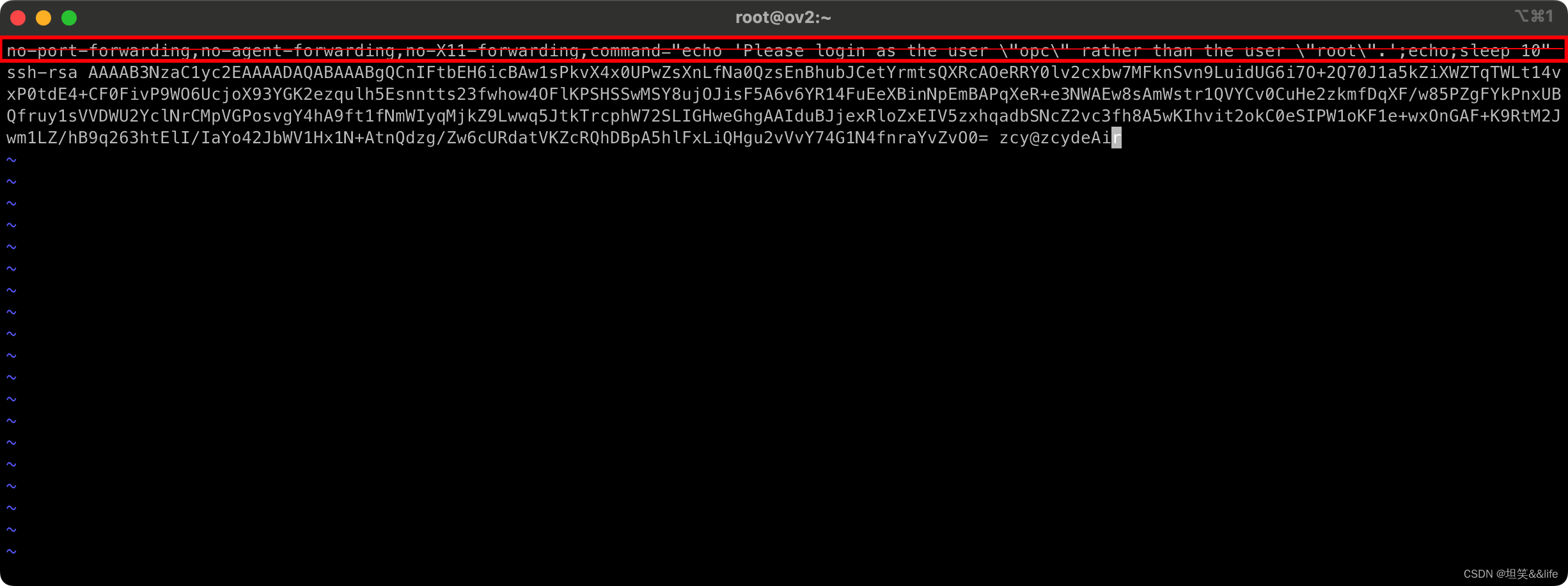
5. 修改认证文件/root/.ssh/authorized_keys
vi /root/.ssh/authorized_keys
删除如下内容
no-port-forwarding,no-agent-forwarding,no-X11-forwarding,command="echo 'Please login as the user \"centos\" rather than the user \"root\".';echo;sleep 10"
6. 重启ssh服务
# service sshd restart
systemctl restart sshd.service
3、测试root远程登录成功
1. 快捷脚本
sed -i 's/^#\?PermitRootLogin yes./PermitRootLogin yes/g'/etc/ssh/sshd_config;
sed -i 's/^#\?PasswordAuthentication yes./PasswordAuthentication yes/g'/etc/ssh/sshd_config;
sed -i 's/^#\?PubkeyAuthentication yes./PubkeyAuthentication yes/g'/etc/ssh/sshd_config;
echo "">/root/.ssh/authorized_keys;
service sshd restart;
zcy19870731
centos7 开始 root用户 ssh 登录
本文转载自: https://blog.csdn.net/weixin_54626591/article/details/135285378
版权归原作者 坦笑&&life 所有, 如有侵权,请联系我们删除。
版权归原作者 坦笑&&life 所有, 如有侵权,请联系我们删除。