
由于我的电脑是windows10,显卡是集显Intel® UHD Graphics 630。
下载Intel的SDK for OpenCL,下载地址
https://software.intel.com/en-us/opencl-sdk/choose-download
,也可以在我的资源里面直接下载
https://download.csdn.net/download/qq_36314864/87756570

运行install.exe,安装
运行后,如果vs打开了需要关闭。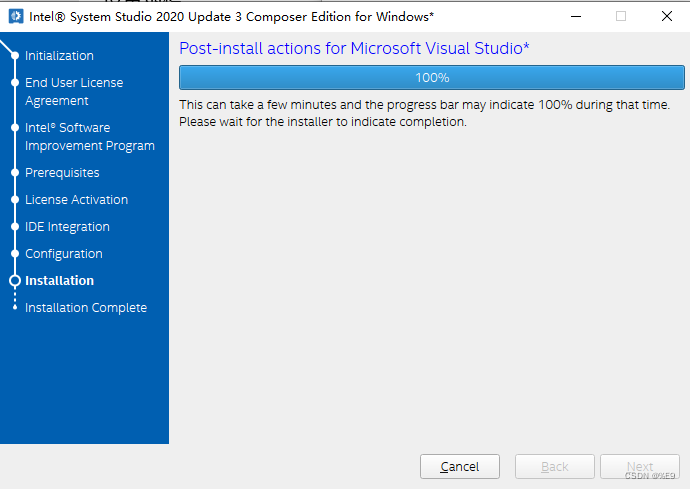
默认安装路径在C:\Program Files (x86)\IntelSWTools,找到OpenCL安装位置在C:\Program Files (x86)\IntelSWTools\system_studio_2020\OpenCL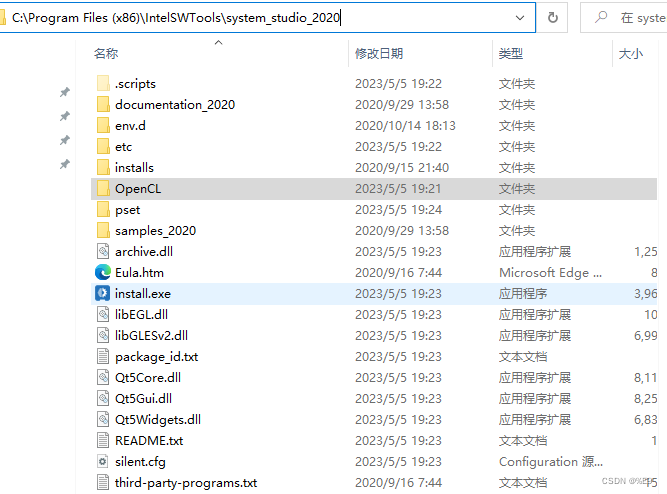
配置环境变量,发现以及自动配置到里面了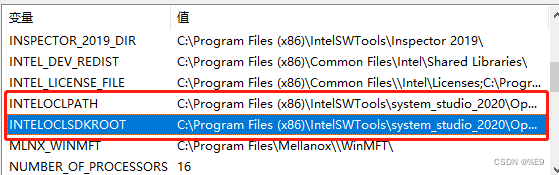
下载intel提供测试工具,下载地址:
https://download.csdn.net/download/qq_36314864/87756581
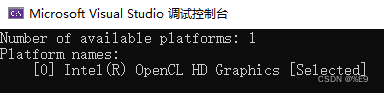
然后下载了直接运行,打印如下表示安装成功。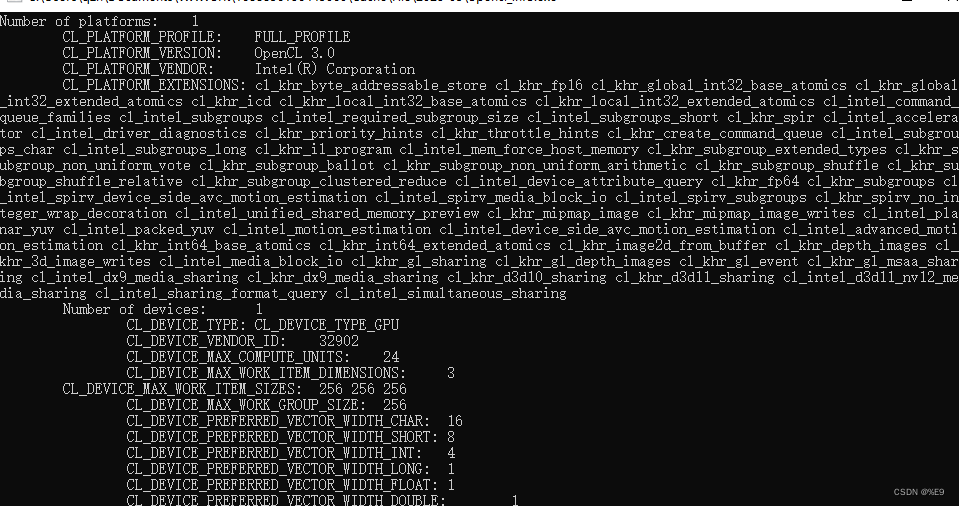
自己搭建一个OpenCL工程,创建一个C++控制台工程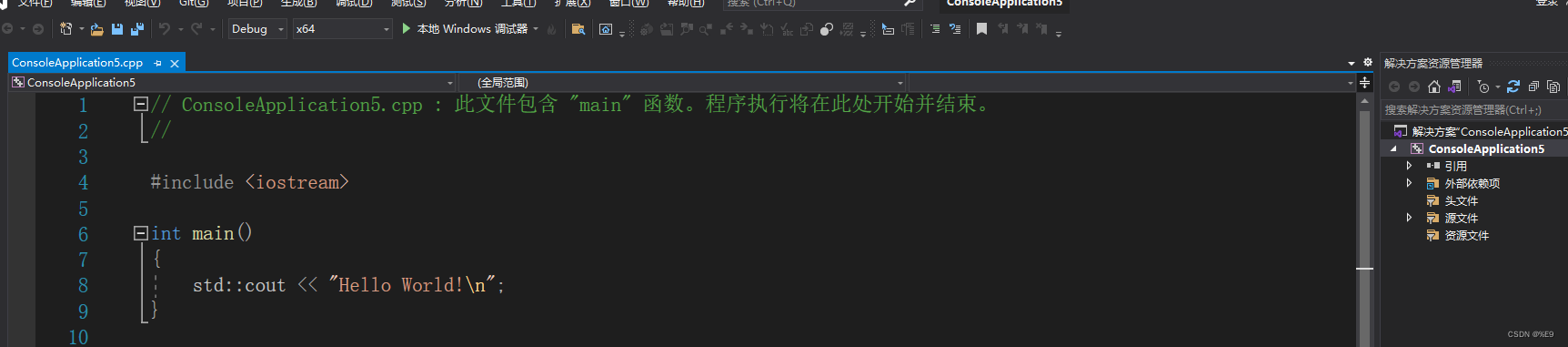
打开配置属性,包含OpenCL的头文件,即将C:\Program Files (x86)\IntelSWTools\system_studio_2020\OpenCL\sdk\include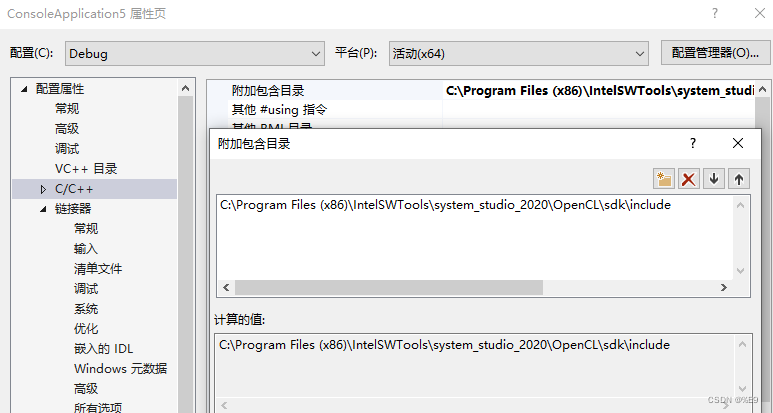
添加依赖项,如果工程是x64,就在C:\Program Files (x86)\IntelSWTools\system_studio_2020\OpenCL\sdk\lib\x64下面,如果x86就依赖x86下面的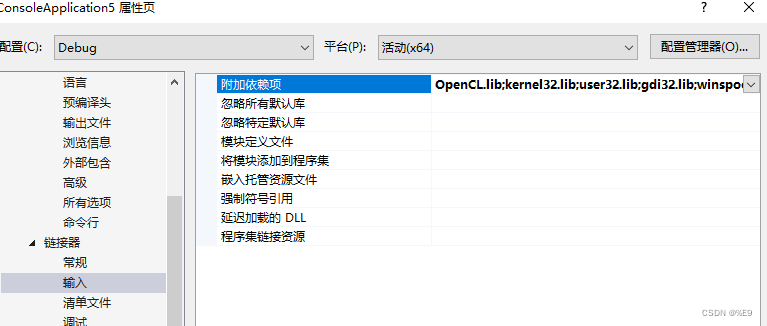
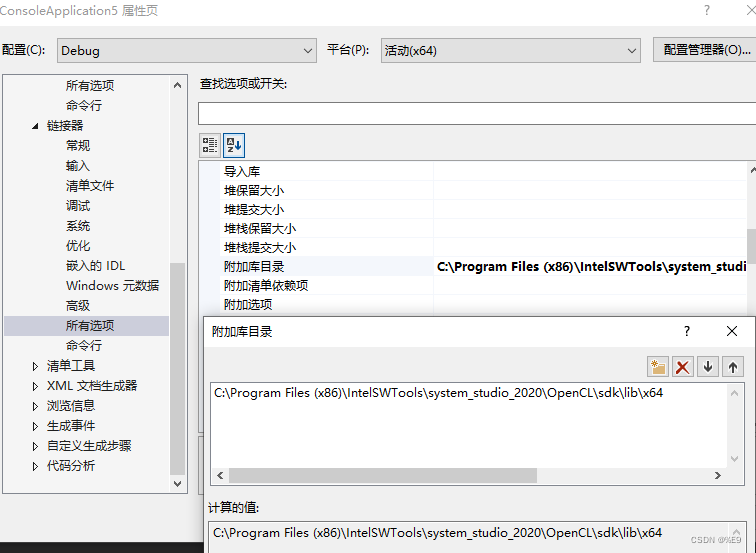
拷贝下面测试代码替换helloword
#include<cstdlib>#include<iostream>#include<iomanip>#include<cstring>#include<cassert>#include<CL/cl.h>/*
 * 修改自官方示例intel_ocl_caps_basic_win,用于测试手工配置项目
*/intmain(){usingnamespace std;constchar* required_platform_subname ="Intel";//函数返回值,CL_SUCCESS表示成功
    cl_int err = CL_SUCCESS;// 判断返回值是否正确的宏#defineCAPSBASIC_CHECK_ERRORS(ERR)\if(ERR != CL_SUCCESS)\{\cerr                                   \<<"OpenCL error with code "<< ERR    \<<" happened in file "<<__FILE__\<<" at line "<<__LINE__\<<". Exiting...\n";\exit(1);\}// 遍历系统中所有OpenCL平台
    cl_uint num_of_platforms =0;// 得到平台数目
    err =clGetPlatformIDs(0,0,&num_of_platforms);CAPSBASIC_CHECK_ERRORS(err);
    cout <<"Number of available platforms: "<< num_of_platforms << endl;

    cl_platform_id* platforms =new cl_platform_id[num_of_platforms];// 得到所有平台的ID
    err =clGetPlatformIDs(num_of_platforms, platforms,0);CAPSBASIC_CHECK_ERRORS(err);//列出所有平台
    cl_uint selected_platform_index = num_of_platforms;

    cout <<"Platform names:\n";for(cl_uint i =0; i < num_of_platforms;++i){
        size_t platform_name_length =0;
        err =clGetPlatformInfo(
            platforms[i],
            CL_PLATFORM_NAME,0,0,&platform_name_length
        );CAPSBASIC_CHECK_ERRORS(err);// 调用两次,第一次是得到名称的长度char* platform_name =newchar[platform_name_length];
        err =clGetPlatformInfo(
            platforms[i],
            CL_PLATFORM_NAME,
            platform_name_length,
            platform_name,NULL);CAPSBASIC_CHECK_ERRORS(err);

        cout <<"    ["<< i <<"] "<< platform_name;if(strstr(platform_name, required_platform_subname)&&
            selected_platform_index == num_of_platforms // have not selected yet){
            cout <<" [Selected]";
            selected_platform_index = i;}

        cout << endl;delete[] platform_name;}delete[] platforms;return0;}
标签:
c++
本文转载自: https://blog.csdn.net/qq_36314864/article/details/130513584
版权归原作者 阳光开朗男孩 所有, 如有侵权,请联系我们删除。
版权归原作者 阳光开朗男孩 所有, 如有侵权,请联系我们删除。