
软件:
- esp-idf v5.1.2
硬件:
- ESP32-C3 board
1. **首先,准备一个明文固件
hello-world.bin
**
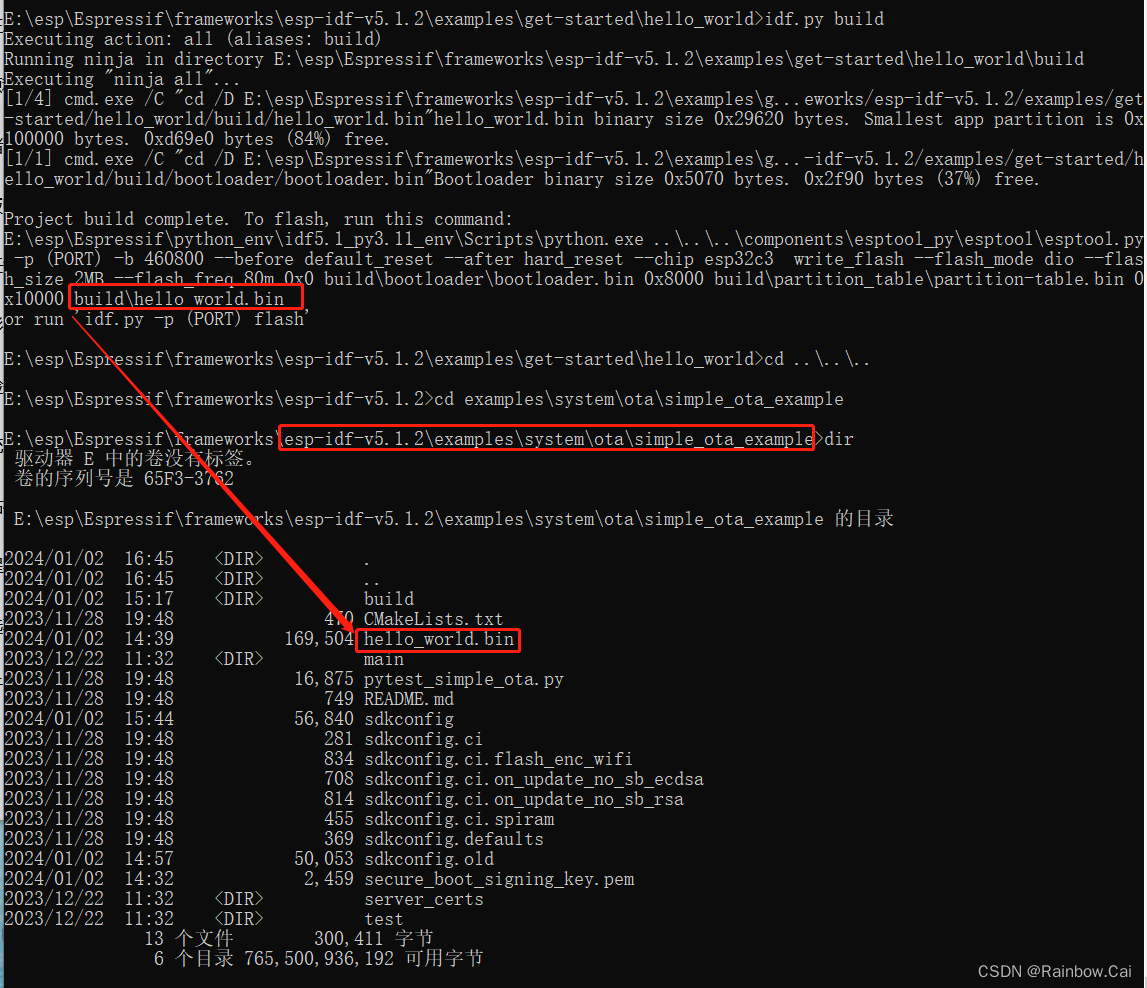
- 基于 esp-idf-v5.1.2\examples\get-started\hello_world 例程,使用如下指令,直接编译,获取明文固件
hello-world.bin
idf.py set-target esp32c3

idf.py build
2. 接下来,基于 esp-idf-v5.1.2\examples\system\ota\simple_ota_example 例程进行测试
- 将明文固件
hello-world.bin放到 esp-idf-v5.1.2\examples\system\ota\simple_ota_example 目录下
3. **使用如下指令获取
secure boot V2 key
**
espsecure.py generate_signing_key secure_boot_signing_key.pem --version2
4. **使用如下指令,通过生成的
secure_boot_signing_key.pem
文件对 明文的
hello-world.bin
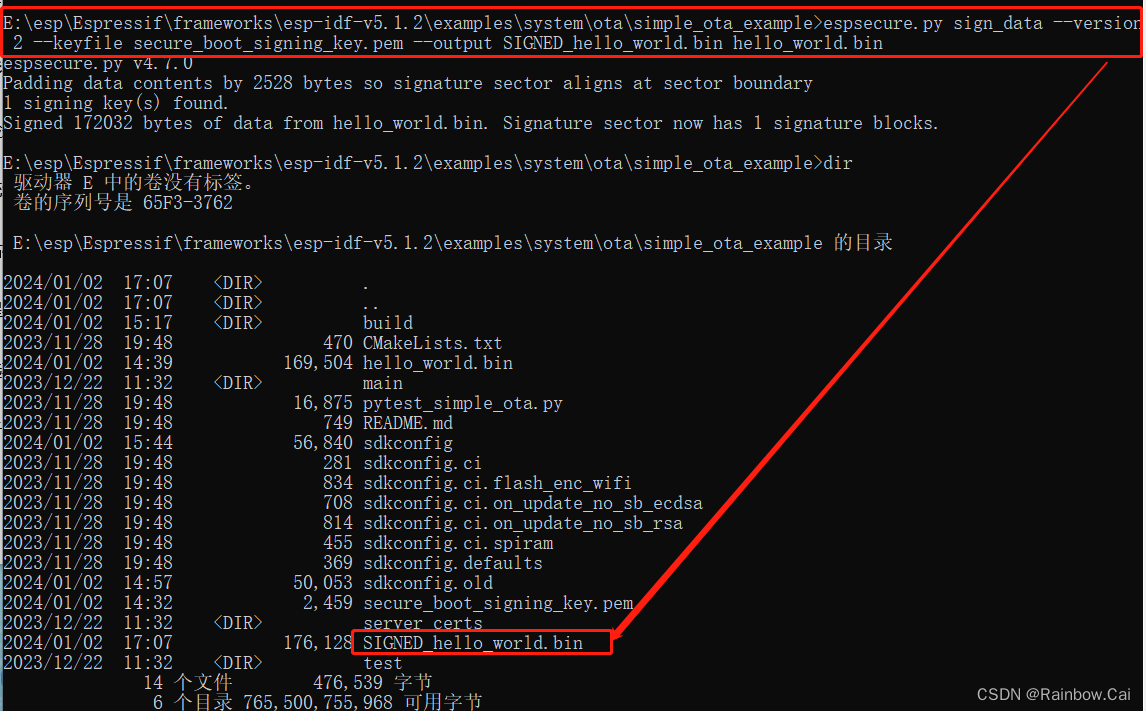
进行签名,生成被签名的
SIGNED_hello_world.bin
**
espsecure.py sign_data --version2--keyfile secure_boot_signing_key.pem --output SIGNED_hello_world.bin hello_world.bin
5. **为了方便 OTA 测试,我们在本地开启一个 HTTP Server 服务器,将签名的
SIGNED_hello_world.bin
上传到
HTTP Server
中**

6. 基于 esp-idf-v5.1.2\examples\system\ota\simple_ota_example 例程,开启如下软件配置
- 开启 Flash 加密 和 安全启动模式
→ Security features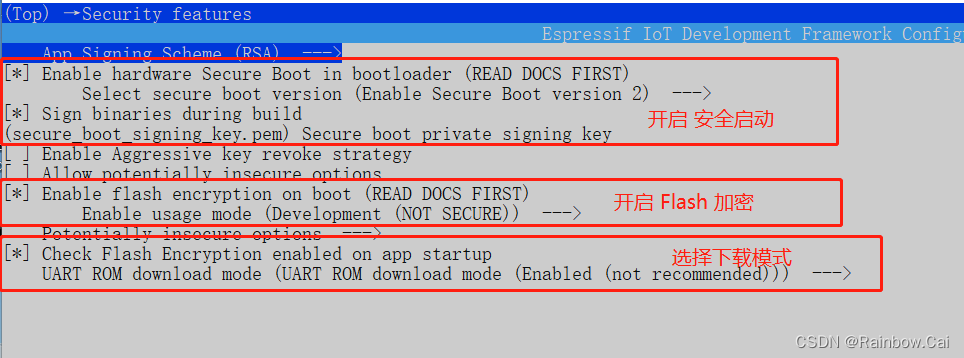
- 增大
partition-table偏移地址→ Partition Table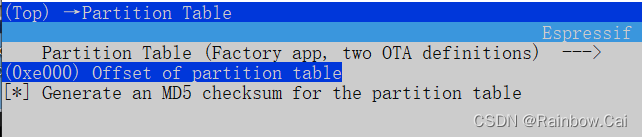
- 设置待 OTA 的
SIGNED_hello_world.bin文件路径→ Example Configuration
- 与 PC 连接相同的路由器
→ Example Connection Configuration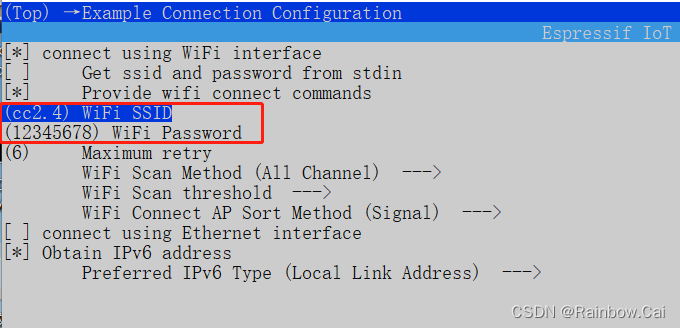
- 开启 HTTP Server OTA 的支持
→ Component config → ESP HTTPS OTA
- 关闭
NVS加密**由于开启 Flash 加密后,默认也会使能 NVS 加密,但我们这里没有进行 NVS 加密的相关设置,因此需要关闭 NVS 加密的配置→ Component config → NVS**
7. **使用如下指令编译
bootloader
,并下载被签名的
bootloader.bin
**
idf.py bootloader

idf.py -p COM* boorloader-flash
8. 使用如下指令,对工程进行编译,并下载编译后的固件
idf.py build

idf.py -p COM* flash monitor
9. 检查固件运行日志
注意:确保稳定的供电环境
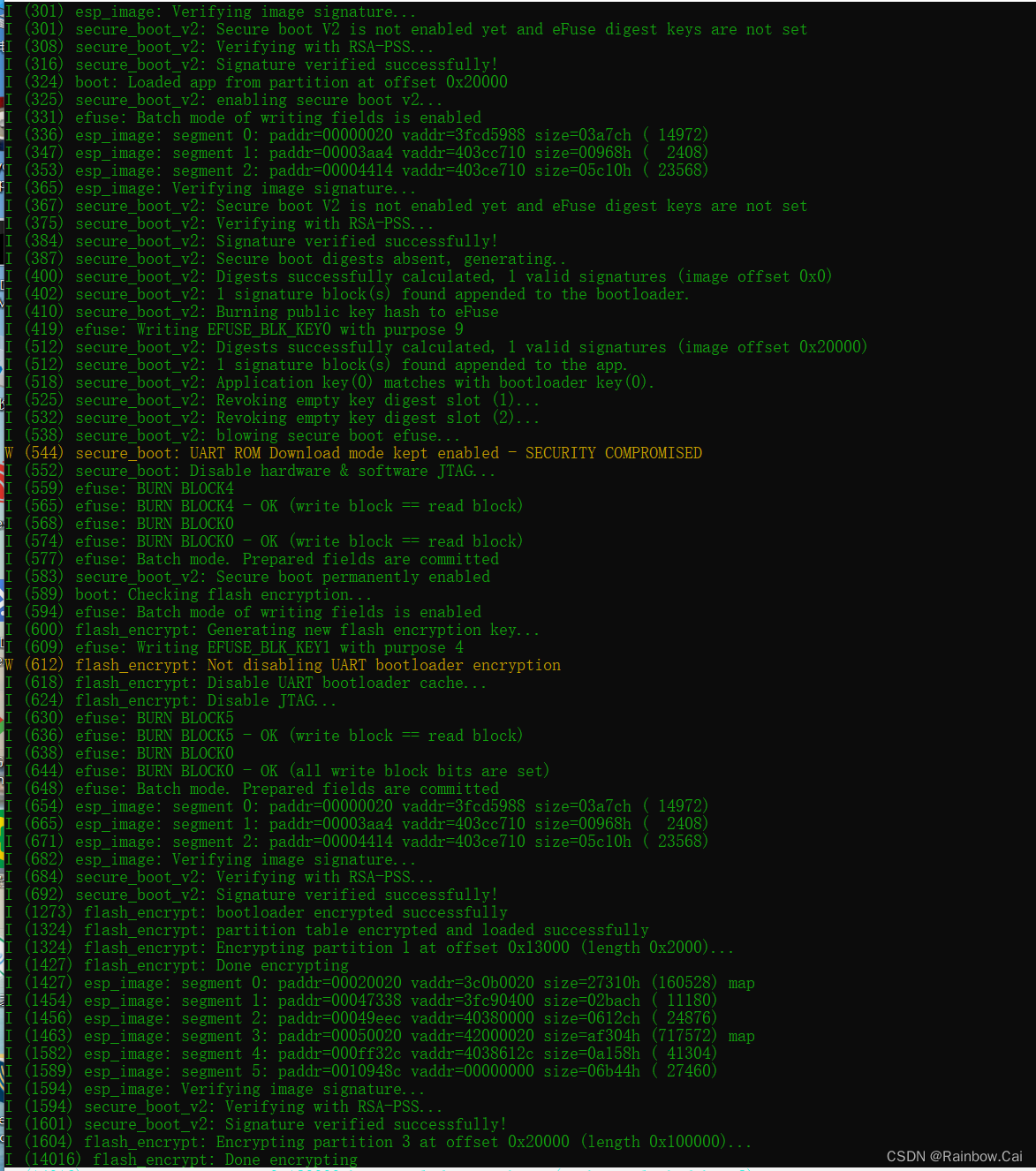
- 固件首次运行启动后,会先检查 secure boot 签名验证,然后执行 Flash 加密
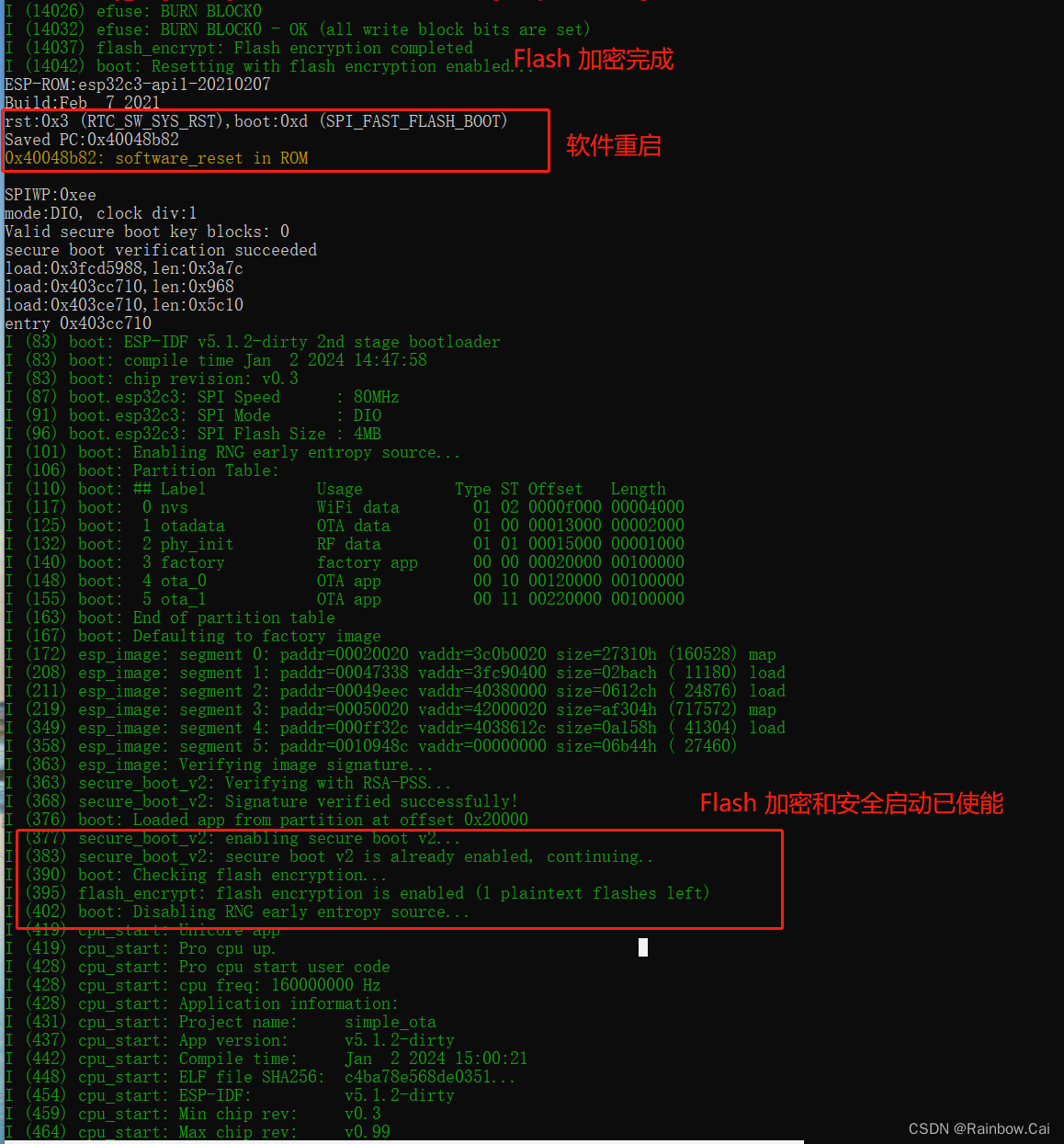
- Flash 加密完成后,会进行软件重启,然后开始运行用户固件
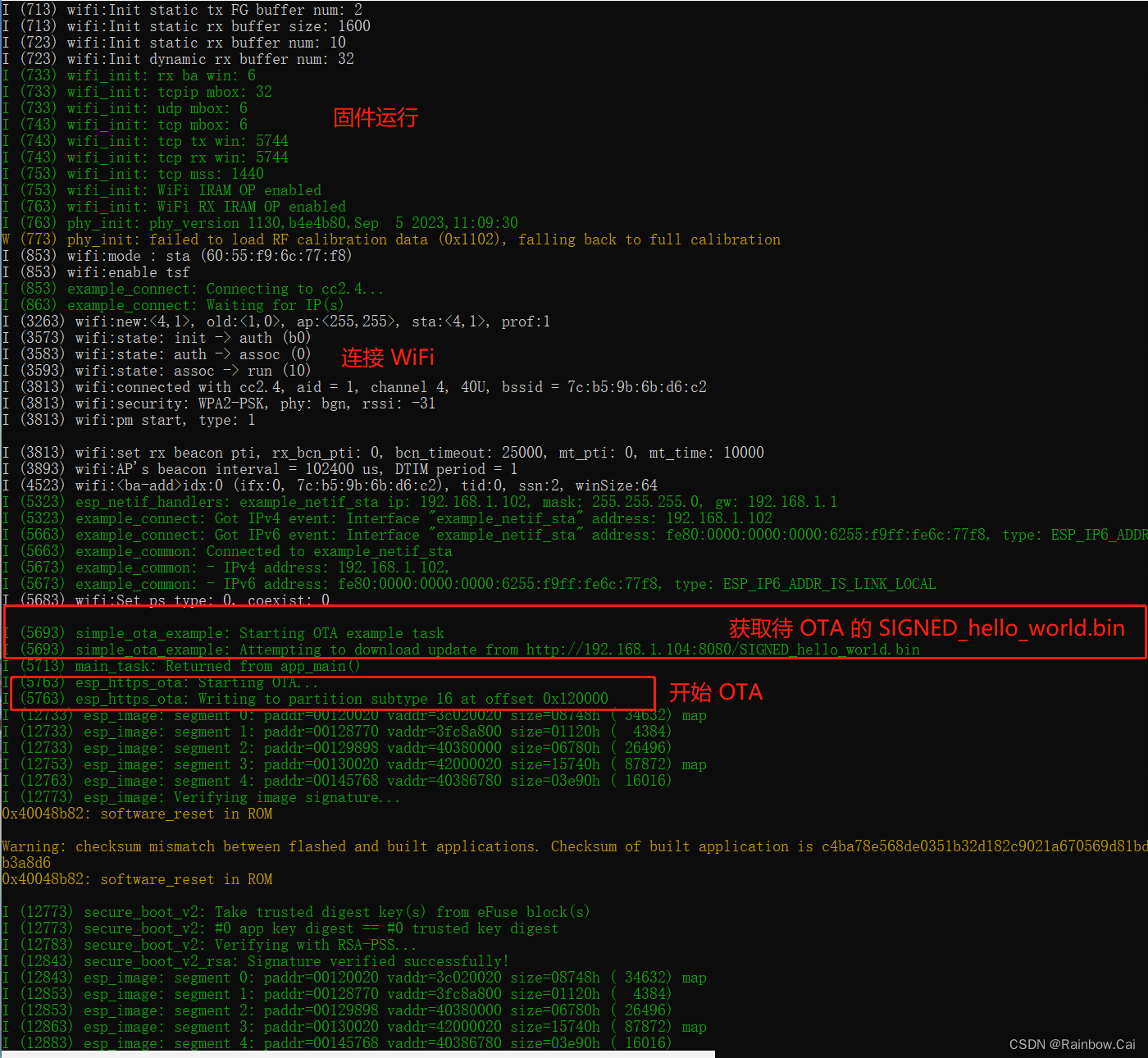
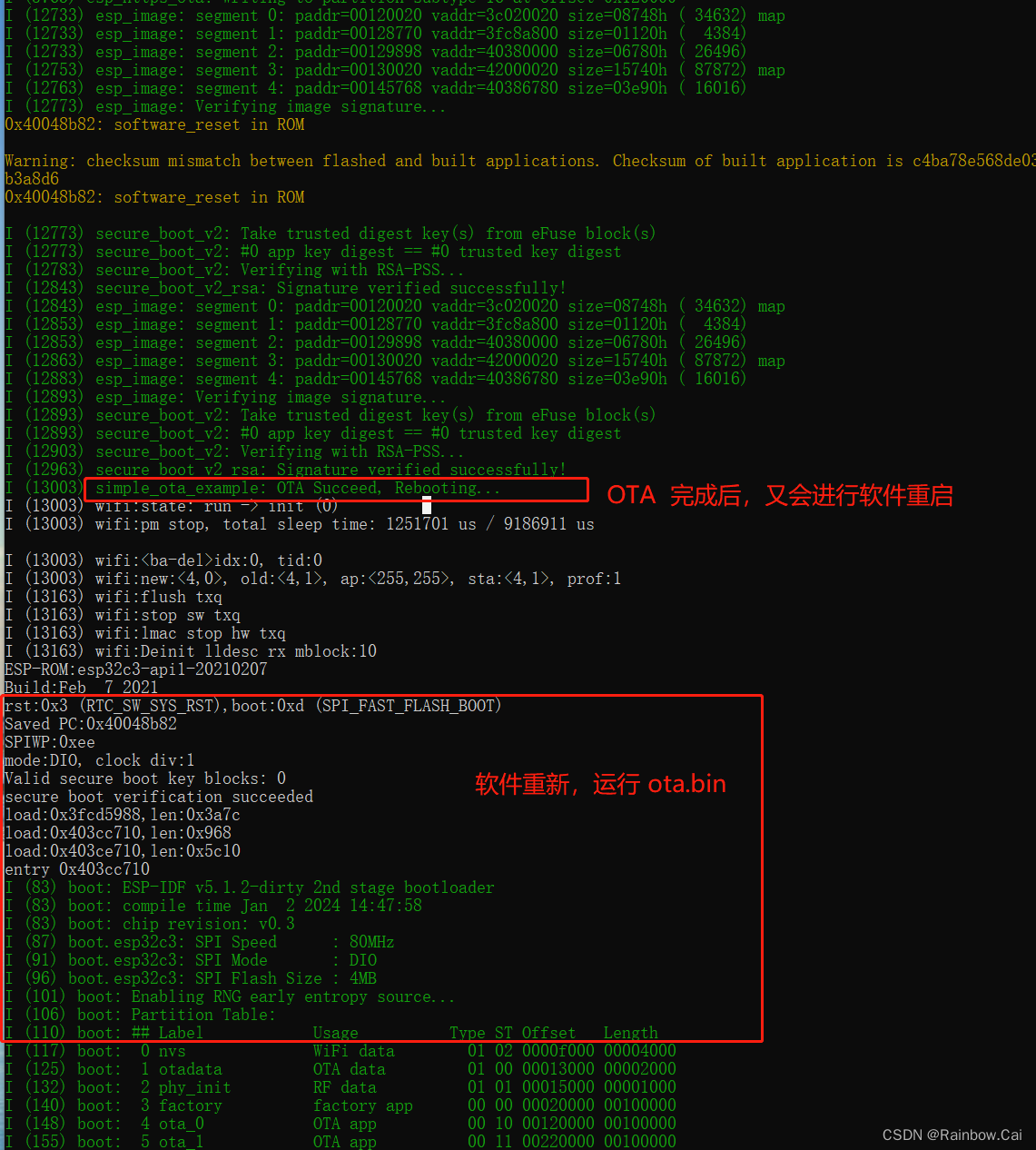
- 运行 factory 分区的固件,开启 OTA
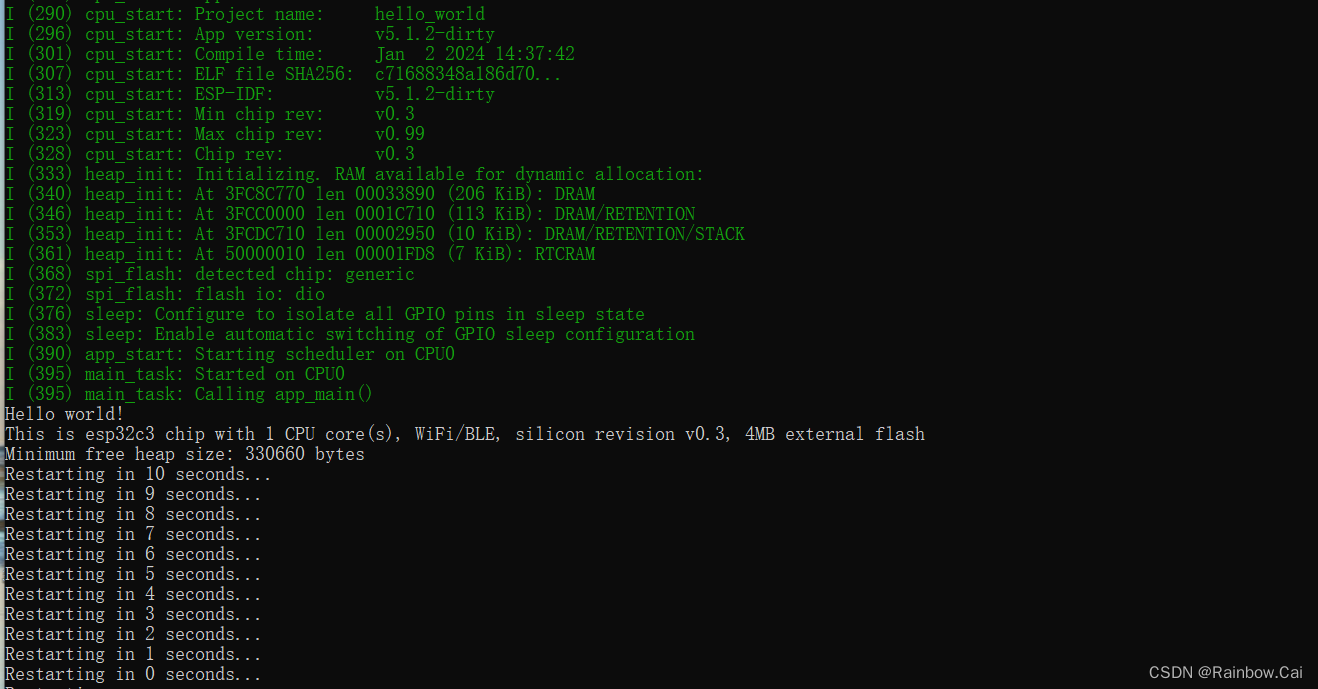
- OTA 完成,会再次软件重启,运行 OTA 分区的固件
标签:
安全
本文转载自: https://blog.csdn.net/Marchtwentytwo/article/details/135345805
版权归原作者 25March 所有, 如有侵权,请联系我们删除。
版权归原作者 25March 所有, 如有侵权,请联系我们删除。