
注意:这里采用的是新版的selenium有关事项
1.旧版FindsByID、FindsByCss等已被删除,并替换为Find_element(By.ID,' '),Find_elements(By.Xpath," ")等实例。
2.move_to_element_with_offset的方法定位基准位置从左上角修改为中心
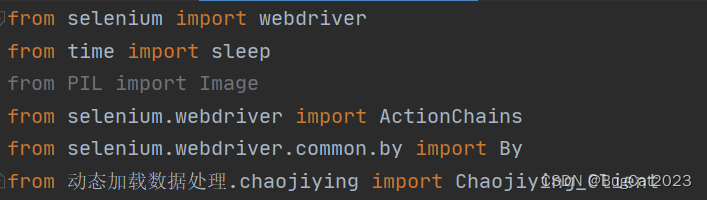
导入相关包
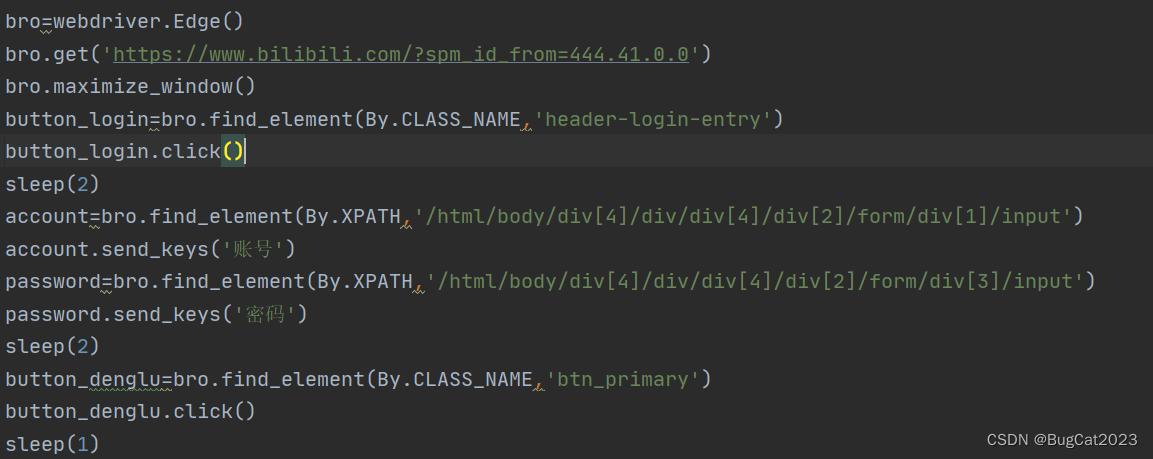
1.创建浏览器对象,访问网址,点击登录图标 ,输入账号、密码,点击登录
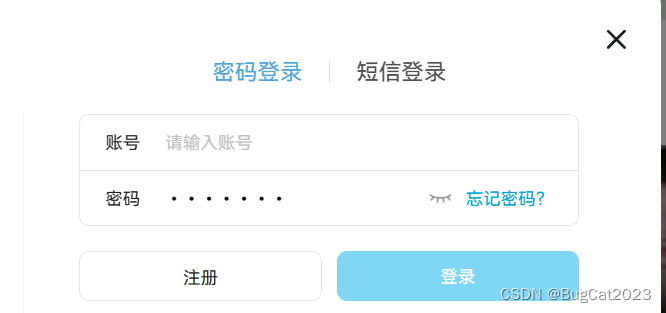
观察登录图标,账号、密码,登录按钮相关的元素
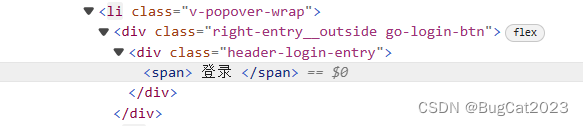
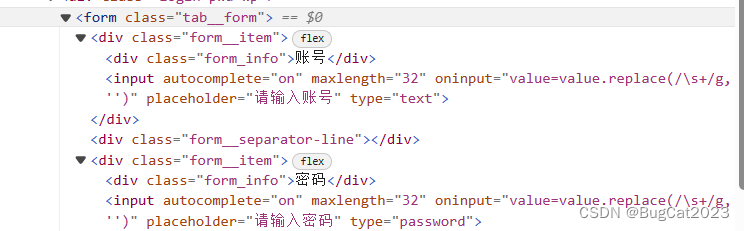

使用find_element()方法来获取上面提到的各个元素
2.获取验证码相关截图:
点击登录后,可以得到验证码的元素
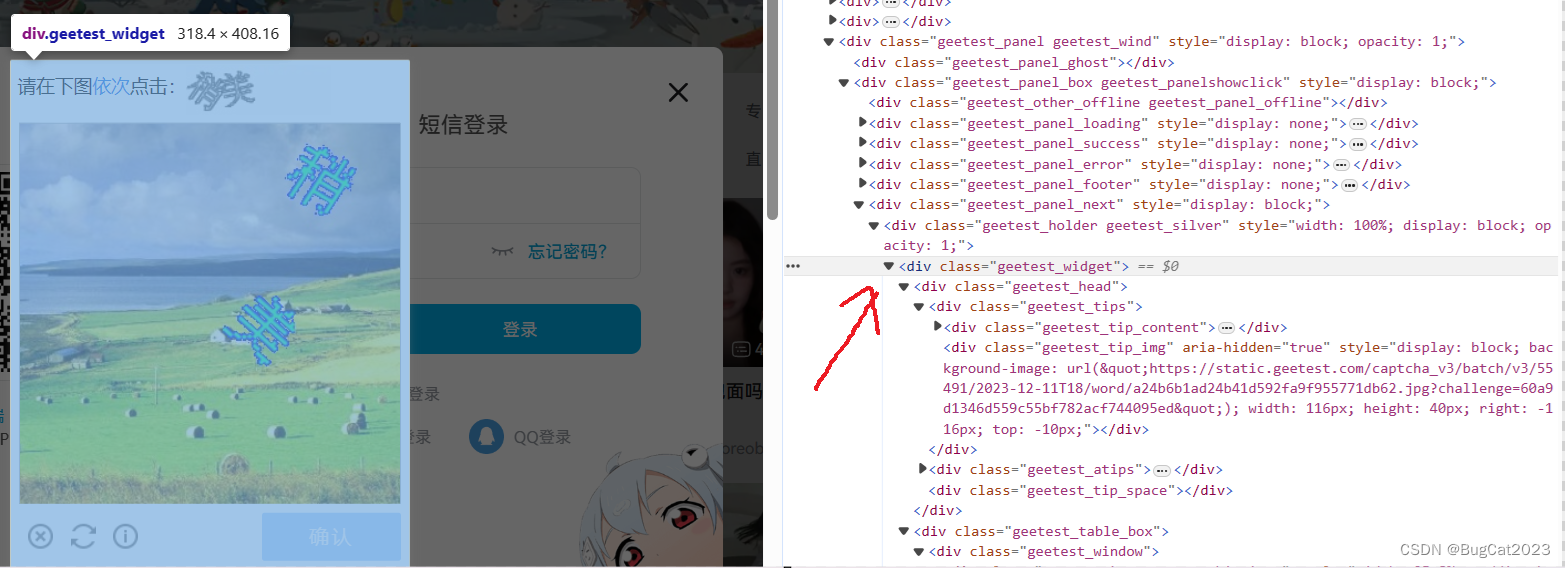
用screenshot()方法截下这张图

3.使用超级鹰识别出验证码的相关坐标
下载压缩包
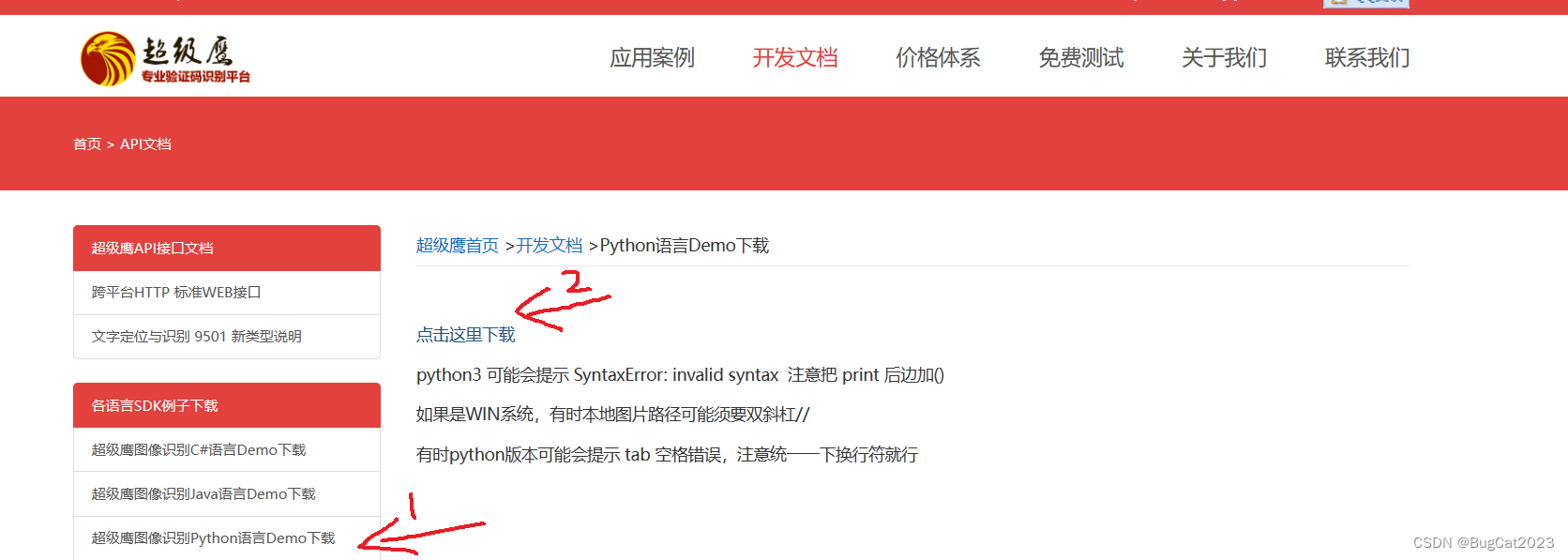
下载完会有一个chaojiying.py程序,我们导入到我们的的案例中,

调用包中的相关方法

修改上文的参数,注:'软件ID'要去用户中心-软件ID新建一个。
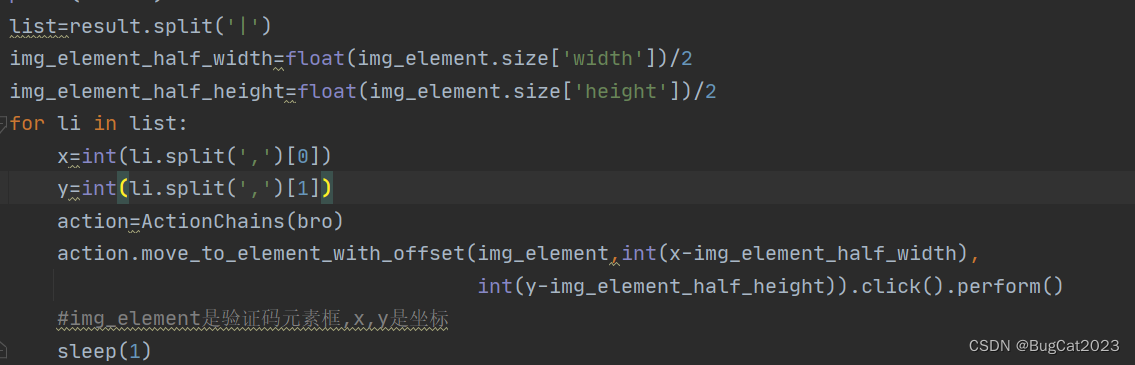
4.使用动作链对验证码图片进行点击事件
上面的result返回的是坐标
我们需要对坐标使用split()方法进行拆分后遍历得到每一组的x,y数值,然后新建一个动作链对象,
调用
move_to_element_with_offset(验证码元素,x坐标,y坐标)方法
(注:新版的selenium把基准位置从左上角改为了中心所以方法里的x,y坐标需要减少长,宽的1/2。)
5.完成登录
点击确认,完成登录


源码:
from selenium import webdriver
from time import sleep
from PIL import Image
from selenium.webdriver import ActionChains
from selenium.webdriver.common.by import By
from 动态加载数据处理.chaojiying import Chaojiying_Client
bro=webdriver.Edge()
bro.get('https://www.bilibili.com/?spm_id_from=444.41.0.0')
bro.maximize_window()
button_login=bro.find_element(By.CLASS_NAME,'header-login-entry')
button_login.click()
sleep(2)
account=bro.find_element(By.XPATH,'/html/body/div[4]/div/div[4]/div[2]/form/div[1]/input')
account.send_keys('账号')
password=bro.find_element(By.XPATH,'/html/body/div[4]/div/div[4]/div[2]/form/div[3]/input')
password.send_keys('密码')
sleep(2)
button_denglu=bro.find_element(By.CLASS_NAME,'btn_primary')
button_denglu.click()
sleep(1)
# 对当前页面进行截图保存
# bro.save_screenshot('aa.png')
# sleep(2)
#确定验证码图片对应的左上角和右下角坐标(裁剪对应的区域)
img_element=bro.find_element(By.CLASS_NAME,'geetest_widget')
img_element.screenshot('yzm.png')
# location=img_element.location#loction_img返回的是字典{x:?,y:?},返回的事x,y坐标
# size=code_img_ele.size#size返回的也是字典{height:?,width:?},返回的是高度,宽度坐标
# #将左上角和右下角的坐标放入一个元组里
# range1=(int(location['x']),int(location['y']),int(location['x']+size['width']),
#        int(location['y']+size['height']))
# #至此整张图片区域已经确定
# sleep(2)
# i=Image.open('./aa.png')
# #裁剪后的名字
# code_img_name = './yzm.png'
# #开始裁剪
# frame=i.crop(range1)
# #裁剪后保存到文件里
# frame.save(code_img_name)
sleep(1)
chaojiying = Chaojiying_Client('账号', '密码', '软件id')  # 用户中心>>软件ID 生成一个替换 96001
im = open('yzm.png', 'rb').read()  # 本地图片文件路径 来替换 a.jpg 有时WIN系统须要//
result=chaojiying.PostPic(im,9004)['pic_str']
print(result)
list=result.split('|')
img_element_half_width=float(img_element.size['width'])/2
img_element_half_height=float(img_element.size['height'])/2
for li in list:
    x=int(li.split(',')[0])
    y=int(li.split(',')[1])
    action=ActionChains(bro)
    action.move_to_element_with_offset(img_element,int(x-img_element_half_width),
                                       int(y-img_element_half_height)).click().perform()
    #img_element是验证码元素框,x,y是坐标
    sleep(1)
button_confirm=bro.find_element(By.CLASS_NAME,'geetest_commit')
button_confirm.click()
sleep(3)
bro.close()
本文转载自: https://blog.csdn.net/xiaonbsnsn/article/details/134933321
版权归原作者 BugCat2023 所有, 如有侵权,请联系我们删除。
版权归原作者 BugCat2023 所有, 如有侵权,请联系我们删除。