
1、打开码云,新建仓库
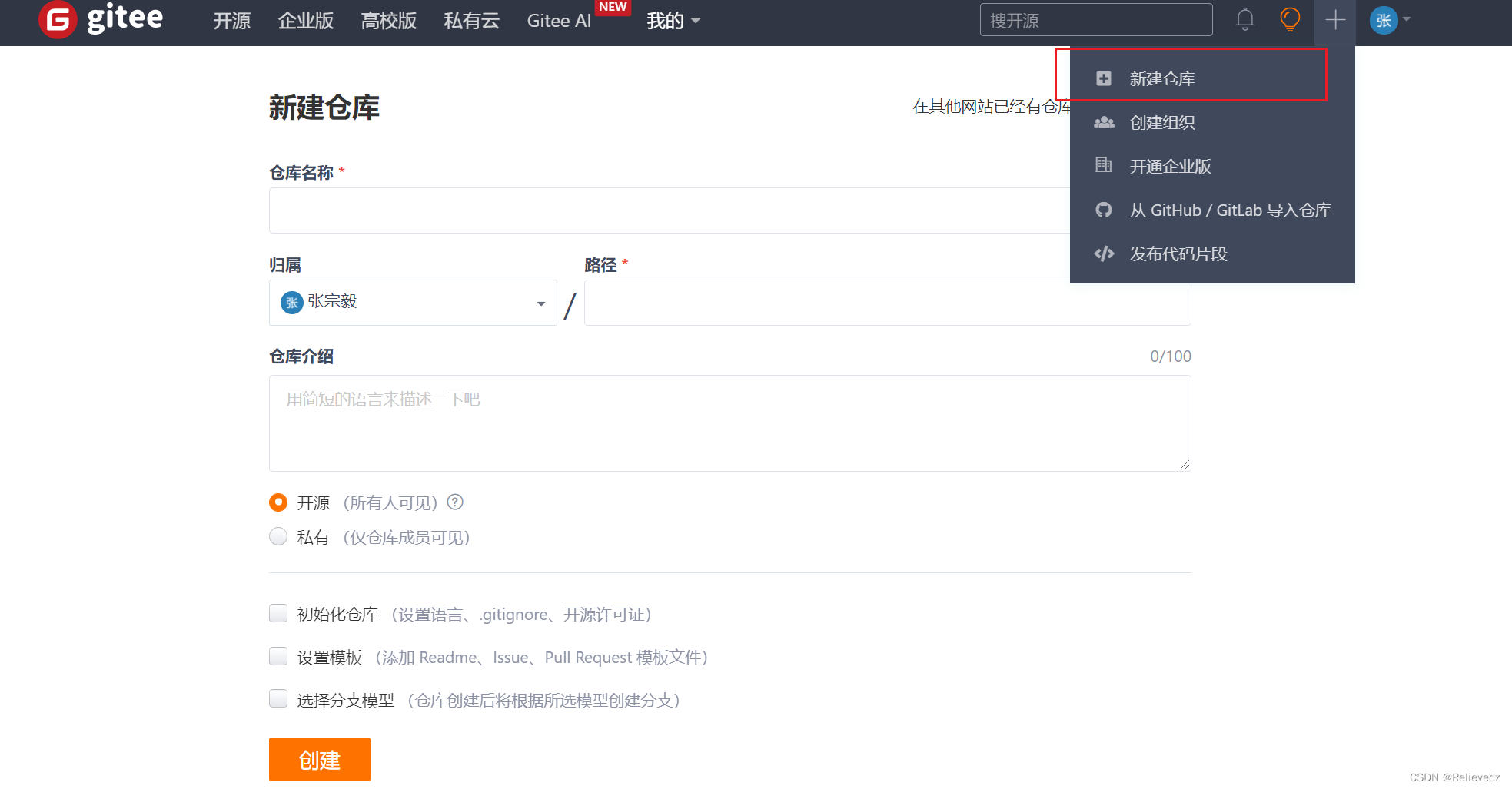
2、创建
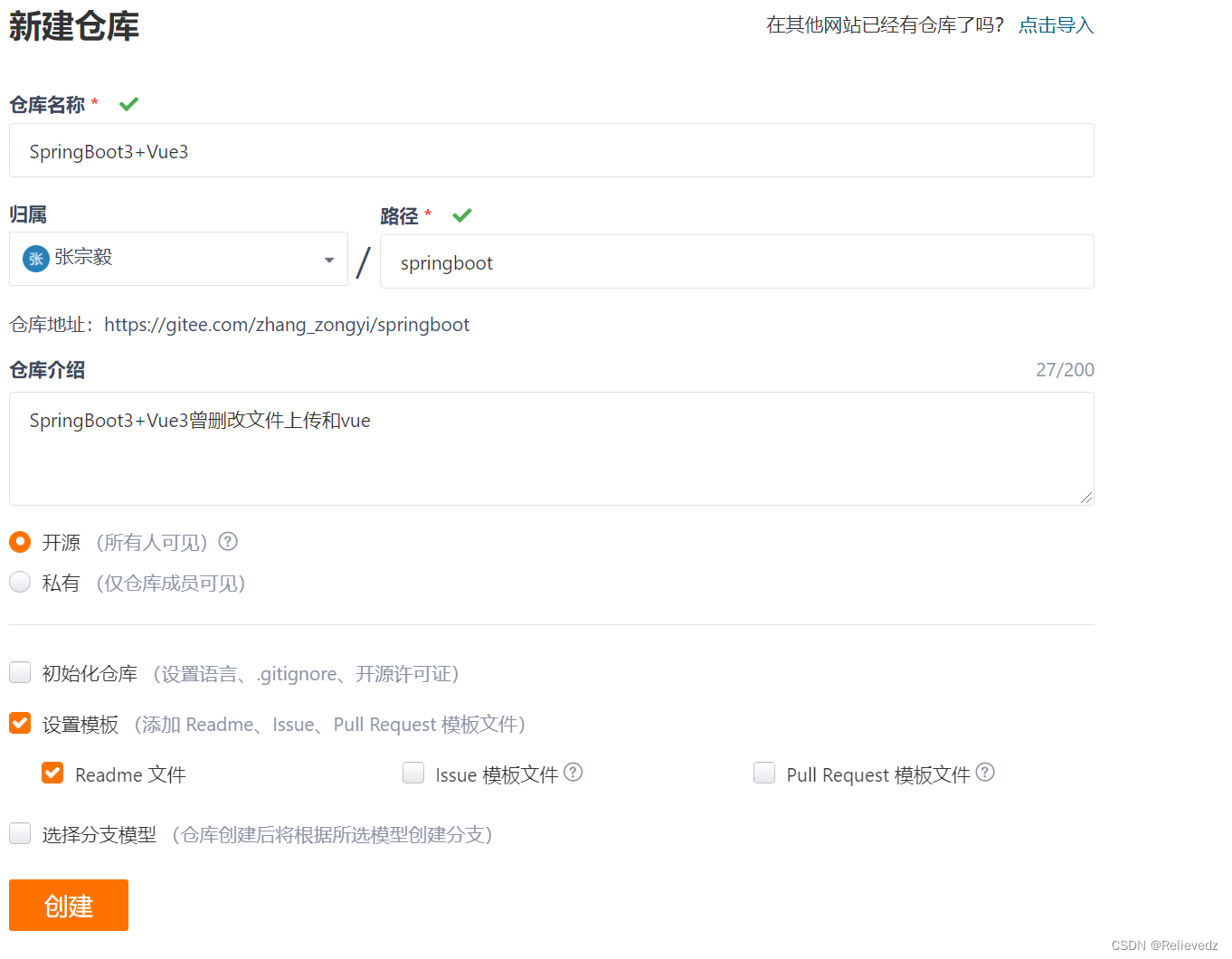
3、这就是创建成功的页面
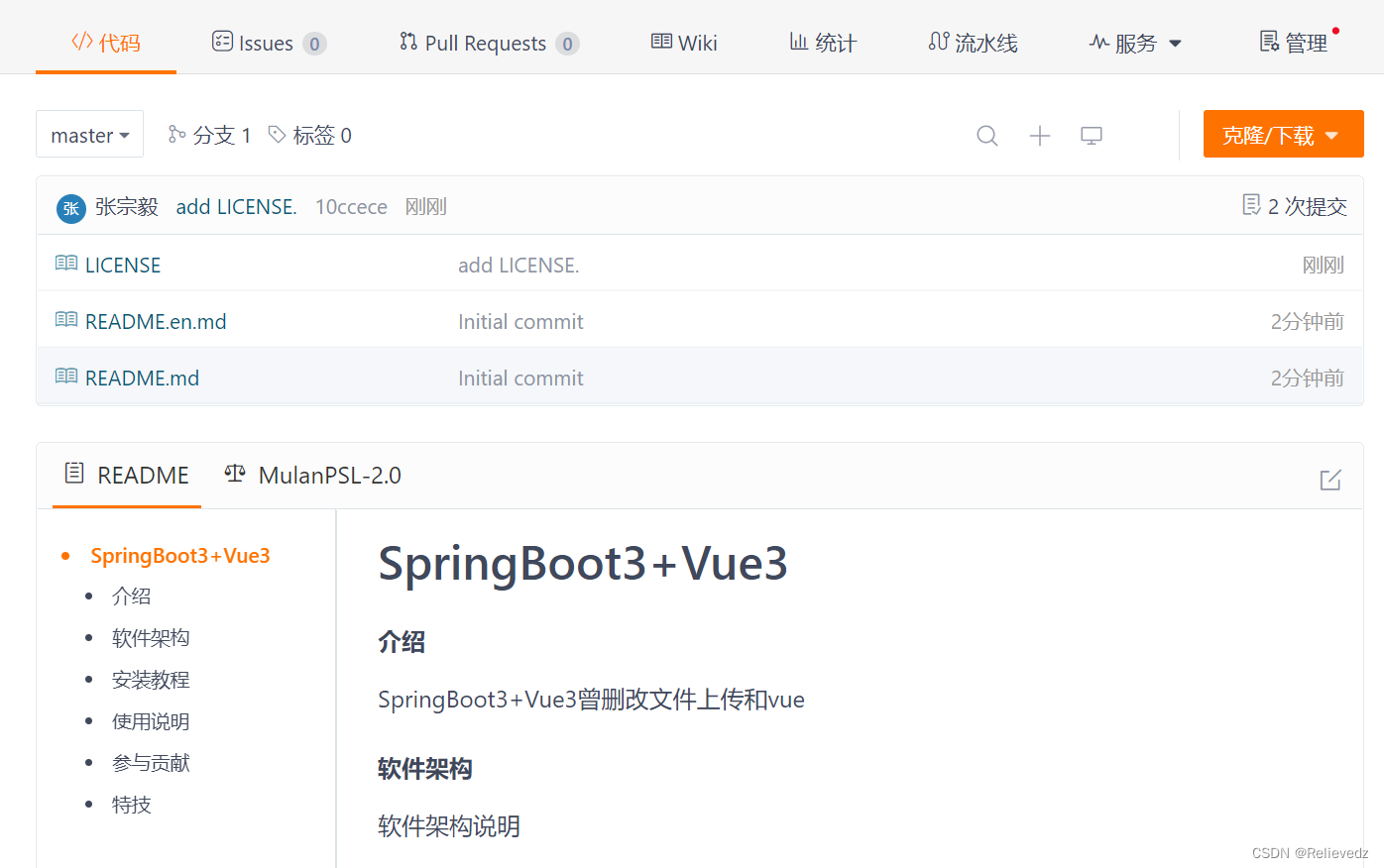
4、复制仓库地址,后面需要用到

2、打开我们的项目:例如我现在的项目

1、idea创建git仓库
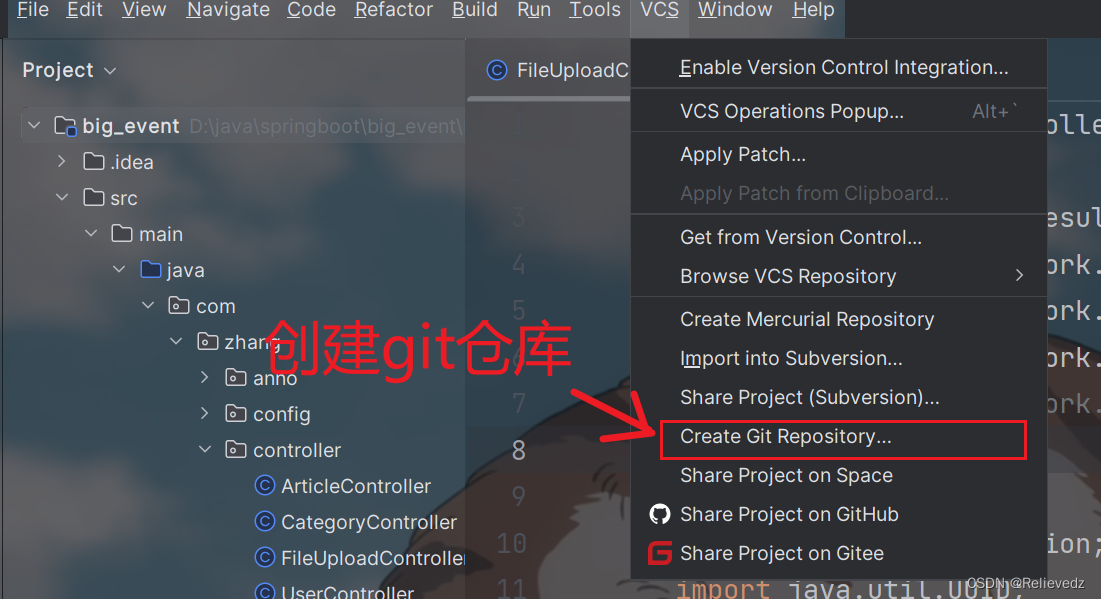
2、选择我们项目文件夹的目录
3、查看文件是否变色,变色表示成功了

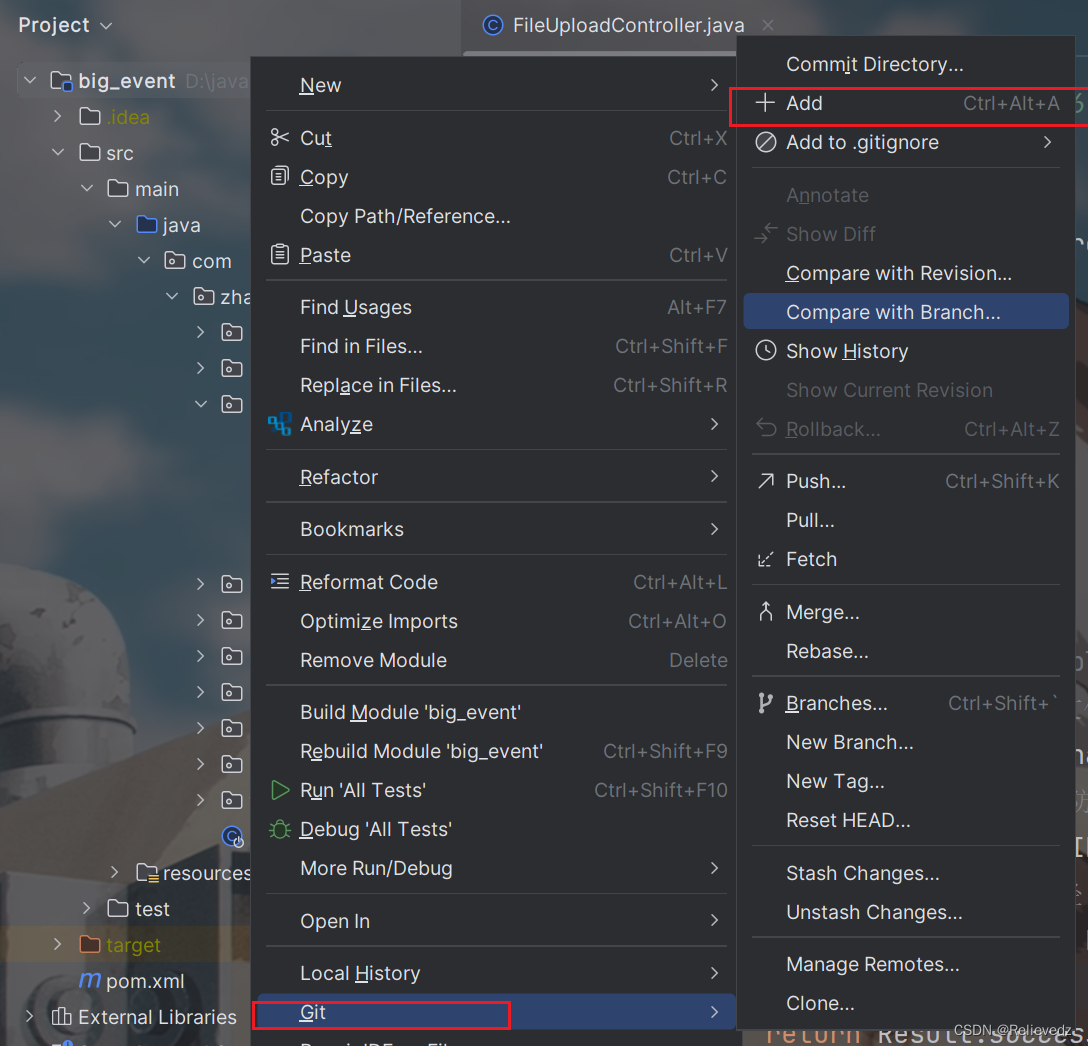
4、添加到缓存
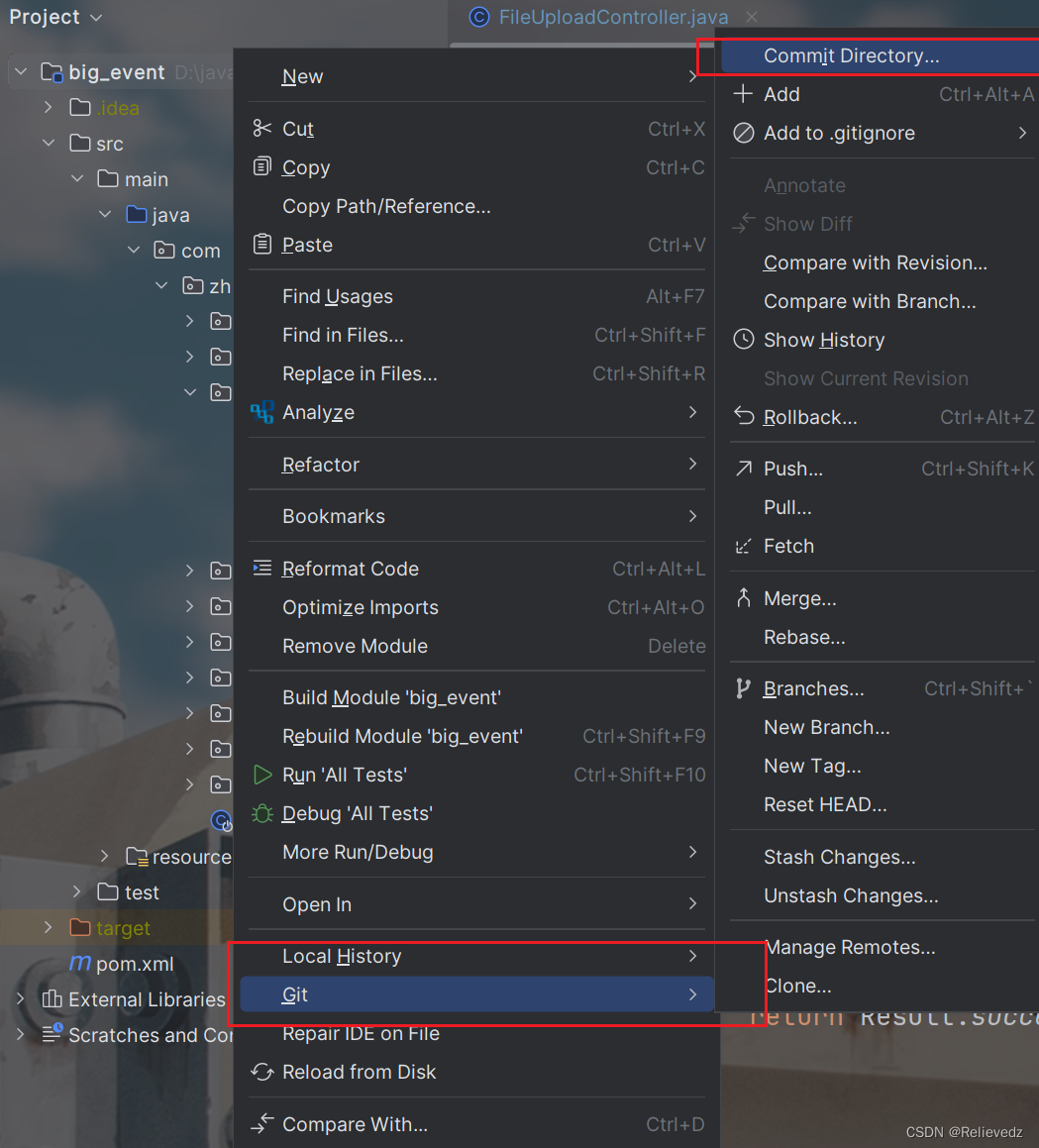
5、提交目录
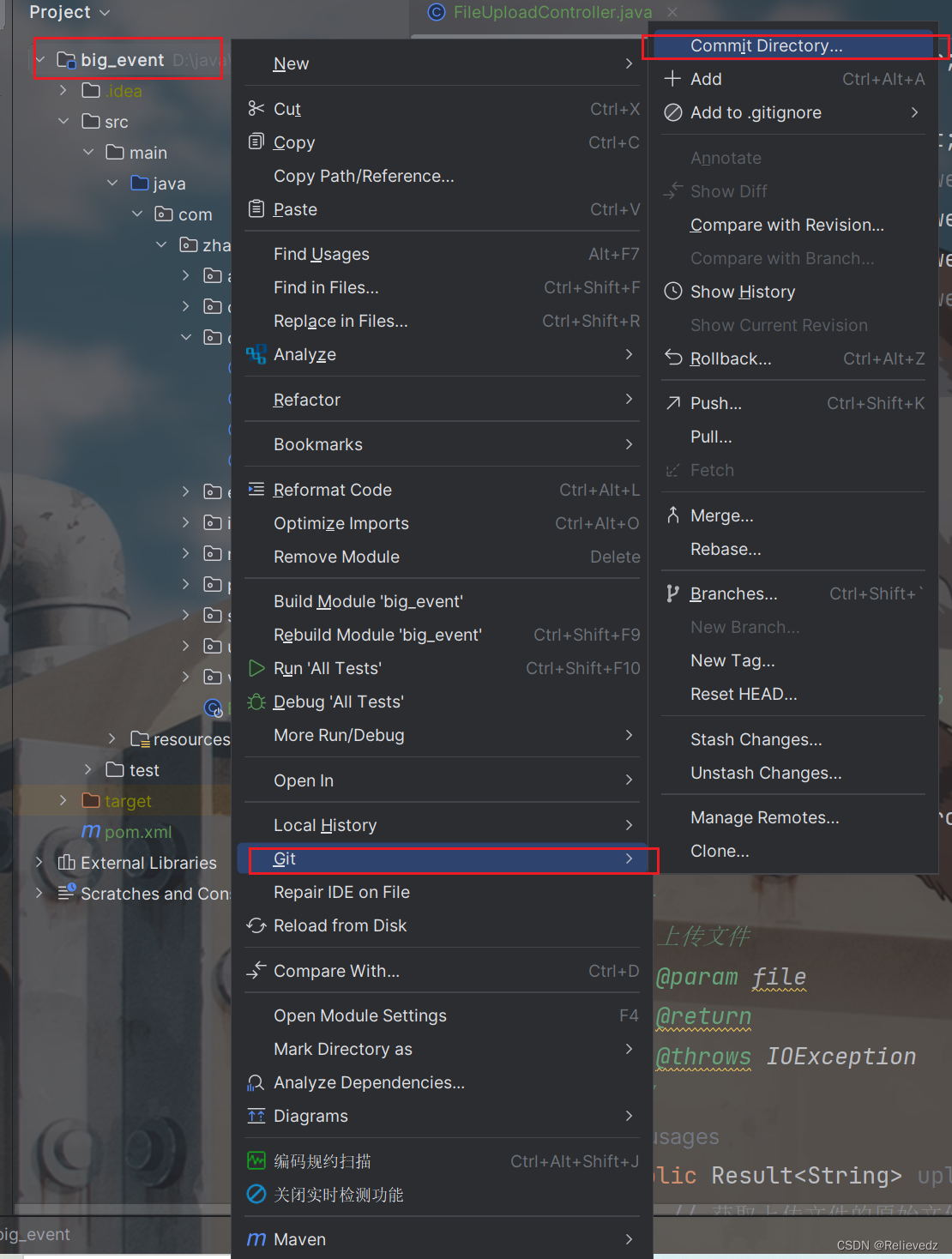
6、提交

7、这样表示前面步骤没有错
 8、push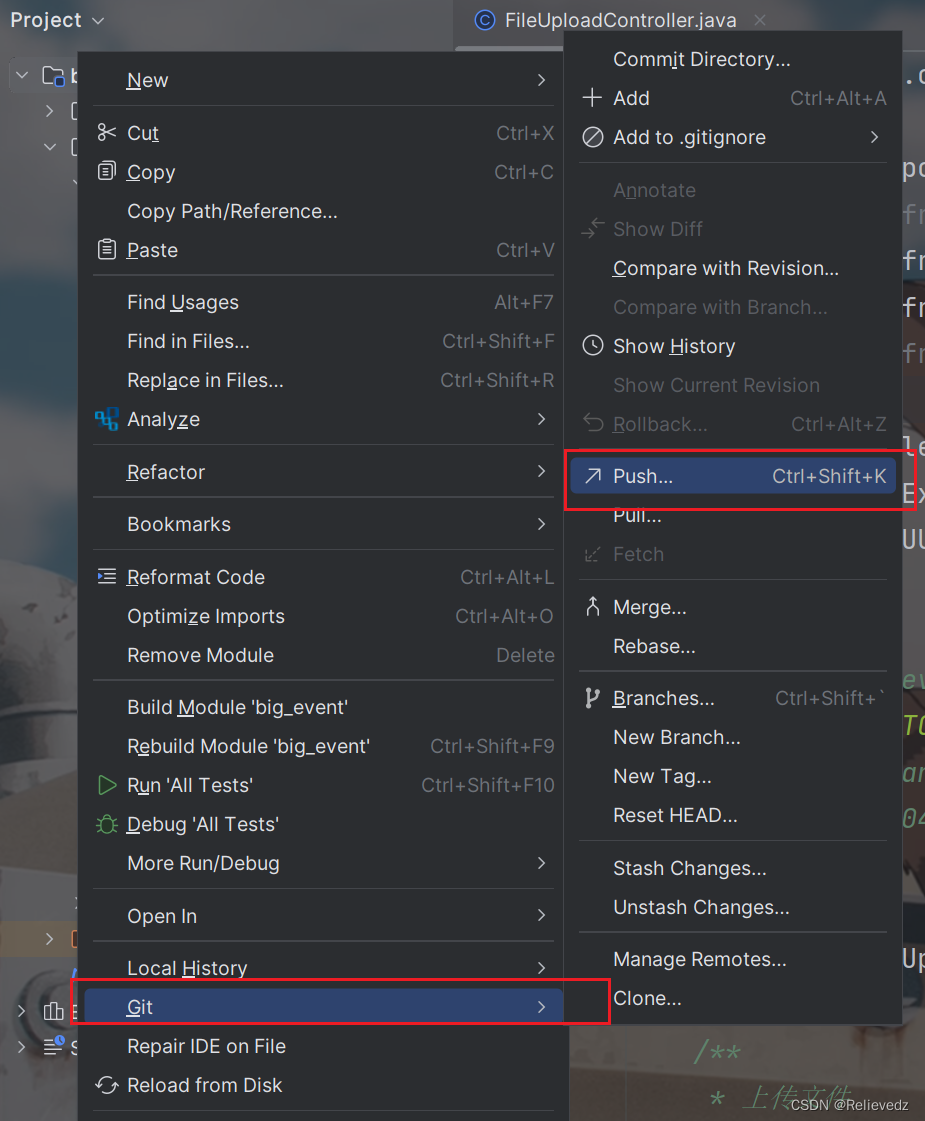
9、选择地址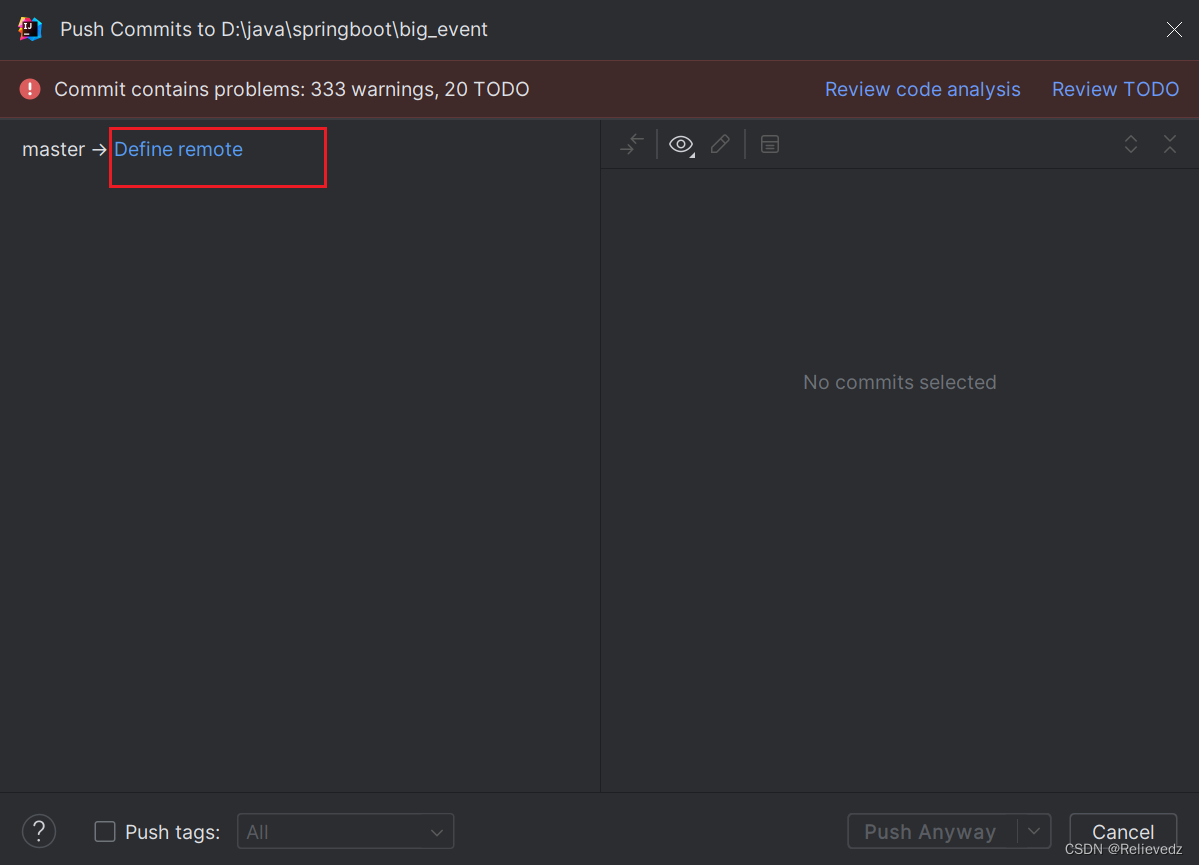
10、把git上面仓库的地址复制过来
注意:
点击OK,如果是第一次会出现一个填写gitee的账号和密码的弹出框,填写我们的gitee账号和密码即可。
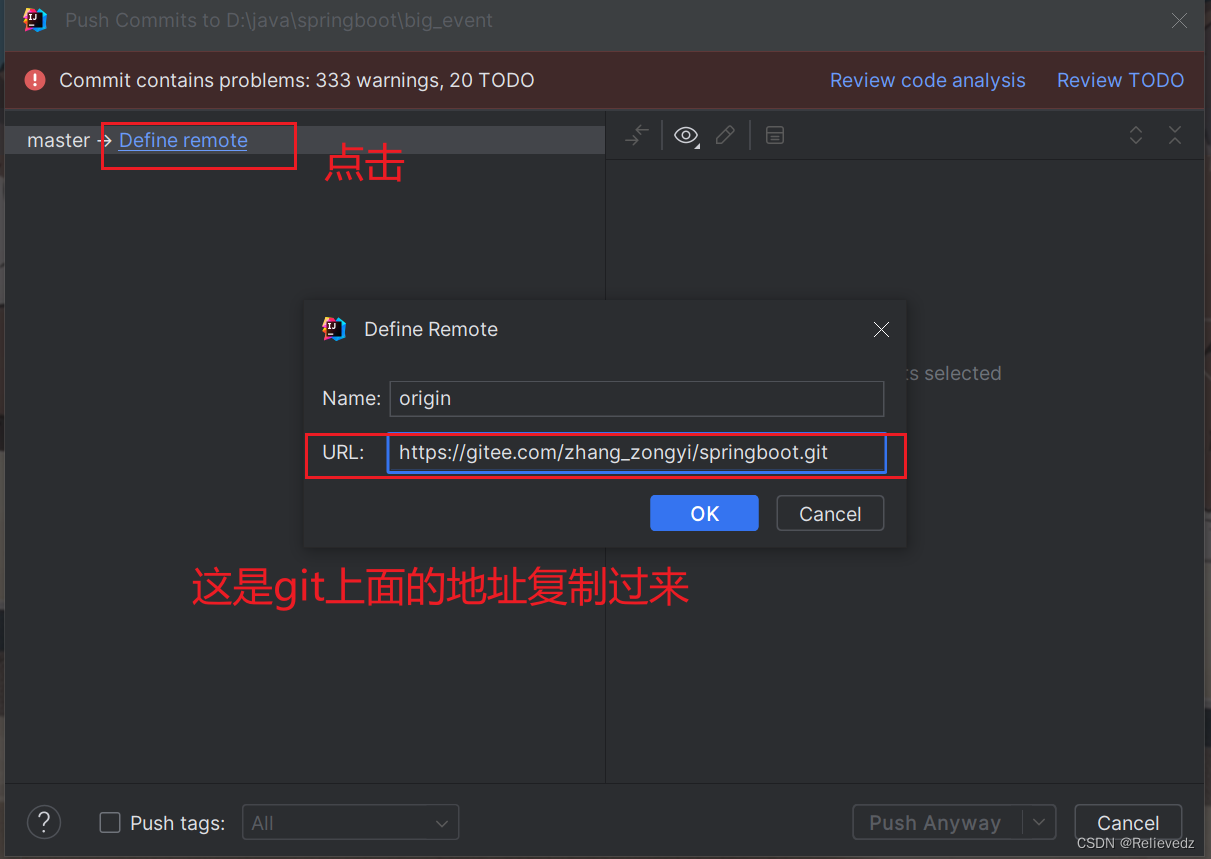
11、提交

12、如果点完之后拒接推送了
报以下错误
Donehint: to the same ref. You may want to first integrate the remote changes
hint: (e.g., 'git pull ...') before pushing again.
hint: See the 'Note about fast-forwards' in 'git push --help' for details.
输入这两个指令:
git pull origin master –allow-unrelated-histories
git push -u origin master -f
13、打开文件的目录
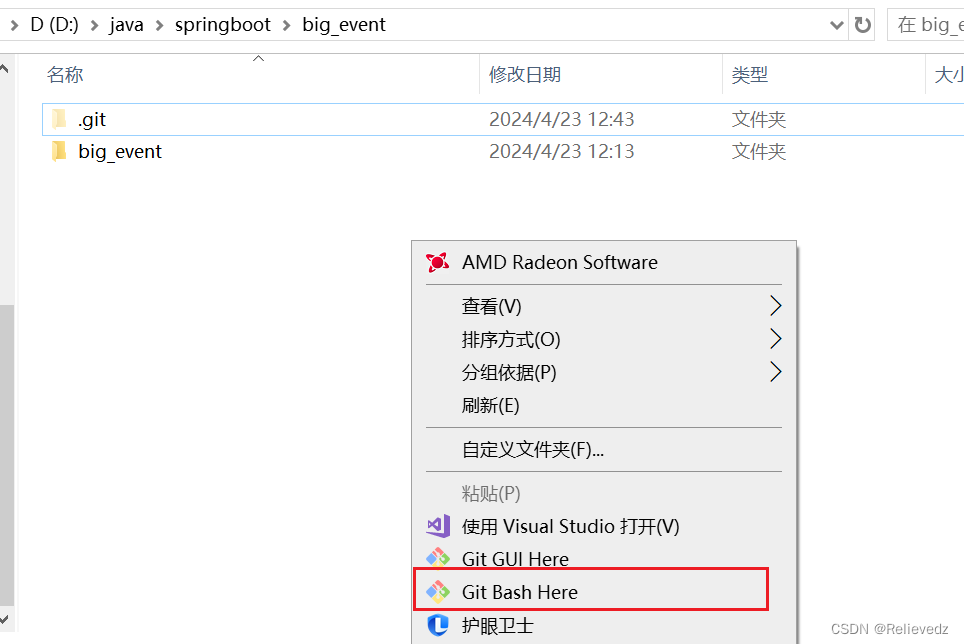
14、输入命令
15、上传成功了
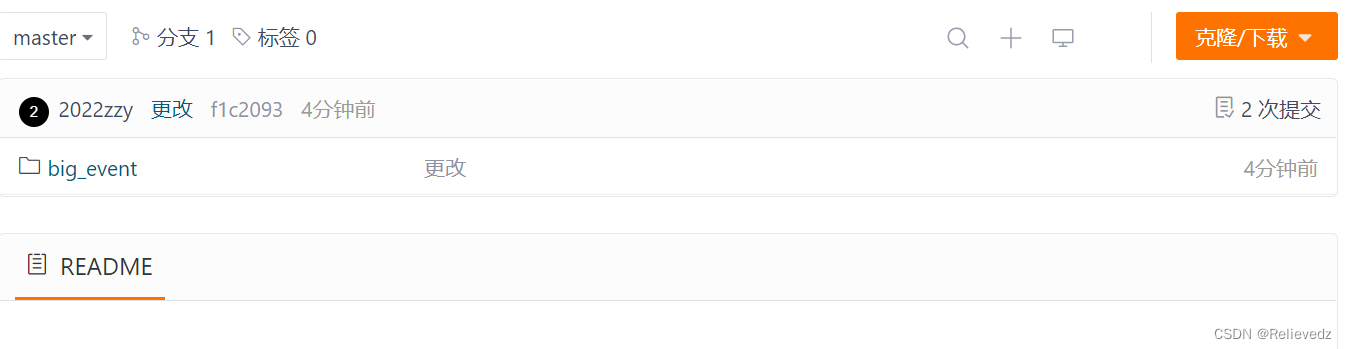
16、再试一下在idea里面是否可以上传,更改一下上传的内容



本文转载自: https://blog.csdn.net/Relievedz/article/details/138119578
版权归原作者 Relievedz 所有, 如有侵权,请联系我们删除。
版权归原作者 Relievedz 所有, 如有侵权,请联系我们删除。