
第一步:下载jar包

第二步:导入jar包
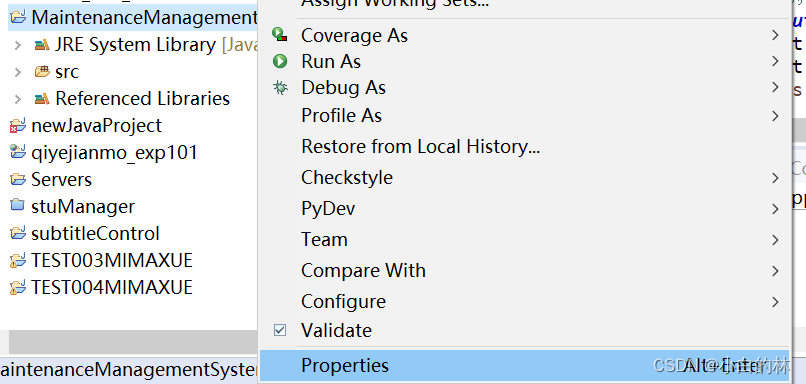
右键项目名,点击properties;
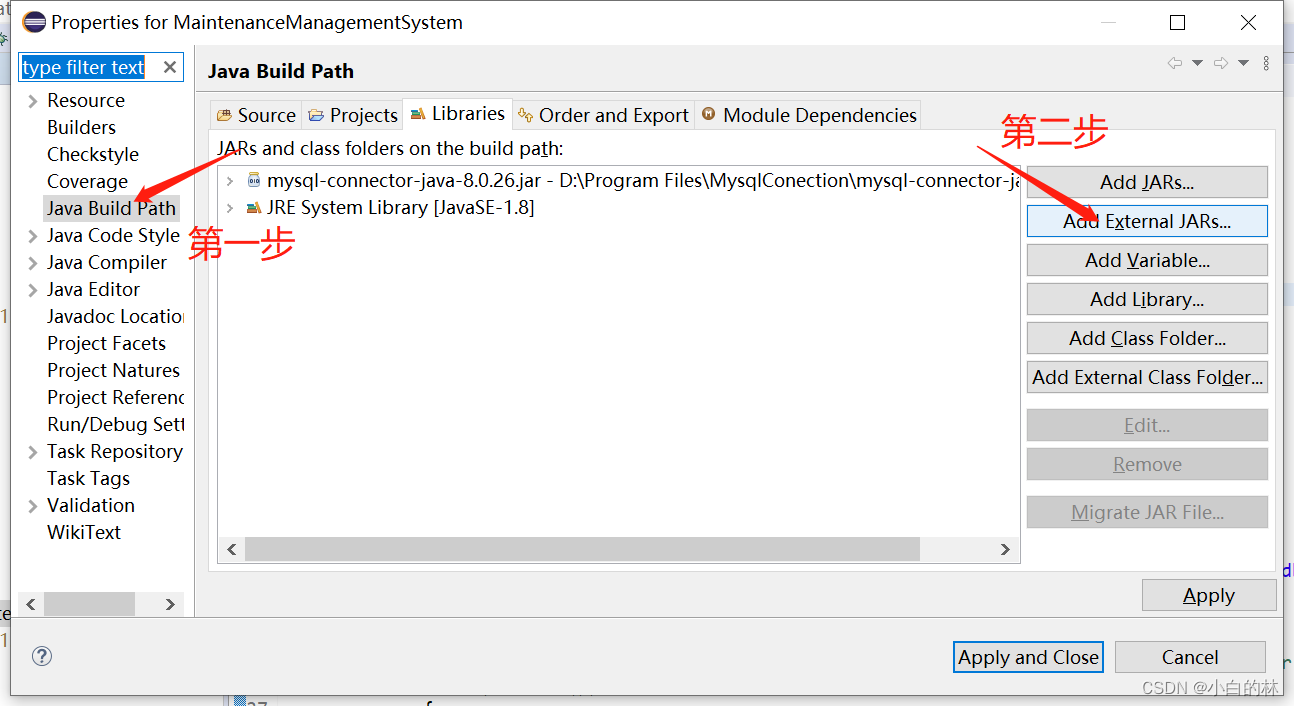
如图,点击add后找到刚刚下载的jar包添加进去,点击apply and close,添加成功后的项目目录如图所示;

第三步:连接数据库
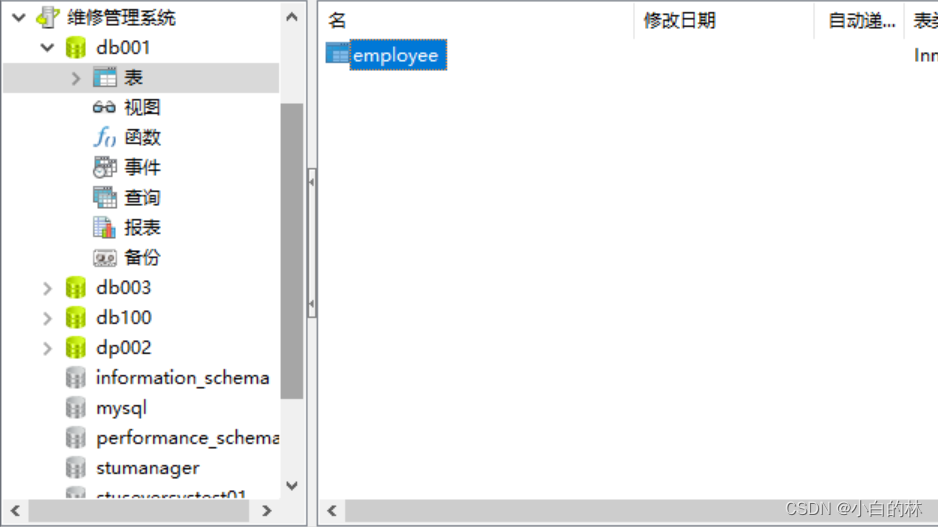
建立数据库并在其中建立employee表;
像平常写程序一样建立包、类,这里我建了一个数据库连接的包,并在其中建立了一个Example类;

编写连接代码,加载驱动程序;
try
        {
            Class.forName("com.mysql.cj.jdbc.Driver");   //加载MYSQL JDBC驱动程序
            //Class.forName("org.gjt.mm.mysql.Driver");
            System.out.println("成功加载Mysql驱动程序!");
         }
        catch (Exception e)
        {
            System.out.print("加载Mysql驱动程序时出错!");
            e.printStackTrace();
        }
连接数据库,这里的数据库名字是db001,登录名是root,密码是自己设置的数据库密码。
try
        {
            Connection connect = DriverManager.getConnection( "jdbc:mysql://localhost:3306/db001","root","自己的数据库密码");
            //连接URL为  jdbc:mysql//服务器地址/数据库名,后面的2个参数分别是登陆用户名和密码
            System.out.println("成功连接Mysql服务器!");
            Statement stmt = connect.createStatement();
            ResultSet rs = stmt.executeQuery("select * from employee where age>25");
            while (rs.next())
             {
                 System.out.println(rs.getString("name"));
             }
            connect.close();
         }
        catch (Exception e)
        {
            System.out.print("获取数据错误!");
            e.printStackTrace();
        }
完整代码:
package 数据库连接;

import java.sql.*;

public class Example {
    public static void main(String args[])
    {
        try
        {
            Class.forName("com.mysql.cj.jdbc.Driver");   //加载MYSQL JDBC驱动程序
            //Class.forName("org.gjt.mm.mysql.Driver");
            System.out.println("成功加载Mysql驱动程序!");
         }
        catch (Exception e)
        {
            System.out.print("加载Mysql驱动程序时出错!");
            e.printStackTrace();
        }
        try
        {
            Connection connect = DriverManager.getConnection( "jdbc:mysql://localhost:3306/db001","root","你设置的密码");
            //连接URL为  jdbc:mysql//服务器地址/数据库名 ,后面的2个参数分别是登陆用户名和密码
            System.out.println("成功连接Mysql服务器!");
            Statement stmt = connect.createStatement();
            ResultSet rs = stmt.executeQuery("select * from employee where age>25");  //输出表中年纪大于25的员工
            while (rs.next())
             {
                 System.out.println(rs.getString("name"));
             }
            connect.close();
         }
        catch (Exception e)
        {
            System.out.print("获取数据错误!");
            e.printStackTrace();
        }
    }


}
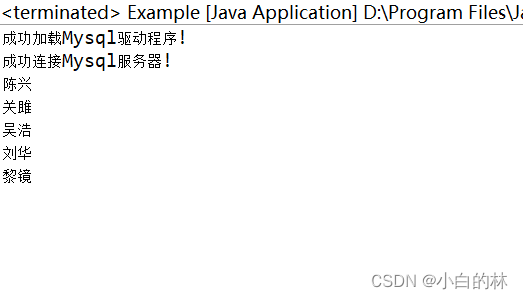
运行结果:
本文转载自: https://blog.csdn.net/weixin_47817212/article/details/128789918
版权归原作者 小白的林 所有, 如有侵权,请联系我们删除。
版权归原作者 小白的林 所有, 如有侵权,请联系我们删除。