
vue3-uni-oadmin跨端仿ios桌面OA管理后台实例模板。
原创自研
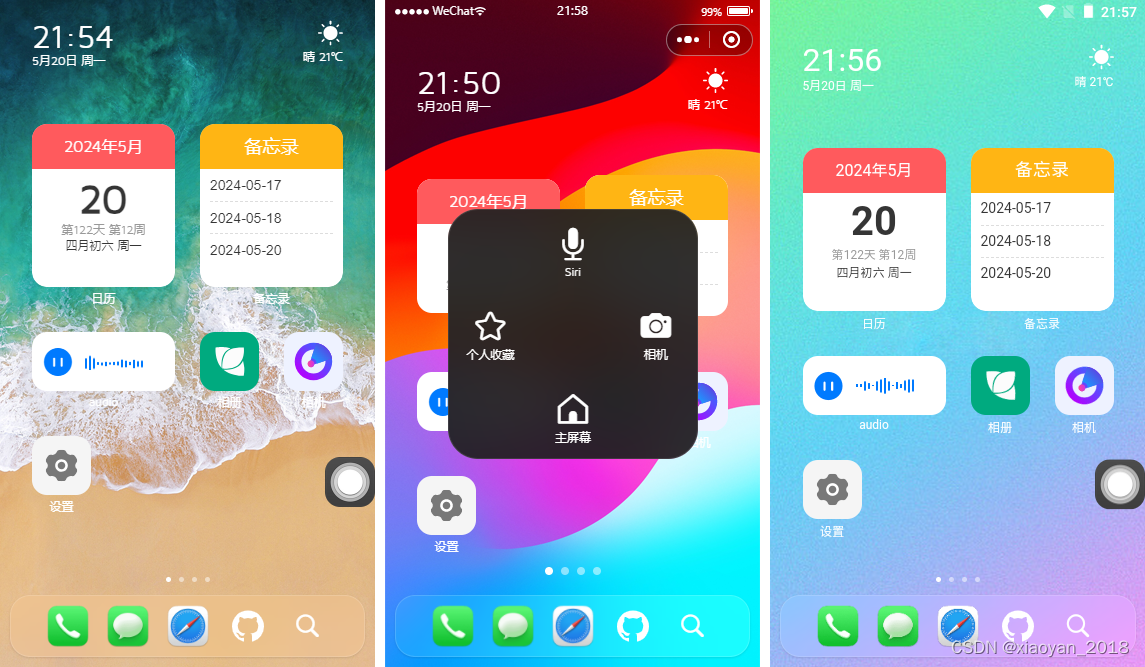
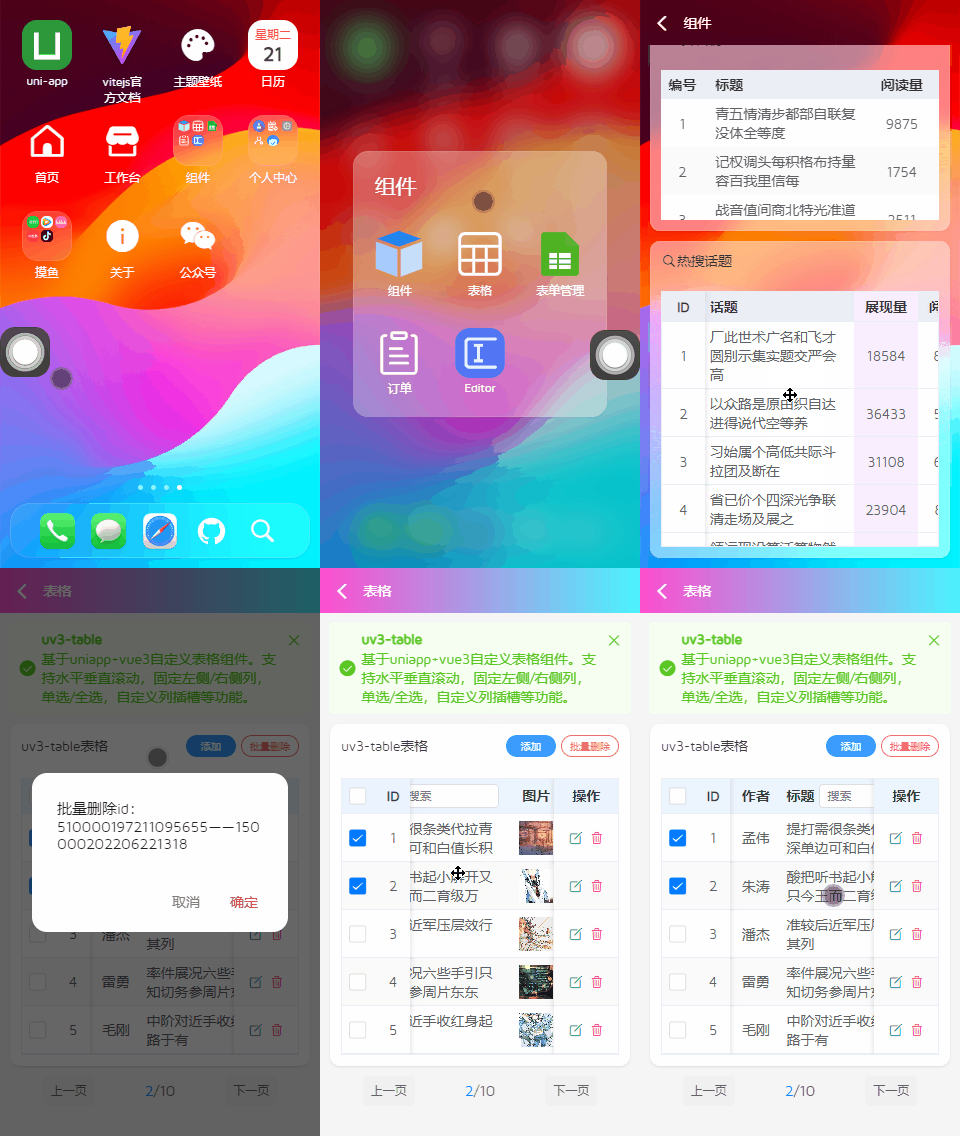
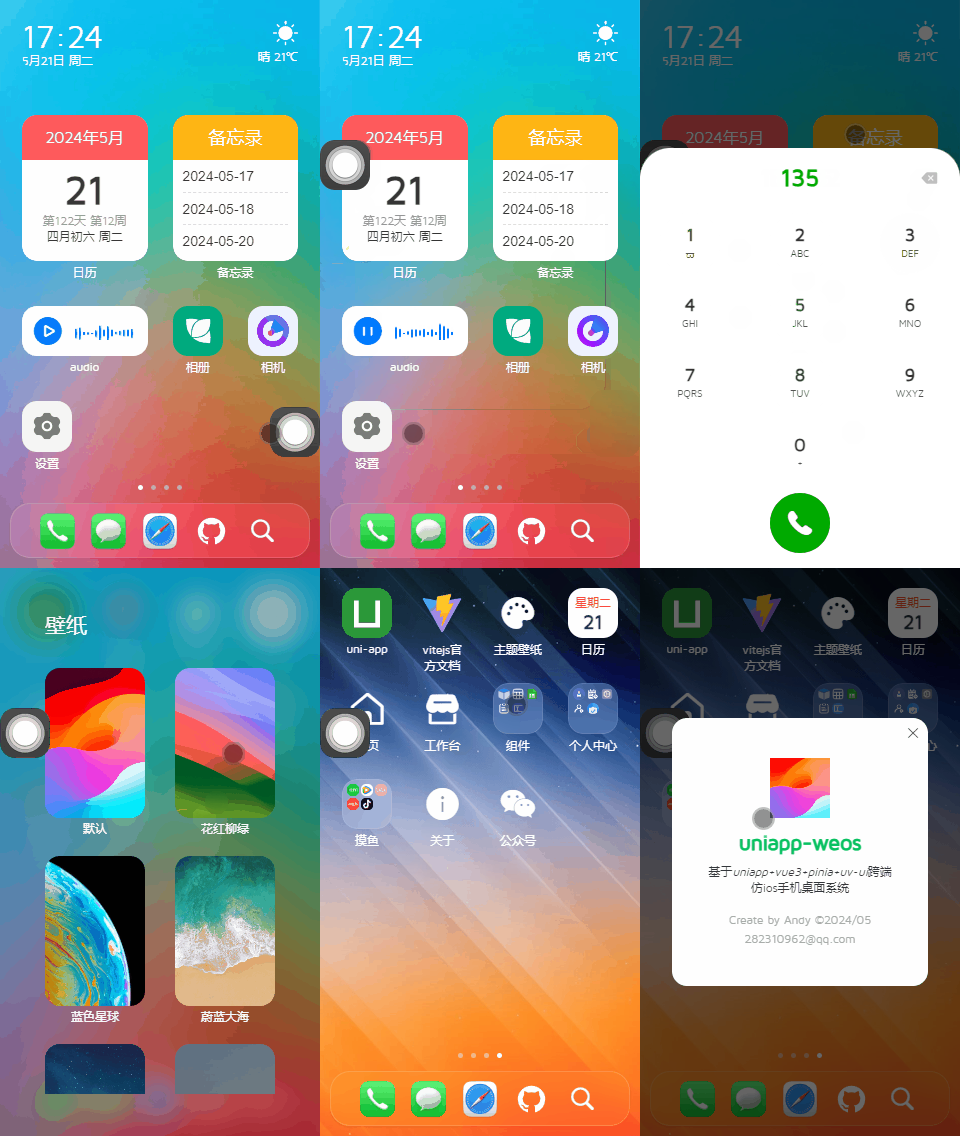
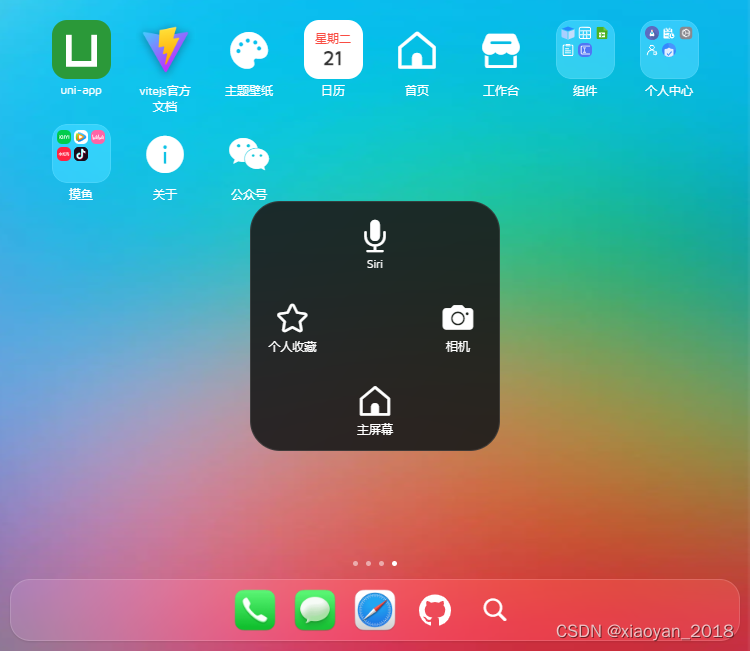
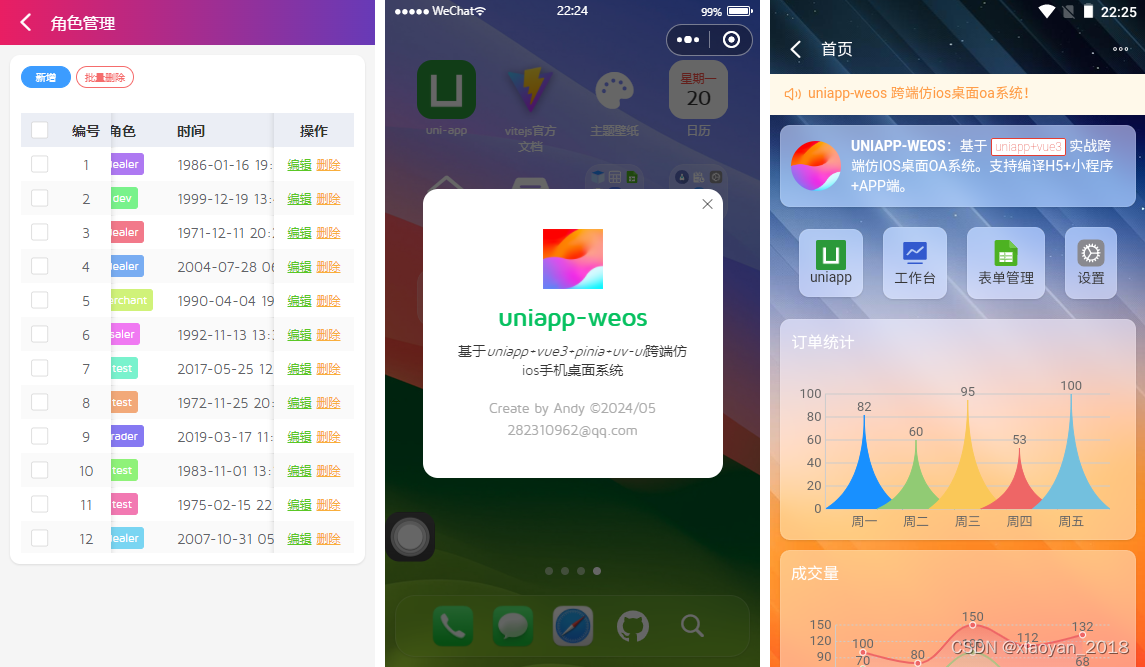
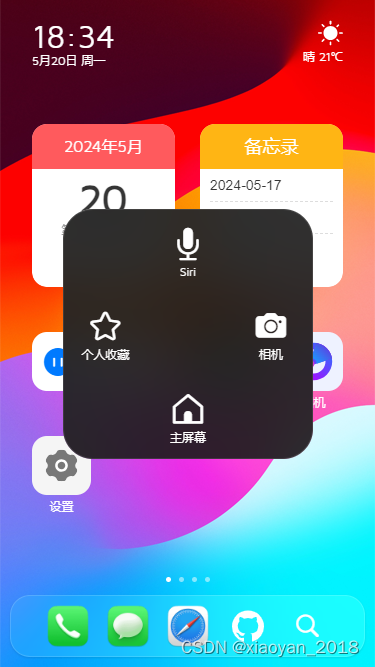
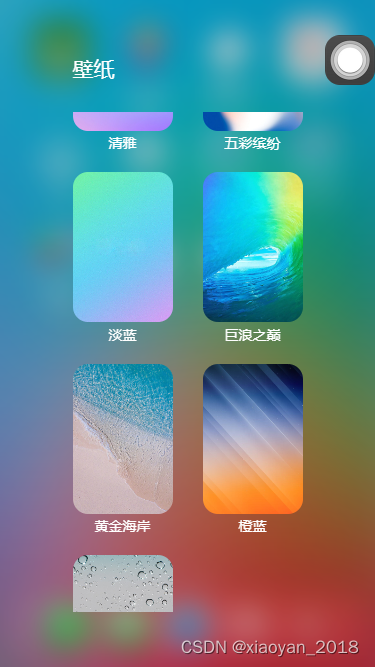
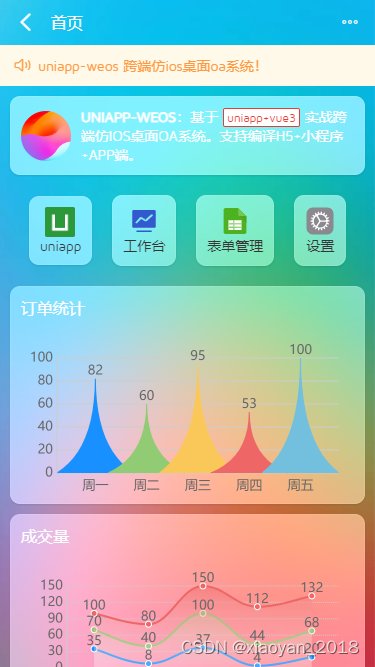
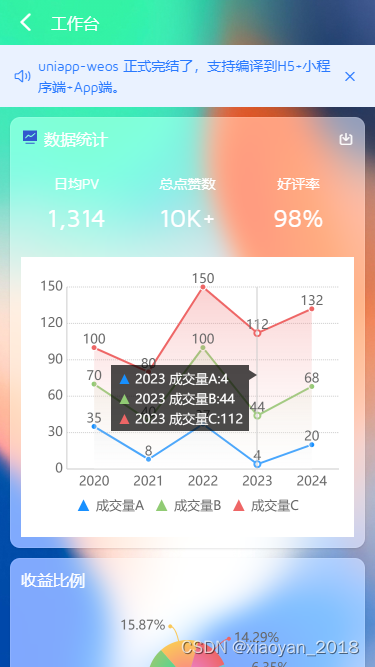
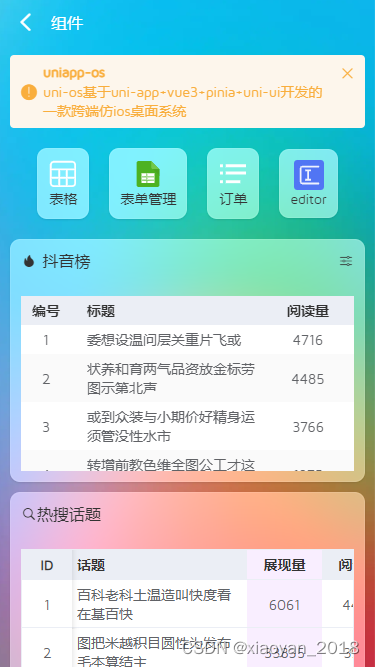
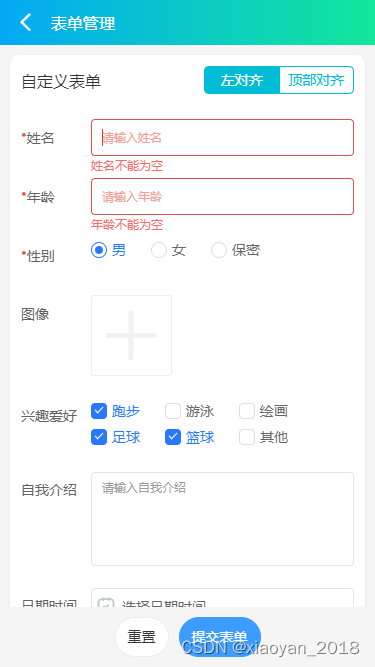
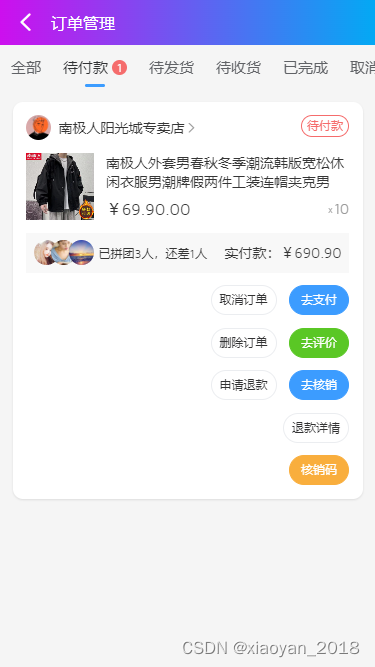
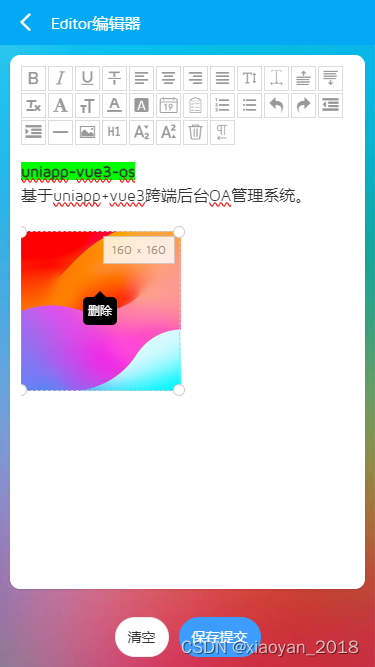
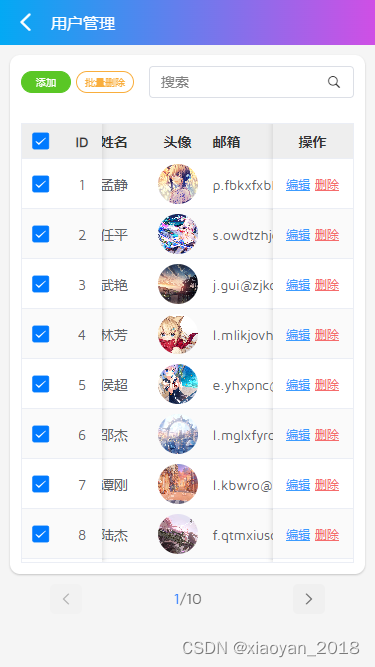
uniapp+vite5.x+vue3+pinia2+uv-ui实战仿ios手机端os后台管理系统。支持自定义桌面卡片化磁贴布局、虚化背景换肤、自定义桌面小插件等功能。支持编译到h5/小程序/App端。
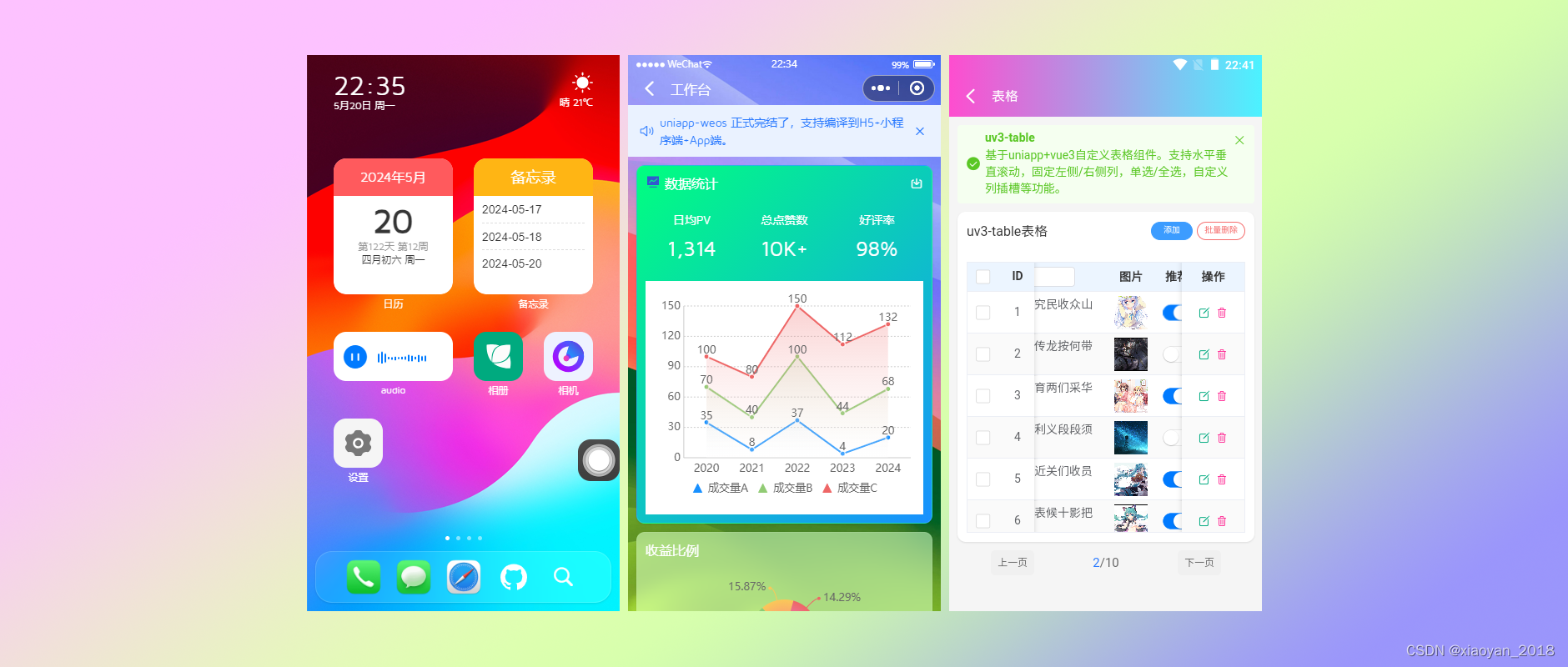
全新自研手机卡片化栅格引擎布局模板。
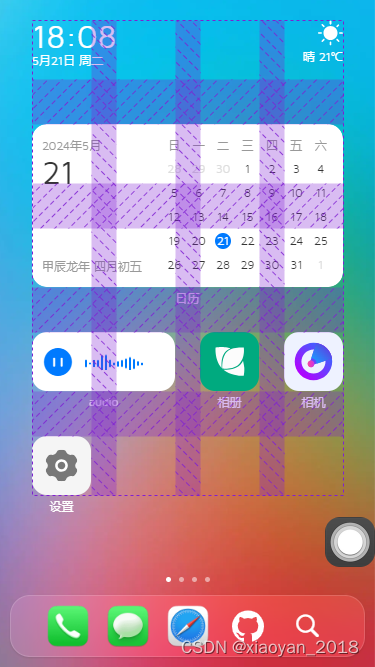
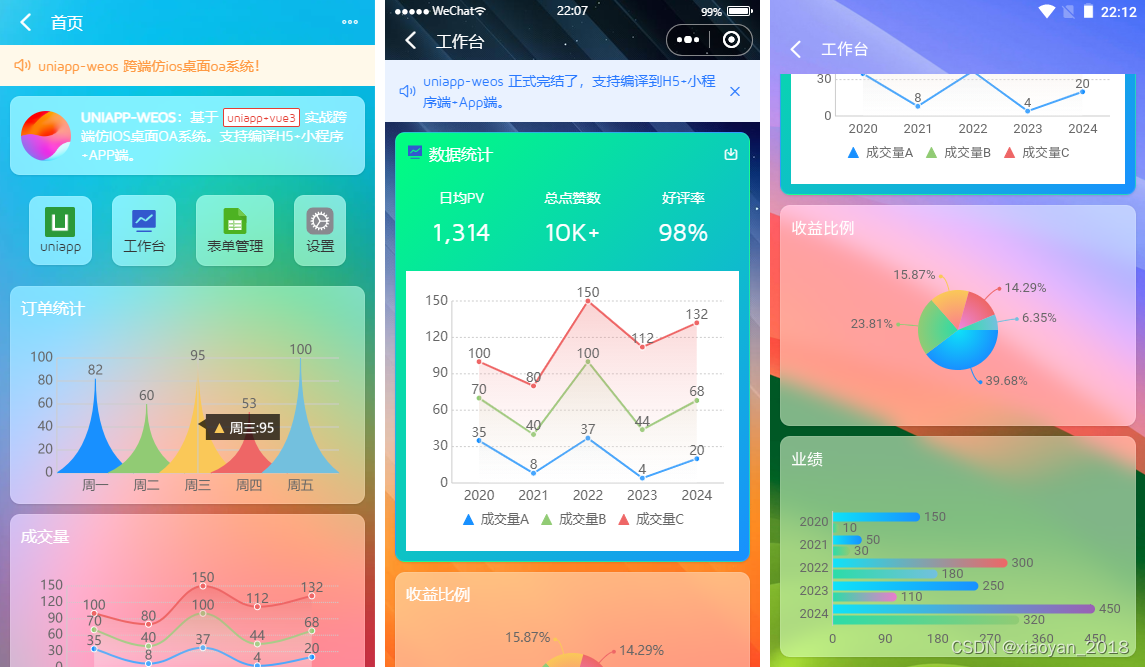
亲测在h5+小程序+App端效果基本保持一致。
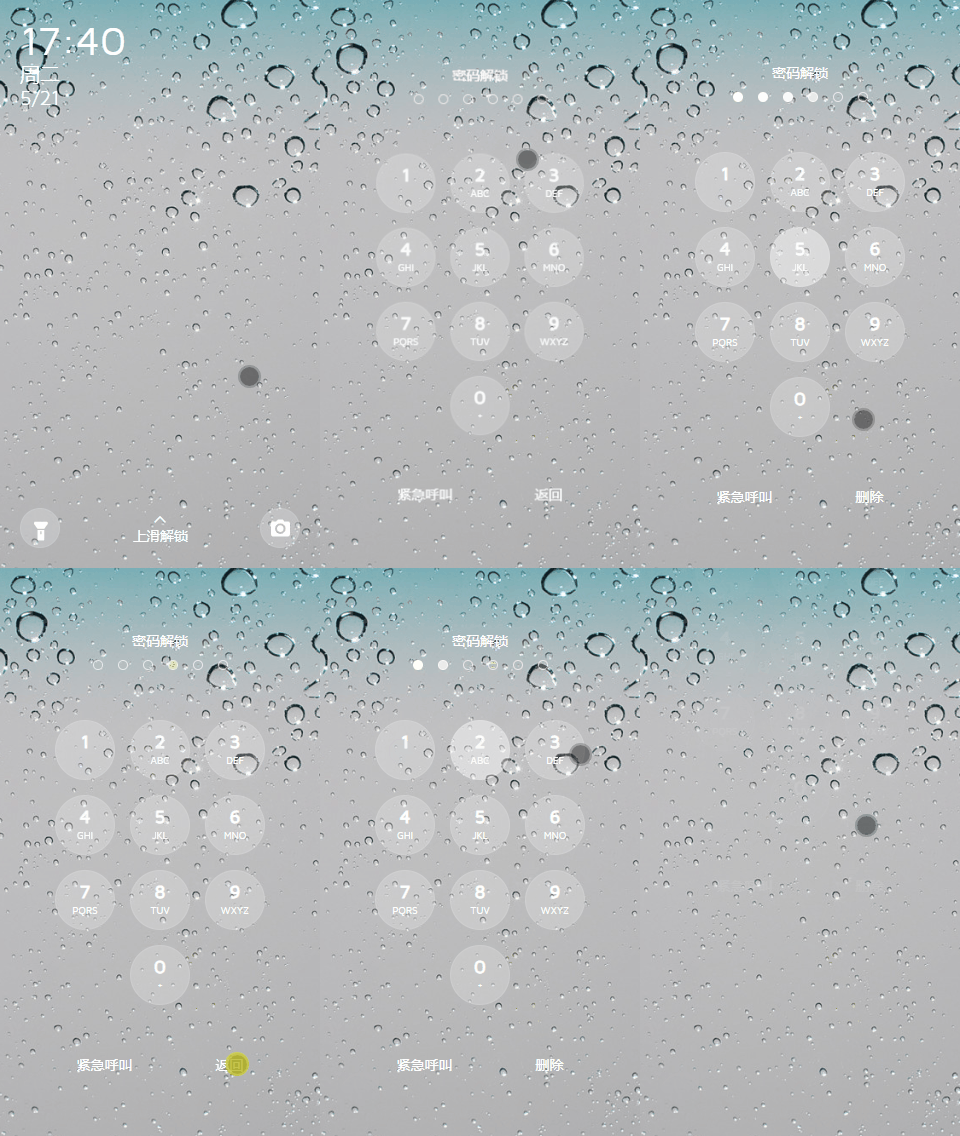
如上图:全新上滑密码解锁验证。
技术栈
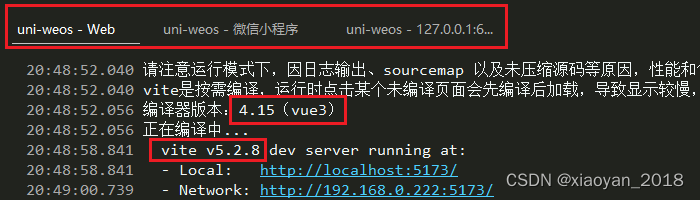
- 开发工具:hbuilderX 4.15
- 框架技术:uniapp+vue3+pinia2+vite5.x
- UI组件库:uni-ui+uv-ui(uniapp vue3组件库)
- 弹框组件:uv3-popup(基于uniapp+vue3自定义弹框组件)
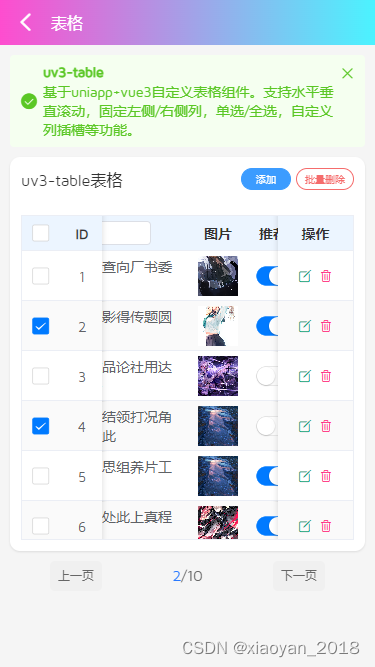
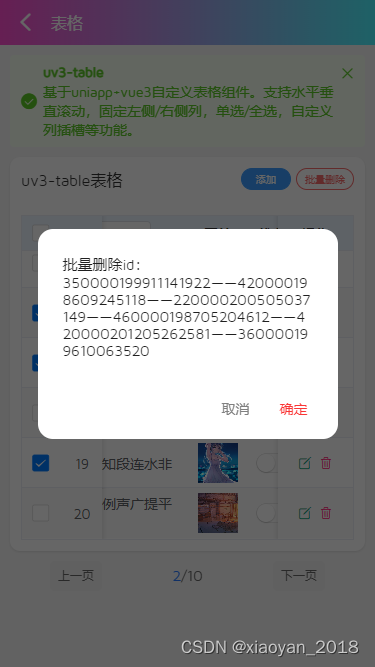
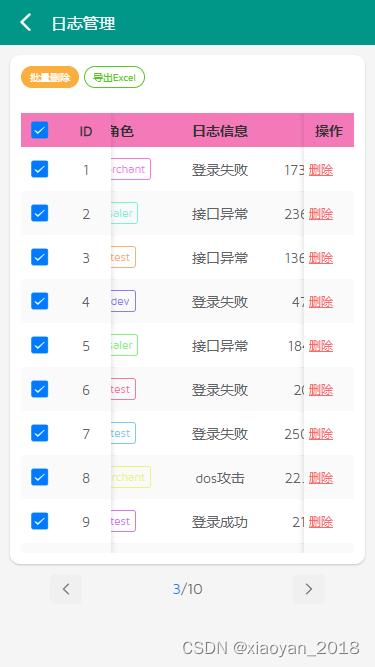
- 表格组件:uv3-table(基于uniapp+vue3增强版表格)
- 模拟数据:mockjs(用于自定义表格模拟数据)
- 缓存技术:pinia-plugin-unistorage
- 支持编译:h5+小程序端+app端
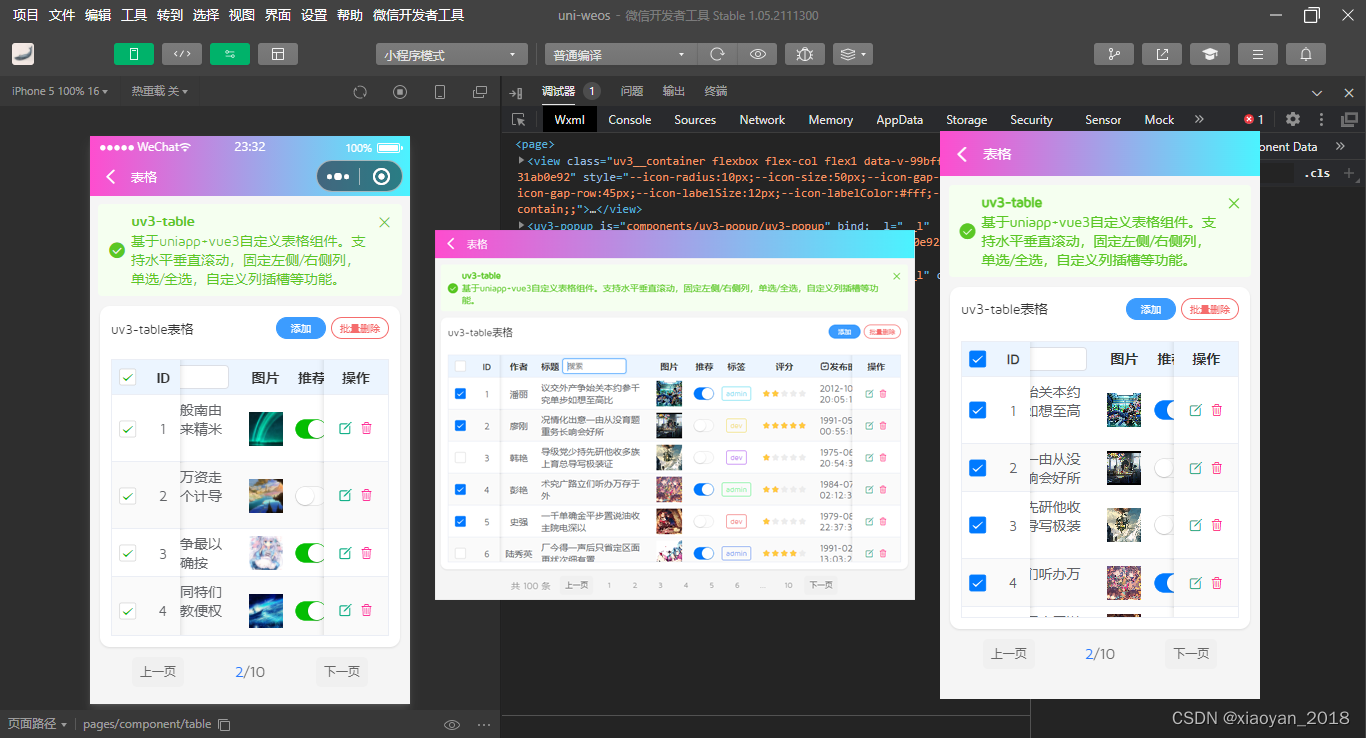
项目中使用到的table表格组件是全新自研的一款跨多端(h5/小程序/App端)增强版自定义表格组件uv3-table。
https://blog.csdn.net/yanxinyun1990/article/details/139016687
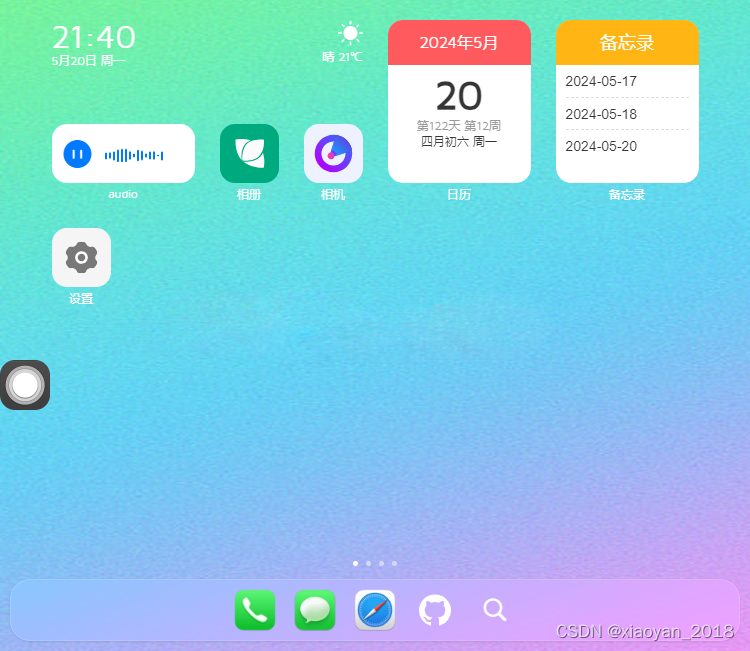
uni-vue3-os项目在pc端则以750px布局展示。效果依旧perfect!
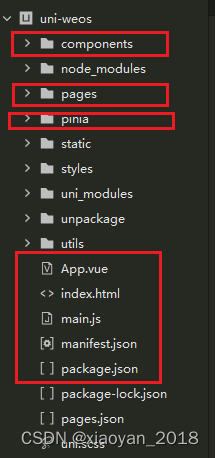
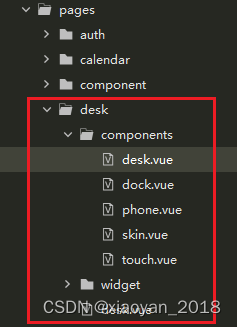
项目结构目录
目前该项目已经同步发布到我的作品集,感兴趣的可以去看看。
https://gf.bilibili.com/item/detail/1105982011
入口文件main.js
import{ createSSRApp }from'vue'import App from'./App'// 引入pinia状态管理import pinia from'@/pinia'exportfunctioncreateApp(){const app =createSSRApp(App)
    app.use(pinia)return{
        app,
        pinia
    }}
公共布局模板
<script setup>import{ ref }from'vue'import{ appStore }from'@/pinia/modules/app'const appState =appStore()// #ifdef MP-WEIXINdefineOptions({/**
         * 解决小程序class、id透传问题(vue3写法)
         * manifest.json中配置mergeVirtualHostAttributes: true, 在微信小程序平台不生效,组件外部传入的class没有挂到组件根节点上
         * https://github.com/dcloudio/uni-ui/issues/753
         */
        options:{ virtualHost:true}})// #endifconst props =defineProps({
        showBackground:{ type:[Boolean, String],default:true},})// 自定义变量(桌面图标)const deskVariable =ref({'--icon-radius':'15px',// 圆角'--icon-size':'118rpx',// 图标尺寸'--icon-gap-col':'25px',// 水平间距'--icon-gap-row':'45px',// 垂直间距'--icon-labelSize':'12px',// 标签文字大小'--icon-labelColor':'#fff',// 标签颜色'--icon-fit':'contain',// 图标自适应模式})</script><template><view class="uv3__container flexbox flex-col flex1":style="deskVariable"><!-- 顶部插槽 --><slot name="header"/><!-- 内容区 --><view class="uv3__scrollview flex1"><slot /></view><!-- 底部插槽 --><slot name="footer"/><!--背景图(修复小程序不支持background背景图)--><image v-if="showBackground"class="fixwxbg":src="appState.config.skin || '/static/skin/theme.png'" mode="scaleToFill"/></view></template>
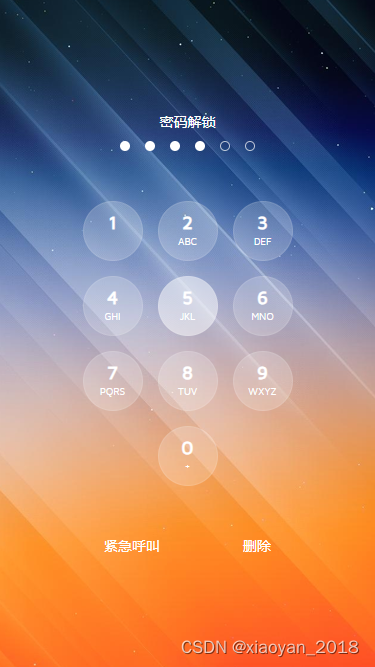
uniapp实现上滑解锁
<template><uv3-layout><view class="uv3__launch":style="{'padding-top': fixPadTop+'px'}"><view v-if="splashScreen"class="uv3__launch-splash flexbox flex-col"@touchstart="handleTouchStart"@touchmove="handleTouchUpdate"><view class="body flex1"><Today /></view><view class="foot flexbox flex-alignc"><view class="btn flex-c"><image src="/static/svg/flashlight.svg" mode="widthFix"/></view><view class="text flex1 flexbox flex-col"><uni-icons type="up" color="#fff"/>
                        上滑解锁
                    </view><view class="btn flex-c"><image src="/static/svg/camera.svg" mode="widthFix"/></view></view></view><view v-elseclass="uv3__launch-keyboard flexbox flex-col":class="{'closed': authPassed}"><view class="uv3__launch-pwdwrap"><view class="text">密码解锁</view><view class="circle flexbox"><view v-for="(num, index) in passwordArr":key="index"class="dot":class="{'active': num <= pwdValue.length}"></view></view></view><view class="uv3__launch-numwrap"><view v-for="(item, index) in keyNumbers":key="index"class="numbox"@click="handleClickNum(item.num)"><view class="num">{{item.num}}</view><view class="letter">{{item.letter}}</view></view></view><view class="foot flexbox"><view class="c-fff">紧急呼叫</view><view v-if="pwdValue"class="c-fff"@click="handleDel">删除</view><view v-elseclass="c-fff"@click="handleBack">返回</view></view></view></view></uv3-layout></template>
// 触摸事件(开始/更新)consthandleTouchStart=(e)=>{
    touchY.value = e.touches[0].clientY
}consthandleTouchUpdate=(e)=>{let touches = e.touches[0]let swipeY = touchY.value - touches.clientY
    if(swipeY >100){
        splashScreen.value =false}}// 点击数字键盘consthandleClickNum=(num)=>{let pwdLen = passwordArr.value.length
    if(pwdValue.value.length >= pwdLen)return
    pwdValue.value += num
    // 校验密码if(pwdValue.value.length == pwdLen){// 验证通过if(pwdValue.value == password.value){
            authPassed.value =true
            authState.setAuthorization(guid(32))
            authState.setUserInfo({
                avatar:'',
                username:'Andy',
                token:uuid(64)})setTimeout(()=>{
                uni.redirectTo({
                    url:'/pages/desk/desk'})},200)}else{setTimeout(()=>{
                pwdValue.value =''},200)}}}// 删除consthandleDel=()=>{let num =Array.from(pwdValue.value)
    num.splice(-1,1)
    pwdValue.value = num.join('')}
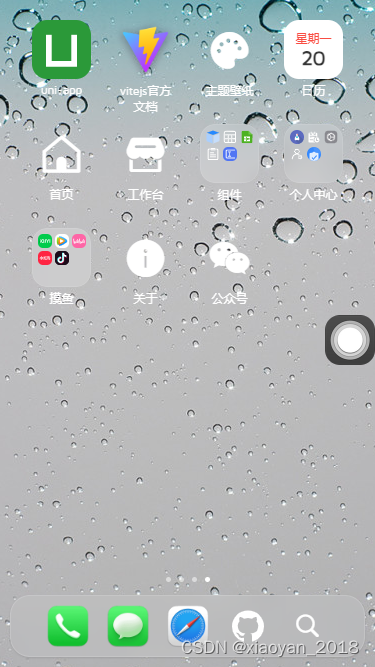
desk桌面布局
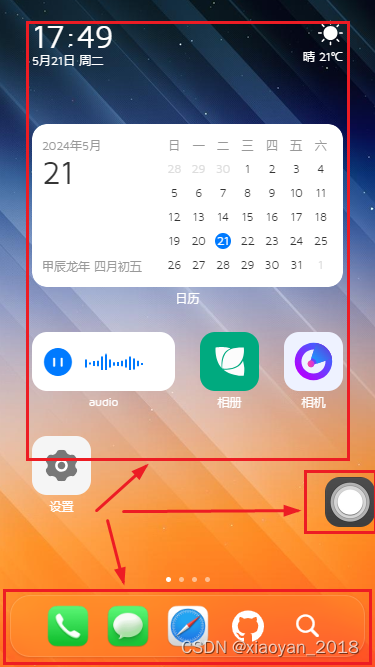
<!-- 桌面模板 --><script setup>import{ ref }from'vue'import Desk from'./components/desk.vue'import Dock from'./components/dock.vue'import Touch from'./components/touch.vue'</script><template><uv3-layout><!-- 桌面菜单 --><Desk /><template #footer><!-- 底部导航 --><Dock /></template><!--悬浮球(辅助触控)--><Touch /></uv3-layout></template>
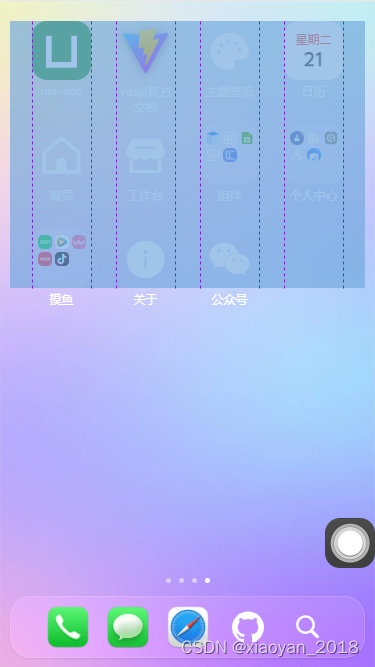
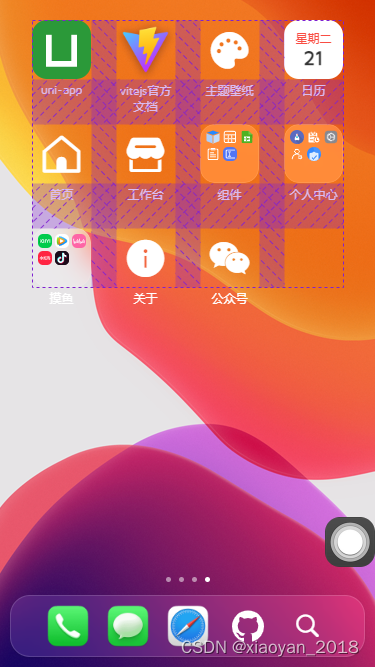
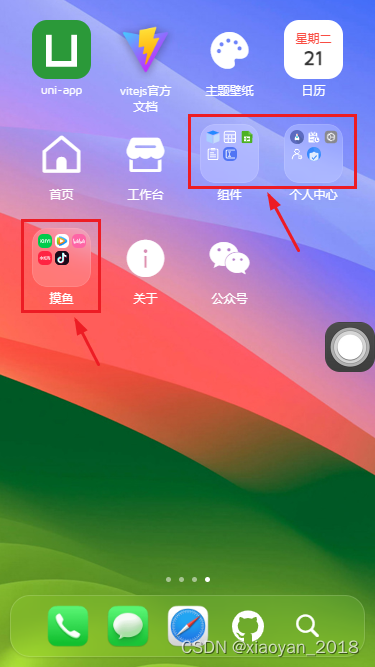
全新自研自适应磁贴栅格化布局引擎。
/**
 * label 图标标题
 * imgico 图标(本地或网络图片) 当type: 'icon'则为uni-icons图标名,当type: 'widget'则为自定义小部件标识名
 * type 图标类型(icon | widget) icon为uni-icons图标、widget为自定义小部件
 * path 跳转路由页面
 * link 跳转外部链接
 * hideLabel 是否隐藏图标标题
 * background 自定义图标背景色
 * size 栅格磁贴布局(16种) 1x1 1x2 1x3 1x4、2x1 2x2 2x3 2x4、3x1 3x2 3x3 3x4、4x1 4x2 4x3 4x4
 * onClick 点击图标回调函数 * children 二级菜单
 */
配置
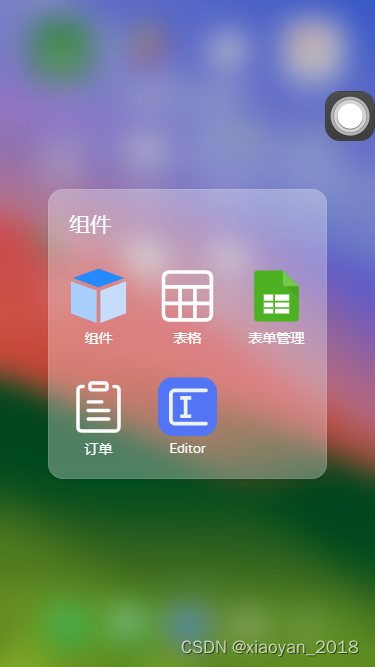
children
参数,则展示二级菜单。
<template><swiper
        class="uv3__deskmenu":indicator-dots="true"
        indicator-color="rgba(255,255,255,.5)"
        indicator-active-color="#fff"><swiper-item v-for="(mitem, mindex) in deskMenu":key="mindex"><view class="uv3__gridwrap"><view v-for="(item, index) in mitem.list":key="index"class="uv3__gridwrap-item"@click="handleClickDeskMenu(item)"><!-- 图标 --><view class="ico":style="{'background': item.background}"><!-- 二级菜单 --><template v-if="Array.isArray(item.children)"><view class="uv3__gridwrap-thumb">...</view></template><template v-else><template v-if="item.type == 'widget'"><!-- 自定义部件 --><component :is="item.imgico"/></template><template v-else><!-- 自定义图标 -->...</template></template></view><!-- 标签 --><view v-if="!item.hideLabel"class="label clamp2">{{item.label}}</view></view></view></swiper-item></swiper><!-- 桌面二级菜单弹窗 --><Popup v-model="deskPopupVisible"><view class="uv3__deskpopup">...</view></Popup>...</template>
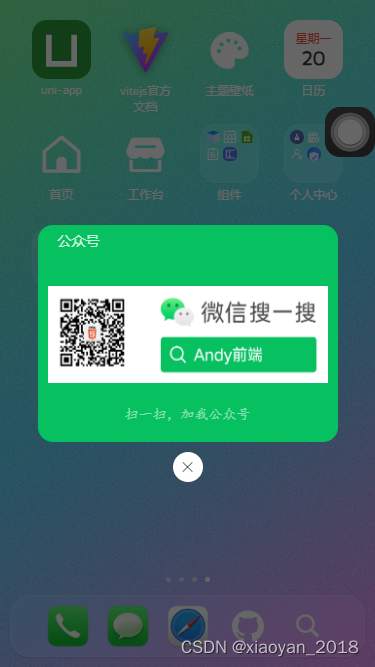
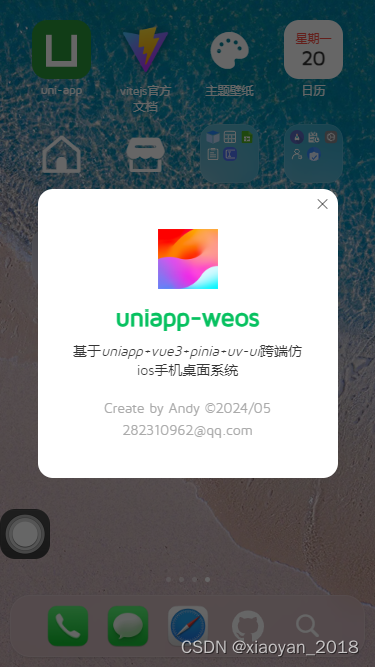
点击桌面菜单,支持打开链接地址、跳转路由页面、二级弹窗、自定义绑定事件等方式。
consthandleClickDeskMenu=(item)=>{if(item.link){// 链接openURL(item.link)}elseif(item.path){// 页面路由地址
        uni.navigateTo({
            url: item.path.substr(0,1)=='/'? item.path :'/'+ item.path
        })}elseif(Array.isArray(item.children)){// 二级菜单
        deskPopupMenu.value = item
        deskPopupVisible.value =true}// 绑定点击事件typeof item.onClick ==='function'&& item.onClick()}
最后附上桌面菜单JSON配置示例
const deskMenu =ref([{
        pid:20240507001,
        list:[{label:'今日', imgico:'today', type:'widget', hideLabel:true, size:'2x1'},{label:'天气', imgico:'weather', type:'widget', hideLabel:true, size:'2x1'},{label:'日历', imgico:'fullcalendar', type:'widget', path:'pages/calendar/index', size:'4x2'},// {label: '日历', imgico: 'date', type: 'widget', size: '2x2'},// {label: '备忘录', imgico: 'note', type: 'widget', size: '2x2'},{label:'audio', imgico:'audio', type:'widget', size:'2x1'},{
                label:'相册', imgico:'/static/svg/huaban.svg', background:'#00aa7f',onClick:()=>{// ...}},...]},...{
        pid:20240510001,
        list:[{label:'Github', imgico:'/static/svg/github.svg', background:'#607d8b', size:'3x1'},{label:'码云Gitee', imgico:'/static/svg/gitee.svg', background:'#bb2124',},{label:'抖音', imgico:'/static/svg/douyin.svg', background:'#1c0b1a', size:'1x2'},{label:'ChatGPT', imgico:'/static/svg/chatgpt.svg', hideLabel:true, background:'#11b6a7', size:'3x2'},...]},{
        pid:20240511003,
        list:[{label:'uni-app', imgico:'/static/uni.png', link:'https://uniapp.dcloud.net.cn/'},{label:'vitejs官方文档', imgico:'/static/vite.png', link:'https://vitejs.dev/'},{
                label:'主题壁纸', imgico:'color-filled', type:'icon',onClick:()=>{// ...}},{label:'日历', imgico:'calendar', type:'widget', path:'pages/calendar/index', background:'#fff',},{label:'首页', imgico:'home', type:'icon', path:'pages/index/index'},{label:'工作台', imgico:'shop-filled', type:'icon', path:'pages/index/dashboard'},{
                label:'组件','children':[{label:'组件', imgico:'/static/svg/component.svg', path:'pages/component/index'},{label:'表格', imgico:'/static/svg/table.svg', path:'pages/component/table'},...]},...{
                label:'关于', imgico:'info-filled', type:'icon',onClick:()=>{// ...}},{
                label:'公众号', imgico:'weixin', type:'icon',onClick:()=>{// ...}},]}])
目前该项目已经正式完结了,通过这个项目旨在探索uniapp开发手机后台管理系统方案,当然也可以在此基础上做一些其它创新,开发一些定制化功能模块。
https://blog.csdn.net/yanxinyun1990/article/details/138317354
https://blog.csdn.net/yanxinyun1990/article/details/136996521

本文转载自: https://blog.csdn.net/yanxinyun1990/article/details/139103578
版权归原作者 xiaoyan_2018 所有, 如有侵权,请联系我们删除。
版权归原作者 xiaoyan_2018 所有, 如有侵权,请联系我们删除。