
在这篇文章中,我们将探讨如何在
ASP.NET WebForms
中实现IP拦截器,以便在
ASMX Web 服务方法
和
HTTP 请求
中根据IP地址进行访问控制。我们将使用自定义的
SoapExtension
和
IHttpModule
来实现这一功能,并根据常用的两种文本传输协议:
SOAP协议
和
HTTP协议
进行分别讲解。
一、创建ASMX接口文件
首先,我们创建一个
ASP.NET WebForms
项目,创建
TestAsmxProject.Asmx
文件,并定义里面的
WebService
服务。
如果不会创建
ASMX
文件,可以参考我的上一篇文章:C#进阶-ASP.NET WebForms调用ASMX的WebService接口。
TestAsmxProject.Asmx
代码如下:
usingSystem.Web.Services;namespaceTestAsmxProject.Asmx{/// <summary>/// Test 的摘要说明/// </summary>[WebService(Namespace ="http://tempuri.org/")][WebServiceBinding(ConformsTo = WsiProfiles.BasicProfile1_1)][System.ComponentModel.ToolboxItem(false)]// 若要允许使用 ASP.NET AJAX 从脚本中调用此 Web 服务,请取消注释以下行。 [System.Web.Script.Services.ScriptService]publicclassTest:System.Web.Services.WebService{[WebMethod]publicstringHelloWorld(){return"Hello World";}[WebMethod(Description ="计算两个数的和")]publicintAdd(int a,int b){return a + b;}}}
从这个类我们可以看到,目前是有两个
WebService
方法:
HelloWorld
方法和
Add
方法。调用
HelloWorld
方法会返回
"Hello World"
字符串;用
Add
方法,需要传入
a
和
b
两个参数,会返回
a
和
b
相加的和。
二、基于SOAP协议的拦截器实现
创建一个自定义的
SoapExtension
来实现IP拦截。我们还需要一个自定义属性来指定允许的IP地址。
1. 创建IpFilterAttribute类
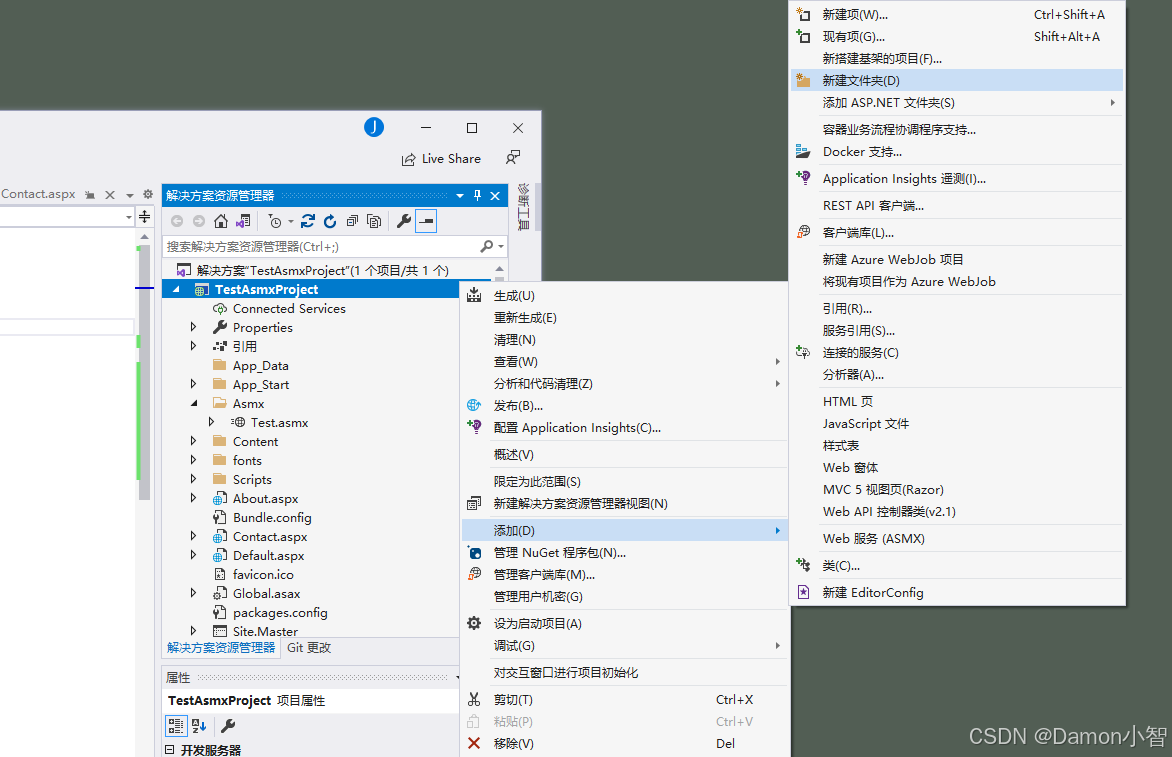
新建
Filter
文件夹,再在
Filter
文件夹里新建
SOAP
文件夹。
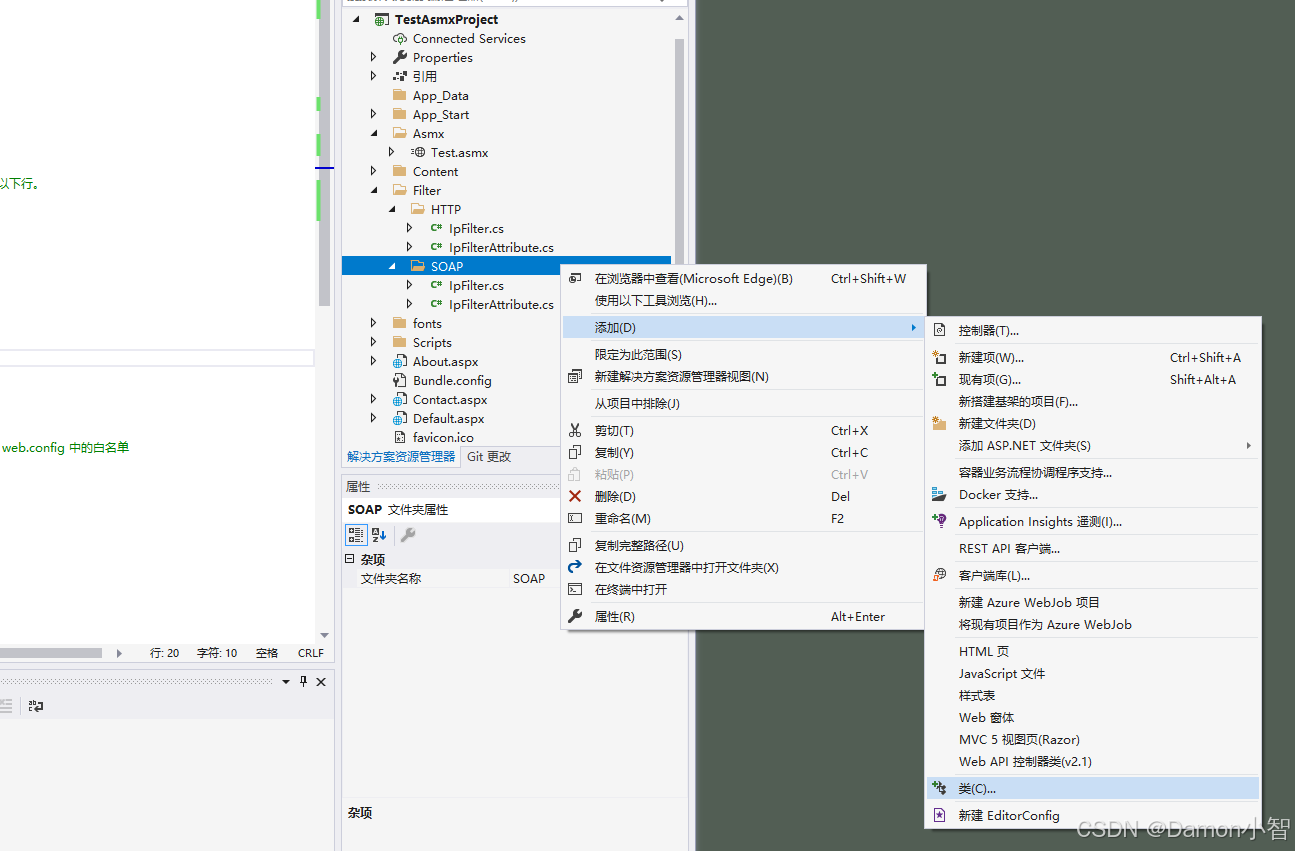
在
SOAP
文件夹里创建
IpFilterAttribute
类。
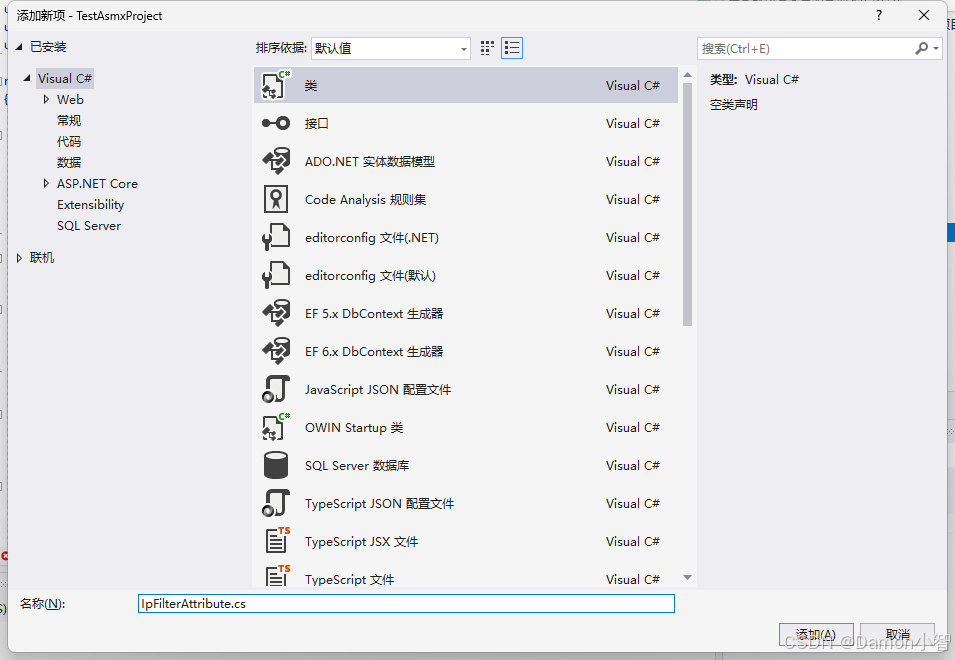
IpFilterAttribute.cs
代码如下:
usingSystem;usingSystem.Web.Services.Protocols;namespaceTestAsmxProject.Filter.SOAP{[AttributeUsage(AttributeTargets.Method)]publicclassIpFilterAttribute:SoapExtensionAttribute{publicoverrideType ExtensionType =>typeof(IpFilter);publicoverrideint Priority {get;set;}publicstring[] AllowedIps {get;privateset;}publicIpFilterAttribute(paramsstring[] ips){
            AllowedIps = ips.Length >0? ips :null;
            Priority =1;}}}
2. 创建基于SoapExtension的IpFilter注解类
创建
IpFilter.cs
,继承
SoapExtension
。
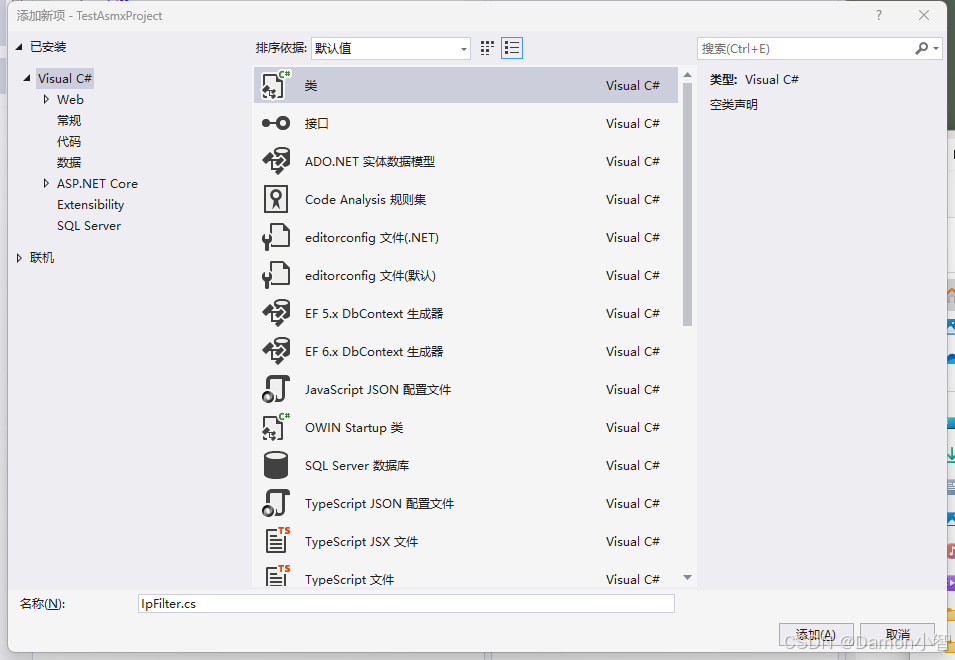
IpFilter.cs
代码如下:
usingSystem;usingSystem.Configuration;usingSystem.Linq;usingSystem.Web;usingSystem.Web.Services.Protocols;namespaceTestAsmxProject.Filter.SOAP{publicclassIpFilter:SoapExtension{privatestring[] allowedIps;publicoverrideobjectGetInitializer(LogicalMethodInfo methodInfo,SoapExtensionAttribute attribute){var ipFilterAttribute = attribute asIpFilterAttribute;return ipFilterAttribute?.AllowedIps;}publicoverrideobjectGetInitializer(Type serviceType){returnnull;}publicoverridevoidInitialize(object initializer){
            allowedIps = initializer asstring[];}publicoverridevoidProcessMessage(SoapMessage message){switch(message.Stage){case SoapMessageStage.BeforeSerialize:break;case SoapMessageStage.AfterSerialize:break;case SoapMessageStage.BeforeDeserialize:CheckIpValidation(message);break;case SoapMessageStage.AfterDeserialize:break;}}privatevoidCheckIpValidation(SoapMessage message){try{string clientIp = HttpContext.Current.Request.ServerVariables["HTTP_X_FORWARDED_FOR"];if(string.IsNullOrEmpty(clientIp)){
                    clientIp = HttpContext.Current.Request.ServerVariables["REMOTE_ADDR"];}if(!IsValidIp(clientIp)){
                    HttpContext.Current.Response.Clear();
                    HttpContext.Current.Response.StatusCode =403;
                    HttpContext.Current.Response.ContentType ="text/plain";
                    HttpContext.Current.Response.Write("Access denied: Your IP address is not allowed.");
                    HttpContext.Current.Response.End();}}catch(Exception ex){throw;}}privateboolIsValidIp(string ip){string configIps = ConfigurationManager.AppSettings["IpWhiteList"];string[] configAllowedIps =!string.IsNullOrWhiteSpace(configIps)? configIps.Split(new[]{','}, StringSplitOptions.RemoveEmptyEntries):newstring[]{};var allAllowedIps =(allowedIps ==null?newstring[]{}: allowedIps).Concat(configAllowedIps).ToArray();return allAllowedIps.Any(allowIp => ip == allowIp);}}}
3. 配置web.config中IP白名单
在
web.config
文件中配置白名单IP列表,在
IpFilter.cs
里我们已经写过该逻辑,
web.config
文件中白名单内的
IpWhiteList
里的IP是全局白名单,无论
WebService服务方法
上是否有
[IpFilter]
注解。
<configuration><appSettings><addkey="IpWhiteList"value="127.0.0.1,192.168.1.1"/></appSettings></configuration>
4. 在WebService方法上添加注解
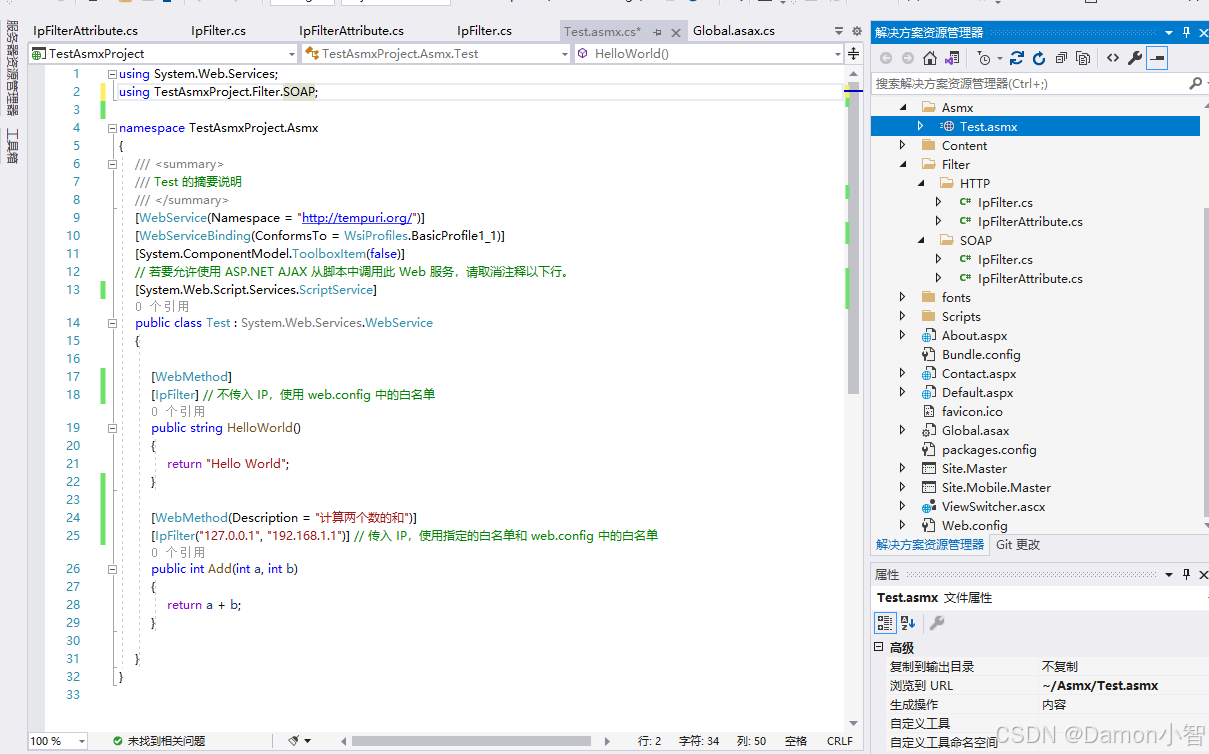
在
WebService服务方法
上使用
[IpFilter]
注解,可以定义该方法的专属IP白名单(包含
web.config
中的全局白名单),如果不设定,则仅使用
web.config
中的白名单。
加了
[IpFilter]
注解后的
TestAsmxProject.Asmx
代码如下:
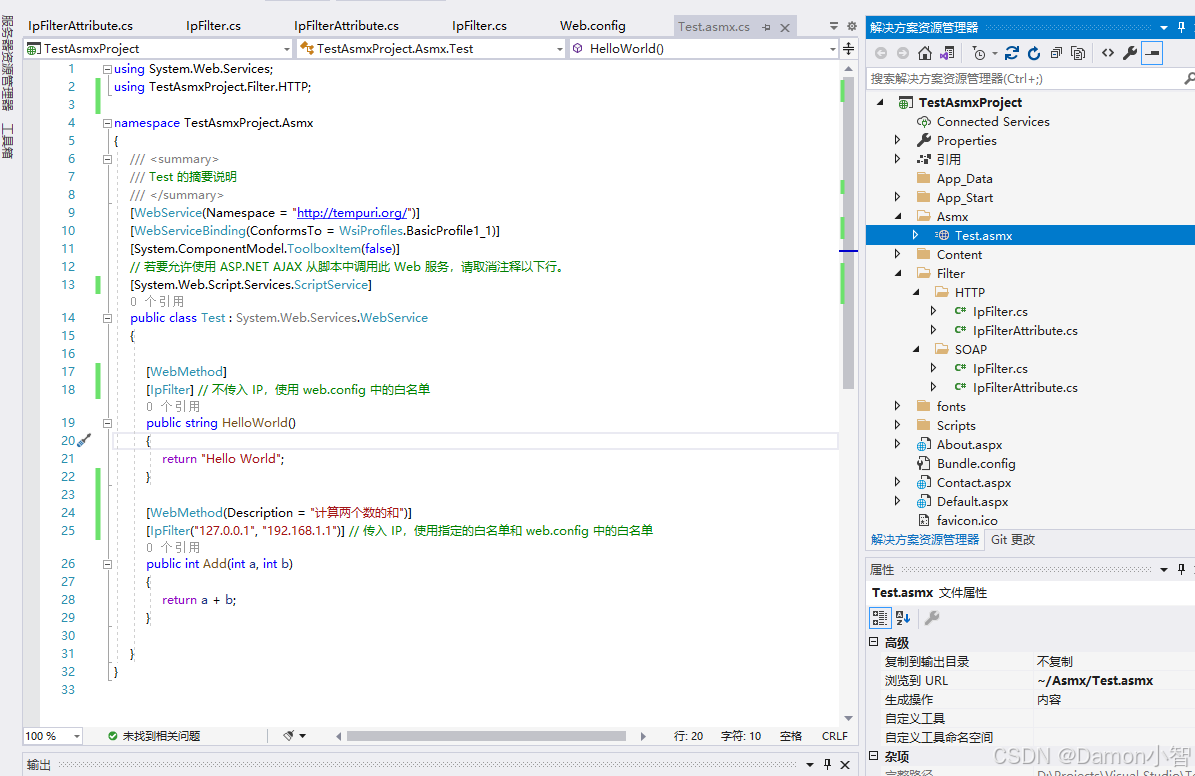
usingSystem.Web.Services;usingTestAsmxProject.Filter.SOAP;namespaceTestAsmxProject.Asmx{/// <summary>/// Test 的摘要说明/// </summary>[WebService(Namespace ="http://tempuri.org/")][WebServiceBinding(ConformsTo = WsiProfiles.BasicProfile1_1)][System.ComponentModel.ToolboxItem(false)]// 若要允许使用 ASP.NET AJAX 从脚本中调用此 Web 服务,请取消注释以下行。 [System.Web.Script.Services.ScriptService]publicclassTest:System.Web.Services.WebService{[WebMethod][IpFilter]// 不传入指定IP,使用web.config中的白名单publicstringHelloWorld(){return"Hello World";}[WebMethod(Description ="计算两个数的和")][IpFilter("127.0.0.1","192.168.1.1")]// 此处为该方法的IP白名单,加上web.config中的白名单共同生效publicintAdd(int a,int b){return a + b;}}}
三、基于HTTP协议的拦截器实现
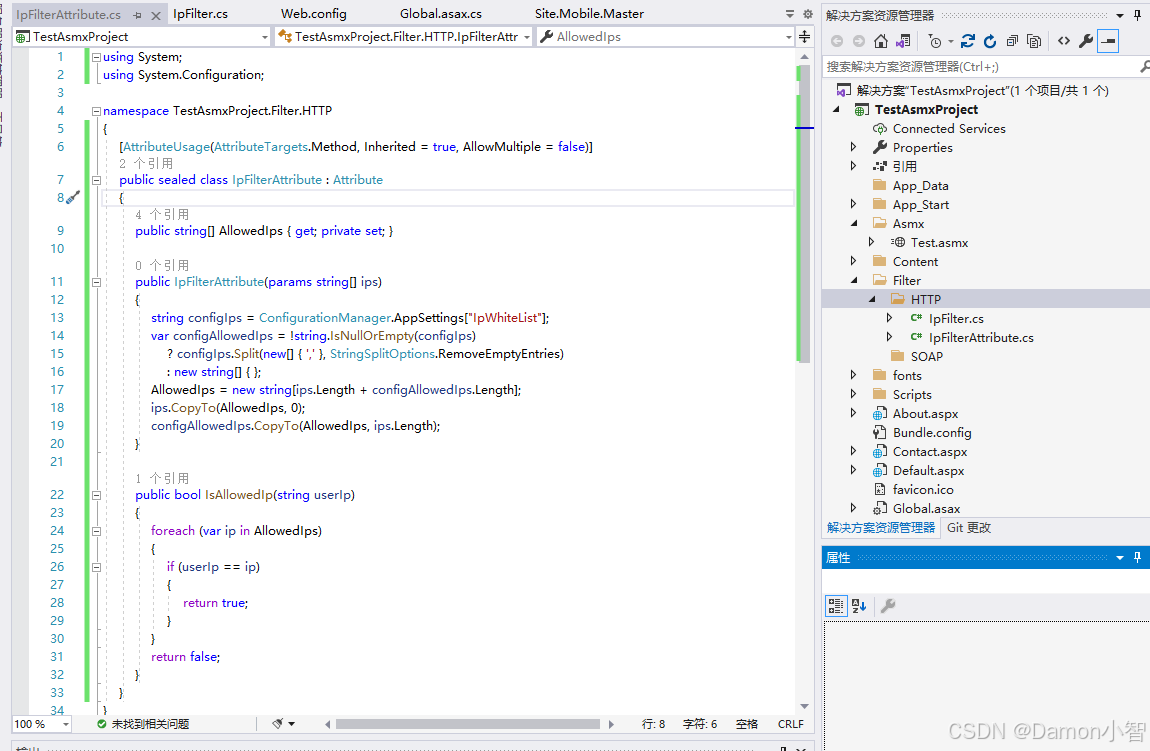
接下来,我们创建一个基于HTTP协议的拦截器来实现IP拦截。同样,我们需要一个自定义属性来指定允许的IP地址。
1. 创建IpFilterAttribute类
新建
Filter
文件夹,再在
Filter
文件夹里新建
HTTP
文件夹。
在
SOAP
文件夹里创建
IpFilterAttribute
类。
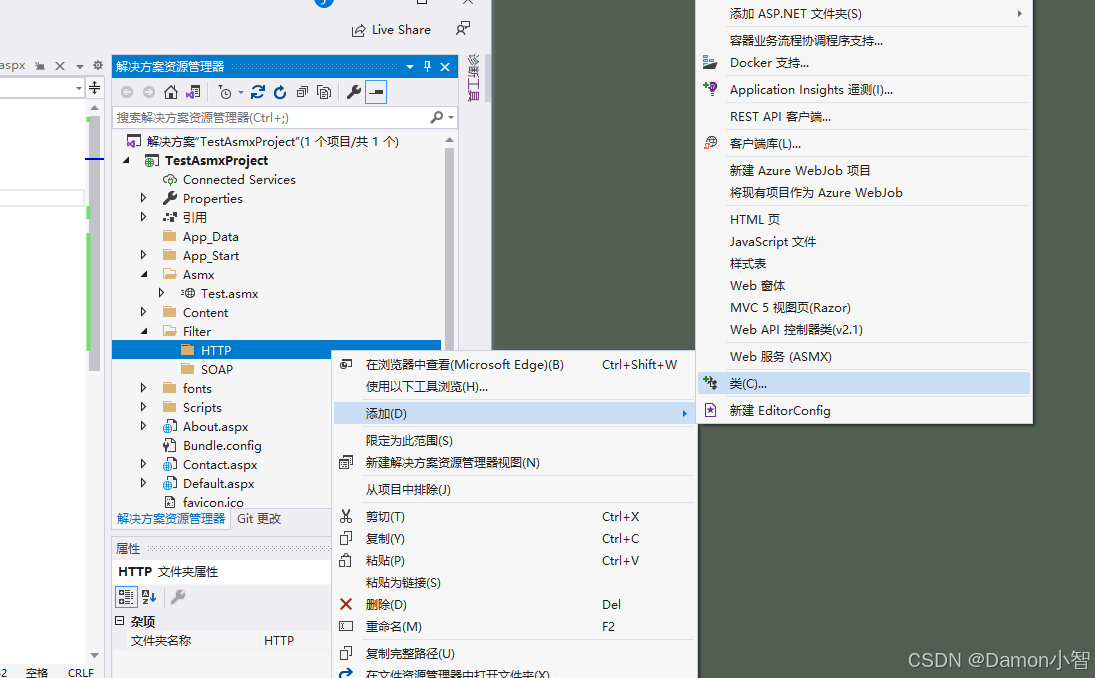
IpFilterAttribute.cs
代码如下:
usingSystem;usingSystem.Configuration;namespaceTestAsmxProject.Filter.HTTP{[AttributeUsage(AttributeTargets.Method, Inherited =true, AllowMultiple =false)]publicsealedclassIpFilterAttribute:Attribute{publicstring[] AllowedIps {get;privateset;}publicIpFilterAttribute(paramsstring[] ips){string configIps = ConfigurationManager.AppSettings["IpWhiteList"];var configAllowedIps =!string.IsNullOrEmpty(configIps)? configIps.Split(new[]{','}, StringSplitOptions.RemoveEmptyEntries):newstring[]{};
            AllowedIps =newstring[ips.Length + configAllowedIps.Length];
            ips.CopyTo(AllowedIps,0);
            configAllowedIps.CopyTo(AllowedIps, ips.Length);}publicboolIsAllowedIp(string userIp){return AllowedIps.Any(ip => userIp == ip);}}}
2. 创建基于IHttpModule的IpFilter注解类
创建
IpFilter.cs
,继承
IHttpModule
。
IpFilter.cs
代码如下:
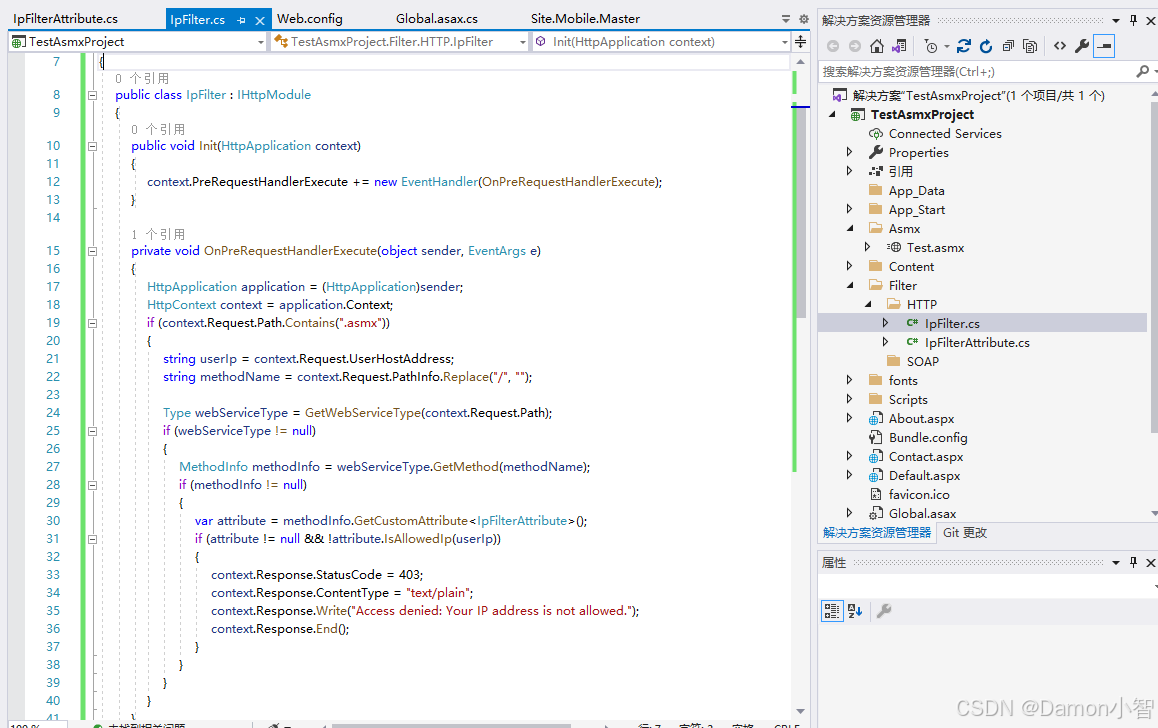
usingSystem;usingSystem.Linq;usingSystem.Reflection;usingSystem.Web;namespaceTestAsmxProject.Filter.HTTP{publicclassIpFilter:IHttpModule{publicvoidInit(HttpApplication context){
            context.PreRequestHandlerExecute +=newEventHandler(OnPreRequestHandlerExecute);}privatevoidOnPreRequestHandlerExecute(object sender,EventArgs e){HttpApplication application =(HttpApplication)sender;HttpContext context = application.Context;if(context.Request.Path.Contains(".asmx")){string userIp = context.Request.UserHostAddress;string methodName = context.Request.PathInfo.Replace("/","");Type webServiceType =GetWebServiceType(context.Request.Path);if(webServiceType !=null){MethodInfo methodInfo = webServiceType.GetMethod(methodName);if(methodInfo !=null){var attribute = methodInfo.GetCustomAttribute<IpFilterAttribute>();if(attribute !=null&&!attribute.IsAllowedIp(userIp)){
                            context.Response.StatusCode =403;
                            context.Response.ContentType ="text/plain";
                            context.Response.Write("Access denied: Your IP address is not allowed.");
                            context.Response.End();}}}}}privateTypeGetWebServiceType(string path){string serviceName = path.Split('/')[2].Split('.').First();string namespacePrefix ="WebForms.CAS";string typeName =$"{namespacePrefix}.{serviceName}";Type serviceType = Type.GetType(typeName);if(serviceType ==null){var assemblies = AppDomain.CurrentDomain.GetAssemblies();foreach(var assembly in assemblies){
                    serviceType = assembly.GetType(typeName);if(serviceType !=null){break;}}}return serviceType;}publicvoidDispose(){}}}
3. 配置web.config中白名单和模块
在
web.config
文件中配置白名单IP列表,在
IpFilter.cs
里我们已经写过该逻辑,
web.config
文件中白名单内的
IpWhiteList
里的IP是全局白名单,无论
WebService服务方法
上是否有
[IpFilter]
注解。
<configuration><appSettings><addkey="IpWhiteList"value="127.0.0.1,192.168.1.1"/></appSettings><system.web><httpModules><addname="IpFilter"type="TestAsmxProject.Filter.HTTP.IpFilter"/></httpModules></system.web><system.webServer><validationvalidateIntegratedModeConfiguration="false"/><modulesrunAllManagedModulesForAllRequests="true"><addname="IpFilter"type="TestAsmxProject.Filter.HTTP.IpFilter"/></modules></system.webServer></configuration>
4. 在WebService方法上添加注解
在
WebService服务方法
上使用
[IpFilter]
注解,可以定义该方法的专属IP白名单(包含
web.config
中的全局白名单),如果不设定,则仅使用
web.config
中的白名单。
加了
[IpFilter]
注解后的
TestAsmxProject.Asmx
代码如下:
usingSystem.Web.Services;usingTestAsmxProject.Filter.HTTP;namespaceTestAsmxProject.Asmx{/// <summary>/// Test 的摘要说明/// </summary>[WebService(Namespace ="http://tempuri.org/")][WebServiceBinding(ConformsTo = WsiProfiles.BasicProfile1_1)][System.ComponentModel.ToolboxItem(false)]// 若要允许使用 ASP.NET AJAX 从脚本中调用此 Web 服务,请取消注释以下行。 [System.Web.Script.Services.ScriptService]publicclassTest:System.Web.Services.WebService{[WebMethod][IpFilter]// 不传入指定IP,使用web.config中的白名单publicstringHelloWorld(){return"Hello World";}[WebMethod(Description ="计算两个数的和")][IpFilter("127.0.0.1","192.168.1.1")]// 此处为该方法的IP白名单,加上web.config中的白名单共同生效publicintAdd(int a,int b){return a + b;}}}
四、IP拦截器实现总结
通过上述步骤,我们成功实现了在
ASP.NET WebForms
中基于IP地址的访问控制。我们分别使用自定义的
SoapExtension
和
IHttpModule
,实现了对ASMX Web服务方法和HTTP请求的IP拦截。
1. 自定义
SoapExtension
自定义的
SoapExtension
通过重载
ProcessMessage
方法,在SOAP消息处理的不同阶段进行IP地址的验证。通过检查请求的IP地址并与允许的IP列表进行比较,我们可以在消息反序列化之前阻止不符合条件的请求,从而有效地控制对Web服务方法的访问。这种方法特别适用于基于SOAP的Web服务,能够在服务方法调用之前进行精细的访问控制。
2. 自定义
IHttpModule
自定义的
IHttpModule
通过实现
Init
方法并注册
PreRequestHandlerExecute
事件,在每个HTTP请求处理之前执行IP地址验证。通过反射获取请求对应的方法,并检查方法上的自定义属性
IpFilterAttribute
,我们可以动态地对特定方法应用IP过滤规则。结合
web.config
中配置的白名单IP地址,这种方法能够灵活地扩展和维护IP访问控制规则,适用于一般的HTTP请求拦截需求。
3. 本文提供方法的实现优势
这种IP拦截器的实现方法不仅增强了应用程序的安全性,还具有良好的扩展性和可维护性。开发者可以根据具体需求,通过配置文件或代码注解灵活地管理允许的IP地址。通过将安全控制逻辑封装在自定义模块和扩展中,可以保持业务代码的简洁和可读性。
希望这篇文章对你在ASP.NET WebForms应用中的IP访问控制有所帮助。
版权归原作者 Damon小智 所有, 如有侵权,请联系我们删除。