
1.1 添加库引入
import * as THREE from 'three';
import Stats from 'three/addons/libs/stats.module.js';
 //控制器
import { OrbitControls } from 'three/addons/controls/OrbitControls.js';
 //fbx模型加载器
import { FBXLoader } from 'three/addons/loaders/FBXLoader.js';
1.2 添加必要的组件scene,camera,webrenderer等
先创建必要的场景scene,相机camera,渲染器webrenderer,控制器controls和灯光DirectionalLight. 性能检测stars, 地面, 网格
自定义属性
let camera, scene, renderer, stats;
    function init() {

                const container = document.createElement( 'div' );
                document.body.appendChild( container );
                //相机
                camera = new THREE.PerspectiveCamera( 45, window.innerWidth / window.innerHeight, 1, 2000 );
                camera.position.set( 100, 200, 300 );
                //场景
                scene = new THREE.Scene();
                scene.background = new THREE.Color( 0xa0a0a0 );
                scene.fog = new THREE.Fog( 0xa0a0a0, 200, 1000 );//雾

                //灯 模拟太阳光
                const dirLight = new THREE.DirectionalLight( 0xffffff, 5 );
                dirLight.position.set( 0, 200, 100 );
                dirLight.castShadow = true;//此属性设置为 true 灯光将投射阴影 注意:这样做的代价比较高,需要通过调整让阴影看起来正确。 查看 DirectionalLightShadow 了解详细信息。 默认值为 false
                //dirLight.shadow 为DirectionalLightShadow 对象,用于计算该平行光产生的阴影
                //.camera 在光的世界里。这用于生成场景的深度图;从光的角度来看,其他物体背后的物体将处于阴影中
                dirLight.shadow.camera.top = 180;
                dirLight.shadow.camera.bottom = - 100;
                dirLight.shadow.camera.left = - 120;
                dirLight.shadow.camera.right = 120;
                scene.add( dirLight );


                // ground  地面
                const mesh = new THREE.Mesh( new THREE.PlaneGeometry( 2000, 2000 ), new THREE.MeshPhongMaterial( { color: 0x999999, depthWrite: false } ) );
                mesh.rotation.x = - Math.PI / 2;
                mesh.receiveShadow = true;
                scene.add( mesh );
                //网格
                const grid = new THREE.GridHelper( 2000, 20, 0x000000, 0x000000 );
                grid.material.opacity = 0.2;
                grid.material.transparent = true;
                scene.add( grid );

                //WEBGL渲染器
                renderer = new THREE.WebGLRenderer( { antialias: true } );
                renderer.setPixelRatio( window.devicePixelRatio );
                renderer.setSize( window.innerWidth, window.innerHeight );
                renderer.shadowMap.enabled = true;//
                container.appendChild( renderer.domElement );
                //控制器
                const controls = new OrbitControls( camera, renderer.domElement );
                controls.target.set( 0, 100, 0 );
                controls.update();

                // stats 性能检测
                stats = new Stats();
                container.appendChild( stats.dom );

            }
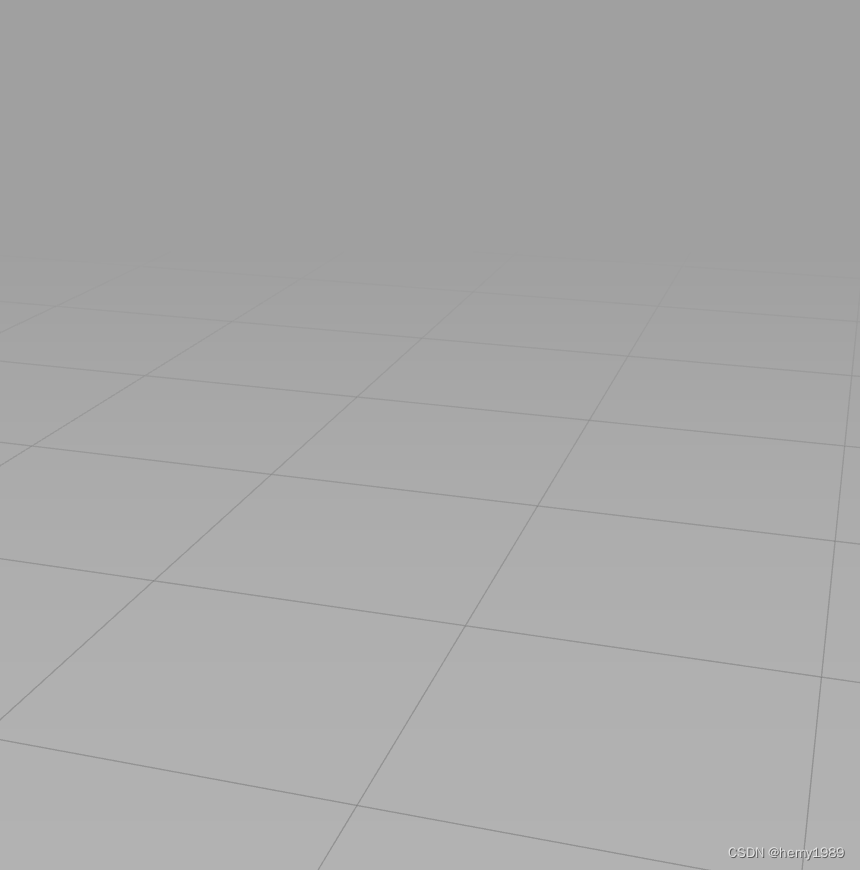
1.3 模型加载
function fbxLoad(path){
     // model  加载模型
    const loader = new FBXLoader();
    loader.load( path, function ( object ) {
    console.log(object);
    //动画混合器
    mixer = new THREE.AnimationMixer( object );
    // 返回所传入的剪辑参数的AnimationAction, 根对象参数可选,默认值为混合器的默认根对象。第一个参数可以是动画剪辑(AnimationClip)对象或者动画剪辑的名称
    const action = mixer.clipAction( object.animations[ 0 ] );
    action.play();//动画播放

    object.traverse( function ( child ) {

        if ( child.isMesh ) {

        child.castShadow = true;//对象是否被渲染到阴影贴图中。默认值为false
        child.receiveShadow = true;//材质是否接收阴影。默认值为false

        }

        } );

    scene.add( object );

    } );
}
打印的模型信息如下: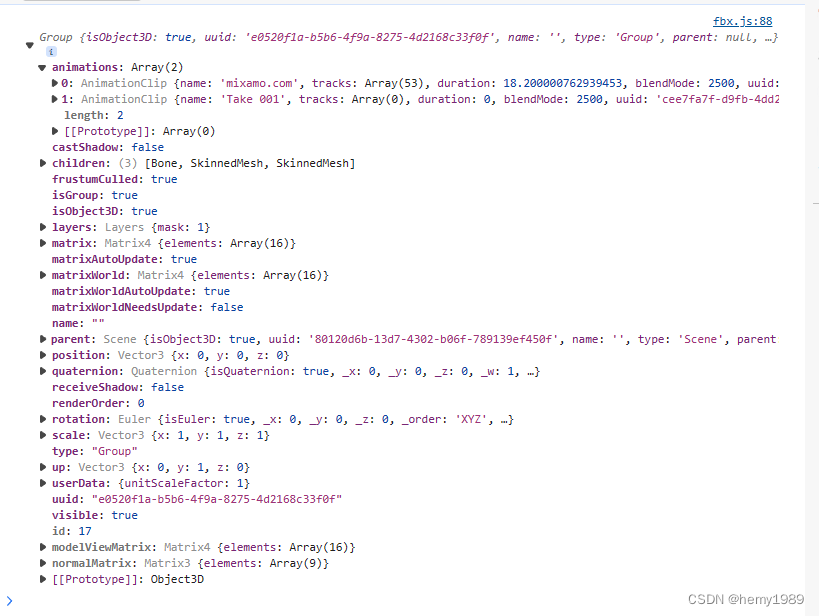
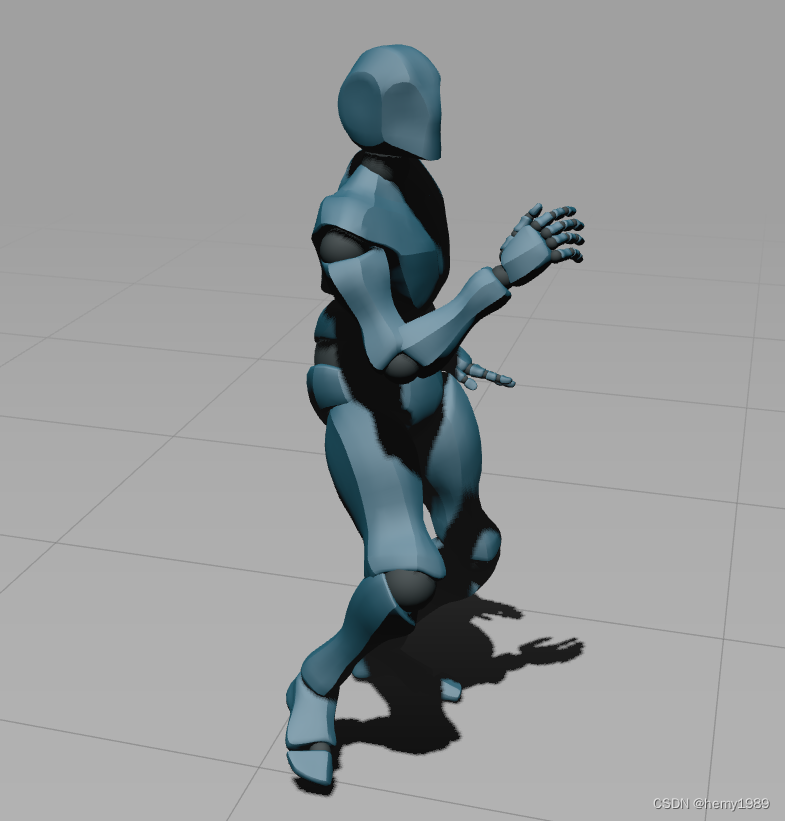
1.4 半球光
HemisphereLight( skyColor : Integer, groundColor : Integer, intensity : Float )
skyColor -(可选)一个表示颜色的 Color 的实例、字符串或数字,默认为一个白色(0xffffff)的 Color 对象。
groundColor -(可选)一个表示颜色的 Color 的实例、字符串或数字,默认为一个白色(0xffffff)的 Color 对象。
intensity -(可选)光照强度。默认值为 1
//灯 半球光
//光源直接放置于场景之上,光照颜色从天空光线颜色渐变到地面光线颜色
const hemiLight = new THREE.HemisphereLight( 0xffffff, 0x444444, 5 );
hemiLight.position.set( 0, 200, 0 );
scene.add( hemiLight );
加上这个光后,模型明显变量了。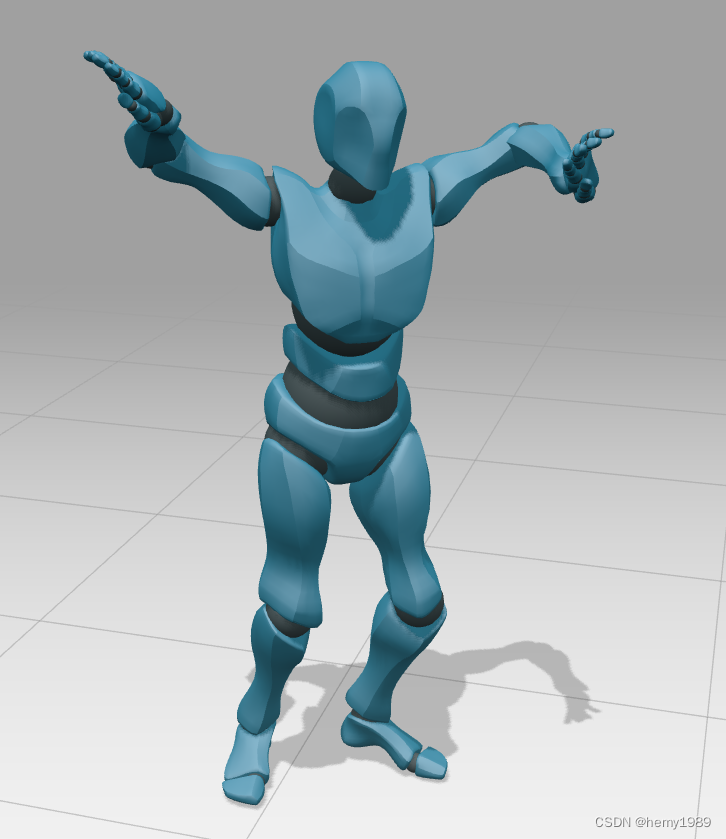
1.5 动画
function animate() {

requestAnimationFrame( animate );
//获取自 .oldTime 设置后到当前的秒数。 同时将 .oldTime 设置为当前时间。
//如果 .autoStart 设置为 true 且时钟并未运行,则该方法同时启动时钟
                const delta = clock.getDelta();//

if ( mixer ) mixer.update( delta );//动画更新

renderer.render( scene, camera );

stats.update();//性能监视器更新

}
init();
animate();
1.6 换个自己的fbx模型
fbxLoad('../Models/ren/Arisa/Arisa.fbx');
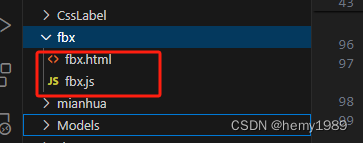
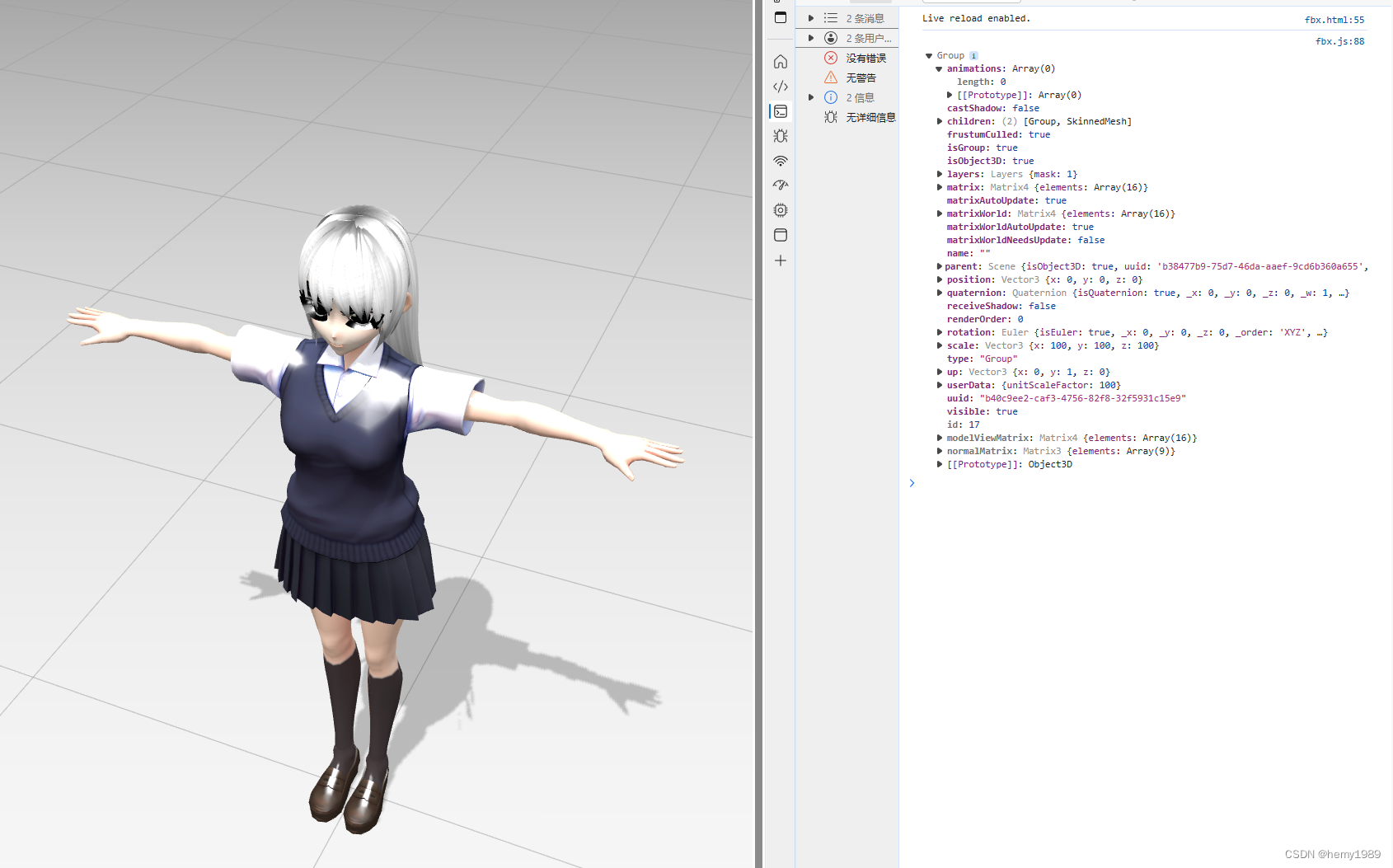
这里模型加载进去小,所以进行了放大100
      function fbxLoad(path){
                // model  加载模型
                const loader = new FBXLoader();
                loader.load( path, function ( object ) {
                    console.log(object);
                    //动画混合器
                    mixer = new THREE.AnimationMixer( object );
                   // 返回所传入的剪辑参数的AnimationAction, 根对象参数可选,默认值为混合器的默认根对象。第一个参数可以是动画剪辑(AnimationClip)对象或者动画剪辑的名称
                   if(object.animations>0){
                    const action = mixer.clipAction( object.animations[ 0 ] );
                    action.play();//动画播放
                   }

                    object.traverse( function ( child ) {

                        if ( child.isMesh ) {

                            child.castShadow = true;//对象是否被渲染到阴影贴图中。默认值为false
                            child.receiveShadow = true;//材质是否接收阴影。默认值为false

                        }

                    } );
                    object.position.set(0,0,0);
                    object.scale.set(100,100,100);
                    scene.add( object );

                } );
            }
注意:需要把贴图和fbx放入同一个文件下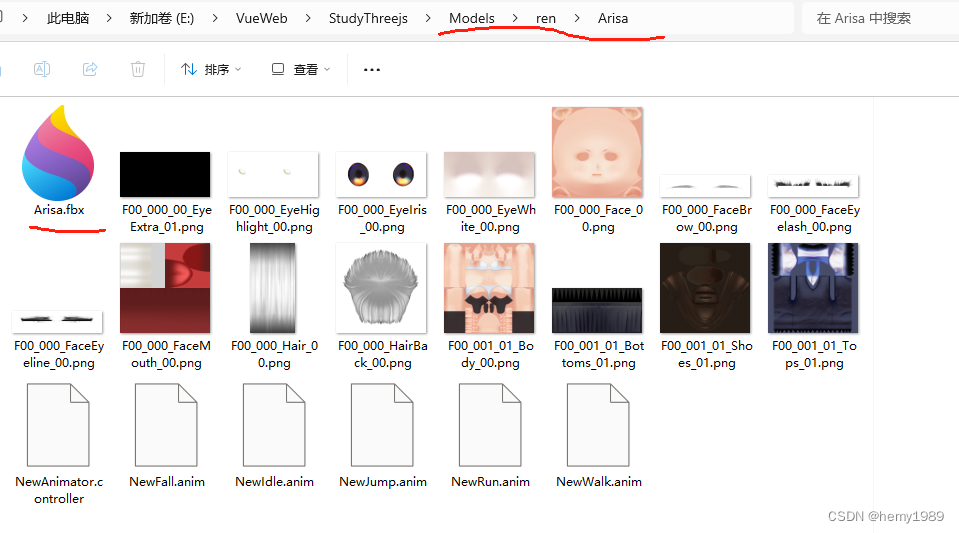
1.7 fbx模型和fbx动画关联
如果模型和动画不在一个文件里,比如模型是一个fbx,动画是另一个fbx,需要这么加载:
function fbxLoad(path,aniPath){
                // model  加载模型
                const loader = new FBXLoader();
                loader.load( path, function ( object ) {
                    console.log(object);
                    //动画混合器
                    mixer = new THREE.AnimationMixer( object );
                   // 返回所传入的剪辑参数的AnimationAction, 根对象参数可选,默认值为混合器的默认根对象。第一个参数可以是动画剪辑(AnimationClip)对象或者动画剪辑的名称
                //    if(object.animations>0){
                //     const action = mixer.clipAction( object.animations[ 0 ] );
                //     action.play();//动画播放
                //    }

                    object.traverse( function ( child ) {

                        if ( child.isMesh ) {

                            child.castShadow = true;//对象是否被渲染到阴影贴图中。默认值为false
                            child.receiveShadow = true;//材质是否接收阴影。默认值为false

                        }

                    } );
                    object.position.set(0,0,0);
                    //object.scale.set(100,100,100);
                    scene.add( object );


                    const clips={};
                    const actions={};
                    //加载动画
                    loader.load(aniPath,(animations)=>{
                        console.log(animations);
                        animations.animations.forEach((clip)=>{
                            clips[clip.name]=clip;
                            actions[clip.name]=mixer.clipAction(clip);
                        });
                        actions['Take 001'].play();
                    }) ;

                } );
            }
针对后缀的anim的动画文件,目前是需要这么解决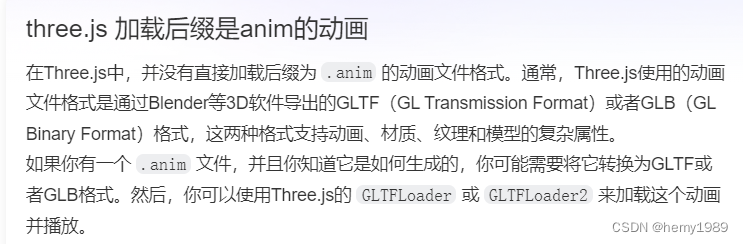
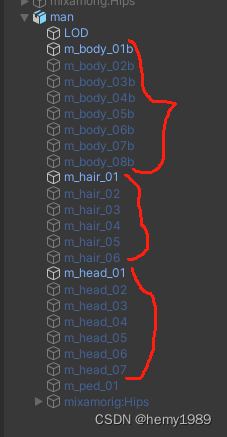
我找了个之前Unity工程里用的人物模型,一个fbx里包含了8种风格的人物 和他的6个动作fbx:
为了切换不同人物和不同的动画,增加了一个UI模块:
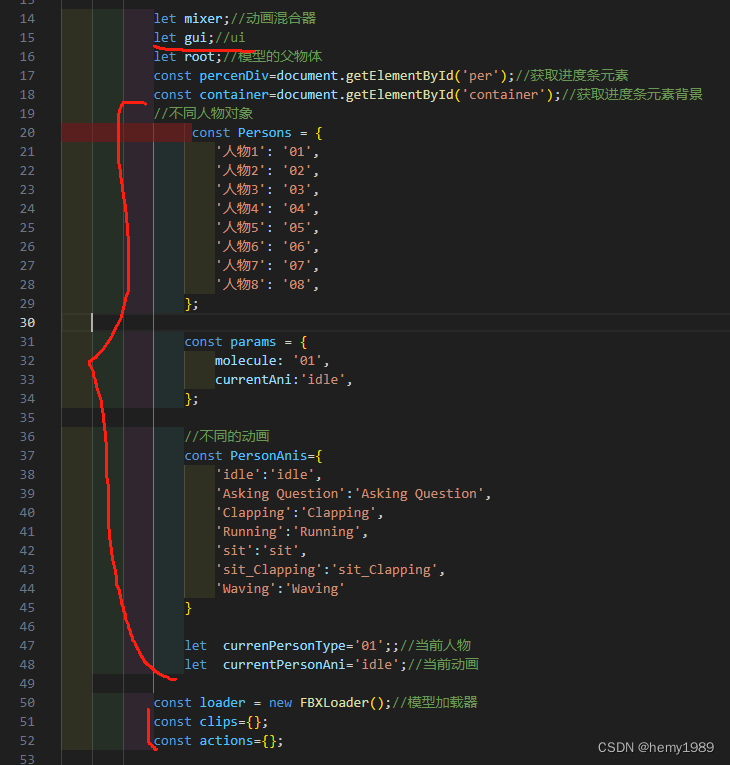

把模型和动画加载的函数重构了下:
 // model  加载模型
            function fbxLoad(path,aniPath,type){
                 //移除已有的
                 while ( root.children.length > 0 ) {

                    const object = root.children[ 0 ];
                    object.parent.remove( object );

                }
                container.style.display='block';
                percenDiv.style.width=0+"px";//进度条元素长度0
                percenDiv.style.textIndent=0+5+"px";//缩进元素中的首行文本0
                percenDiv.innerHTML=Math.floor(0) +"%";//进度百分比0
                //开始加载
                loader.load( path, function ( object ) {
                    console.log(object);
                    container.style.display='none';
                    //动画混合器
                    mixer = new THREE.AnimationMixer(object);
                   // 返回所传入的剪辑参数的AnimationAction, 根对象参数可选,默认值为混合器的默认根对象。第一个参数可以是动画剪辑(AnimationClip)对象或者动画剪辑的名称
                  //    if(object.animations>0){
                  //     const action = mixer.clipAction( object.animations[ 0 ] );
                  //     action.play();//动画播放
                   //    }
                   object.position.set(0,0,0);
                   //object.scale.set(100,100,100);
                   root.add( object );

                   ChangePerson2(currenPersonType);
                    // object.traverse( function ( child ) {
                    //     if ( child.isMesh ) {
                    //         ChangePerson(child,currenPersonType);
                    //         child.castShadow = true;//对象是否被渲染到阴影贴图中。默认值为false
                    //         child.receiveShadow = true;//材质是否接收阴影。默认值为false

                    //     }
                    // } );

                    //加载动画
                    LoadPersonAnimation(aniPath);
                    // loader.load(aniPath,(animations)=>{
                    //     let clipName;
                    //     console.log(animations);
                    //     animations.animations.forEach((clip)=>{
                    //         clips[clip.name]=clip;
                    //         actions[clip.name]=mixer.clipAction(clip);
                    //         clipName=clip.name;
                    //     });
                    //     actions[clipName].play();
                    // }) ;

                },function(xhr){
                    const percent=xhr.loaded/xhr.total;
                    percenDiv.style.width=percent*400+"px";//进度条元素长度
                    percenDiv.style.textIndent=percent*400+5+"px";//缩进元素中的首行文本
                    percenDiv.innerHTML=Math.floor(percent*100) +"%";//进度百分比
                } );
            }

             //加载动画fbx
             function LoadPersonAnimation(aniPath){
                mixer.stopAllAction ();//停用混合器上所有预定的动作
                loader.load(aniPath,(animations)=>{
                    let clipName;
                    console.log(animations);
                    animations.animations.forEach((clip)=>{
                        clips[clip.name]=clip;
                        //clipAction返回所传入的剪辑参数的AnimationAction, 根对象参数可选,默认值为混合器的默认根对象。第一个参数可以是动画剪辑(AnimationClip)对象或者动画剪辑的名称。如果不存在符合传入的剪辑和根对象这两个参数的动作, 该方法将会创建一个。传入相同的参数多次调用将会返回同一个剪辑实例。
                        actions[clip.name]=mixer.clipAction(clip);
                        clipName=clip.name;
                    });
                    actions[clipName].play();
                }) ;
             }
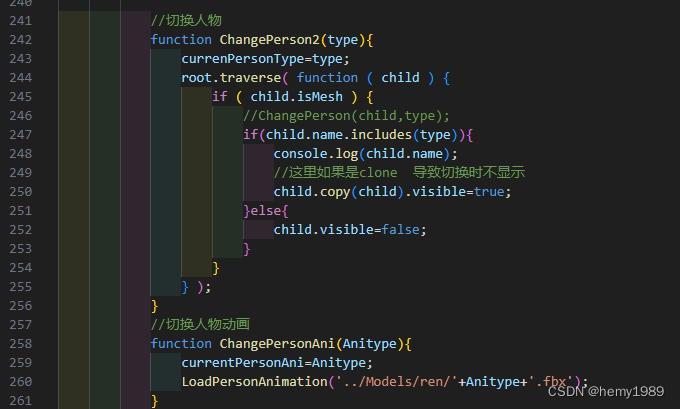
UI监听的两函数:
1.7 html脚本全部如下
里面加了一个进度条,这部分我也不是很了解,脚本如下:
<!DOCTYPE html>
<html lang="en">
    <head>
        <title>three.js webgl - FBX loader</title>
        <meta charset="utf-8">
        <meta name="viewport" content="width=device-width, user-scalable=no, minimum-scale=1.0, maximum-scale=1.0">
        <link type="text/css" rel="stylesheet" href="../three.js-r163/examples/main.css">

        <style>
/* 进度条css样式*/
#container{
           position: absolute;
           width: 400px;
           height: 16px;
           top: 50%;
           left: 50%;
           margin-left: -200px;
           margin-top: -8px;
           border-radius: 8px;
           border: 1px solid #009999;
           overflow: hidden;

       }
       #per{
           height: 100px;
           width: 0px;
           background: #00ffff;
           color: #00ffff;
           line-height: 15px;
       }
        </style>


    </head>

    <body>
        <div id="info">
            <a href="https://threejs.org" target="_blank" rel="noopener">three.js</a> - FBXLoader<br />
            Character and animation from <a href="https://www.mixamo.com/" target="_blank" rel="noopener">Mixamo</a>
        </div>

        <div id="container">
            <!--进度条-->
            <div id="per"></div>
        </div>

        <script type="importmap">
            {
                "imports": {
                    "three": "../three.js-r163/build/three.module.js",
                    "three/addons/":"../three.js-r163/examples/jsm/"
                }
            }
        </script>

        <script type="module" src="fbx.js">
        </script>
    </body>
</html>
1.8 fbx.js全部脚本如下
import * as THREE from 'three';
import Stats from 'three/addons/libs/stats.module.js';
 //控制器
import { OrbitControls } from 'three/addons/controls/OrbitControls.js';
 //fbx模型加载器
import { FBXLoader } from 'three/addons/loaders/FBXLoader.js';
 //引入ui库
 import { GUI } from 'three/addons/libs/lil-gui.module.min.js';

            let camera, scene, renderer, stats;

            const clock = new THREE.Clock();//该对象用于跟踪时间

            let mixer;//动画混合器
            let gui;//ui
            let root;//模型的父物体
            const percenDiv=document.getElementById('per');//获取进度条元素
            const container=document.getElementById('container');//获取进度条元素背景
            //不同人物对象
                 const Persons = {
                    '人物1': '01',
                    '人物2': '02',
                    '人物3': '03',
                    '人物4': '04',
                    '人物5': '05',
                    '人物6': '06',
                    '人物7': '07',
                    '人物8': '08',
                };

                const params = {
                    molecule: '01',
                    currentAni:'idle',
                };

                //不同的动画
                const PersonAnis={
                    'idle':'idle',
                    'Asking Question':'Asking Question',
                    'Clapping':'Clapping',
                    'Running':'Running',
                    'sit':'sit',
                    'sit_Clapping':'sit_Clapping',
                    'Waving':'Waving'
                }

                let  currenPersonType='01';;//当前人物
                let  currentPersonAni='idle';//当前动画

            const loader = new FBXLoader();//模型加载器
            const clips={};
            const actions={};

            function init() {

                const container = document.createElement( 'div' );
                document.body.appendChild( container );
                //相机
                camera = new THREE.PerspectiveCamera( 45, window.innerWidth / window.innerHeight, 1, 2000 );
                camera.position.set( 100, 200, 300 );
                //场景
                scene = new THREE.Scene();
                scene.background = new THREE.Color( 0xa0a0a0 );
                scene.fog = new THREE.Fog( 0xa0a0a0, 200, 1000 );//雾

                //灯 模拟太阳光
                const dirLight = new THREE.DirectionalLight( 0xffffff, 5 );
                dirLight.position.set( 0, 200, 100 );
                dirLight.castShadow = true;//此属性设置为 true 灯光将投射阴影 注意:这样做的代价比较高,需要通过调整让阴影看起来正确。 查看 DirectionalLightShadow 了解详细信息。 默认值为 false
                //dirLight.shadow 为DirectionalLightShadow 对象,用于计算该平行光产生的阴影
                //.camera 在光的世界里。这用于生成场景的深度图;从光的角度来看,其他物体背后的物体将处于阴影中
                dirLight.shadow.camera.top = 180;
                dirLight.shadow.camera.bottom = - 100;
                dirLight.shadow.camera.left = - 120;
                dirLight.shadow.camera.right = 120;
                scene.add( dirLight );

                root=new THREE.Group();
                scene.add(root);


                // ground  地面
                const mesh = new THREE.Mesh( new THREE.PlaneGeometry( 2000, 2000 ), new THREE.MeshPhongMaterial( { color: 0x999999, depthWrite: false } ) );
                mesh.rotation.x = - Math.PI / 2;
                mesh.receiveShadow = true;//接收阴影
                scene.add( mesh );
                //网格
                const grid = new THREE.GridHelper( 2000, 20, 0x000000, 0x000000 );
                grid.material.opacity = 0.2;
                grid.material.transparent = true;
                scene.add( grid );

                //WEBGL渲染器
                renderer = new THREE.WebGLRenderer( { antialias: true } );
                renderer.setPixelRatio( window.devicePixelRatio );
                renderer.setSize( window.innerWidth, window.innerHeight );
                renderer.shadowMap.enabled = true;//
                container.appendChild( renderer.domElement );
                //控制器
                const controls = new OrbitControls( camera, renderer.domElement );
                controls.target.set( 0, 100, 0 );
                controls.update();

                // stats 性能检测
                stats = new Stats();
                container.appendChild( stats.dom );

                //                   //窗口大小更改监听
                 window.addEventListener( 'resize', onWindowResize );

                //fbxLoad('../Models/Arisa/Arisa.fbx');

                fbxLoad('../Models/ren/man.fbx','../Models/ren/idle.fbx','01');


                             //灯 半球光
                             //光源直接放置于场景之上,光照颜色从天空光线颜色渐变到地面光线颜色
                const hemiLight = new THREE.HemisphereLight( 0xffffff, 0x444444, 5 );
                hemiLight.position.set( 0, 200, 0 );
                scene.add( hemiLight );
                //scene.add( new THREE.CameraHelper( dirLight.shadow.camera ) );

                //ui部分
                gui=new GUI();
                gui.add( params, 'molecule', Persons).onChange( ChangePerson2 );//切换不同的人物模型
                gui.add( params, 'currentAni', PersonAnis).onChange( ChangePersonAni );//切换不同的人物模型
                gui.open();
            }


            // model  加载模型
            function fbxLoad(path,aniPath,type){
                 //移除已有的
                 while ( root.children.length > 0 ) {

                    const object = root.children[ 0 ];
                    object.parent.remove( object );

                }
                container.style.display='block';
                percenDiv.style.width=0+"px";//进度条元素长度0
                percenDiv.style.textIndent=0+5+"px";//缩进元素中的首行文本0
                percenDiv.innerHTML=Math.floor(0) +"%";//进度百分比0
                //开始加载
                loader.load( path, function ( object ) {
                    console.log(object);
                    container.style.display='none';
                    //动画混合器
                    mixer = new THREE.AnimationMixer(object);
                   // 返回所传入的剪辑参数的AnimationAction, 根对象参数可选,默认值为混合器的默认根对象。第一个参数可以是动画剪辑(AnimationClip)对象或者动画剪辑的名称
                  //    if(object.animations>0){
                  //     const action = mixer.clipAction( object.animations[ 0 ] );
                  //     action.play();//动画播放
                   //    }
                   object.position.set(0,0,0);
                   //object.scale.set(100,100,100);
                   root.add( object );

                   ChangePerson2(currenPersonType);
                    // object.traverse( function ( child ) {
                    //     if ( child.isMesh ) {
                    //         ChangePerson(child,currenPersonType);
                    //         child.castShadow = true;//对象是否被渲染到阴影贴图中。默认值为false
                    //         child.receiveShadow = true;//材质是否接收阴影。默认值为false

                    //     }
                    // } );

                    //加载动画
                    LoadPersonAnimation(aniPath);
                    // loader.load(aniPath,(animations)=>{
                    //     let clipName;
                    //     console.log(animations);
                    //     animations.animations.forEach((clip)=>{
                    //         clips[clip.name]=clip;
                    //         actions[clip.name]=mixer.clipAction(clip);
                    //         clipName=clip.name;
                    //     });
                    //     actions[clipName].play();
                    // }) ;

                },function(xhr){
                    const percent=xhr.loaded/xhr.total;
                    percenDiv.style.width=percent*400+"px";//进度条元素长度
                    percenDiv.style.textIndent=percent*400+5+"px";//缩进元素中的首行文本
                    percenDiv.innerHTML=Math.floor(percent*100) +"%";//进度百分比
                } );
            }

             //加载动画fbx
             function LoadPersonAnimation(aniPath){
                mixer.stopAllAction ();//停用混合器上所有预定的动作
                loader.load(aniPath,(animations)=>{
                    let clipName;
                    console.log(animations);
                    animations.animations.forEach((clip)=>{
                        clips[clip.name]=clip;
                        //clipAction返回所传入的剪辑参数的AnimationAction, 根对象参数可选,默认值为混合器的默认根对象。第一个参数可以是动画剪辑(AnimationClip)对象或者动画剪辑的名称。如果不存在符合传入的剪辑和根对象这两个参数的动作, 该方法将会创建一个。传入相同的参数多次调用将会返回同一个剪辑实例。
                        actions[clip.name]=mixer.clipAction(clip);
                        clipName=clip.name;
                    });
                    actions[clipName].play();
                }) ;
             }

            function onWindowResize() {
                camera.aspect = window.innerWidth / window.innerHeight;
                camera.updateProjectionMatrix();
                renderer.setSize( window.innerWidth, window.innerHeight );
            }

            //
            function animate() {
                requestAnimationFrame( animate );
              //获取自 .oldTime 设置后到当前的秒数。 同时将 .oldTime 设置为当前时间。
//如果 .autoStart 设置为 true 且时钟并未运行,则该方法同时启动时钟
                const delta = clock.getDelta();//
                if ( mixer ) mixer.update( delta );//推进混合器时间并更新动画
                renderer.render( scene, camera );
                stats.update();//性能监视器更新
            }
            init();
            animate();

            // function ChangePerson(child,type){
            //     currenPersonType=type;
            //     //fbxLoad('../Models/ren/man.fbx','../Models/ren/'+currentPersonAni+'.fbx',type);
            //     if(child.name.includes(type)){
            //         console.log(child.name);

            //         //这里如果是clone  导致切换时不显示
            //         child.copy(child).visible=true;
            //     }else{
            //         child.visible=false;
            //     }
            // }

            //切换人物
            function ChangePerson2(type){
                currenPersonType=type;
                root.traverse( function ( child ) {
                    if ( child.isMesh ) {
                        //ChangePerson(child,type);
                        if(child.name.includes(type)){
                            console.log(child.name);
                            //这里如果是clone  导致切换时不显示
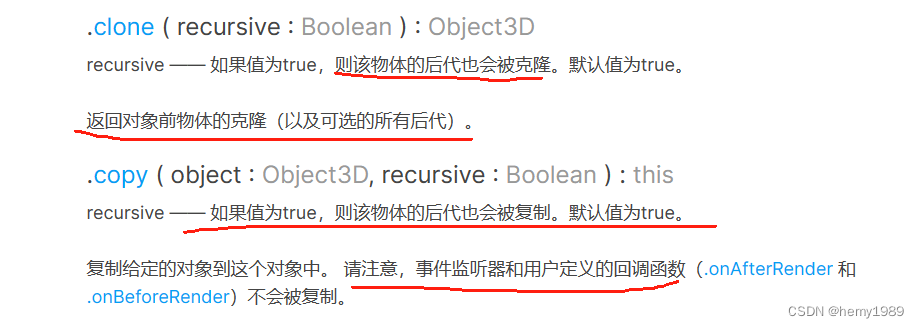
                            child.copy(child).visible=true;
                        }else{
                            child.visible=false;
                        }
                    }
                } );
            }
            //切换人物动画
            function ChangePersonAni(Anitype){
                currentPersonAni=Anitype;
                LoadPersonAnimation('../Models/ren/'+Anitype+'.fbx');
            }
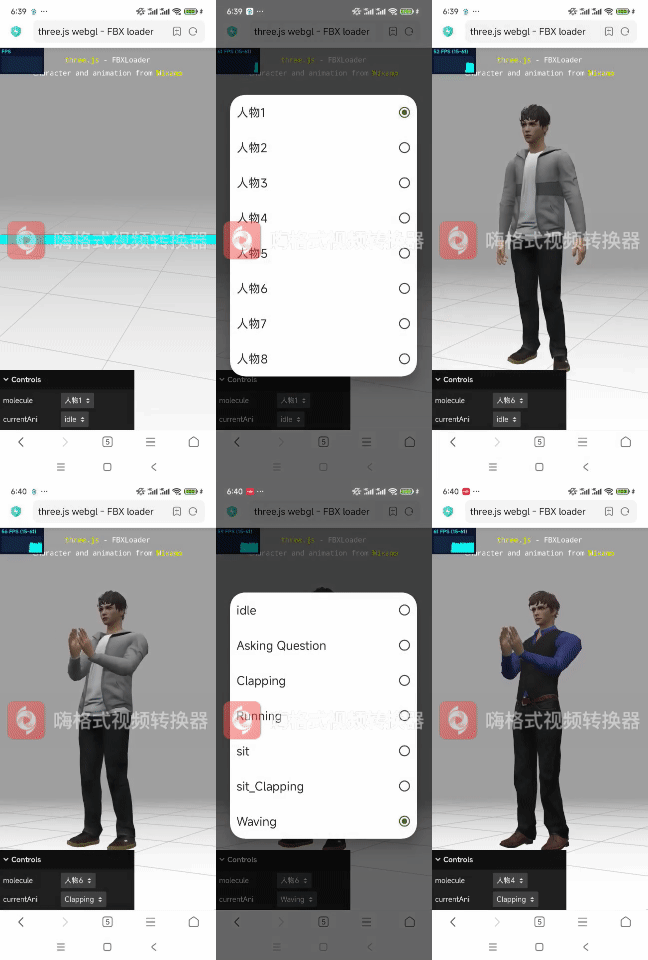
运行结果: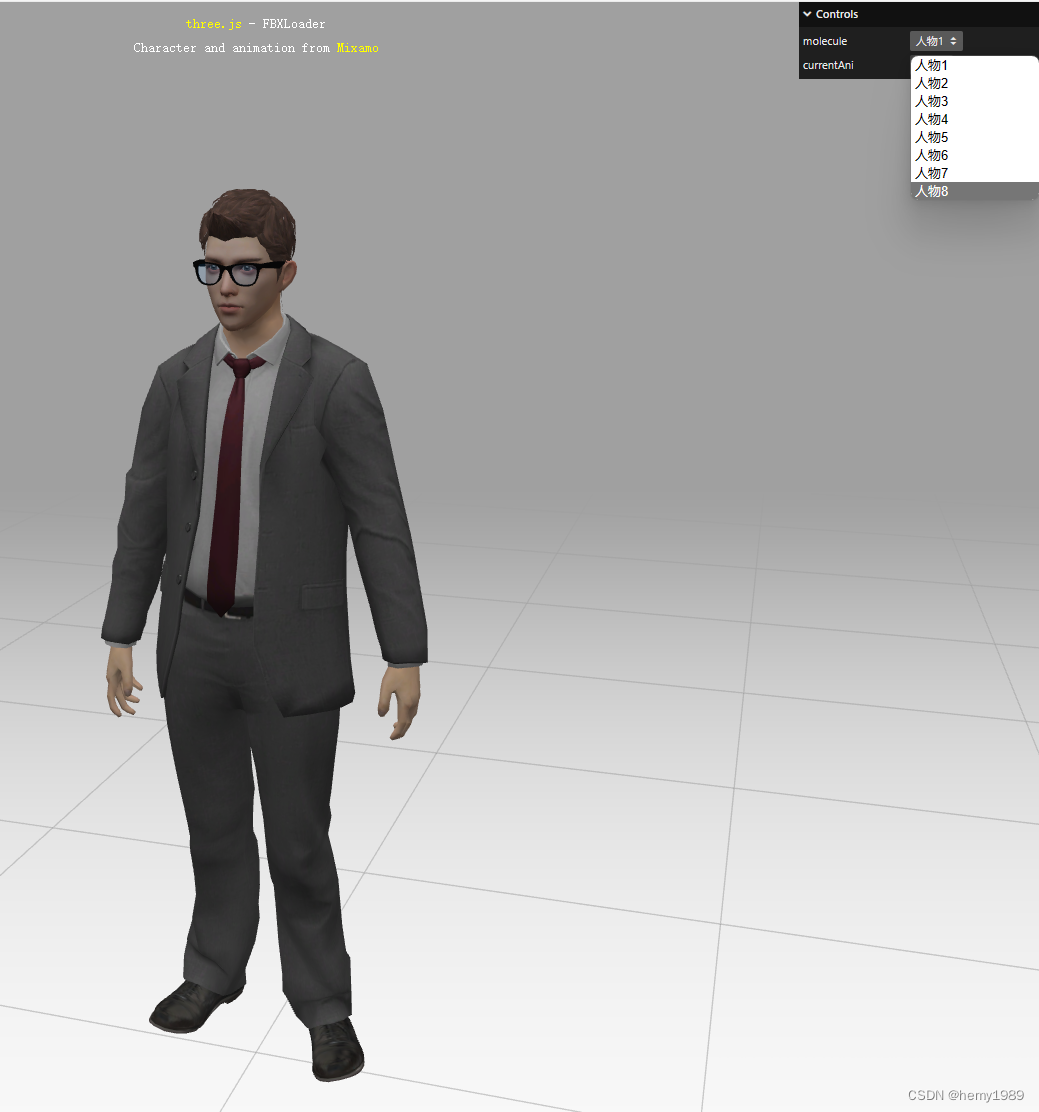
本文转载自: https://blog.csdn.net/hemiaoyuan1989/article/details/139064607
版权归原作者 hemy1989 所有, 如有侵权,请联系我们删除。
版权归原作者 hemy1989 所有, 如有侵权,请联系我们删除。