
选择操作网页
我用的edge,谷歌我的版本太高没有对应的驱动…
下载Edge的驱动程序,直接解压就好里面只有一个.exe文件
https://developer.microsoft.com/en-us/microsoft-edge/tools/webdriver/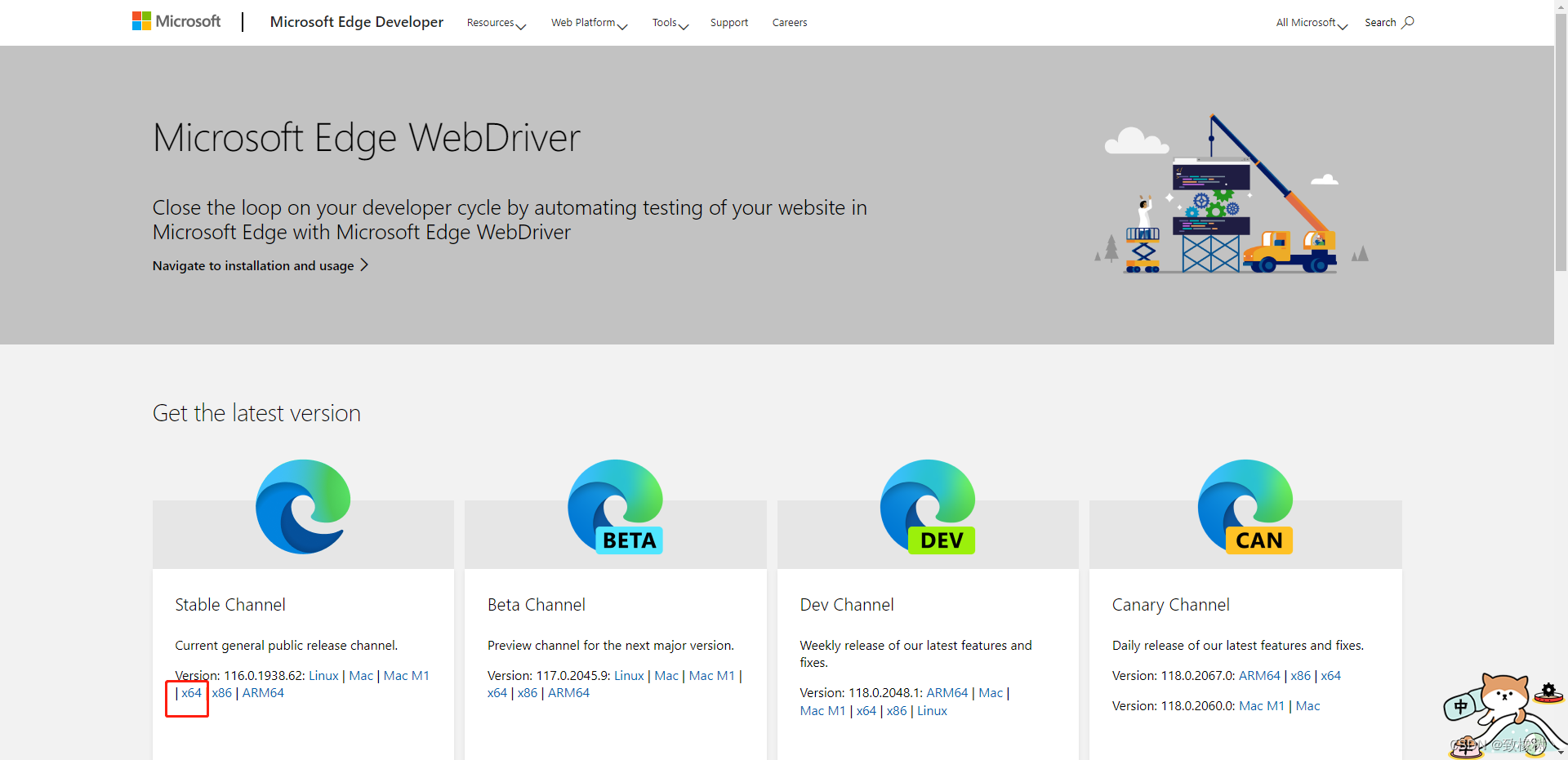
复制即用,看注释
importcom.alibaba.fastjson.JSON;importcom.alibaba.fastjson.JSONArray;importcom.alibaba.fastjson.JSONObject;importorg.openqa.selenium.By;importorg.openqa.selenium.Cookie;importorg.openqa.selenium.WebDriver;importorg.openqa.selenium.edge.EdgeDriver;importorg.openqa.selenium.edge.EdgeOptions;publicstaticStringgetCookie(){//写你下载驱动程序的位置System.setProperty("webdriver.edge.driver","D\\msedgedriver.exe");EdgeOptions options =newEdgeOptions();
        options.addArguments("--remote-allow-origins=*");EdgeDriver driver =newEdgeDriver(options);//打开网页
        driver.navigate().to("https://user/index.html");try{Thread.sleep(1000);// 停止一秒,单位是毫秒}catch(InterruptedException e){
            e.printStackTrace();}// 找对应文件 点击
        driver.findElement(By.linkText("密码登录/注册")).click();try{Thread.sleep(1000);// 停止一秒,单位是毫秒}catch(InterruptedException e){
            e.printStackTrace();}
        driver.findElement(By.id("username")).sendKeys("1564885");
        driver.findElement(By.id("password")).sendKeys("41556x");
        driver.findElement(By.linkText("登录")).click();try{Thread.sleep(1000);// 停止一秒,单位是毫秒}catch(InterruptedException e){
            e.printStackTrace();}//登录后拿cookieWebDriver.Options manage = driver.manage();Set<Cookie> cookies = manage.getCookies();String cookie ="";for(Cookie c : cookies){System.out.println(c.getName()+" - "+c.getValue());}//关闭页面,看需求//driver.close();System.out.println(cookie);}
本文转载自: https://blog.csdn.net/qq_45777315/article/details/132565619
版权归原作者 致橡树丶 所有, 如有侵权,请联系我们删除。
版权归原作者 致橡树丶 所有, 如有侵权,请联系我们删除。