
文章目录
前言
在日常生活中,通过发送邮箱验证码来实现用户注册、密码重置和账户验证等功能在许多现代应用程序中非常常见,这里采用hutool工具包封装的一些类实现发送邮箱验证码的功能。
准备工作
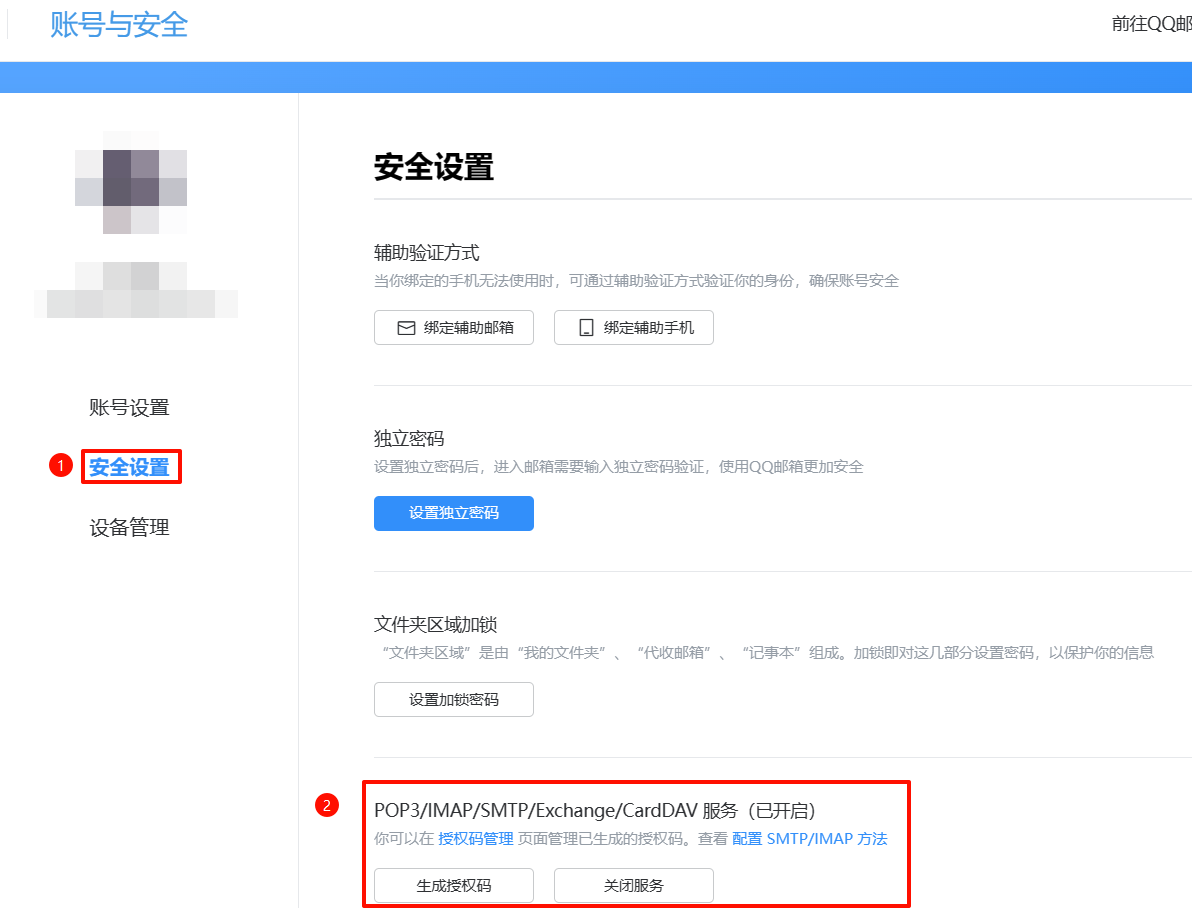
开启POP3/SMTP服务并获取授权码,具体操作很简单,这里就不演示了
网址:账号与安全 (qq.com)
代码实现
引入依赖
<!--hutool工具包--><dependency><groupId>cn.hutool</groupId><artifactId>hutool-all</artifactId><version>5.8.11</version></dependency><!--html解析--><dependency><groupId>org.springframework.boot</groupId><artifactId>spring-boot-starter-thymeleaf</artifactId><version>3.2.0</version></dependency><!--邮件发送--><dependency><groupId>com.sun.mail</groupId><artifactId>javax.mail</artifactId><version>1.6.2</version></dependency><!--redis--><dependency><groupId>org.springframework.boot</groupId><artifactId>spring-boot-starter-data-redis</artifactId></dependency>
配置文件
为了便于修改配置信息,因此要将邮件的相关配置写到配置文件
application.yaml中
- 编写配置类
@Component@ConfigurationProperties(prefix ="captcha.email")@DatapublicclassEmailProperties{/**
      * 邮箱地址(注意:如果使用foxmail邮箱,此处user为qq号)
      */privateString user;/**
      * 发件人昵称(必须正确,否则发送失败)
      */privateString from;/**
      * 邮件服务器的SMTP地址
      */privateString host;/**
      * 邮件服务器的SMTP端口
      */privateInteger port;/**
      * 密码(授权码)
      */privateString password;/**
      * 验证码过期时间
      */privateInteger expireTime;}
- 编写相关配置信息到
application.yaml文件
captcha:email:from: 詩筠<[email protected]>password: dkhfsiudhfsd # 这里我随便填的host: smtp.qq.com
     port:465user: [email protected]
     expire-time:300# 300秒
编写相关工具类
验证码工具类
VerifyCodeUtil
:
/**
 * 验证码工具类
 * @author shijun
 * @date 2024/05/10
 */publicclassVerifyCodeUtil{//邮箱正则表达式privatestaticfinalPatternEMAIL_PATTERN=Pattern.compile("^\\w+((-\\w+)|(\\.\\w+))*\\@[A-Za-z0-9]+((\\.|-)[A-Za-z0-9]+)*\\.[A-Za-z0-9]+$");//验证码的字符集privatestaticfinalStringCODES="0123456789ABCDEFGHIJKLMNOPQRSTUVWXYZ";//验证码的长度,可以根据需求进行修改privatestaticfinalintCODE_LENGTH=6;/**
     * 生成验证码
     *
     * @return {@link String }
     */publicstaticStringgenerateVerifyCode(){Random random =newRandom();StringBuilder verifyCode =newStringBuilder(CODE_LENGTH);for(int i =0; i <CODE_LENGTH; i++){
            verifyCode.append(CODES.charAt(random.nextInt(CODES.length())));}return verifyCode.toString();}/**
     * 检测邮箱是否合法
     *
     * @param email 用户名
     * @return 合法状态
     */publicstaticbooleancheckEmail(String email){// 检查输入是否为空或nullif(email ==null|| email.isEmpty()){returnfalse;}// 使用正则表达式进行匹配Matcher m =EMAIL_PATTERN.matcher(email);return m.matches();}}
Redis工具类
RedisUtils
:
@Component@AllArgsConstructorpublicclassRedisUtils{privateRedisTemplate<Object,Object> redisTemplate;/**
     * 普通获取键对应值
     *
     * @param key 键
     * @return 值
     */publicObjectget(String key){return key ==null?null: redisTemplate.opsForValue().get(key);}/**
     * 普通设置键值
     *
     * @param key   键
     * @param value 值
     * @return true成功 false失败
     */publicbooleanset(String key,Object value){try{
            redisTemplate.opsForValue().set(key, value);returntrue;}catch(Exception e){returnfalse;}}/**
     * 普通设置键值并设置过期时间
     *
     * @param key   键
     * @param value 值
     * @param time  时间(秒) time要大于0 如果time小于等于0 将设置无限期
     * @return true成功 false 失败
     */publicbooleanset(String key,Object value,long time){try{if(time >0){
                redisTemplate.opsForValue().set(key, value, time,TimeUnit.SECONDS);}else{set(key, value);}returntrue;}catch(Exception e){returnfalse;}}/**
     * 删除缓存
     *
     * @param key 键
     * @return 是否成功
     */publicbooleandel(String key){return redisTemplate.delete(key);}/**
     * 指定缓存的失效时间
     *
     * @param key  键值
     * @param time 时间(秒)
     */publicbooleanexpire(String key,long time){try{if(time >0){
                redisTemplate.expire(key, time,TimeUnit.SECONDS);}}catch(Exception e){
            e.printStackTrace();returnfalse;}returntrue;}}
实现验证码发送代码
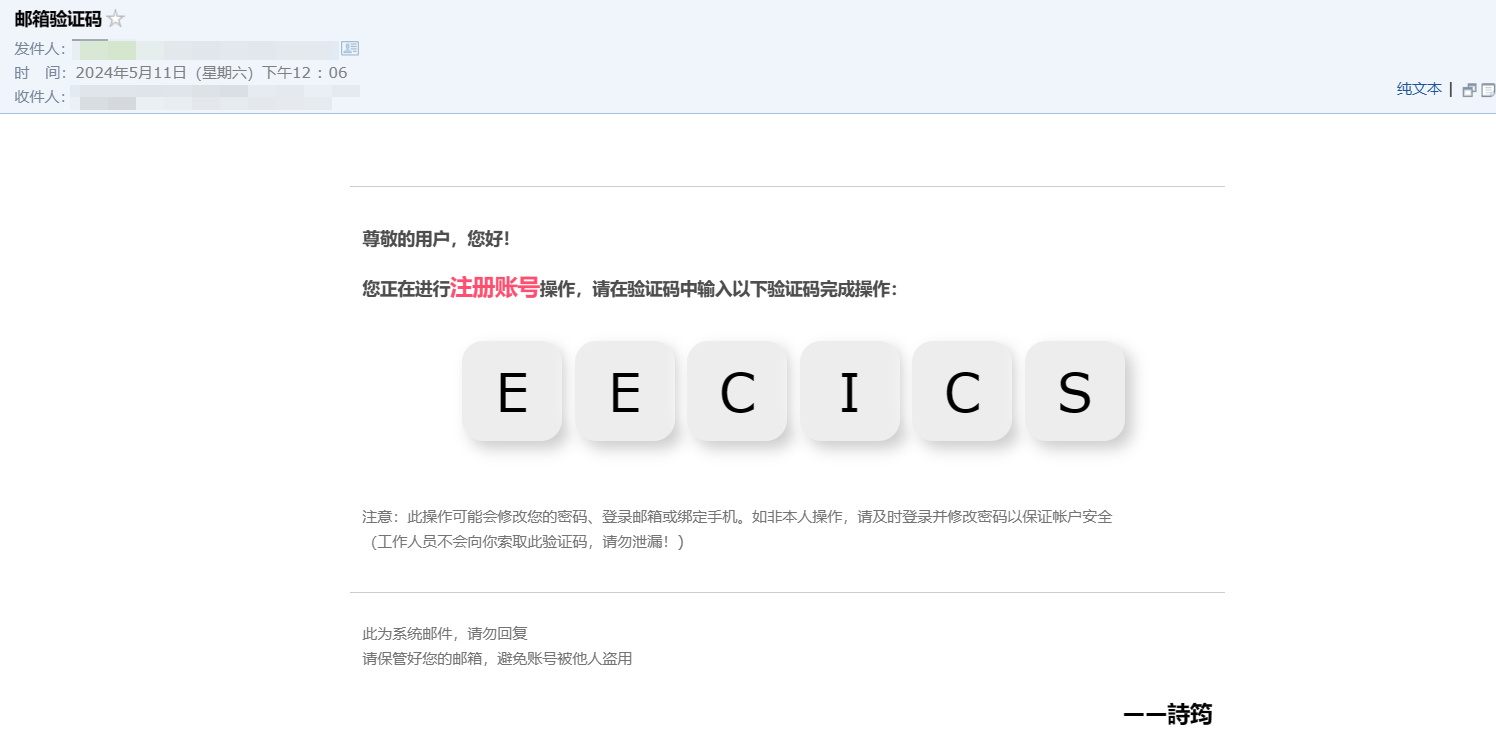
- 设计邮箱验证码模板> 为了改善用户体验,因此要设计一个好看的验证码界面
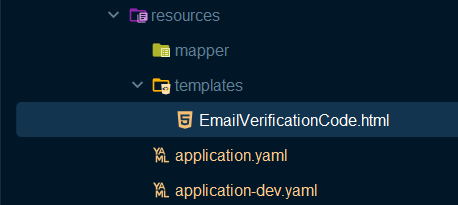
编写
EmailVerificationCode.html文件
,放到src/main/resources/templates目录下:
<!DOCTYPEhtml><htmllang="en"xmlns:th="http://www.thymeleaf.org"><head><metacharset="UTF-8"><title>邮箱验证码</title><style>table{width: 700px;margin: 0 auto;}#top{width: 700px;border-bottom: 1px solid #ccc;margin: 0 auto 30px;}#top table{font: 12px Tahoma, Arial, 宋体;height: 40px;}#content{width: 680px;padding: 0 10px;margin: 0 auto;}#content_top{line-height: 1.5;font-size: 14px;margin-bottom: 25px;color: #4d4d4d;}#content_top strong{display: block;margin-bottom: 15px;}#content_top strong span{color: #f60;font-size: 16px;}#verificationCode{color: #f60;font-size: 24px;}#content_bottom{margin-bottom: 30px;}#content_bottom small{display: block;margin-bottom: 20px;font-size: 12px;color: #747474;}#bottom{width: 700px;margin: 0 auto;}#bottom div{padding: 10px 10px 0;border-top: 1px solid #ccc;color: #747474;margin-bottom: 20px;line-height: 1.3em;font-size: 12px;}#content_top strong span{font-size: 18px;color: #FE4F70;}#sign{text-align: right;font-size: 18px;color: #000000;font-weight: bold;}#verificationCode{height: 100px;width: 680px;text-align: center;margin: 30px 0;}#verificationCode div{height: 100px;width: 680px;}.button{color: #FE4F70;margin-left: 10px;height: 80px;width: 80px;resize: none;font-size: 42px;border: none;outline: none;padding: 10px 15px;background: #ededed;text-align: center;border-radius: 17px;box-shadow: 6px 6px 12px #cccccc,
            -6px -6px 12px #ffffff;}.button:hover{box-shadow: inset 6px 6px 4px #d1d1d1,
            inset -6px -6px 4px #ffffff;}</style></head><body><table><tbody><tr><td><divid="top"><table><tbody><tr><td></td></tr></tbody></table></div><divid="content"><divid="content_top"><strong>尊敬的用户,您好!</strong><strong>
                        您正在进行<span>注册账号</span>操作,请在验证码中输入以下验证码完成操作:
                    </strong><divid="verificationCode"><buttonclass="button"th:each="a:${verifyCode}">[[${a}]]</button></div></div><divid="content_bottom"><small>
                        注意:此操作可能会修改您的密码、登录邮箱或绑定手机。如非本人操作,请及时登录并修改密码以保证帐户安全
                        <br>(工作人员不会向你索取此验证码,请勿泄漏!)
                    </small></div></div><divid="bottom"><div><p>此为系统邮件,请勿回复<br>
                        请保管好您的邮箱,避免账号被他人盗用
                    </p><pid="sign">——詩筠</p></div></div></td></tr></tbody></table></body>
- 编写
Controller层代码
/**
  * 验证码接口
  *
  * @author shijun
  * @date 2024/05/10
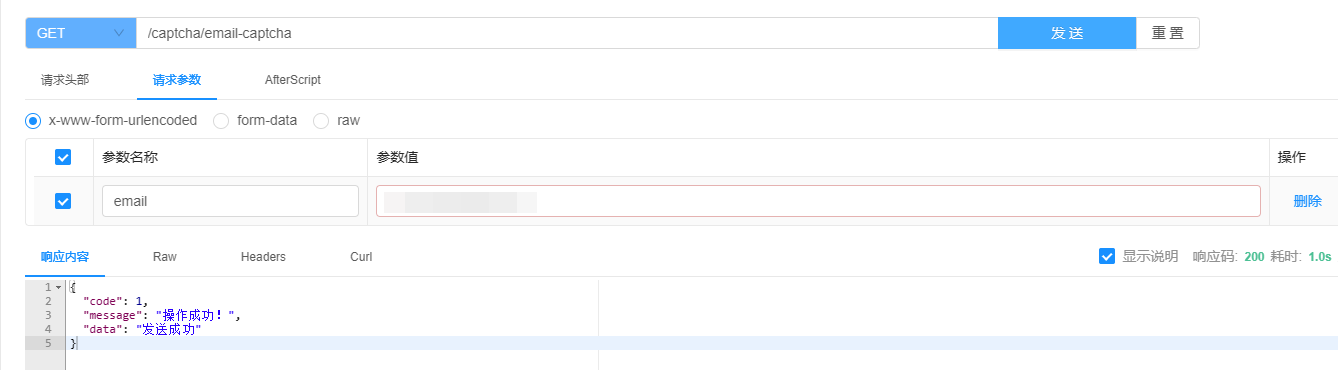
  */@RestController@Tag(name ="验证码接口")@RequestMapping("/captcha")@RequiredArgsConstructorpublicclassCaptchaController{privatefinalCaptchaService captchaService;privatefinalTemplateEngine templateEngine;@Operation(summary ="发送邮箱验证码")@Parameter(name ="email",description ="要发送的邮箱")@GetMapping("/email-captcha")publicResult<String>sendEmailCaptcha(String email){
         captchaService.sendEmailCaptcha(email);returnResult.success("发送成功");}}
- 编写
Service层代码
publicinterfaceCaptchaService{/**
      * 发送验证码
      * @param email 邮箱
      */voidsendEmailCaptcha(String email);}
- 编写
Service实现类> 这里涉及的>> BusinessException>> 类是一个自定义异常类,用来进行业务异常处理。> > 可以参考这篇文章进行学习:Spring Boot3自定义异常及全局异常捕获_springboot是如何自定义异常并捕获的-CSDN博客
@Service@RequiredArgsConstructorpublicclassCaptchaServiceImplimplementsCaptchaService{publicstaticfinalStringCAPTCHA_CODE="captcha-email-";privatefinalEmailProperties emailProperties;privatefinalRedisUtils redisUtils;privatefinalTemplateEngine templateEngine;/**
      * 发送邮件验证码
      * @param email 邮箱
      */@OverridepublicvoidsendEmailCaptcha(String email){// 验证邮件配置是否完整validateEmailProperties();// 验证邮箱格式if(!VerifyCodeUtil.checkEmail(email)){thrownewBusinessException(ResultEnum.EMAIL_FORMAT_ERROR);}// 生成或获取验证码String captcha =getCaptcha(email);// 生成邮件内容String content =generateEmailContent(captcha);// 发送邮件List<String> list =Collections.singletonList(email);sendEmail(list, content);}/**
      * 判断邮件配置是否完整
      */privatevoidvalidateEmailProperties(){if(emailProperties.getUser()==null|| emailProperties.getPassword()==null|| emailProperties.getFrom()==null|| emailProperties.getHost()==null|| emailProperties.getPort()==null){thrownewBusinessException(ResultEnum.EMAIL_VERIFICATION_CODE_CONFIGURATION_EXCEPTION);}}/**
      * 获取验证码
      *
      * @param email 邮箱地址,用于生成和存储验证码。
      * @return {@link String} 返回生成的验证码。
      */privateStringgetCaptcha(String email){// 根据邮箱生成Redis键名String redisKey =CAPTCHA_CODE+ email;// 尝试从Redis获取现有的验证码Object oldCode = redisUtils.get(redisKey);if(oldCode ==null){// 如果验证码不存在,生成新的验证码String captcha =VerifyCodeUtil.generateVerifyCode();// 将新生成的验证码存储到Redis,并设置过期时间boolean saveResult = redisUtils.set(redisKey, captcha, emailProperties.getExpireTime());if(!saveResult){// 如果存储失败,抛出异常thrownewRedisException(MessageConstant.REDIS_SERVICE_EXCEPTION_VERIFICATION_CODE_SAVE_FAILED);}return captcha;}else{// 如果验证码存在,重置其在Redis中的过期时间boolean expireResult = redisUtils.expire(redisKey, emailProperties.getExpireTime());if(!expireResult){thrownewRedisException(MessageConstant.RESET_VERIFICATION_CODE_FAILED);}returnString.valueOf(oldCode);}}/**
      * 生成邮件内容
      * @param captcha 验证码
      * @return {@link String } 邮件内容
      */privateStringgenerateEmailContent(String captcha){Context context =newContext();
         context.setVariable("verifyCode",Arrays.asList(captcha.split("")));return templateEngine.process("EmailVerificationCode.html", context);}/**
      * 发送邮件
      * @param list
      * @param content 邮件内容
      */privatevoidsendEmail(List<String> list,String content){MailAccount account =createMailAccount();try{Mail.create(account).setTos(list.toArray(newString[0])).setTitle(MessageConstant.EMAIL_VERIFICATION_CODE).setContent(content).setHtml(true).setUseGlobalSession(false).send();}catch(Exception e){// 捕获更广泛的异常thrownewBusinessException(ResultEnum.EMAIL_SENDING_EXCEPTION);}}/**
      * 创建邮件账户
      * @return {@link MailAccount } 邮件账户
      */privateMailAccountcreateMailAccount(){MailAccount account =newMailAccount();
         account.setAuth(true);
         account.setHost(emailProperties.getHost());
         account.setPort(emailProperties.getPort());
         account.setFrom(emailProperties.getFrom());
         account.setUser(emailProperties.getUser());
         account.setPass(emailProperties.getPassword());
         account.setSslEnable(true);
         account.setStarttlsEnable(true);return account;}}
测试
参考文章
邮件工具-MailUtil | Hutool
手把手教你通过SpringBoot实现邮箱注册码验证_springboot+vue简单实现邮箱注册-CSDN博客
springboot实现邮箱验证码功能_springboot邮箱验证码-CSDN博客
SpringBoot 发送邮箱验证码(HTML模板)-阿里云开发者社区 (aliyun.com)
本文转载自: https://blog.csdn.net/weixin_73588491/article/details/138715668
版权归原作者 詩筠 所有, 如有侵权,请联系我们删除。
版权归原作者 詩筠 所有, 如有侵权,请联系我们删除。