
系统:Ubuntu 20.04.4 Focal Fossa
配置apt镜像源,可到清华镜像站寻找合适版本
sudovi /etc/apt/sources.list
以下为清华Ubuntu 20.04 LTS (focal)镜像源
# 默认注释了源码镜像以提高 apt update 速度,如有需要可自行取消注释
deb https://mirrors.tuna.tsinghua.edu.cn/ubuntu/ focal main restricted universe multiverse
# deb-src https://mirrors.tuna.tsinghua.edu.cn/ubuntu/ focal main restricted universe multiverse
deb https://mirrors.tuna.tsinghua.edu.cn/ubuntu/ focal-updates main restricted universe multiverse
# deb-src https://mirrors.tuna.tsinghua.edu.cn/ubuntu/ focal-updates main restricted universe multiverse
deb https://mirrors.tuna.tsinghua.edu.cn/ubuntu/ focal-backports main restricted universe multiverse
# deb-src https://mirrors.tuna.tsinghua.edu.cn/ubuntu/ focal-backports main restricted universe multiverse

deb http://security.ubuntu.com/ubuntu/ focal-security main restricted universe multiverse
# deb-src http://security.ubuntu.com/ubuntu/ focal-security main restricted universe multiverse# 预发布软件源,不建议启用# deb https://mirrors.tuna.tsinghua.edu.cn/ubuntu/ focal-proposed main restricted universe multiverse# # deb-src https://mirrors.tuna.tsinghua.edu.cn/ubuntu/ focal-proposed main restricted universe multiverse
更新软件源,漫长的时间……
sudoapt update
更新完成之后安装docker和docker-compose
sudoaptinstall docker.io docker-compose
使用下列命令查看版本判断是否安装成功
docker-compose-v
docker-compose version 1.25.0, build unknown
docker-v
Docker version 24.0.5, build 24.0.5-0ubuntu1~20.04.1
接下来到GZ:CTF根据文档部署,首先创建一个GZCTF文件夹,根据文档创建配置appsettings.json和docker-compose.yml文件
appsettings.json
vi appsettings.json
{"AllowedHosts":"*",
  "ConnectionStrings":{"Database":"Host=db:5432;Database=gzctf;Username=postgres;Password=<Your POSTGRES_PASSWORD>"},
  "EmailConfig":{"SendMailAddress":"[email protected]",
    "UserName":"",
    "Password":"",
    "Smtp":{"Host":"localhost",
      "Port":587}},
  "XorKey":"<Your XOR_KEY>",
  "ContainerProvider":{"Type":"Docker", // or "Kubernetes""PortMappingType":"Default", // or "PlatformProxy""EnableTrafficCapture": false,
    "PublicEntry":"<Your PUBLIC_ENTRY>", // or "xxx.xxx.xxx.xxx"
    // optional
    "DockerConfig":{"SwarmMode": false,
      "Uri":"unix:///var/run/docker.sock"}},
  "RequestLogging": false,
  "DisableRateLimit": true,
  "RegistryConfig":{"UserName":"",
    "Password":"",
    "ServerAddress":""},
  "CaptchaConfig":{"Provider":"None", // or "CloudflareTurnstile" or "GoogleRecaptcha""SiteKey":"<Your SITE_KEY>",
    "SecretKey":"<Your SECRET_KEY>",
    // optional
    "GoogleRecaptcha":{"VerifyAPIAddress":"https://www.recaptcha.net/recaptcha/api/siteverify",
      "RecaptchaThreshold":"0.5"}},
  "ForwardedOptions":{"ForwardedHeaders":5,
    "ForwardLimit":1,
    "TrustedNetworks":["192.168.12.0/8"]}}
docker-compose.yml
vi docker-compose.yml
version: "3.0"
services:
  gzctf:
    image: gztime/gzctf:latest
    restart: always
    environment:
      - "LANG=zh_CN.UTF-8"# choose your backend language `en_US` / `zh_CN` / `ja_JP`
      - "GZCTF_ADMIN_PASSWORD=<Your GZCTF_ADMIN_PASSWORD>"
    ports:
      - "80:8080"
    volumes:
      - "./data/files:/app/files"
      - "./appsettings.json:/app/appsettings.json:ro"# - "./kube-config.yaml:/app/kube-config.yaml:ro" # this is required for k8s deployment
      - "/var/run/docker.sock:/var/run/docker.sock"# this is required for docker deployment
    depends_on:
      - db

  db:
    image: postgres:alpine
    restart: always
    environment:
      - "POSTGRES_PASSWORD=<Your POSTGRES_PASSWORD>"
    volumes:
      - "./data/db:/var/lib/postgresql/data"
搞完之后启动
sudodocker-compose up -d
[sudo] password for osboxes:
Creating network "gzctf_default" with the default driver
Pulling db (postgres:alpine)...
alpine: Pulling from library/postgres
4abcf2066143: Pull complete
8e53739c72bf: Pull complete
6b2f54332fe1: Pull complete
3ed99af0e76b: Pull complete
f54035dfc9b0: Pull complete
16374409674c: Pull complete
09b009446613: Pull complete
a76c5f01e503: Pull complete
f6dfa742bdd5: Pull complete
Digest: sha256:bbd7346fab25b7e0b25f214829d6ebfb78ef0465059492e46dee740ce8fcd844
Status: Downloaded newer image for postgres:alpine
Pulling gzctf (gztime/gzctf:latest)...
latest: Pulling from gztime/gzctf
e1caac4eb9d2: Pull complete
bee002b96029: Pull complete
e65deb0614ae: Pull complete
31a62e83c1b2: Pull complete
97d7b6e68a6e: Pull complete
67c6e8d22e3d: Pull complete
4edd0400ef8d: Pull complete
c20d573e682c: Pull complete
b468dfa08eb4: Pull complete
Digest: sha256:e0222340c9a2ee8644cef5f037eb472a4fad81b85a476ae8efc5b5bb1728dd16
Status: Downloaded newer image for gztime/gzctf:latest
Creating gzctf_db_1 ... done
Creating gzctf_gzctf_1 ... done
就完成了,根据服务器对应IP访问即可
osboxes@osboxes:~/GZCTF$ sudodockerps
CONTAINER ID   IMAGE                 COMMAND                  CREATED          STATUS                            PORTS                                   NAMES
295d52db022b   gztime/gzctf:latest   "dotnet GZCTF.dll"42 seconds ago   Up 9 seconds (health: starting)0.0.0.0:80->8080/tcp, :::80->8080/tcp   gzctf_gzctf_1
fb8b49a2d948   postgres:alpine       "docker-entrypoint.s…"43 seconds ago   Up 42 seconds                     5432/tcp                                gzctf_db_1
好耶,完结撒花❀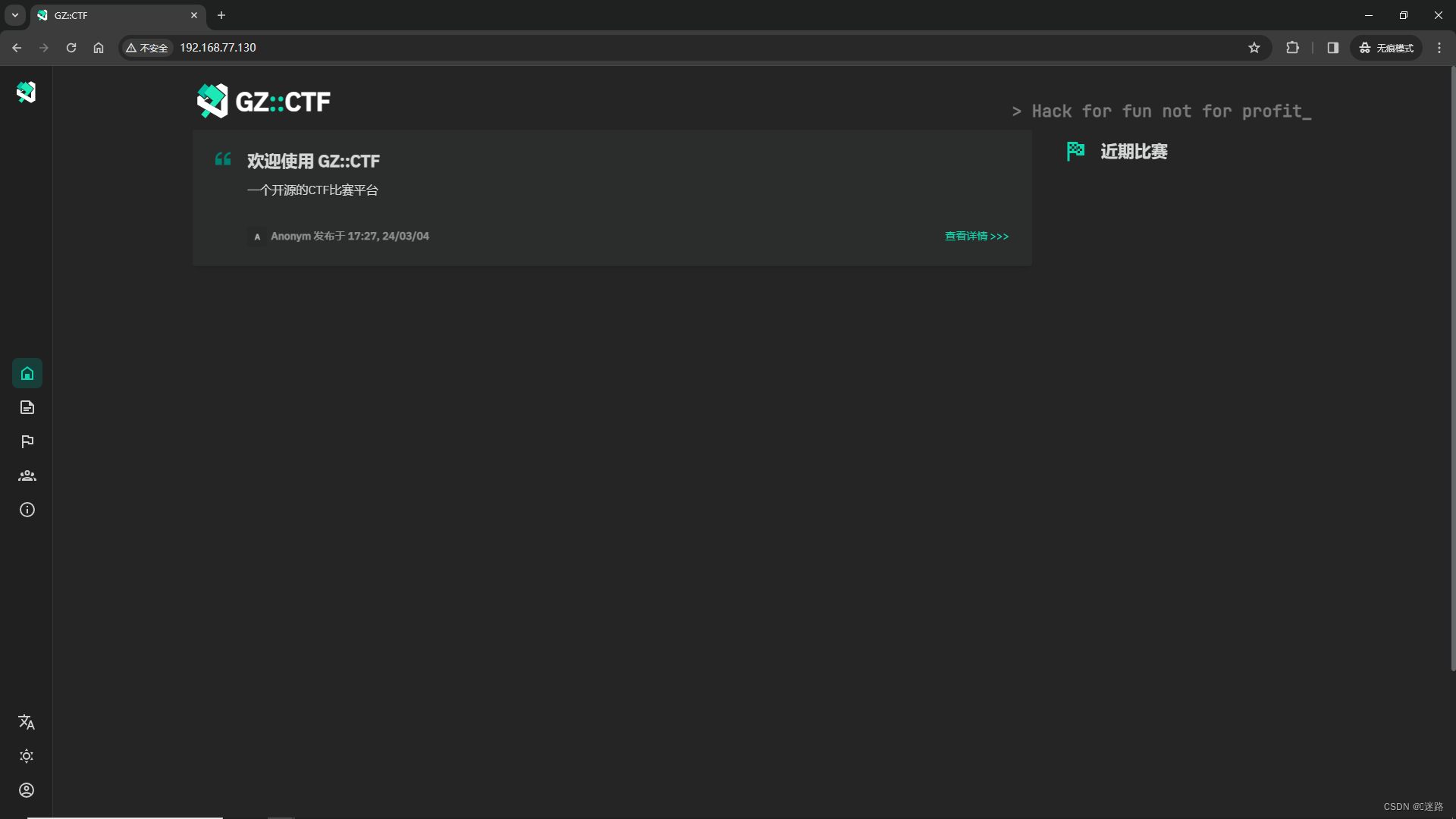
标签:
开源
本文转载自: https://blog.csdn.net/qq_44907025/article/details/136465650
版权归原作者 Liu&ui 所有, 如有侵权,请联系我们删除。
版权归原作者 Liu&ui 所有, 如有侵权,请联系我们删除。