
文章目录
⭐前言
大家好,我是yma16,本文分享OAuth规则机制下实现个人站点接入微软azure账号进行三方登录。
该系列往期文章:
前端笔记_OAuth规则机制下实现个人站点接入qq三方登录
oauth授权
OAuth是一种授权机制,用于允许用户(资源所有者)向第三方应用程序授予有限的访问权限,而不必将凭证直接提供给第三方应用程序。OAuth的目的是为了保护用户的私密数据,如社交媒体帐户、云存储、银行帐户等。它通过一个流程,将用户授权给第三方应用程序访问用户的资源,而不需要第三方应用程序获得用户的凭证信息。这样做可以减少用户数据泄露的风险。OAuth是一个开放的标准,由OAuth工作组维护,并得到许多组织的支持和使用。
oauth的发展
OAuth协议的发展历史可以追溯到2004年,当时美国国防部提出了一个名为“OpenID Connect”的开放式身份认证和授权标准,旨在解决Web 2.0中的身份认证和授权问题。OAuth1.0于2005年被RFC 5849正式标准化,OAuth2.0于2011年被RFC 6749正式标准化 。
OAuth1.0的主要特点是将用户的认证信息(如用户名和密码)与第三方应用的请求分离开来,从而提高了安全性。
OAuth2.0则在OAuth1.0基础上进一步改进,增加了更多的功能和灵活性,如授权码模式、隐式模式、密码模式等 。
效果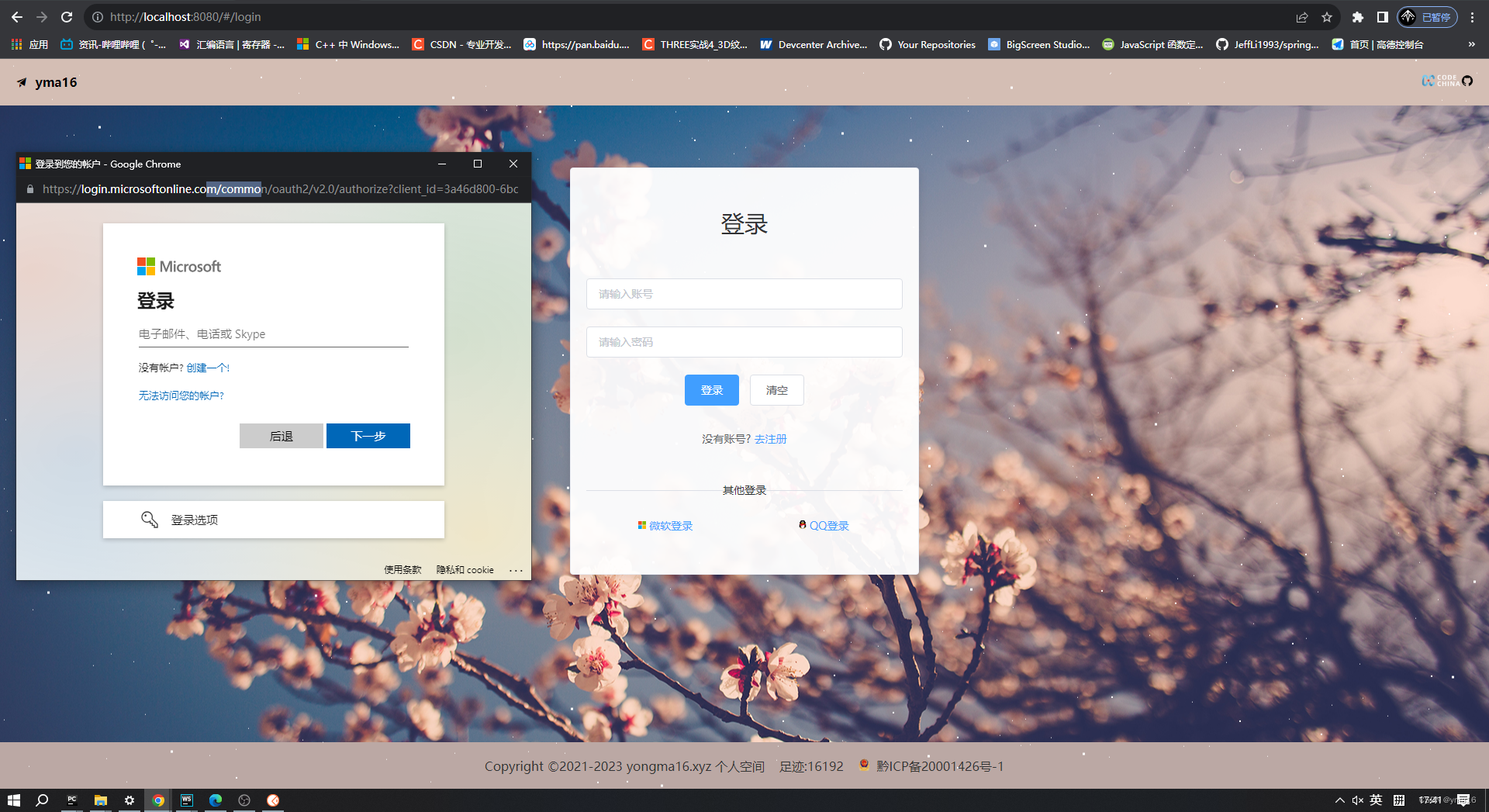
⭐微软三方登录流程
前提条件:存在前端站点
注册微软应用:https://portal.azure.com/#view/Microsoft_AAD_RegisteredApps/ApplicationsListBlade
创建appid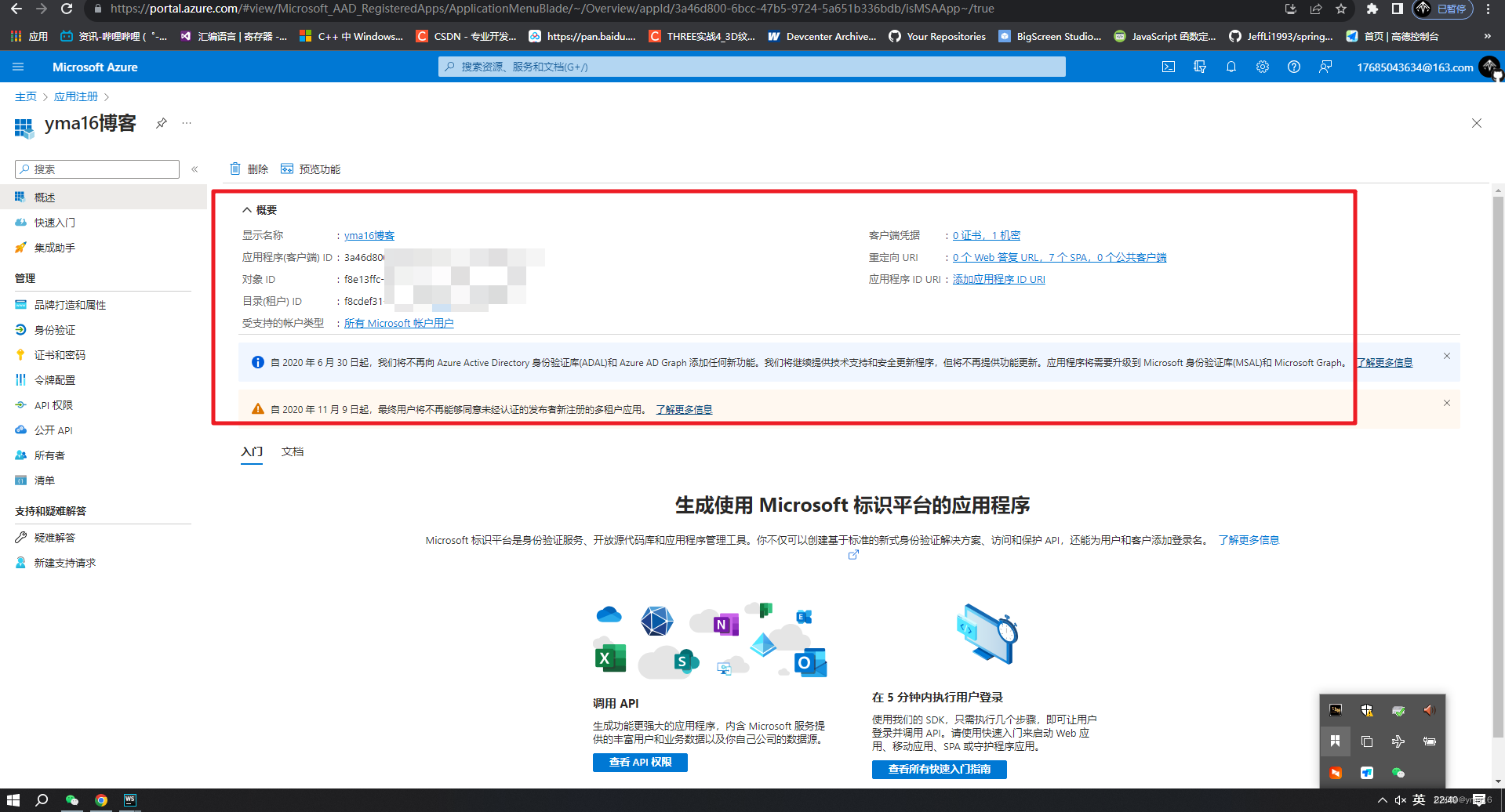
提交审核.
💖 web站点获取微软账号流程
流程文档:https://learn.microsoft.com/zh-cn/azure/active-directory/develop/v2-oauth2-auth-code-flow
官方接入流程图: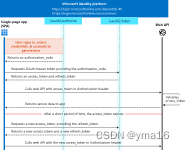
接入步骤:
- 唤起三方登录授权url
- 登录成功返回定义的回调地址redirect_uri带code
- 使用code去换取token
- token拿到id和refreshToken
- 使用refreshToken去访问 Microsoft graph api
web 登录身份验证流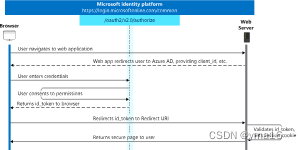
单页面应用spa交互流程
交互流程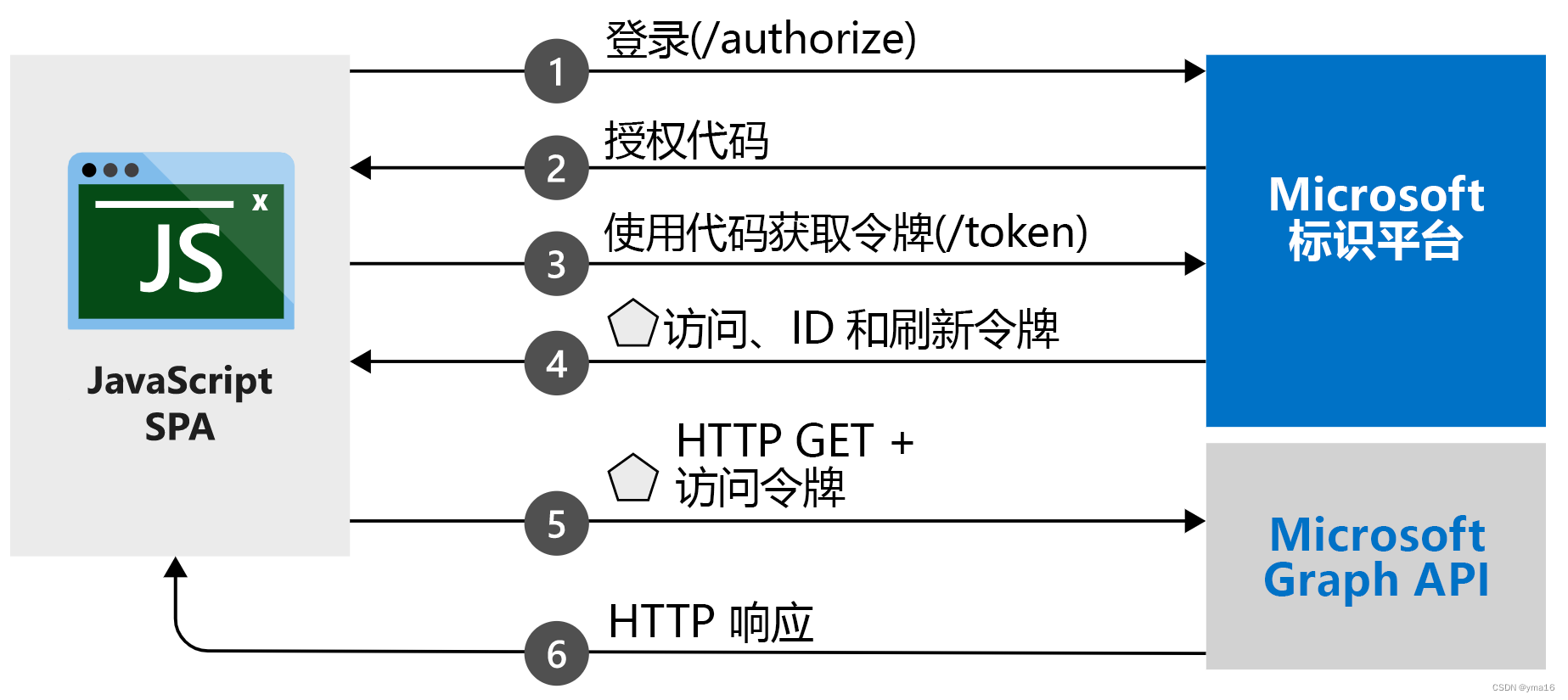
💖 node封装微软登录接口
组装三方url
封装url的函数,已处理脱敏
const request =require('request');// Microsoft 帐户和工作或学校帐户的 commonconst tenant='common';const loginUrl=`https://login.microsoftonline.com/${tenant}/oauth2/v2.0/authorize`;const codeToTokenUrl=`https://login.microsoftonline.com/${tenant}/oauth2/v2.0/token`;const aboutInfoUrl='https://graph.microsoft.com/v1.0/me';// 客户端idconst clientId='***';// 对象idconst objectId='***';const redirect_uri='https://yongma16.xyz/third-login/azure_login_callback';constgetAzureAuthUrl=(state)=>{returnnewPromise(resolve=>{//code_challenge=pmwq-hZFKj0arSiO6WXFHngszqW0cH0fwMpd-a1Vuns&code_challenge_method=S256const params={client_id:clientId,scope:['User.Read'].join(encodeURIComponent('&')),redirect_uri:encodeURIComponent(redirect_uri),// 返回的方式response_mode:'query',response_type:'code',code_challenge:'***',code_challenge_method:'S256',state:state?state:'myblog',};const path=Object.keys(params).map(key=>{return`${key}=${params[key]}`}).join('&');const url=loginUrl+'?'+path;resolve(url)})};
封装code换取token的函数
注意:
- redirect_uri不进行encode
- spa需要code_verifier
- webapp 需要secrect
constgetAzureToken=(code)=>{returnnewPromise(async(resolve ,reject)=>{const formData={client_id:clientId,scope:['User.Read'].join(encodeURIComponent('&')),code:code,redirect_uri:redirect_uri,// redirect_uri:encodeURIComponent(redirect_uri),grant_type:'authorization_code ',code_verifier:'***',client_secret:'***',}
        console.log('formData',formData)
        request.post({url:codeToTokenUrl,formData: formData},functionoptionalCallback(err, httpResponse, body){if(err){
                console.error('upload failed:', err);reject(err)}
            console.log('Upload successful!  Server responded with:', body);resolve(httpResponse)});})}
client_secret获取
效果调用有问题:
反馈 只能通过跨源请求兑换
Tokens issued for the 'Single-Page Application' client-type should only be redeemed via cross-origin requests
封装token换取id_token的函数
// 获取web apiconstgetAzureUserInfo=(access_token)=>{const Authorization="Bearer "+ access_token;returnnewPromise(async(resolve ,reject)=>{request({method:'GET',uri: aboutInfoUrl,headers:{'Authorization':Authorization
                    }},function(error, response){
                    console.log('response',response)if(!error && response.statusCode ===200){resolve(response)}else{
                        console.log("error",error);resolve(reject)}})})}
💖 webapp 自定义code换token
由于只能通过跨源请求兑换
解决方案:
切换为调用 Microsoft Graph API的demo,使用对外暴露接口让web使用就可以切换token
💖 调用 Microsoft Graph API
spa使用Microsoft Graph API
链接直达:https://learn.microsoft.com/zh-cn/azure/active-directory/develop/tutorial-v2-javascript-auth-code
个人demo示例:https://yongma16.xyz/node_azure/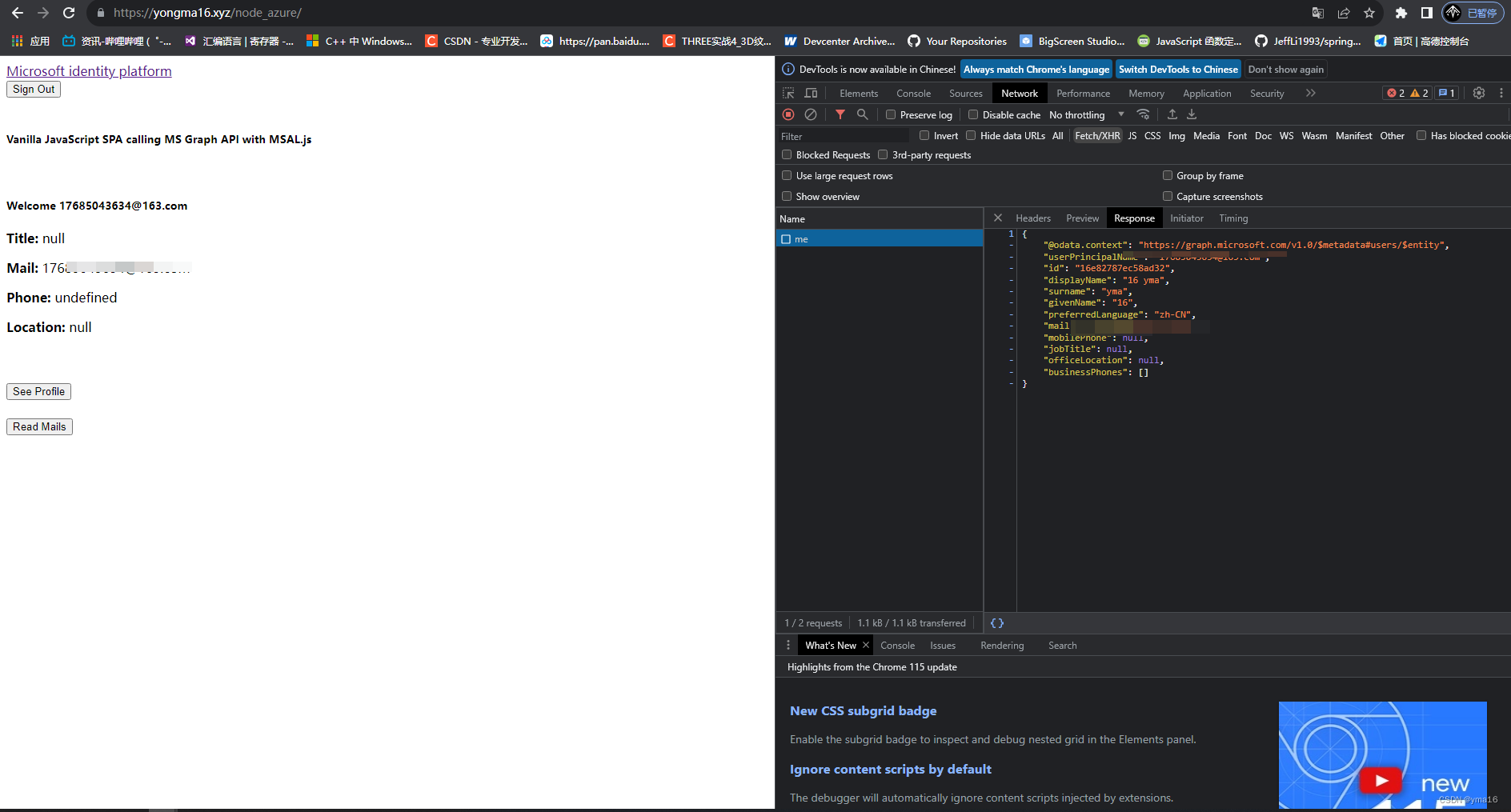
💖 前端唤醒authlink进行登录回调逻辑
步骤:
- 拿到微软三方登录url
- 登录成功回调code
- 使用code换token
- token拿openid
asyncazureLogin(){try{const that =this// qqconst res =await that.getAzureUrl()
         console.log('res azureLogin', res)if(res.data && res.data.data){const resData = res.data.data
             console.log('resData', resData)if(res.data.code ===200){let url = resData
                 console.log('url', url)const openHandle = window.open(url,'width:800px;height:700px','_black')
                 console.log('openHandle', openHandle)
                 window.onmessage=async(res)=>{const{origin, data}= res
                     if(origin.includes('yongma16.xyz')){const{code, state}= data
                         console.log('code state', code, state)
                         that.thirdLoginConfig.qCode = code
                         that.thirdLoginConfig.qState = state
                         if(openHandle){
                             openHandle.close()}if(code){await that.getAzureToken(code)}}}}}returnnewPromise(resolve=>{resolve(true)})}catch(e){returnnewPromise((resolve, reject)=>{reject(e)})}},getAzureUrl(){returnnewPromise(async(resolve, reject)=>{try{const azureAuthUrl ='/third-login/getAzureAuthUrl'const azureRes =awaitthis.$axios.get(azureAuthUrl)
             console.log('azureRes', azureRes)resolve(azureRes)}catch(e){reject(e)}})},asyncgetAzureToken(code){try{const azureAuthTokenUrl ='/third-login/getAzureToken'const params ={
             code
         }const azureRes =awaitthis.$axios.get(azureAuthTokenUrl,{params})
         console.log('azureRes', azureRes)}catch(e){
         console.log('e', e)}},
效果: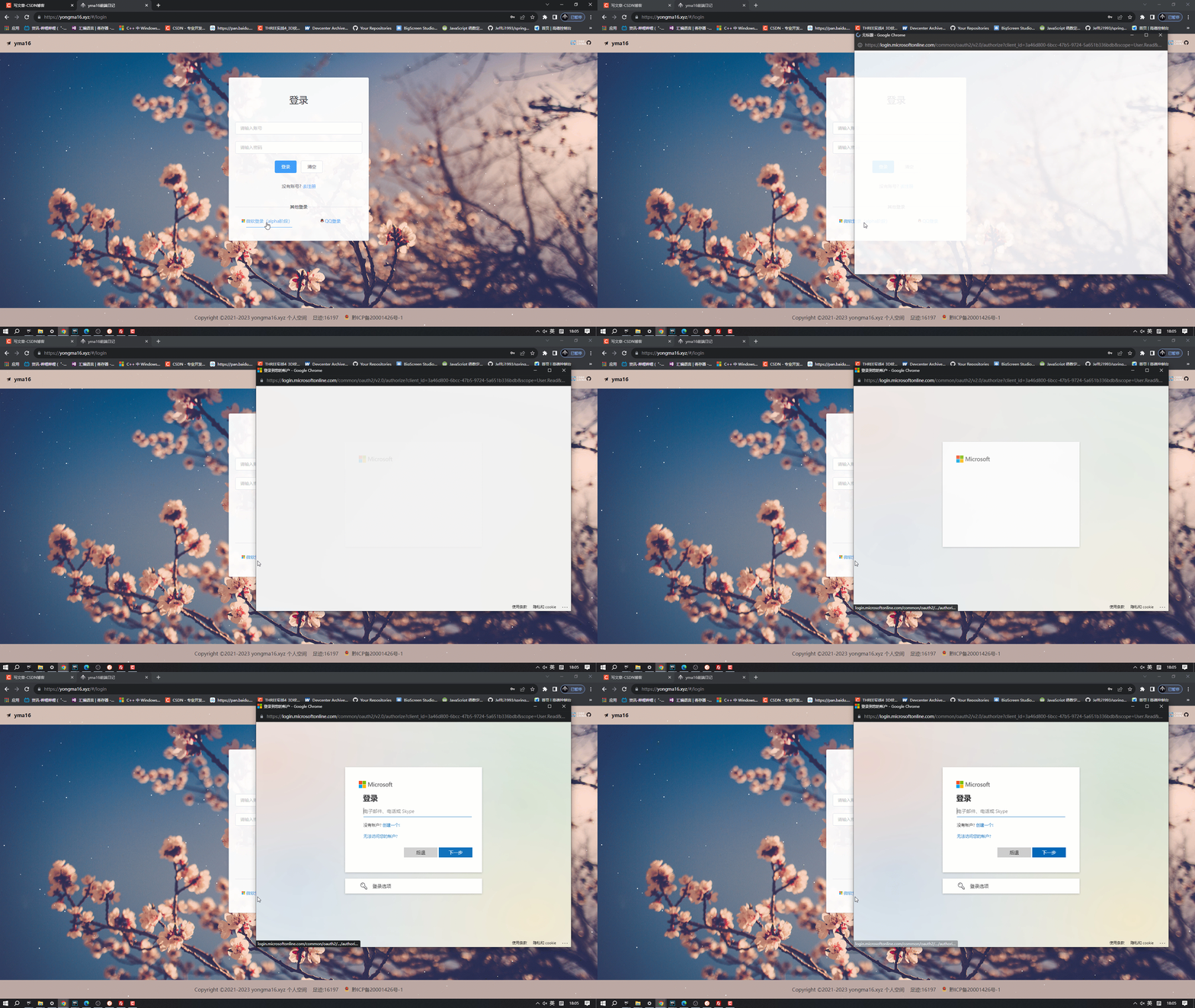
⭐结束
本文分享到这结束,如有错误或者不足之处欢迎指出!
👍 点赞,是我创作的动力!
⭐️ 收藏,是我努力的方向!
✏️ 评论,是我进步的财富!
💖 感谢你的阅读!
版权归原作者 yma16 所有, 如有侵权,请联系我们删除。