
RabbitMQ基础复习
官网有七种模型,这里仅介绍五种
1、MQ引言
1.1 什么是MQ
MQ
(Message Quene) : 翻译为
消息队列
,通过典型的
生产者
和
消费者
模型,生产者不断向消息队列中生产消息,消费者不断的从队列中获取消息。因为消息的生产和消费都是异步的,而且只关心消息的发送和接收,没有业务逻辑的侵入,轻松的实现系统间解耦。别名为
消息中间件
通过利用高效可靠的消息传递机制进行平台无关的数据交流,并基于数据通信来进行分布式系统的集成。
1.2 MQ有哪些
当今市面上有很多主流的消息中间件,如老牌的
ActiveMQ
、
RabbitMQ
,炙手可热的
Kafka
,阿里巴巴自主开发
RocketMQ
等。
1.3 不同MQ特点
# 1.ActiveMQ
        ActiveMQ 是Apache出品,最流行的,能力强劲的开源消息总线。它是一个完全支持JMS规范的的消息中间件。丰富的API,多种集群架构模式让ActiveMQ在业界成为老牌的消息中间件,在中小型企业颇受欢迎!

# 2.Kafka
        Kafka是LinkedIn开源的分布式发布-订阅消息系统,目前归属于Apache顶级项目。Kafka主要特点是基于Pull的模式来处理消息消费,
        追求高吞吐量,一开始的目的就是用于日志收集和传输。0.8版本开始支持复制,不支持事务,对消息的重复、丢失、错误没有严格要求,
        适合产生大量数据的互联网服务的数据收集业务。

# 3.RocketMQ
        RocketMQ是阿里开源的消息中间件,它是纯Java开发,具有高吞吐量、高可用性、适合大规模分布式系统应用的特点。RocketMQ思路起
        源于Kafka,但并不是Kafka的一个Copy,它对消息的可靠传输及事务性做了优化,目前在阿里集团被广泛应用于交易、充值、流计算、消
        息推送、日志流式处理、binglog分发等场景。

# 4.RabbitMQ
        RabbitMQ是使用Erlang语言开发的开源消息队列系统,基于AMQP协议来实现。AMQP的主要特征是面向消息、队列、路由(包括点对点和
        发布/订阅)、可靠性、安全。AMQP协议更多用在企业系统内对数据一致性、稳定性和可靠性要求很高的场景,对性能和吞吐量的要求还在
        其次。
RabbitMQ比Kafka可靠,Kafka更适合IO高吞吐的处理,一般应用在大数据日志处理或对实时性(少量延迟),可靠性(少量丢数据)要求稍低的场景使用,比如ELK日志收集。
2、RabbitMQ引言
2.1 RabbitMQ
基于
AMQP协议,erlang语言开发,是部署最广泛的开源消息中间件,是最受欢迎的开源消息中间件之一。
官网
官方教程
: https://www.rabbitmq.com/#getstarted
AMQP协议:
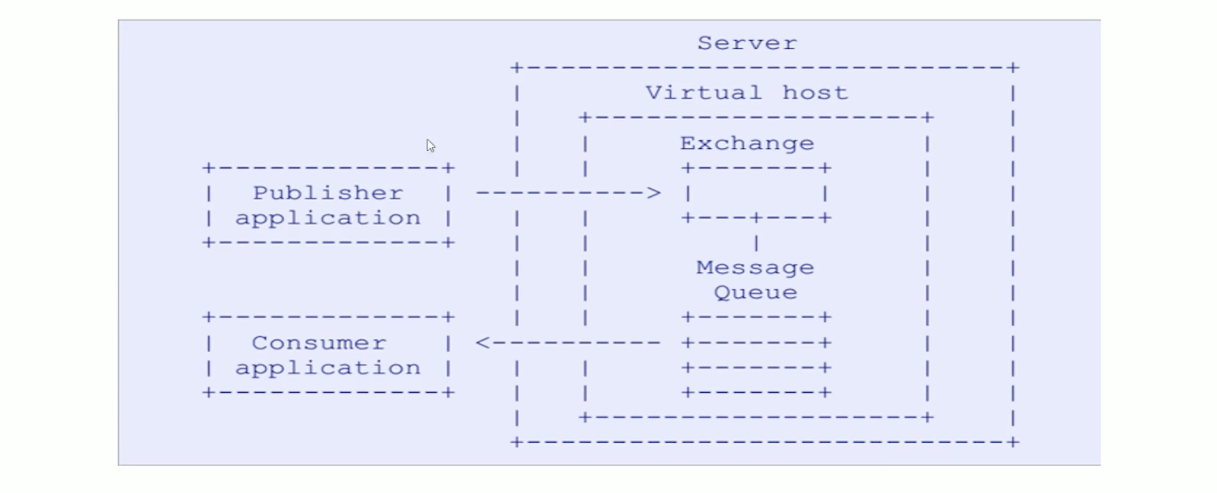
AMQP(advanced message queuing protocol)`在2003年时被提出,最早用于解决金融领不同平台之间的消息传递交互问题。顾名思义,AMQP是一种协议,更准确的说是一种binary wire-level protocol(链接协议)。这是其和JMS的本质差别,AMQP不从API层进行限定,而是直接定义网络交换的数据格式。这使得实现了AMQP的provider天然性就是跨平台的。以下是AMQP协议模型:
2.2 RabbitMQ安装
这个以前写过,不重复介绍了 https://codeleader.blog.csdn.net/article/details/121890708
3、RabbitMQ配置
3.1 RabbitMQ命令行
# 1.服务启动相关
    systemctl start|restart|stop|status rabbitmq-server

# 2.管理命令行  用来在不使用web管理界面情况下命令操作RabbitMQ
    rabbitmqctl  help  可以查看更多命令

# 3.插件管理命令行
    rabbitmq-plugins enable|list|disable
3.2 Web管理界面
3.2.1 overview概览
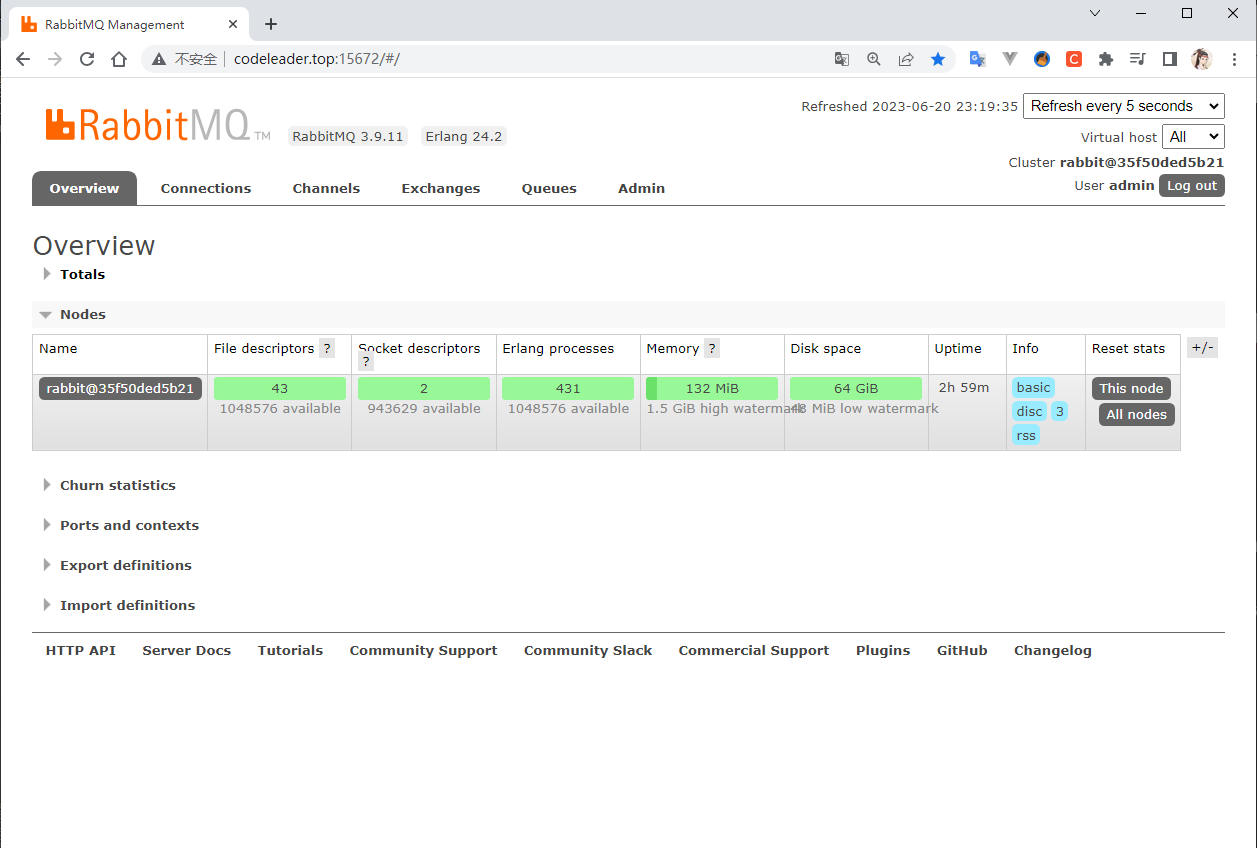
connections:无论生产者还是消费者,都需要与RabbitMQ建立连接后才可以完成消息的生产和消费,在这里可以查看连接情况channels:通道,建立连接后,会形成通道,消息的投递获取依赖通道。Exchanges:交换机,用来实现消息的路由Queues:队列,即消息队列,消息存放在队列中,等待消费,消费后被移除队列。
3.2.2 Admin用户和虚拟主机管理
1、添加用户
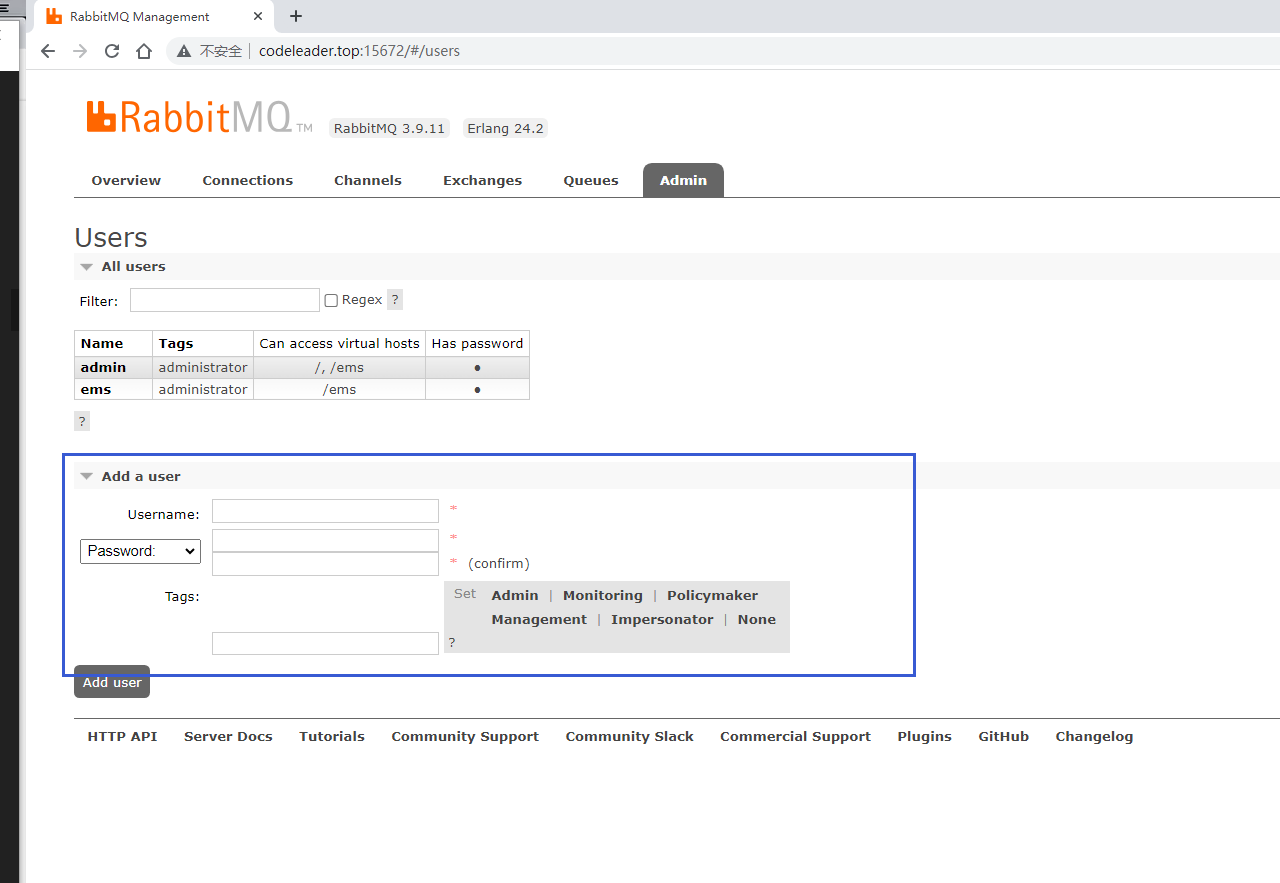
上面的Tags选项,其实是指定用户的角色,可选的有以下几个:
超级管理员(administrator)可登陆管理控制台,可查看所有的信息,并且可以对用户,策略(policy)进行操作。监控者(monitoring)可登陆管理控制台,同时可以查看rabbitmq节点的相关信息(进程数,内存使用情况,磁盘使用情况等)策略制定者(policymaker)可登陆管理控制台, 同时可以对policy进行管理。但无法查看节点的相关信息(上图红框标识的部分)。普通管理者(management)仅可登陆管理控制台,无法看到节点信息,也无法对策略进行管理。其他无法登陆管理控制台,通常就是普通的生产者和消费者。2、创建虚拟主机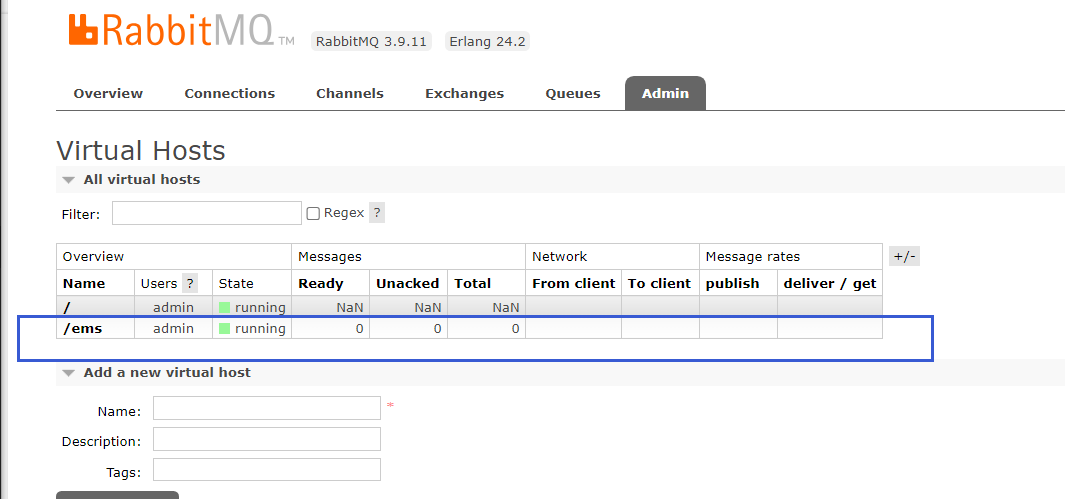
默认创建虚拟主机之后,没有用户可以使用,需要绑定用户
3、绑定虚拟主机和用户
创建好虚拟主机,我们还要给用户添加访问权限:
点击添加好的虚拟主机:
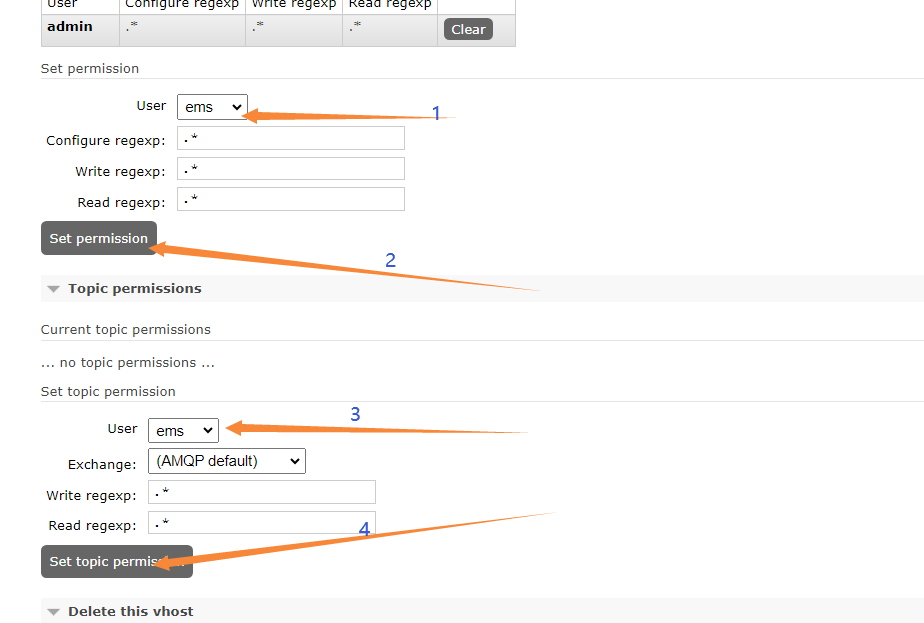
这里给admin和ems都授权,授权之后就能在页面上看到了,如下图

4、RabbitMQ常用消息模型测试
4.1 RabbitMQ支持的消息模型
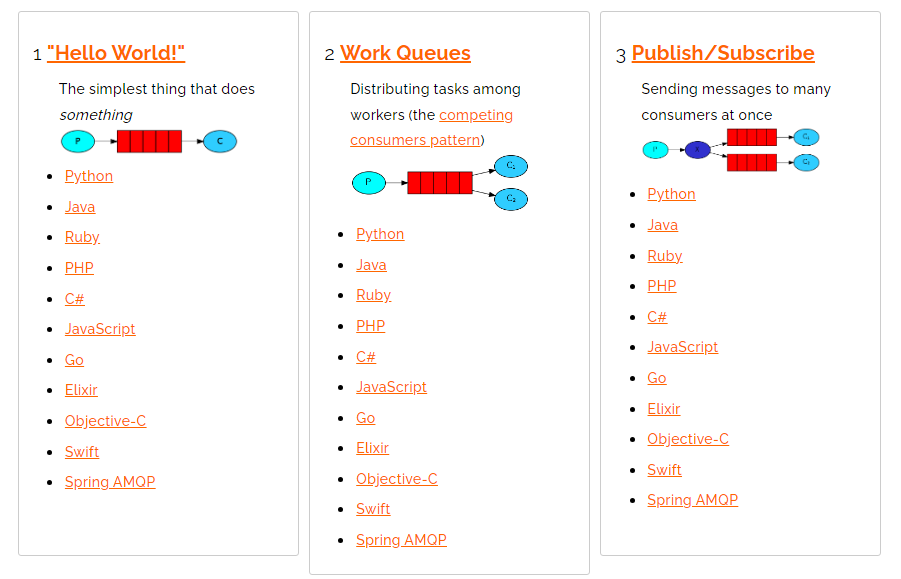
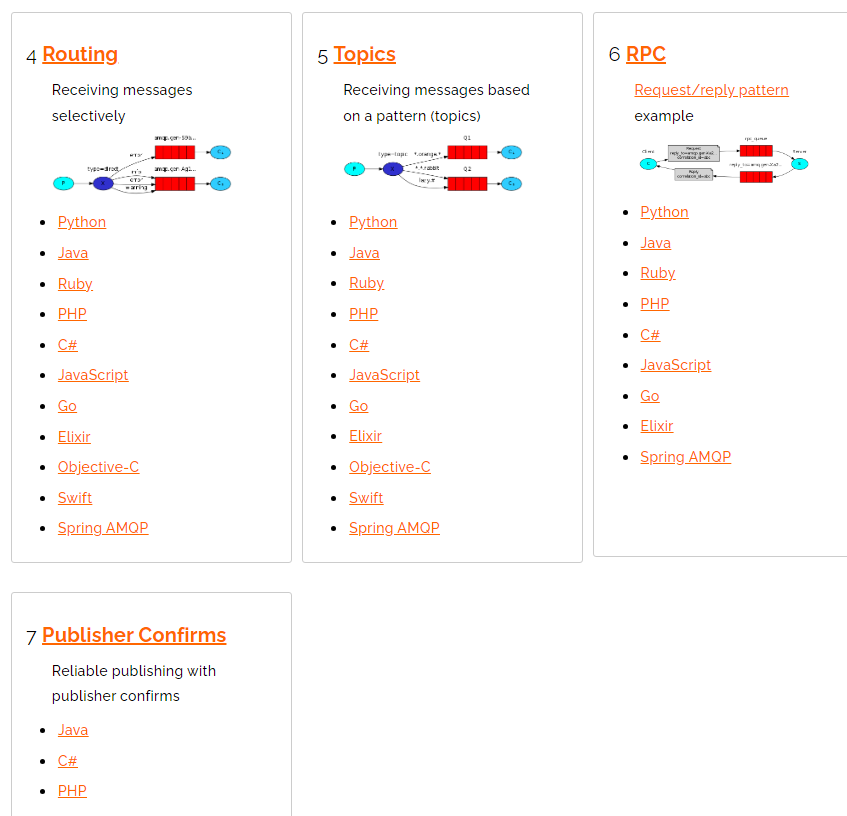
4.2 引入依赖
<!-- https://mvnrepository.com/artifact/com.rabbitmq/amqp-client --><dependency><groupId>com.rabbitmq</groupId><artifactId>amqp-client</artifactId><version>5.16.0</version></dependency>
4.3 第一种模型:直连

在上图的模型中,有以下概念:
- P:生产者,也就是要发送消息的程序
- C:消费者:消息的接受者,会一直等待消息到来。
- queue:消息队列,图中红色部分。类似一个邮箱,可以缓存消息;生产者向其中投递消息,消费者从其中取出消息。
4.3.1 自定义连接工具类
ublic classRabbitUtils{//创建连接MQ的连接工厂   重量级资源publicstaticConnectionFactory connectionFactory=newConnectionFactory();static{//类加载执行  只执行一次//设置连接rabbitmq主机
        connectionFactory.setHost("ip");//设置端口号
        connectionFactory.setPort(5672);//设置连接哪个虚拟主机
        connectionFactory.setVirtualHost("/ems");//设置访问虚拟主机的用户名和密码
        connectionFactory.setUsername("ems");
        connectionFactory.setPassword("密码");}//定义提供连接对象的方法publicstaticConnectiongetConnection(){Connection connection =null;try{//获取连接对象
            connection = connectionFactory.newConnection();}catch(IOException|TimeoutException e){
            e.printStackTrace();}return connection;}//关闭通道和关闭连接的方法publicstaticvoidcloseConnectionAndChannel(Channel channel,Connection connection){try{if(channel !=null){
                channel.close();}if(connection !=null){
                connection.close();}}catch(IOException|TimeoutException e){
            e.printStackTrace();}}}
4.3.2 生产者
publicclassProvider{//生产消息   HelloWorld:直连模式publicstaticvoidmain(String[] args)throwsIOException{Connection connection=RabbitUtils.getConnection();//获取连接中的通道Channel channel = connection.createChannel();//通道绑定对应的消息队列//参数1:队列名称,如果不存在,自动创建。//参数2:定义队列特性是否持久化 true :持久化,false:不持久化//参数3:是否独占队列//参数4:是否在消费完成后自动删除队列 true:自动删除,false:不自动删除//参数5:额外附加参数
        channel.queueDeclare("hello",false,false,false,null);//发布消息//交换机名称,队列名称,传递消息的额外设置,消息的具体内容
        channel.basicPublish("","hello",null,"hello rabbitmq".getBytes());RabbitUtils.closeConnectionAndChannel(channel,connection);}}
这里不指定交换机名称,用的就是默认交换机。
4.3.3 消费者
publicclassConsumer{publicstaticvoidmain(String[] args)throwsIOException,TimeoutException{//调用自定义工具类Connection connection=RabbitUtils.getConnection();//创建通道Channel channel = connection.createChannel();//通道绑定对象
        channel.queueDeclare("hello",true,false,true,null);//消费消息//参数1:消费哪个队列的消息//参数2:开启消息的自动确认机制//参数3:消费消息时的回调接口
        channel.basicConsume("hello",true,newDefaultConsumer(channel){//body:消息队列中取出的消息@OverridepublicvoidhandleDelivery(String consumerTag,Envelope envelope,AMQP.BasicProperties properties,byte[] body)throwsIOException{System.out.println("=============="+newString(body));}});//调用工具类RabbitUtils.closeConnectionAndChannel(channel,connection);}}
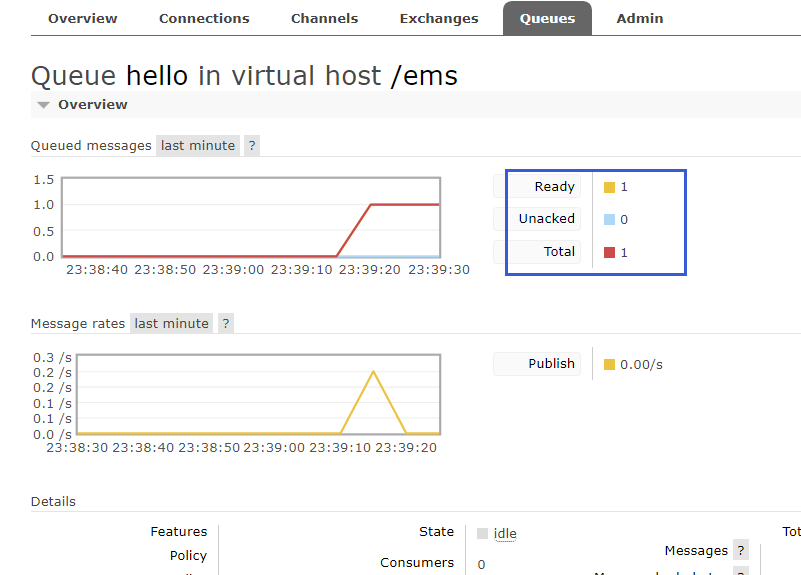
启动生产者:
启动消费者:
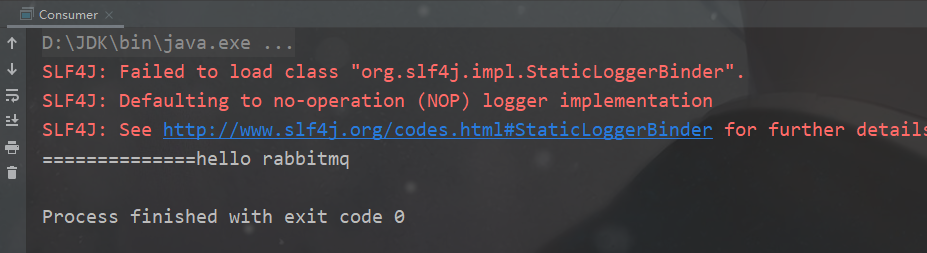
可以看到,消息已经收到了
4.4 第二种模型:Work Queue
Work queues
,也被称为(
Task queues),任务模型。当消息处理比较耗时的时候,可能生产消息的速度会远远大于消息的消费速度。长此以往,消息就会堆积越来越多,无法及时处理。此时就可以使用work 模型:让多个消费者绑定到一个队列,共同消费队列中的消息。队列中的消息一旦消费,就会消失,因此任务是不会被重复执行的。

角色:
- P:生产者:任务的发布者
- C1:消费者-1,领取任务并且完成任务,假设完成速度较慢
- C2:消费者-2:领取任务并完成任务,假设完成速度快
4.4.1 生产者:
publicclassProvider{publicstaticvoidmain(String[] args)throwsIOException{//获取连接对象Connection connection =RabbitUtils.getConnection();Channel channel = connection.createChannel();//通过通道声明队列
        channel.queueDeclare("work",true,false,false,null);//生产消息for(int i =1; i <=20; i++){
            channel.basicPublish("","work",null,(i+" hello work queue").getBytes());}//关闭资源RabbitUtils.closeConnectionAndChannel(channel,connection);}}
4.4.2 消费者
消费者1:
//轮询分发测试publicclassConsumer1{publicstaticvoidmain(String[] args)throwsIOException{Connection connection =RabbitUtils.getConnection();Channel channel = connection.createChannel();

        channel.queueDeclare("work",true,false,false,null);

        channel.basicConsume("work",true,newDefaultConsumer(channel){@OverridepublicvoidhandleDelivery(String consumerTag,Envelope envelope,AMQP.BasicProperties properties,byte[] body)throwsIOException{System.out.println("消费者-1:"+newString(body));try{Thread.sleep(1000);}catch(InterruptedException e){
                    e.printStackTrace();}}});}}
消费者2:
publicclassConsumer2{publicstaticvoidmain(String[] args)throwsIOException{Connection connection =RabbitUtils.getConnection();Channel channel = connection.createChannel();

        channel.queueDeclare("work",true,false,false,null);//参数1:队列名称,参数2:消息自动确认 true:消费者自动向rabbitmq确认消息消费了,false:不会自动确认消息
        channel.basicConsume("work",true,newDefaultConsumer(channel){@OverridepublicvoidhandleDelivery(String consumerTag,Envelope envelope,AMQP.BasicProperties properties,byte[] body)throwsIOException{System.out.println("消费者-2:"+newString(body));}});}}
先启动两个消费者
再启动生产者:
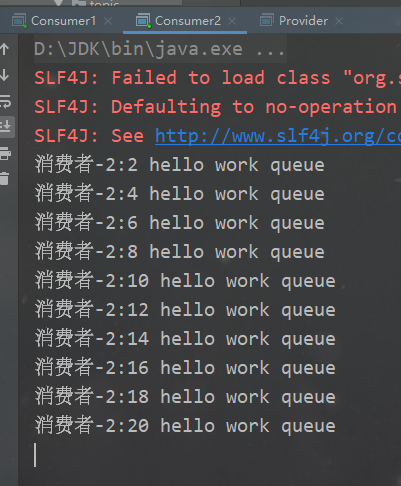
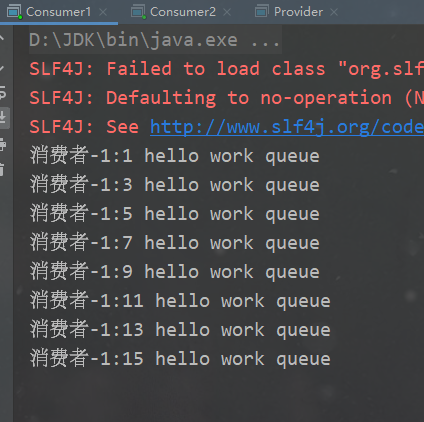
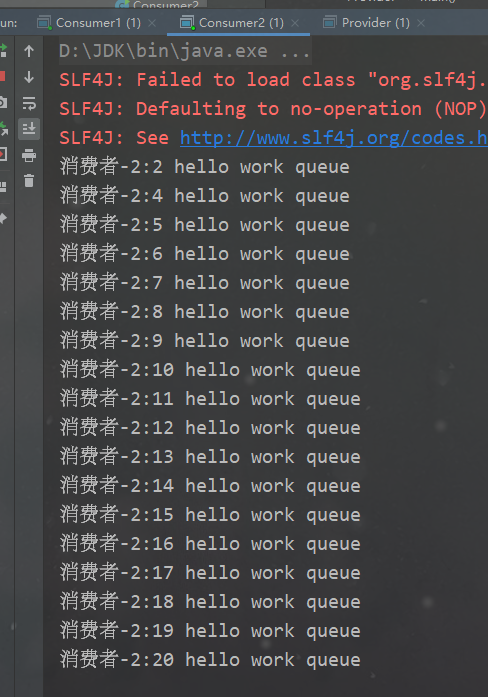
总结:默认情况下,RabbitMQ将按顺序将每个消息发送给下一个使用者。平均而言,每个消费者都会收到相同数量的消息。这种分发消息的方式称为循环。可以看到,默认是轮询分发的,但是这样子不好,我们的消费者1使用线程休眠了1s处理的很慢依然和消费者2五五开。
我们想要的结果是能者多劳,也就是处理速度快的就尽量多处理几条消息。
改进如下:
- 设置一次只接受一条未确认的消息
- 关闭消息自动确认,改为手动确认
4.4.3 改进为能者多劳
生产者不动,改变消费者
消费者1:
//能者多劳测试publicclassConsumer1{publicstaticvoidmain(String[] args)throwsIOException{Connection connection =RabbitUtils.getConnection();Channel channel = connection.createChannel();

        channel.basicQos(1);//每次只能消费一个消息
        channel.queueDeclare("work",true,false,false,null);

        channel.basicConsume("work",false,newDefaultConsumer(channel){@OverridepublicvoidhandleDelivery(String consumerTag,Envelope envelope,AMQP.BasicProperties properties,byte[] body)throwsIOException{System.out.println("消费者-1:"+newString(body));//手动确认//参数1:手动确认消息标识, 参数2:false 每次确认一个
                channel.basicAck(envelope.getDeliveryTag(),false);try{Thread.sleep(1000);}catch(InterruptedException e){
                    e.printStackTrace();}}});}}
消费者2:
publicclassConsumer2{publicstaticvoidmain(String[] args)throwsIOException{Connection connection =RabbitUtils.getConnection();Channel channel = connection.createChannel();

        channel.basicQos(1);//每次只能消费一个消息
        channel.queueDeclare("work",true,false,false,null);//参数1:队列名称,参数2:消息自动确认 true:消费者自动向rabbitmq确认消息消费了,false:不会自动确认消息
        channel.basicConsume("work",false,newDefaultConsumer(channel){@OverridepublicvoidhandleDelivery(String consumerTag,Envelope envelope,AMQP.BasicProperties properties,byte[] body)throwsIOException{System.out.println("消费者-2:"+newString(body));//手动确认//参数1:手动确认消息标识, 参数2:false 每次确认一个
                channel.basicAck(envelope.getDeliveryTag(),false);}});}}
消费者2:
消费者2:
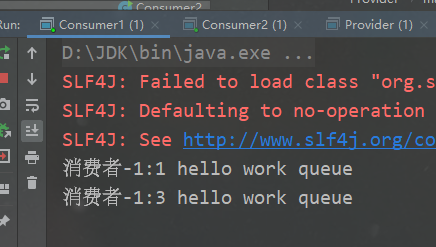
可以看到,达到了能者多劳的效果
4.5 第三种模型:Fanout
fanout 扇出 也称为广播

在广播模式下,消息发送流程是这样的:
- 可以有多个消费者
- 每个消费者有自己的queue(队列)
- 每个队列都要绑定到Exchange(交换机)
- 生产者发送的消息,只能发送到交换机,交换机来决定要发给哪个队列,生产者无法决定。
- 交换机把消息发送给绑定过的所有队列
- 队列的消费者都能拿到消息。实现一条消息被多个消费者消费
4.5.1 生产者
publicclassProvider{publicstaticvoidmain(String[] args)throwsIOException{Connection connection =RabbitUtils.getConnection();Channel channel = connection.createChannel();//将通道声明指定的交换机//参数1:交换机名称,参数2:交换机类型,fanout:广播类型
        channel.exchangeDeclare("logs","fanout");//发送消息  fanout中的routingkey没啥作用
        channel.basicPublish("logs","",null,"fanout type message".getBytes());RabbitUtils.closeConnectionAndChannel(channel,connection);}
4.5.2 开发3个消费者
消费者1:
publicclassConsumer1{publicstaticvoidmain(String[] args)throwsIOException{Connection connection =RabbitUtils.getConnection();Channel channel = connection.createChannel();//声明交换机
        channel.exchangeDeclare("logs","fanout");//临时队列String queueName = channel.queueDeclare().getQueue();//绑定交换机和队列
        channel.queueBind(queueName,"logs","");//消费消息
        channel.basicConsume(queueName,true,newDefaultConsumer(channel){@OverridepublicvoidhandleDelivery(String consumerTag,Envelope envelope,AMQP.BasicProperties properties,byte[] body)throwsIOException{System.out.println("消费者1:"+newString(body));}});}}
消费者2:
publicclassConsumer2{publicstaticvoidmain(String[] args)throwsIOException{Connection connection =RabbitUtils.getConnection();Channel channel = connection.createChannel();//声明交换机
        channel.exchangeDeclare("logs","fanout");//临时队列String queueName = channel.queueDeclare().getQueue();//绑定交换机和队列
        channel.queueBind(queueName,"logs","");//消费消息
        channel.basicConsume(queueName,true,newDefaultConsumer(channel){@OverridepublicvoidhandleDelivery(String consumerTag,Envelope envelope,AMQP.BasicProperties properties,byte[] body)throwsIOException{System.out.println("消费者2:"+newString(body));}});}}
publicclassConsumer3{publicstaticvoidmain(String[] args)throwsIOException{Connection connection =RabbitUtils.getConnection();Channel channel = connection.createChannel();//声明交换机
        channel.exchangeDeclare("logs","fanout");//临时队列String queueName = channel.queueDeclare().getQueue();//绑定交换机和队列
        channel.queueBind(queueName,"logs","");//消费消息
        channel.basicConsume(queueName,true,newDefaultConsumer(channel){@OverridepublicvoidhandleDelivery(String consumerTag,Envelope envelope,AMQP.BasicProperties properties,byte[] body)throwsIOException{System.out.println("消费者3:"+newString(body));}});}}
先启动3个消费者
启动生产者之后观察3个消费者是否都接收到了消息:
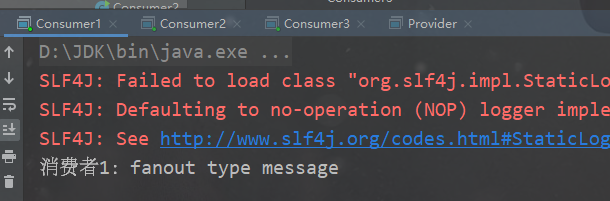
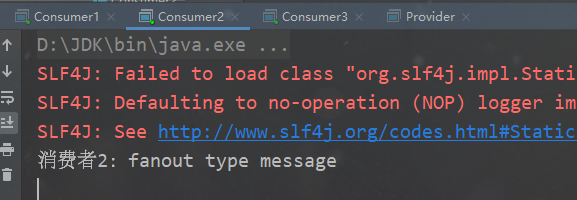
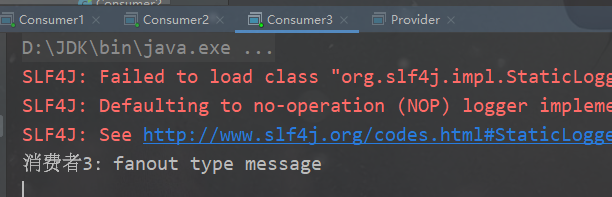
观察是否创建了对应的交换机:

4.6 第四种模型:Routing
其实Routing和Topics很像,一个是写死了RoutingKey,另一个使用了通配符。
在Fanout模式中,一条消息,会被所有订阅的队列都消费。但是,在某些场景下,我们希望不同的消息被不同的队列消费。这时就要用到Direct类型的Exchange。
在Direct模型下:
- 队列与交换机的绑定,不能是任意绑定了,而是要指定一个
RoutingKey(路由key) - 消息的发送方在 向 Exchange发送消息时,也必须指定消息的
RoutingKey。 - Exchange不再把消息交给每一个绑定的队列,而是根据消息的
Routing Key进行判断,只有队列的Routingkey与消息的Routing key完全一致,才会接收到消息

图解:
- P:生产者,向Exchange发送消息,发送消息时,会指定一个routing key。
- X:Exchange(交换机),接收生产者的消息,然后把消息递交给 与routing key完全匹配的队列
- C1:消费者,其所在队列指定了需要routing key 为 error 的消息
- C2:消费者,其所在队列指定了需要routing key 为 info、error、warning 的消息
4.6.1 生产者
publicclassProvider{publicstaticfinalString EXCHANGE_NAME="logs_direct";publicstaticvoidmain(String[] args)throwsIOException{Connection connection =RabbitUtils.getConnection();Channel channel = connection.createChannel();//声明交换机  参数1:交换机名称,参数2:direct 路由模式
        channel.exchangeDeclare(EXCHANGE_NAME,BuiltinExchangeType.DIRECT);//发送消息//        String routingKey="info";//        String routingKey="error";String routingKey="warning";//        String routingKey="trade";
        channel.basicPublish(EXCHANGE_NAME,routingKey,null,("这是direct模型发布的基于routingKey:["+routingKey+"]").getBytes());//关闭资源RabbitUtils.closeConnectionAndChannel(channel,connection);}}
4.6.2 消费者1
publicclassConsumer1{publicstaticfinalString EXCHANGE_NAME="logs_direct";publicstaticvoidmain(String[] args)throwsIOException{Connection connection =RabbitUtils.getConnection();Channel channel = connection.createChannel();//通道声明交换机以及交换机的类型
        channel.exchangeDeclare(EXCHANGE_NAME,BuiltinExchangeType.DIRECT);//创建一个临时队列String queue = channel.queueDeclare().getQueue();//基于routingKey去绑定队列和交换机
        channel.queueBind(queue,EXCHANGE_NAME,"error");//消费消息
        channel.basicConsume(queue,true,newDefaultConsumer(channel){@OverridepublicvoidhandleDelivery(String consumerTag,Envelope envelope,AMQP.BasicProperties properties,byte[] body)throwsIOException{System.out.println("消费者1:"+newString(body));}});}}
4.6.3 消费者2
publicclassConsumer2{publicstaticfinalString EXCHANGE_NAME="logs_direct";publicstaticvoidmain(String[] args)throwsIOException{Connection connection =RabbitUtils.getConnection();Channel channel = connection.createChannel();//通道声明交换机以及交换机的类型
        channel.exchangeDeclare(EXCHANGE_NAME,BuiltinExchangeType.DIRECT);//创建一个临时队列String queue = channel.queueDeclare().getQueue();//基于routingKey去绑定队列和交换机
        channel.queueBind(queue,EXCHANGE_NAME,"info");
        channel.queueBind(queue,EXCHANGE_NAME,"error");
        channel.queueBind(queue,EXCHANGE_NAME,"warning");//消费消息
        channel.basicConsume(queue,true,newDefaultConsumer(channel){@OverridepublicvoidhandleDelivery(String consumerTag,Envelope envelope,AMQP.BasicProperties properties,byte[] body)throwsIOException{System.out.println("消费者2:"+newString(body));}});}}
先启动两个消费者:
启动生产者之后观察消费者是否收到了消息:
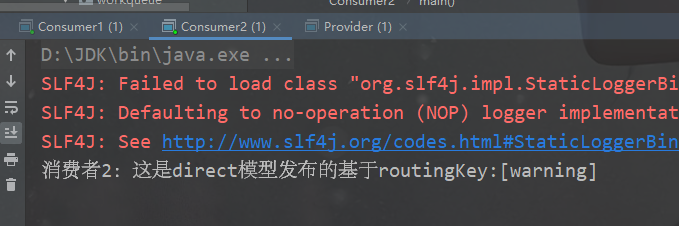
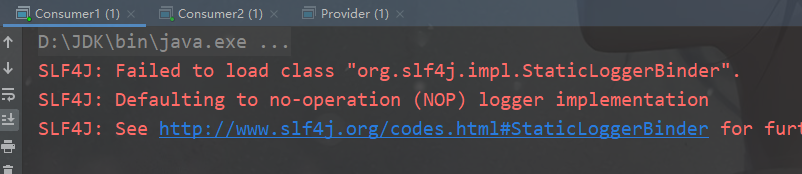
可以看到,消费者1没有收到消息,因为我们生产者的routintKey为warning,而消费者1队列的routingKey是error,消费者2队列的routingKey是warning
所以只有消费者2可以接收到消息,**只有队列的
Routingkey
与消息的
Routing key
完全一致,才会接收到消息**。
4.7 第五种模型:Topics
Topic
类型的
Exchange
与
Direct
相比,都是可以根据
RoutingKey
把消息路由到不同的队列。只不过
Topic
类型
Exchange
可以让队列在绑定
Routing key
的时候使用通配符!这种模型
Routingkey
一般都是由一个或多个单词组成,多个单词之间以”.”分割,例如:
item.insert

# 统配符
        *(star) can substitute for exactly one word.    匹配不多不少恰好1个词
        # (hash) can substitute for zero or more words.  匹配一个或多个词
# 如:
    audit.#    匹配audit.irs.corporate或者 audit.irs 等
    audit.*   只能匹配 audit.irs
4.7.1 生产者
publicclassProvider{publicstaticvoidmain(String[] args)throwsIOException{Connection connection =RabbitUtils.getConnection();Channel channel = connection.createChannel();//声明交换机以及交换机类型 topic
        channel.exchangeDeclare("topics",BuiltinExchangeType.TOPIC);//发布消息String routingKey="user.save";//        String routingKey="user.save.findAll";//    String routingKey="user";
        channel.basicPublish("topics",routingKey,null,("这里是topic动态路由模型,routingKey:["+routingKey+"]").getBytes());//关闭资源RabbitUtils.closeConnectionAndChannel(channel,connection);}}
4.7.2 消费者1:
publicclassCosumer1{publicstaticvoidmain(String[] args)throwsIOException{Connection connection =RabbitUtils.getConnection();Channel channel = connection.createChannel();//声明交换机以及交换机类型
        channel.exchangeDeclare("topics",BuiltinExchangeType.TOPIC);//创建临时队列String queue = channel.queueDeclare().getQueue();//创建队列和交换机,动态通配符形式 routingKey
        channel.queueBind(queue,"topics","user.*");//消费消息
        channel.basicConsume(queue,true,newDefaultConsumer(channel){@OverridepublicvoidhandleDelivery(String consumerTag,Envelope envelope,AMQP.BasicProperties properties,byte[] body)throwsIOException{System.out.println("消费者1:"+newString(body));}});}}
4.7.3 消费者2:
publicclassCosumer2{publicstaticvoidmain(String[] args)throwsIOException{Connection connection =RabbitUtils.getConnection();Channel channel = connection.createChannel();//声明交换机以及交换机类型
        channel.exchangeDeclare("topics",BuiltinExchangeType.TOPIC);//创建临时队列String queue = channel.queueDeclare().getQueue();//创建队列和交换机,动态通配符形式 routingKey
        channel.queueBind(queue,"topics","user.#");//消费消息
        channel.basicConsume(queue,true,newDefaultConsumer(channel){@OverridepublicvoidhandleDelivery(String consumerTag,Envelope envelope,AMQP.BasicProperties properties,byte[] body)throwsIOException{System.out.println("消费者2:"+newString(body));}});}}
我们注意到消费者1的routingKey为
user.*
,消费者2的routingKey为
user.#
启动两个消费者,再启动生产者
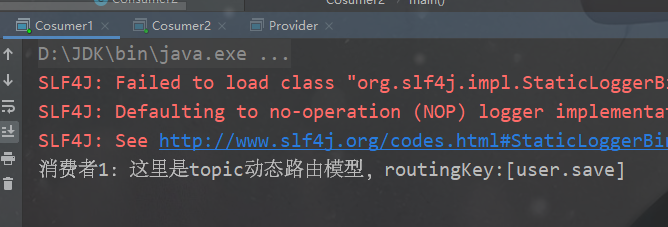
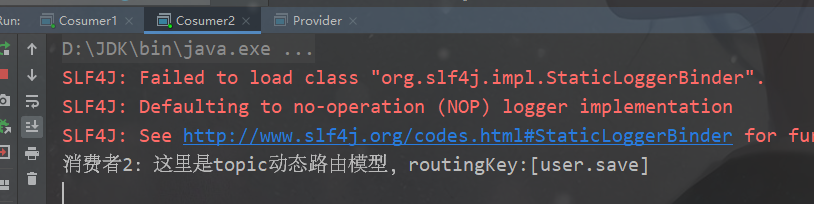
此时都收到了消息,是因为两个规则都能匹配到。
我们现在将生产者交换机的
routingKey
改为
user.save.findAll
,启动生产者,观察结果:

是因为消费者2中队列的routingKey为
user.#
,user后面可以匹配一个或者多个,而消费者1中队列的routingKey为
user.*
,user后面只能匹配一个词,所以收不到消息。
就先介绍到这里,后面的RPC暂时不搞了,至于Publisher Confirms看我专栏以前的文章,这几种模式足够应付绝大多数的业务场景了。
5、RabbitMQ与SpringBoot整合
真正写代码的时候都是与现有框架进行集成,很少用上面那种原生的写法。
5.0 搭建环境
5.0.1 引入依赖
<dependency><groupId>org.springframework.boot</groupId><artifactId>spring-boot-starter-amqp</artifactId></dependency>
5.0.2 配置文件
spring:application:name: rabbitmq-springboot

  rabbitmq:host: 你的ip
    port:5672username: 用户名
    password: 密码
    virtual-host: /ems  # 虚拟主机
5.1 第一种:HelloWorld模型
生产者:
//注入rabbitTemplate@AutowiredprivateRabbitTemplate rabbitTemplate;//hello world@TestpublicvoidtestHelloWorld(){
    rabbitTemplate.convertAndSend("hello","hello world");}
消费者:
@Component@RabbitListener(queuesToDeclare =@Queue(value ="hello"))publicclassHelloCustomer{@RabbitHandlerpublicvoidreceive(String message){System.out.println("message="+message);}}
由于
@RabbitListener注解会一直监听消息,所以这里不用像上面一样分别启动消费者和生产者了。
我们直接启动生产者:
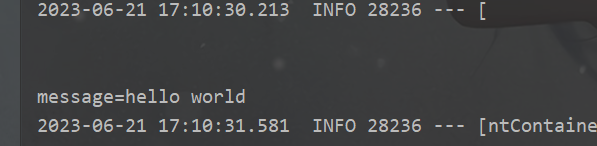
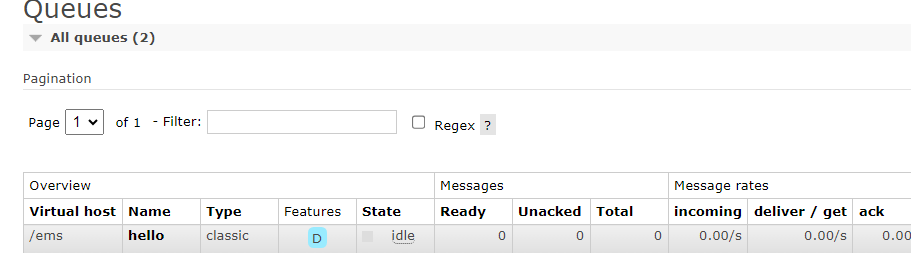
管理界面却是存在hello队列,控制台也看到消息已经被消费者接收。
5.2 第二种:Work Queue
生产者:
//work queues@TestpublicvoidtestWorkQueue(){for(int i =0; i <10; i++){
        rabbitTemplate.convertAndSend("work","work模型"+i);}}
消费者:
@ComponentpublicclassWorkCustomer{//消费者1@RabbitListener(queuesToDeclare =@Queue("work"))publicvoidreceive(String message){System.out.println("message1="+message);}//消费者2@RabbitListener(queuesToDeclare =@Queue("work"))publicvoidreceive1(String message){System.out.println("message2="+message);}}
这里我建立两个消费者来测试轮询分发模式
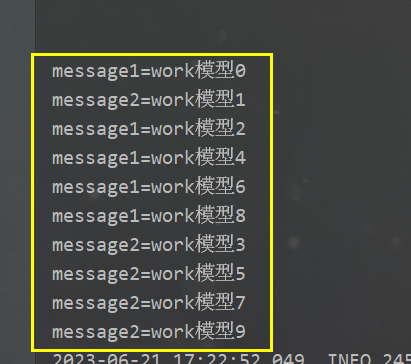
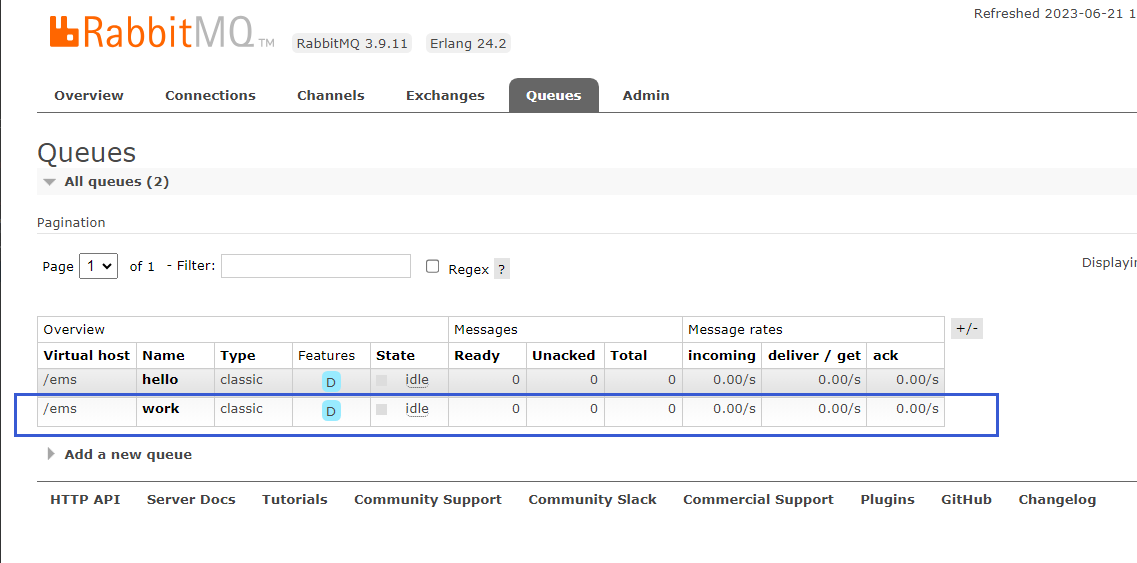
管理界面中看到了绑定的work队列,控制台也看到了消息已经被两个消费者接收。
5.3 第三种:Fanout
生产者:
//fanout 广播@TestpublicvoidtestFanout(){//这种模式的routingKey没啥作用
    rabbitTemplate.convertAndSend("logs","","Fanout的模型发送的消息");}
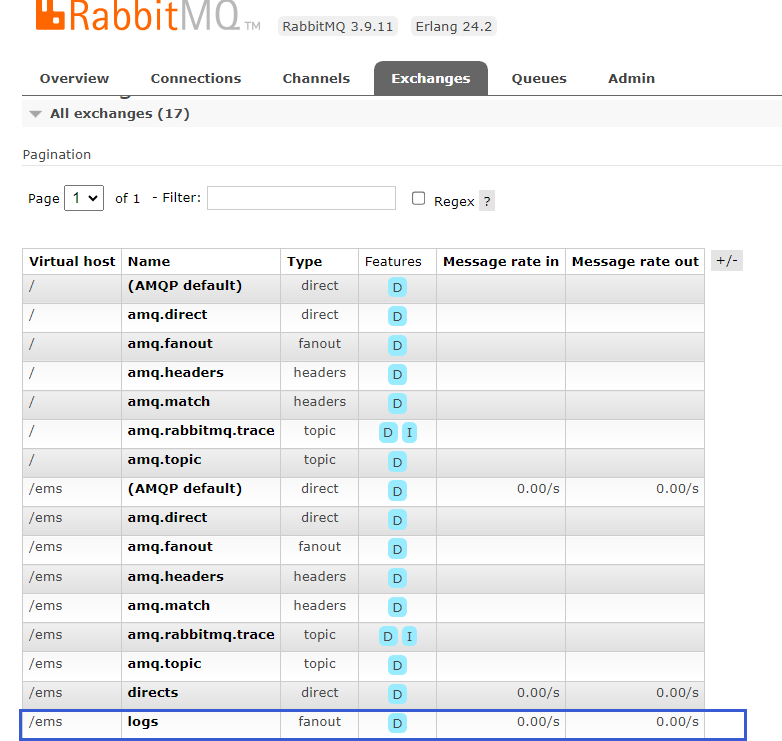
定义一个交换机:logs
消费者:
@ComponentpublicclassFanoutCustomer{@RabbitListener(bindings ={@QueueBinding(
                   value =@Queue,//不写value代表临时队列
                   exchange =@Exchange(value ="logs",type ="fanout")//绑定的叫喊及)})publicvoidreceive1(String message){System.out.println("message1= "+message);}@RabbitListener(bindings ={@QueueBinding(
                    value =@Queue,//不写value代表临时队列
                    exchange =@Exchange(value ="logs",type ="fanout")//绑定的交换机)})publicvoidreceive2(String message){System.out.println("message2= "+message);}}
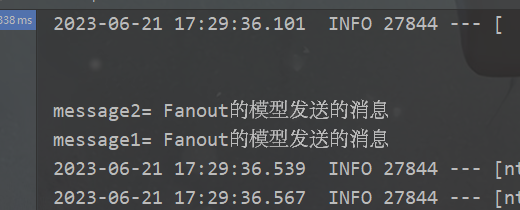
这里两个临时队列都与logs交换机进行绑定,所以我们生产者将消息发送到logs交换机上面之后,两个消费者都能接收到消息。
5.4 第四种:Routing
生产者:
//routing 路由模式@TestpublicvoidtestRoute(){//        rabbitTemplate.convertAndSend("directs","info","发送info的key的路由信息");
        rabbitTemplate.convertAndSend("directs","error","发送info的key的路由信息");}
消费者:
@ComponentpublicclassRouteCustomer{@RabbitListener(bindings ={@QueueBinding(
                    value =@Queue,//创建临时队列
                    exchange =@Exchange(value ="directs",type ="direct"),//指定交换机
                    key ={"info","error","warn"})})publicvoidreceive1(String message){System.out.println("message1= "+message);}@RabbitListener(bindings ={@QueueBinding(
                    value =@Queue,//创建临时队列
                    exchange =@Exchange(value ="directs",type ="direct"),//指定交换机
                    key ={"error"})})publicvoidreceive2(String message){System.out.println("message2= "+message);}}
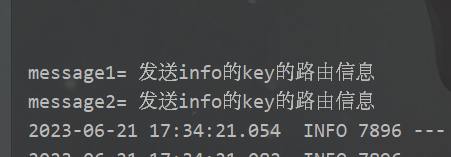
当routingKey=error的时候,两个消费者都可以接收到:
我们现在将routingKey改为info,再次发送:
rabbitTemplate.convertAndSend("directs","info","发送info的key的路由信息");
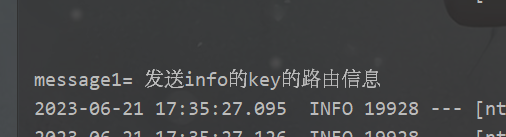
可以看到,只有消费者1接收到了消息,因为只有消费者1的队列和交换机进行绑定的
routingKey是
"info","error","warn",包含了
info,而消费者2中队列和交换机绑定的
routingKey为
error,所以消费者2接收不到这条消息。
5.4 第五种:Topics
也叫动态路由模型,就是在第四种模型的基础之上加了通配符而已。
生产者:
//topic 动态路由  订阅模式@TestpublicvoidtestTopic(){
        rabbitTemplate.convertAndSend("topics","user.save","user.save 路由消息");//        rabbitTemplate.convertAndSend("topics","order","user.save 路由消息");//        rabbitTemplate.convertAndSend("topics","product.save.add","product.save.add 路由消息");}
消费者:
@ComponentpublicclassTopicCustomer{@RabbitListener(bindings ={@QueueBinding(
                    value =@Queue,
                    exchange =@Exchange(value ="topics",type ="topic"),
                    key ={"user.save","user.*"})})publicvoidreveive1(String message){System.out.println("message1 = "+message);}@RabbitListener(bindings ={@QueueBinding(
                    value =@Queue,
                    exchange =@Exchange(value ="topics",type ="topic"),
                    key ={"order.#","product.#","user.*"})})publicvoidreveive2(String message){System.out.println("message2 = "+message);}}
此时,生产者中的定义的
routingKey
为
user.save
,而消费者1有
user.save和user.*
,消费者2有:
user.*
,所以两个都能接收到消息:
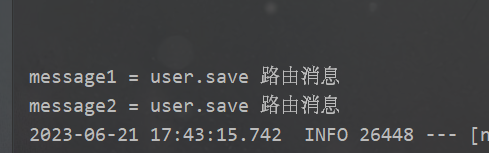
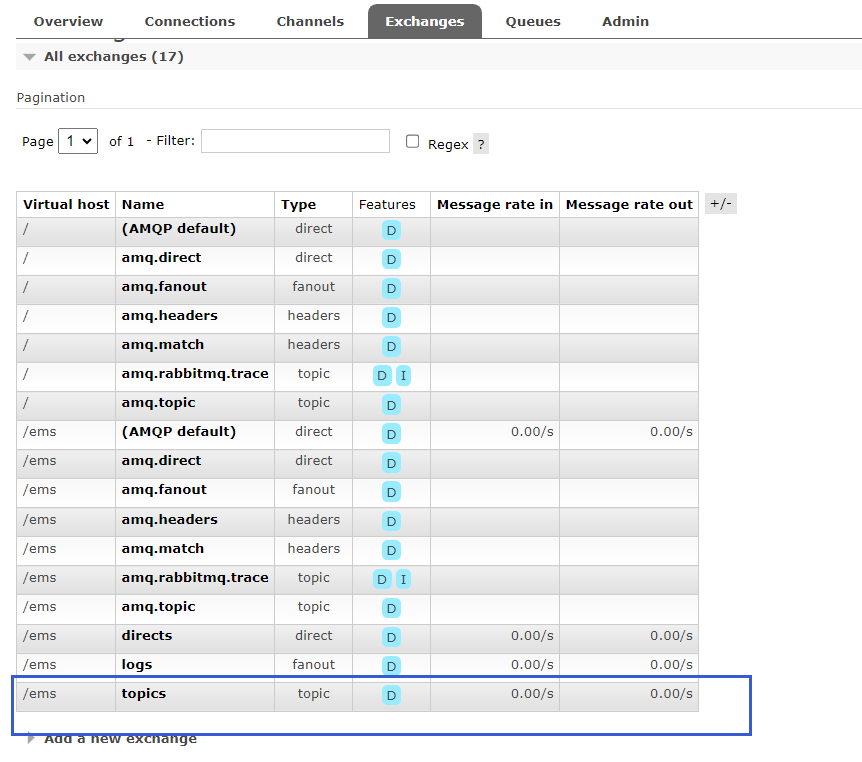
控制台看到两个消费者都输出了消息,管理界面中也看到了新建的交换机。
现在修改生产者消息的routingKey如下:
rabbitTemplate.convertAndSend("topics","order","user.save 路由消息");
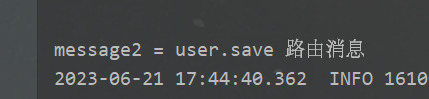
可以看到,只有消费者2接收到了消息,这是因为消费者中的
routingKey
包含
"order.#"
,
#
代表有一个或者多个单词,所以匹配到。
将生产者代码修改如下:
rabbitTemplate.convertAndSend("topics","product.save.add","product.save.add 路由消息");

消费者2中有
routingKey为
product.#,所以能够接收到。
版权归原作者 别团等shy哥发育 所有, 如有侵权,请联系我们删除。