
unity-webgl 是无法直接向vue项目进行通信的,需要一个中间者 jslib 文件
jslib当作中间者,unity与它通信,前端也与它通信,在此基础上三者之间进行了通信对接
看过很多例子:介绍的都不是很详细,不如自己写, 注意看箭头走向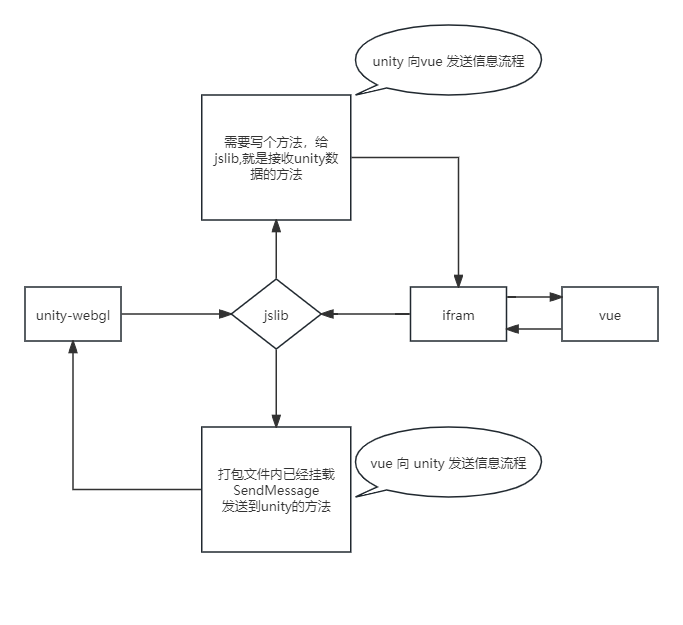
共同点:unity 打包项目都放 在 public 里面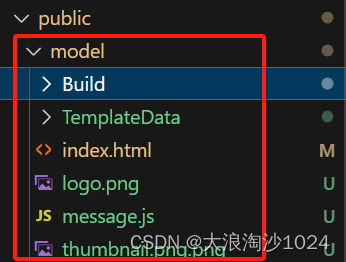
方式一:通过 ifram 引入 到vue 项目
<iframe ref="iframecc" src="./model/index.html" frameborder="0" allowfullscreen></iframe>
1、unity 通过 jslib 向 html 传递数据:
1、jslib 先传给 ifram
其实就是调用html 里面的方法,回调给我们数据,我们只要写好方法名给jslib即可(unity开发者去写进去),就能收到信息
// 接收来自 jslib 的方法 = >传给vuefunctiongetUnityMessage(str){// 注意格式-一般是string let message = JSON.parse(str)if(message.id && message.id>=0){// 向ifram父元素发送数据
        window.parent.postMessage(message,'*');}else{}}
2、ifram再传给vue,vue 再接收ifram传递的数据
// 接受来自ifram 的数据
window.addEventListener('message',function(event){// 确保消息来源可靠,可选// if (event.origin !== 'http://iframepage.com') return;
    console.log('来自ifram',event.data);// 根据接收到的数据执行相应操作},false);
2、vue 向 unity 传递数据
1、先传给ifram 发送消息
let iframecc =ref(null)// ifram -domlet sendMessage =()=>{const iframeWindow = iframecc.value.contentWindow;
  iframeWindow.postMessage('messgae','*');}
2、ifram 再传给 jslib
/*
  SendMessage方法的三个参数依次是
  @param1 - unity程序中挂载c#脚本的物体的name
  @param2 - c#脚本实现的接收前段传参的中的函数
  @param3 - 实际传的参数
*/
window.addEventListener('message',function(event){// if (event.origin !== 'http://parentpage.com') return;
    console.log('888:',event.data);
    window.unityInstance.SendMessage("sendPanel","recvmsg",event.data)},false);
备注:SendMessage方法 的来源,我们直接用就行
const script = document.createElement("script");
script.src = loaderUrl;
script.onload =()=>{createUnityInstance(canvas, config,(progress)=>{
    spinner.style.display ="none";
    progressBarEmpty.style.display ="";
    progressBarFull.style.width = `${100* progress}%`;}).then((unityInstance)=>{// 此处html中, 已经将发送信息的 SendMessage 挂载到了 window 上: window.unityInstance.SendMessage()
    window.unityInstance = unityInstance;
    loadingCover.style.display ="none";if(canFullscreen){if(!hideFullScreenButton){
        fullscreenButton.style.display ="";}
      fullscreenButton.onclick =()=>{
        unityInstance.SetFullscreen(1);};}}).catch((message)=>{alert(message);});};
方式二: vue+通过插件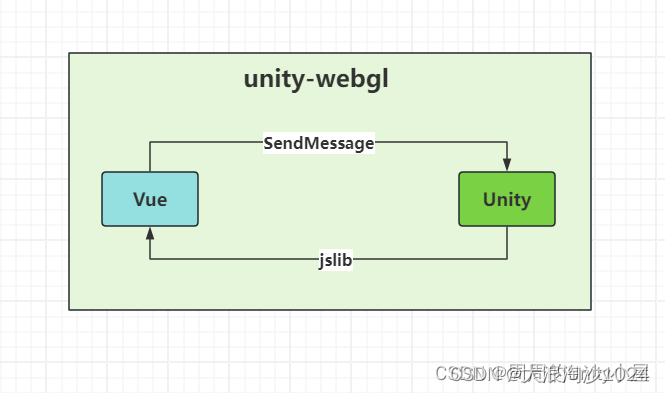
链接:参考
标签:
webgl
本文转载自: https://blog.csdn.net/weixin_45379180/article/details/138339003
版权归原作者 大浪淘沙1024 所有, 如有侵权,请联系我们删除。
版权归原作者 大浪淘沙1024 所有, 如有侵权,请联系我们删除。