
安装Git后,为了能够连接远程仓库,需配置Git用户名、邮箱和密码
设置用户名
git config --global user.name "Your Name"
设置邮箱
git config --global user.email "[email protected]"
设置密码
git config --global user.password "Your Password"
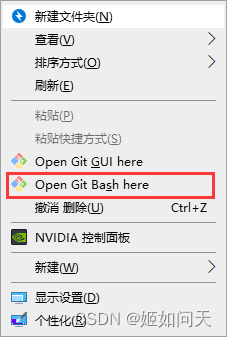
右键鼠标,点击下图红框内菜单,进入Git Bash命令行
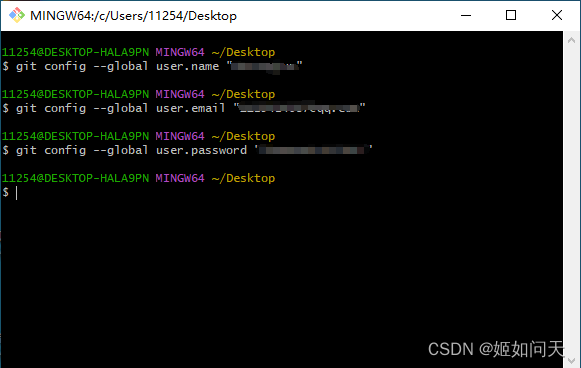
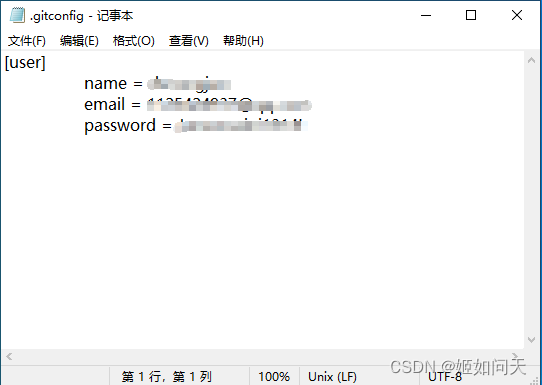
命令输入后,系统会在C:\Users{{user}}路径中生成.gitconfig文件
标签:
git
本文转载自: https://blog.csdn.net/qq_37145507/article/details/132404339
版权归原作者 姬如问天 所有, 如有侵权,请联系我们删除。
版权归原作者 姬如问天 所有, 如有侵权,请联系我们删除。