
一、在gitlab上新建项目
可以不创建README.md文件,省得推送项目时报错,
git 推送报错解决办法

二、idea推送项目到gitlab
1、idea的git配置

2、编辑gitignore文件,把排除的加上

3、VCS-创建Git仓库

4、选择项目

5、这样就有Git菜单了
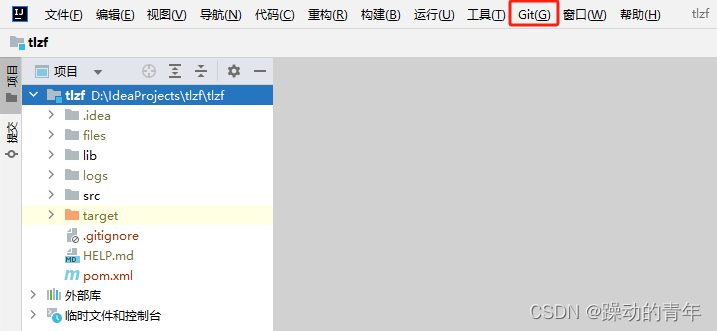
6、Git-添加

7、提交
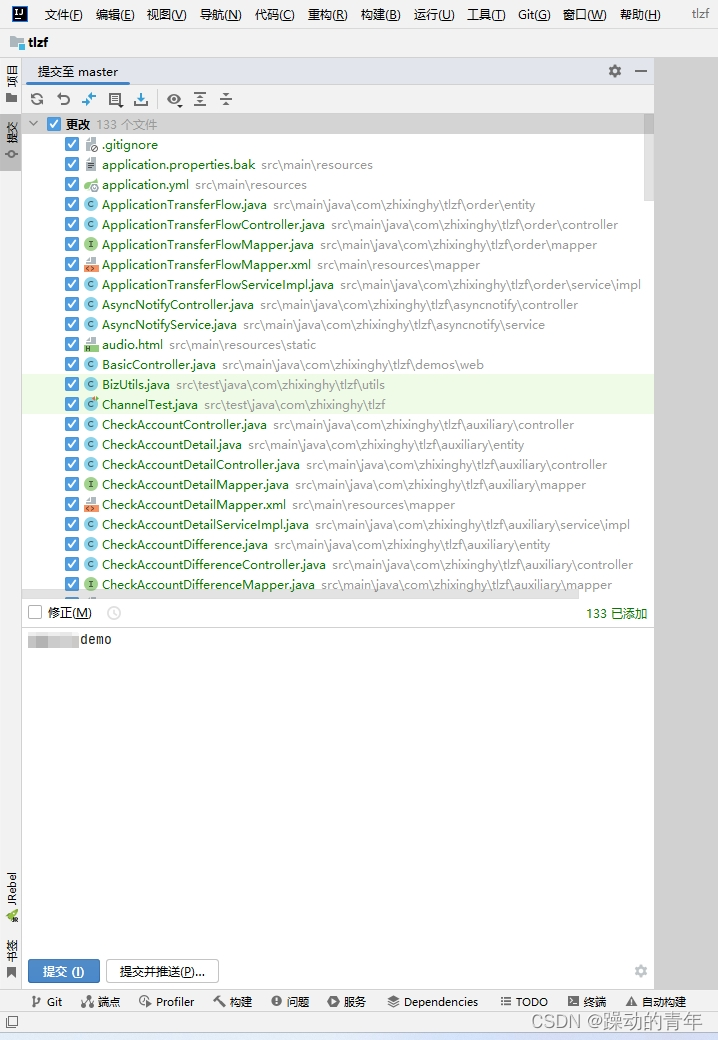
8、仍然提交

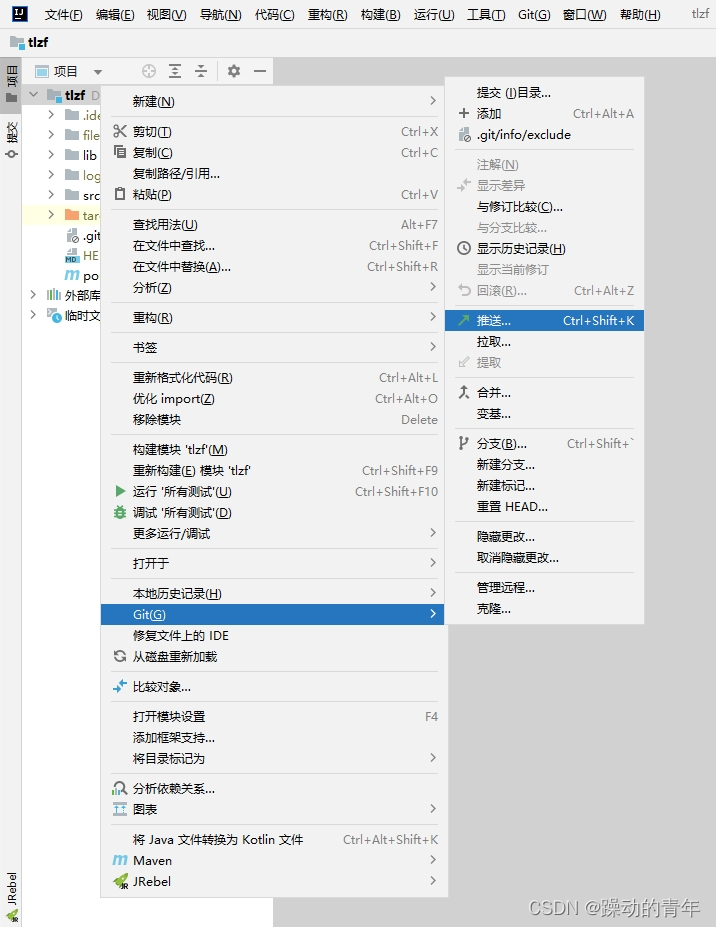
9、Git-推送
10、定义远程

11、把Git地址填上
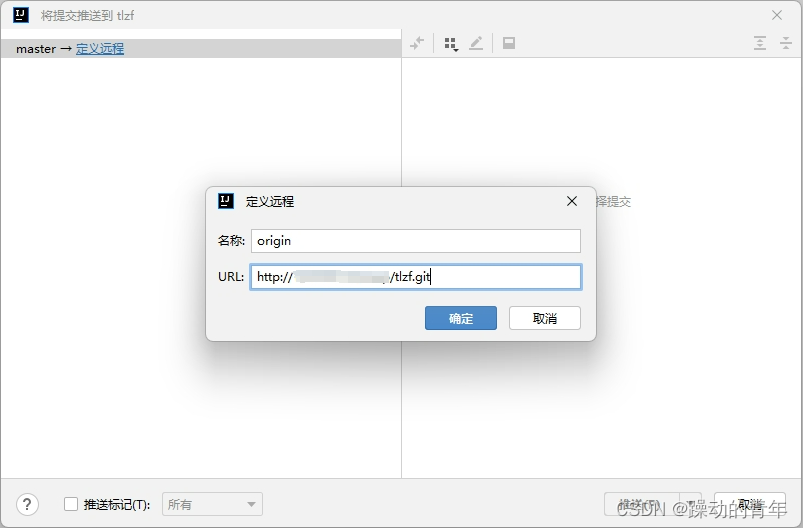
12、推送

13、推送被拒
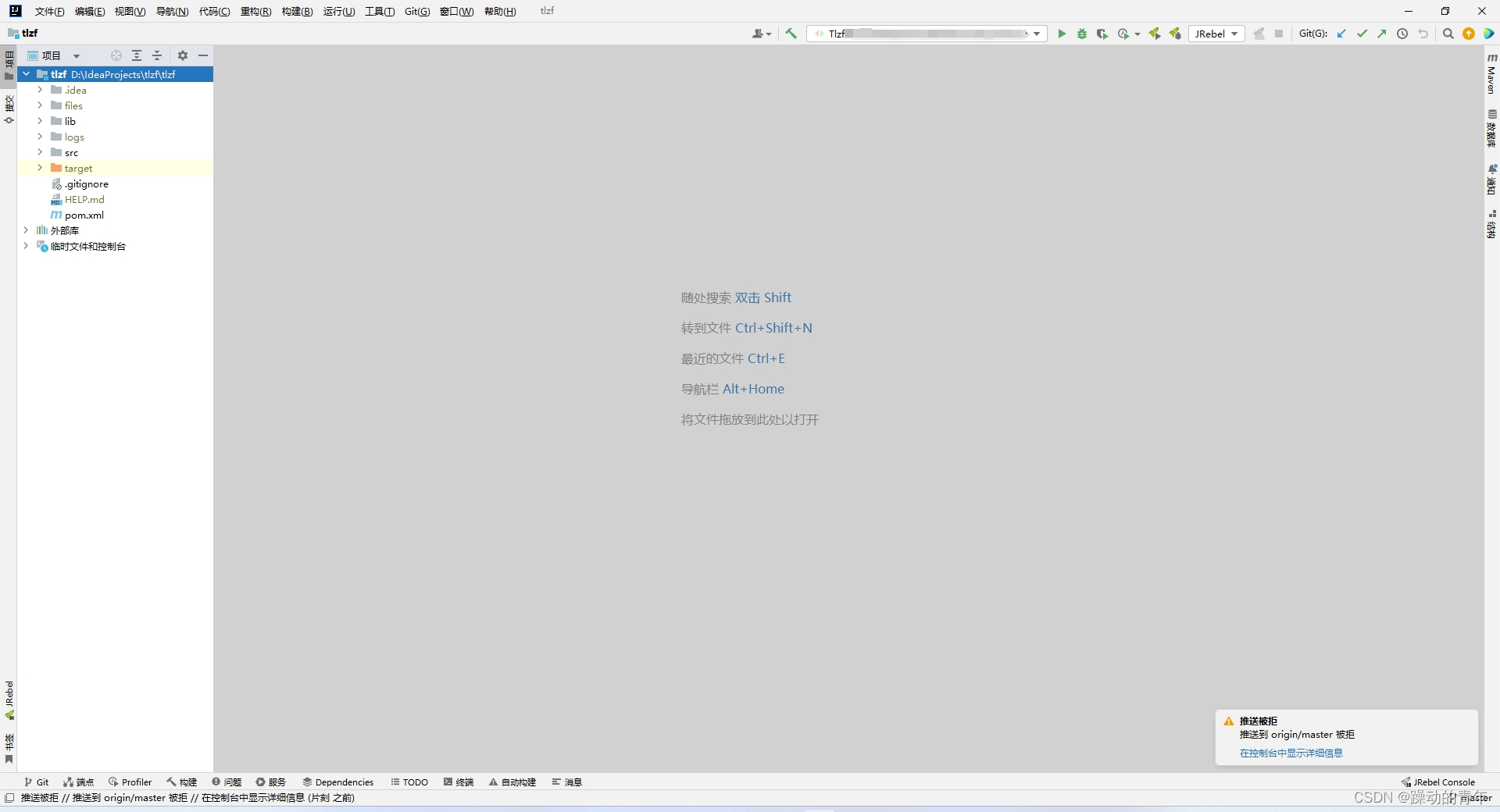
14、在控制台中显示详细信息
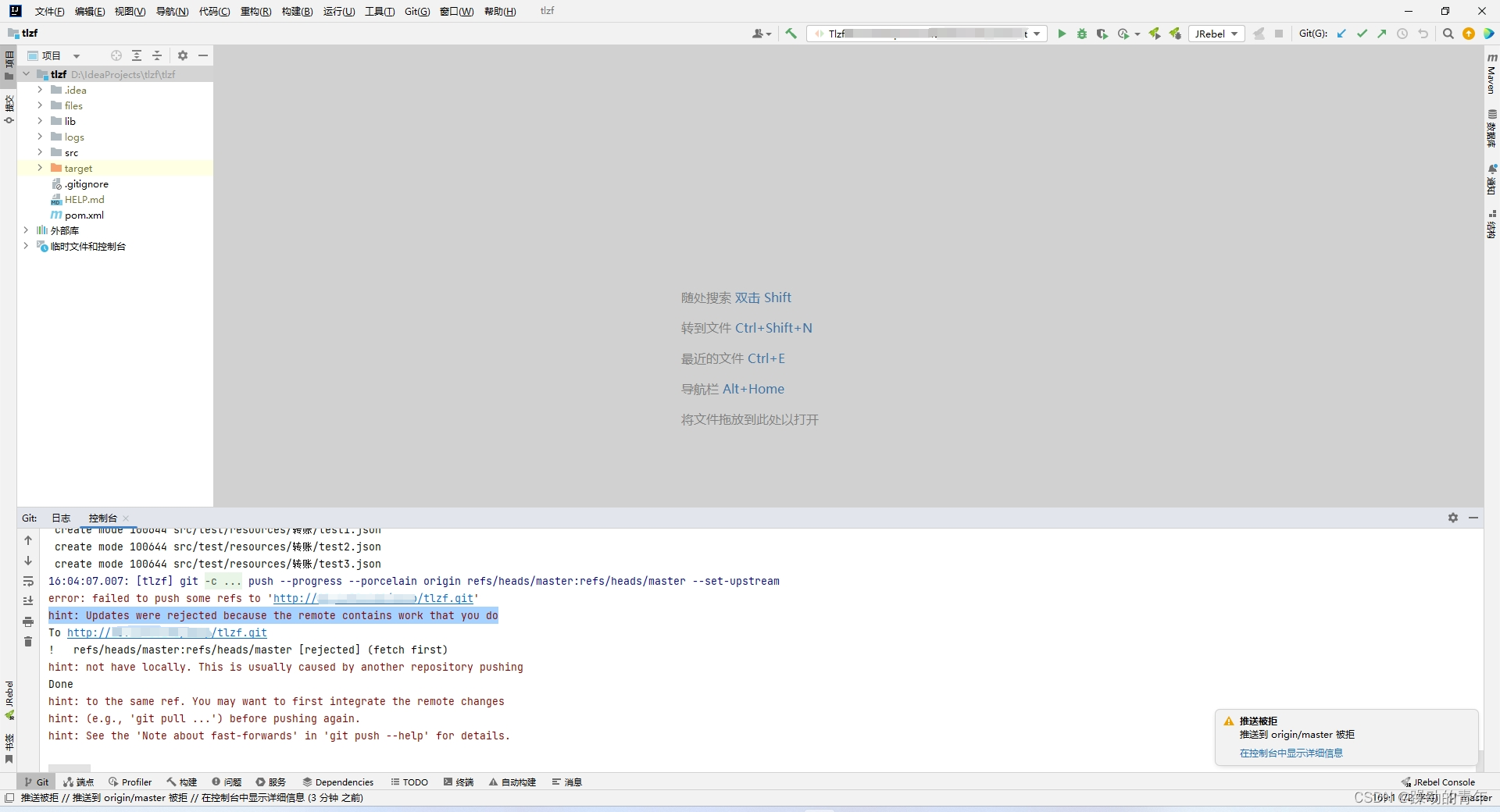
15、报错文本
16:04:07.007: [tlzf] git -c ... push --progress --porcelain origin refs/heads/master:refs/heads/master --set-upstream
error: failed to push some refs to 'http://10.10.10.10/cesp/tlzf.git'
hint: Updates were rejected because the remote contains work that you do
To http://10.10.10.10/cesp/tlzf.git
!    refs/heads/master:refs/heads/master    [rejected] (fetch first)
hint: not have locally. This is usually caused by another repository pushing
Done
hint: to the same ref. You may want to first integrate the remote changes
hint: (e.g., 'git pull ...') before pushing again.
hint: See the 'Note about fast-forwards' in 'git push --help' for details.
16、git推送报错解决办法
git 推送报错解决办法
先拉一下,允许不相关的历史记录
git pull origin master --allow-unrelated-histories
可以直接在idea的终端里敲命令

idea的终端可以切换到Git Bash

17、再次推送

18、推送成功

三、idea项目关闭版本控制,断开git连接
idea项目关闭版本控制,断开git连接
四、参考
idea上传本地项目到gitlab
本文转载自: https://blog.csdn.net/haveqing/article/details/139963917
版权归原作者 躁动的青年 所有, 如有侵权,请联系我们删除。
版权归原作者 躁动的青年 所有, 如有侵权,请联系我们删除。