
【服务器】在 Linux CLI 下安装 Anaconda
1 系统环境
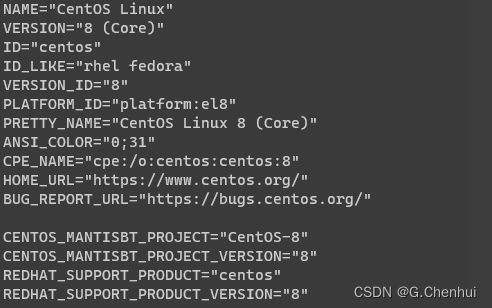
- 查看系统信息
cat /etc/os-release
2. 查看架构
uname-a# output# Linux localhost.localdomain 4.18.0-193.28.1.el8_2.x86_64 #1 SMP Thu Oct 22 00:20:22 UTC 2020 x86_64 x86_64 x86_64 GNU/Linux
2 下载安装包
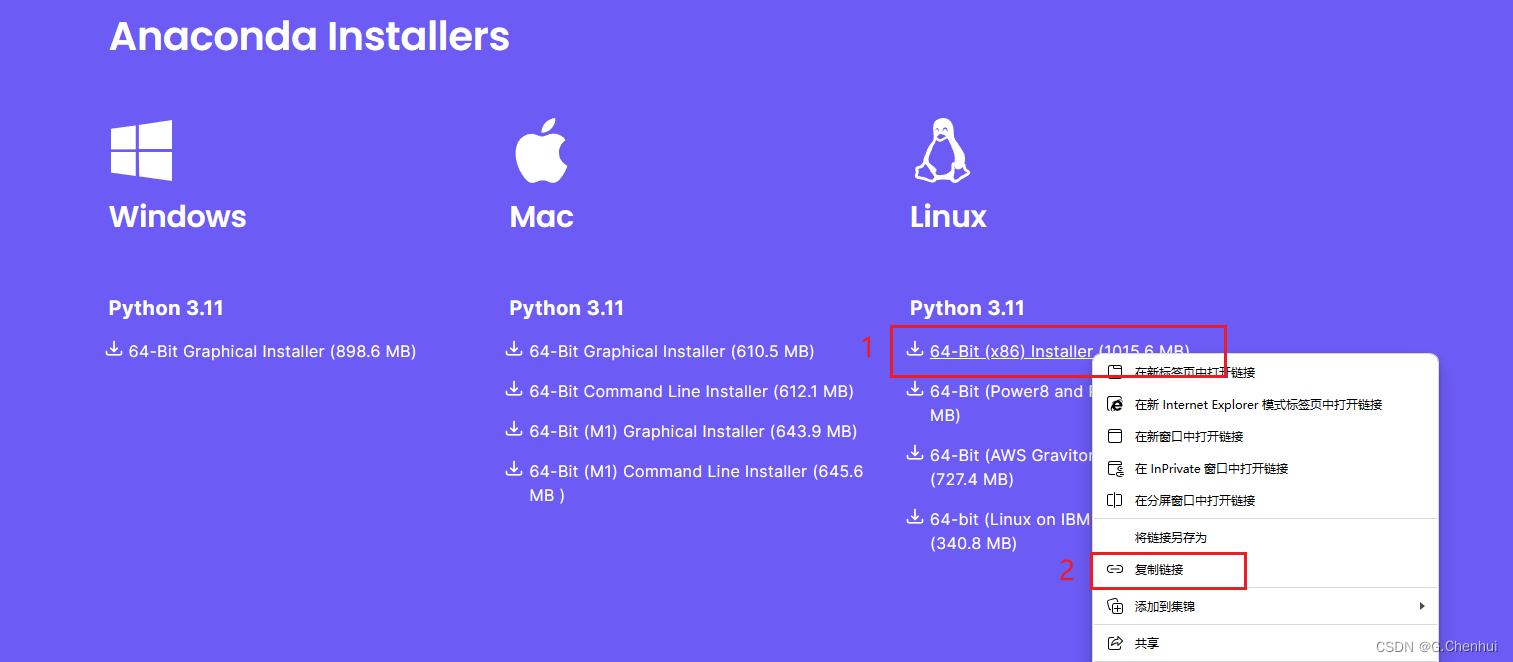
官方地址: Link
- 选择安装包,右键复制链接
- wget 下载:
wget -P [指定安装路径] url[url为复制的链接]
wget https://repo.anaconda.com/archive/Anaconda3-2023.09-0-Linux-x86_64.sh
3 安装
- 运行 .sh 安装脚本
bash Anaconda3-2023.09-0-Linux-x86_64.sh
- Do you accept the license terms? [yes|no]: yes
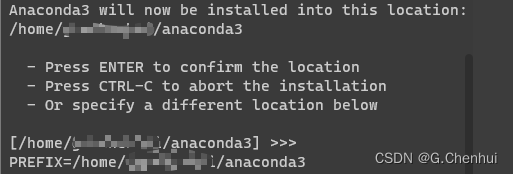
- Anaconda3 will now be installed into this location: (建议安装至用户目录下)
- You can undo this by running
conda init --reverse $SHELL? [yes|no]: no(如果这里选择了 yes,可直接跳至第 4 步)
- 在当前 shell 中激活 conda 环境
- 确定当前 shell 的类型
echo$SHELL# output# /bin/bash
- 下面命令中的
shell.YOUR_SHELL_NAME改为shell.bash
eval"$(/home/guochenhui/anaconda3/bin/conda shell.YOUR_SHELL_NAME hook)"
- 激活 conda
conda init
- 启动时不进入 conda 的 base 环境,即需要自己激活相应的虚拟环境
source ~/.bashrc
conda config --set auto_activate_base false
- 验证
source ~/.bashrc
conda env list

本文转载自: https://blog.csdn.net/G_C_H/article/details/133553961
版权归原作者 G.Chenhui 所有, 如有侵权,请联系我们删除。
版权归原作者 G.Chenhui 所有, 如有侵权,请联系我们删除。